
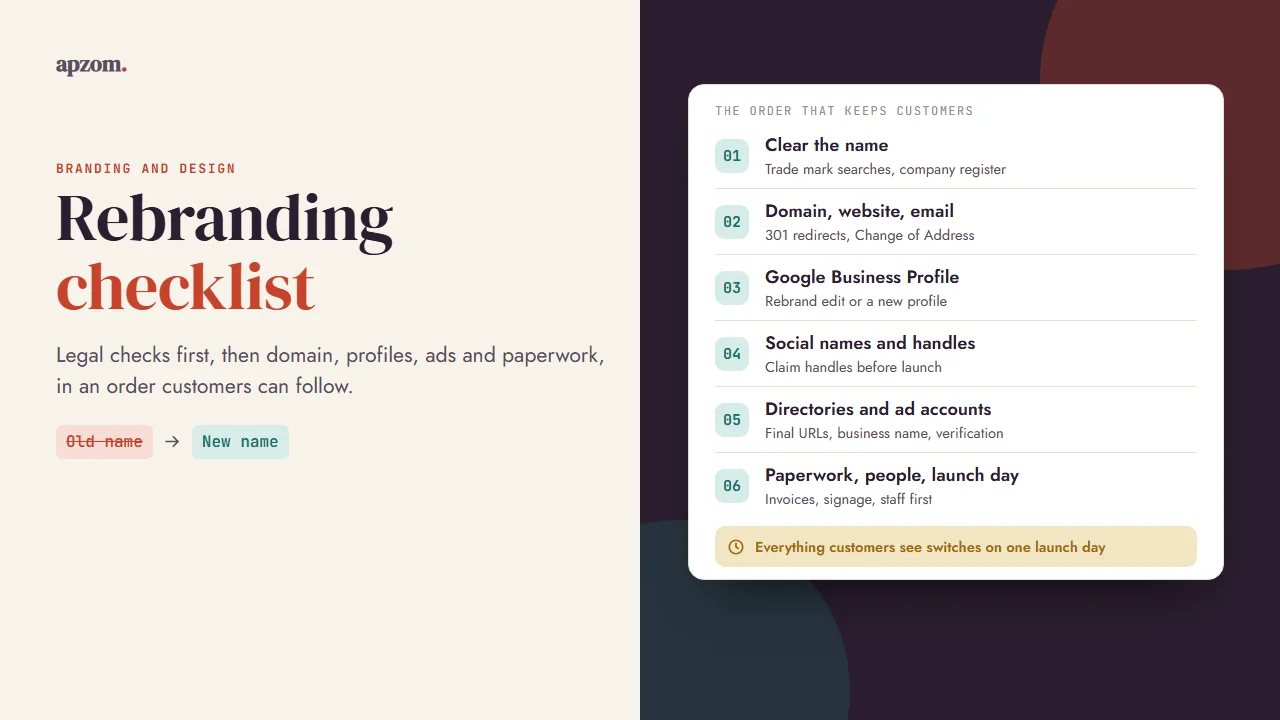
The short answer: Rebrand in a fixed order. Clear the new name legally first (trade mark searches in every country you sell in, and the company register if the legal name changes), then secure the domain and social handles and build the new website and email behind the scenes. Switch everything customers see on one launch day: 301 redirects, Search Console’s Change of Address tool, Google Business Profile, social profiles, directories, ad accounts, invoices and signage. Tell staff first, customers second and the public third, and keep the old domain and its redirects for years. Check Google’s rules before renaming your Business Profile: a change to the proper nouns or services in your name counts as a new business, not an edit.
This checklist is for owners and marketing leads of small and mid-sized businesses anywhere in the world who are changing their name, their look or both. It covers scoping, legal checks by country, domain and email, Google Business Profile, social handles, directories, ad accounts, paperwork, communications, launch day and measurement. We checked Google’s, Meta’s and LinkedIn’s help pages, X’s help centre (through a search index) and the trade mark offices’ sites against official sources on 23 November 2026.
First, decide what kind of rebrand this is
“Rebrand” covers very different projects, and the scope decides the work.
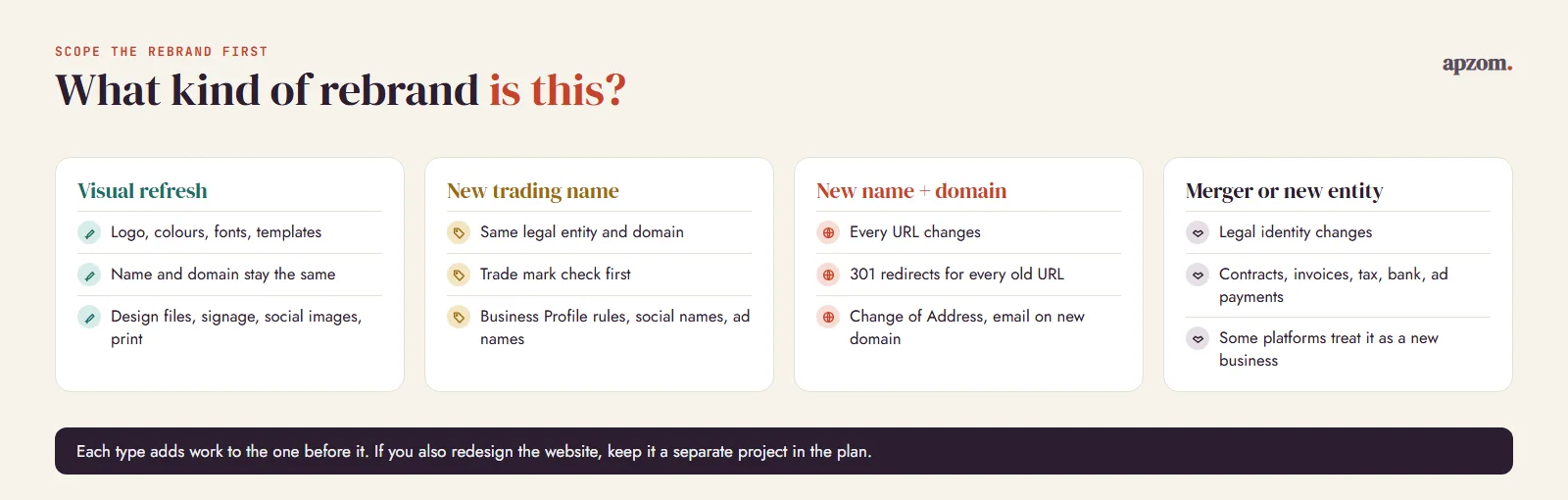
| Type of rebrand | What changes | What it triggers |
|---|---|---|
| Visual refresh | Logo, colours, fonts, templates; name and domain stay | Design files, website styling, social images, signage, print |
| New trading name, same legal entity and domain | The name customers see | Trade mark check, Business Profile rules, social names, directories, ad business names |
| New name and new domain | Name plus every URL | All of the above, plus 301 redirects, Search Console Change of Address, email on the new domain |
| Merger, acquisition or new legal entity | Legal identity, often name and domain too | All of the above, plus contracts, invoices, tax, bank and ad payment profiles; some platforms treat it as a new business |
If you are only refreshing the look, most of this checklist does not apply: our guide to brand identity for small businesses covers the brand kit and file ownership. If you are also redesigning the website, keep the two projects separate in the plan. Google’s Change of Address help warns that if you combine a site move with a redesign of the content and URL structure, you “will probably see some traffic loss” while Google reassesses the pages.
The order that protects your customers
Everything that can fail quietly happens before launch day, and everything customers see changes on the same day. Our rule of thumb for a small business changing its name and domain (stretch it for a larger or regulated business):
- Eight or more weeks before: trade mark searches, legal advice, any company register filing. Nothing public yet.
- Six weeks before: register the domain, claim the social handles, build the site on staging, set up email.
- Four weeks before: write the redirect map, prepare profile, directory and ad changes, order signage and print.
- Two weeks before: brief staff, then key customers, suppliers and partners.
- Launch day: switch the site and redirects, file the Change of Address, update profiles and ads, announce.
- Day 1 to day 90: check redirects, reviews, ad approvals and enquiries; clean up stragglers.
Step 1: Clear the name before anything goes public
The costliest rebrand mistake is building on a name you cannot use. Search the trade mark registers in every country where you sell or plan to sell, in your classes of goods and services, for identical and similar names, including ones that sound alike. Then search the web, domains, social handles and company registers: an unregistered user may still have rights in some countries.
- United States: the USPTO’s Trademark Search system.
- United Kingdom: the UK IPO’s “Search for a trade mark” service on GOV.UK, which lets you check “if a similar trade mark to your brand already exists in the UK”.
- European Union: EUIPO’s eSearch plus for EU trade marks and TMview for EU and national offices. EUIPO notes that “the most frequent challenges to trade mark applications come from other registered trade marks”.
- India: IP India’s free public trade mark search, which includes wordmark and phonetic searches.
- Australia, Canada and the UAE: IP Australia’s Australian Trade Mark Search, CIPO’s Canadian Trademarks Database and the UAE Ministry of Economy and Tourism’s paid online trade mark enquiry service, which it says does not mean an application will be accepted.
- Several countries: WIPO’s Global Brand Database searches international registrations and many national registers in one place.
Our brand identity guide lists each office’s filing fee as checked in November 2026. A search is a planning step, not clearance: if the name matters, pay a trade mark attorney for a clearance search before you spend on signage.
Company name, trading name and domain are separate
Registering a company name, trading name or domain does not give you trade mark rights; the US Small Business Administration says registering a DBA (“doing business as”) name “doesn’t provide legal protection by itself”. And changing your brand does not change your legal name unless you file the change.
- UK: a private limited company changes its name by special resolution, or as its articles of association allow, and GOV.UK says the name “will not officially change until Companies House registers it”.
- US: a DBA is registered with the state, county or city, and the SBA says requirements vary by business structure and location.
- India: an existing company reserves the new name through the Ministry of Corporate Affairs’ RUN service and applies for approval on Form INC-24; a fresh certificate of incorporation is then issued in the new name.
- EU and elsewhere: company registers are national, so check your own country’s register.
Ask your accountant or lawyer what else follows in your country (tax registrations, licences, bank accounts), and keep the approval document: platforms such as Google Ads ask for proof of a new legal name.
Step 2: Move the domain, website and email
If you are keeping your domain, skip to the site name and email sections below.
Domain and 301 redirects
Register the new domain early and keep the old one. Google’s Change of Address help recommends “continuing to pay for the old domain for at least a year to prevent others from buying and using your abandoned domain”; our rule of thumb is years, for as long as old links and business cards are around.
Redirect every old URL to its closest new URL with a permanent 301, not everything to the home page, and keep the same paths where you can (oldname.com/services/ to newname.com/services/). Google’s site-move guide says to keep redirects “for as long as possible, generally at least 1 year”. Our guide to 301 vs 302 redirects explains the redirect types, and the page-by-page move (benchmark, redirect map, staging, launch checks) is in our website redesign SEO checklist, so we do not repeat it here.
Search Console Change of Address
Google says to use the Change of Address tool in Search Console “after you’ve moved and redirected your site”. Its conditions:
- You must be a verified owner of both the old and the new property, using the same Google account.
- The old home page must 301 to the new home page (Google recommends 301s from the other pages too).
- It is only for moves between domains or subdomains, not URL changes within one domain.
- It “does not move any subdomains below the specified domain (including www)”, so run it for each variant.
- Keep redirects at least 180 days, longer if Google still sends traffic; after that, Google treats the old site as unrelated.
The 180 days and the site-move guide’s year are both minimums. Our Google Search Console guide shows how to verify the new domain property. For Bing, add the new site in Bing Webmaster Tools and submit its sitemap.
Your name in Google’s results
Update the WebSite structured data, home page title and og:site_name to the new name and request a recrawl; our guide to your site name and favicon in Google shows how. In Organization structured data, Google lists legalName for the registered name, alternateName for “another common name that your organization goes by” and sameAs for your profiles on other sites. Our suggestion is to keep the old name as an alternateName while customers still search for it; Google does not say this speeds anything up. For a knowledge panel, see our knowledge panel guide.
Email on the new domain
Set up mailboxes on the new domain before launch and authenticate it with SPF, DKIM and DMARC, or your announcement may land in spam. Keep the old addresses receiving and forwarding mail, with an auto-reply giving the new address, because customers and suppliers will use them for months. Switch signatures and the sender domain in your email tool on launch day.
Step 3: Change your Google Business Profile the right way
Google does not treat every name change as an edit. Its Business Profile guidelines say a profile may be eligible for “rebranding”, a name change without a new profile, only in two cases:
- a minor name change in which “the proper nouns and services described in the business name remain unchanged and the business category remains unchanged”, or
- a business with multiple locations whose name changes.
If your change does not meet those criteria, Google says “it’s considered a new business. You must mark the existing Business Profile as closed” and then create a new profile with the new name.
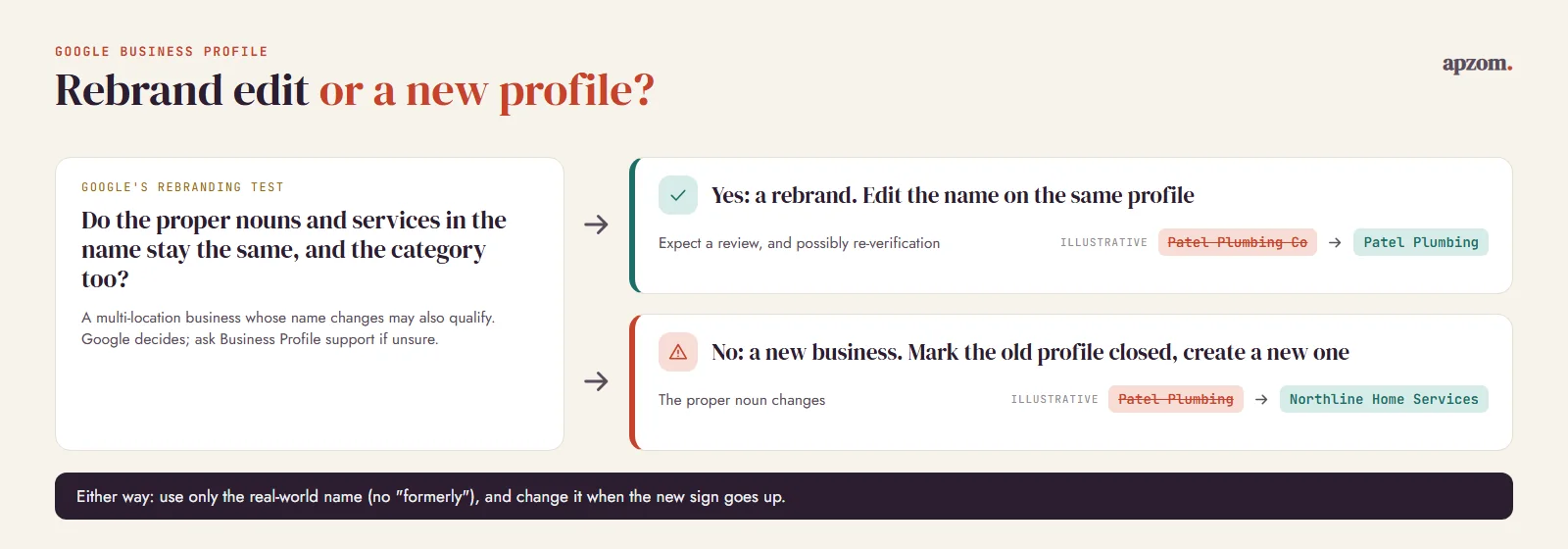
As our illustration only: “Patel Plumbing Co” becoming “Patel Plumbing” keeps the proper noun and the service, so it looks like a minor change if the category stays the same. “Patel Plumbing” becoming “Northline Home Services” changes the proper noun, so under these guidelines it is a new business. Google decides, so if you are unsure, ask Business Profile support before you change anything.
Whichever route applies, follow the rest of Google’s rules:
- Use only the real-world name. Google’s guidelines say the name “should reflect your business’s real-world name, as used consistently on your storefront, website, stationery”. Do not add “formerly Oldname” or a service keyword.
- Change it when the real world changes. Businesses that show their address need “permanent fixed signage of their business name at the address”, so change the profile when the new sign goes up.
- Expect review and possibly re-verification. Google says “we review your changes before we update them live” and “if you change your business name after it’s verified, you might need to verify your business again”. Do not edit the name while waiting for a postcard verification code, or the code stops working; see our guide to verifying your Google Business Profile.
- Update the website link to the new domain at the same time.
Our Google Business Profile optimization checklist covers the rest of the profile once the name is settled.
Step 4: Change your social names and handles
Each platform has its own rules for names and handles (the @username in the URL). Claim the new handles in week six so nobody else takes them, even if you switch on launch day.
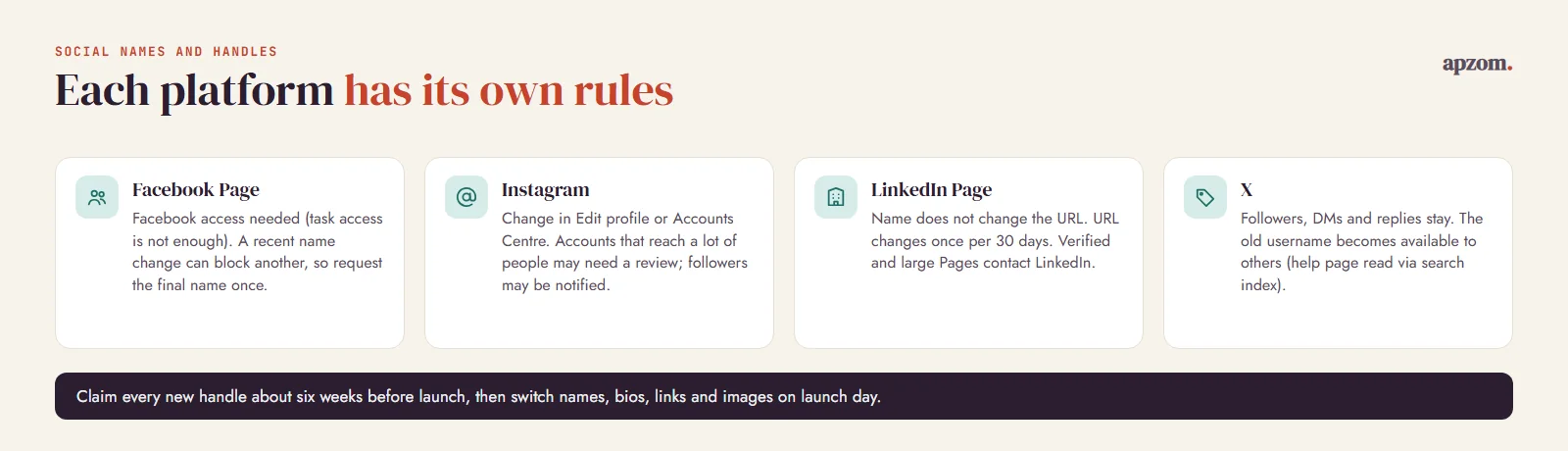
| Platform | What the platform’s help says | What to plan for |
|---|---|---|
| Facebook Page | People with Facebook access to the Page can request a name change (task access is not enough); it may be blocked if the name was recently changed or the Page has limits | Request it once, with the exact final name, so a recent change does not block a correction |
| Change the username in Edit profile or Accounts Centre; “if your account reaches a lot of people, your username change may need to be reviewed” | Allow for a review before launch day; followers may be notified | |
| LinkedIn Page | Super admins can edit the name; verified Pages and Pages with many associated employees must contact LinkedIn; changing the name does not change the Page URL | Change the name, then the URL (once per 30 days); ask employees to update their profiles |
| X | X’s help centre says a username change keeps your followers, Direct Messages and replies, and your old username becomes available to others | Consider reserving the old handle with a placeholder account, if X’s rules allow it |
For mergers, note that LinkedIn says “followers can’t be migrated when a page change is due to an acquisition, merger, de-merger, or company split”, and that after a URL change the old URL keeps working until another admin requests it. X’s help page blocks automated access, so we read it through a search index; confirm the rules in the app before you switch.
Planning a new name or a new domain? Ask for a Free Growth Audit. We list the places we can find where your current name and URLs appear (website, Business Profile, social profiles, directories and ad accounts), check them against the platform rules in this guide, and send you the order we would change them in.
Step 5: Update directories and citations
Your old name lives on Bing Places, Apple Maps, Yelp, industry directories, partner sites, review sites and old press articles.
- Find them. Search for your old name in quotes, your old phone number and your old address.
- Fix the ones you control: see our guides to Bing Places, Apple Maps and Yelp.
- Ask for the rest. Email partners and publishers that link to you; Google’s site-move guide recommends updating as many links as possible, including profile links.
- Keep a log so you can find stragglers at day 30 and day 90.
Our local SEO checklist explains why consistent name, address and phone details matter beyond your Business Profile.
Step 6: Update your ad accounts before launch day
Google Ads
- Final URLs. Edit every final URL and sitelink to the new domain. Google Ads policy lists “redirects from the final URL that take the user to a different domain” as a cause of disapproval for Destination mismatch, so your 301s are not enough. See our guide to disapproved Google Ads.
- Business name. Google’s editorial policy does not allow a business name that is anything other than “the domain, the recognized name of the advertiser, or the promoted downloadable app”. Switch business name and logo assets when the new domain goes live, not before.
- Advertiser verification. Google says “updating the legal name on a billing profile immediately triggers the need for a new advertiser verification”. It asks for a document showing that the legal name changed but the legal entity stayed the same; a new VAT number indicates a new legal entity, which this process cannot handle. The account “will continue to be verified until the new name is verified”. To change the name in ad disclosures, an account admin resets verification under Admin, Policy, Account. Google lists name change history among the details shown publicly.
Meta (Facebook and Instagram)
Rename your Facebook Page and Instagram account first (Step 4), check the name in your ad previews and update every destination URL. Verify the new domain in Business Manager too: Meta’s developer documentation says domain verification “provides a way for you to claim ownership of your domain in Business Manager”, using a DNS TXT record or an HTML file. Then check the Meta Pixel and Conversions API set-up on the new site. If your business portfolio is verified, read Meta’s Business Help Centre before changing its legal name: we could not load Meta’s own text on this when we checked, so we state no rule.
Step 7: Change invoices, contracts, signage and everything physical
Old names survive longest offline. Give each item an owner and a date.
- Invoices and quotes: new name, legal name if different, registration and tax numbers, logo and bank details; ask your accountant what invoices must show in your country.
- Contracts and terms: ask your lawyer whether existing contracts need a notice, an amendment or re-signing, which can depend on whether only the trading name changed or the legal entity did. Update your website terms and privacy policy with the new name.
- Payments: payment links, card terminals, checkout names and the name on your bank account.
- Signage, vehicles and uniforms: order for delivery before launch, because Google expects the profile name to match the sign.
- Print and templates: business cards, brochures, proposal and slide templates, app store listings.
Step 8: Tell staff first, customers second, the public third
- Staff, two weeks or more before. Why the name is changing, what stays the same (people, prices, service) and a short script for customer questions.
- Key customers, suppliers and partners, one to two weeks before. A personal email or call saying what changes for them (invoices, email addresses, bank details if they change) and what continues as before.
- Everyone else, on launch day. An announcement email, a website notice (“Oldname is now Newname”), a pinned social post and an email auto-reply. See our guide to email marketing for small businesses.
If bank details change, say so in advance: payment-redirection scams imitate exactly this message, so tell customers you will never ask them to change payment details by email alone.
Launch-day checklist
Run this in order, and tick each item only after checking it logged out.
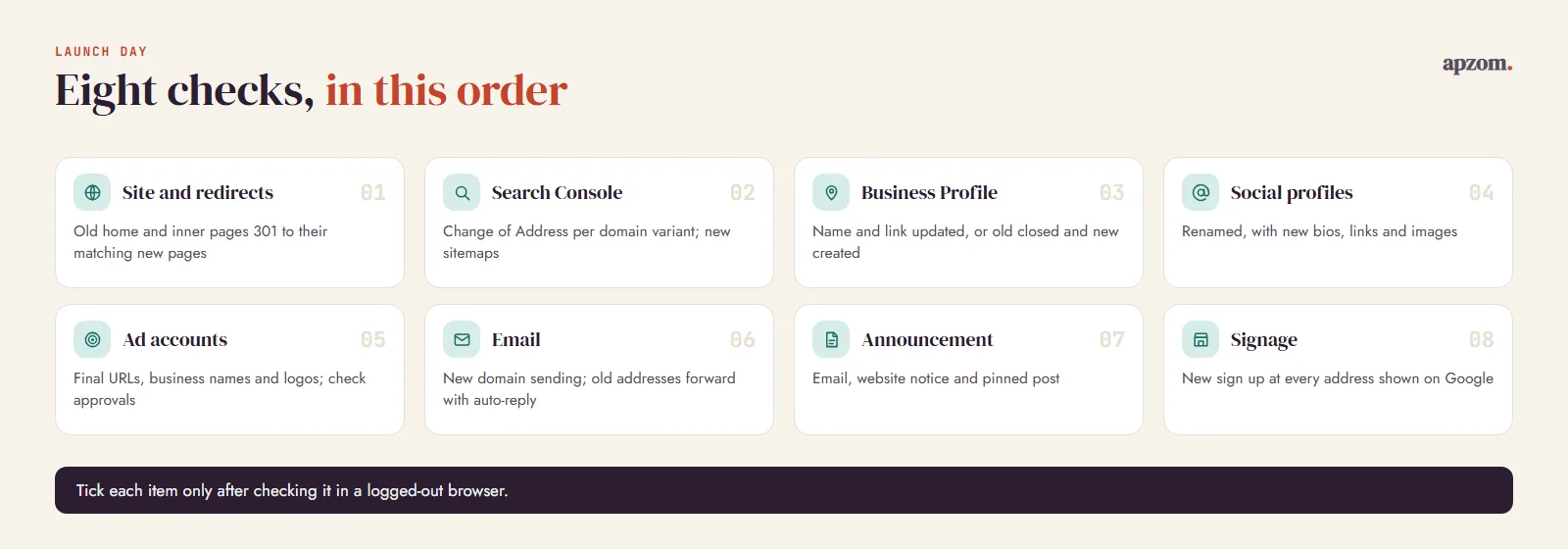
- New website live; old home page and a sample of old inner pages 301 redirect to the matching new pages.
- Change of Address filed in Search Console for each old domain variant; new sitemap submitted to Google and Bing.
- Google Business Profile name and website updated, or the old profile marked closed and a new one created if the change counts as a new business.
- Facebook, Instagram, LinkedIn, X and other profiles renamed, with new bios, links and images.
- Google Ads and Meta ad URLs, business names and logos switched; ads checked for disapprovals.
- Email on the new domain sending and receiving; old addresses forwarding with an auto-reply.
- Announcement email sent, website notice live, pinned social post published.
- Signage up at every address shown on Google.
Measure the first 90 days
- Both names in search. In Search Console, filter the Performance report for queries containing the old name and the new one; old-name searches should fall slowly as new-name searches rise.
- Redirects. Crawl the old URLs at day 1, 7 and 30, and watch the Page indexing report on the new property.
- Business Profile. Compare calls, direction requests and website clicks with the weeks before, and read new reviews for confusion about the name.
- Ads. Check approval status daily for the first week, then weekly.
- Enquiries. Count enquiries by week against your own baseline and ask new customers how they found you.
Our working target: every listing you control shows the new name within 30 days, and every other listing has been chased by day 90.
Common mistakes
- Choosing the name before searching the trade mark registers. A later dispute can force a second rebrand.
- Editing the Business Profile name when Google would treat it as a new business. Read Google’s rebranding criteria first.
- Adding “formerly Oldname” to the Business Profile name. Google allows only the real-world name; say it on your website instead.
- Redirecting every old URL to the new home page. Map each page to its closest match.
- Letting the old domain expire. Someone else can buy it and use your old links.
- Leaving Google Ads final URLs on the old domain. Redirects to a different domain can lead to Destination mismatch disapprovals.
- Announcing before the handles are secured. Claim the new usernames first.
- Changing everything on different days. Customers see two or three names at once and lose trust.
How Apzom can help
Apzom Digital plans and runs rebrands across branding and design, the website and domain move, Business Profile and social updates, directories, ad accounts and the launch-day checks, with the redirect map agreed before anything goes live. We have not published a rebrand case study yet, so this guide sets out documented platform rules, not results from our projects. We do not give legal advice: we work alongside your trade mark attorney and accountant. See our branding and design services. We work with clients worldwide, remotely, from our base in Ahmedabad, India.
Get a Free Growth Audit and Quote for your rebrand. Tell us your current name and domain, the new name and the countries you sell in. We send back a written rebrand plan: the redirect map scope, the Business Profile route, the profile and ad account changes, a launch-day checklist and a quote if you want us to do the work.
No obligation, no promised rankings and no legal advice. Prefer to talk first? Contact us or read our brand identity guide.
Frequently asked questions
How long does a rebrand take?
It depends on scope. A name change with a new domain needs time for trade mark checks, any legal filing and the website build; our rule of thumb is at least eight weeks of preparation for a small business. After launch, Google says a small to medium-sized site can take a few weeks for most pages to move in search.
Will changing my business name hurt my SEO?
It can cost some traffic for a while, especially with a new domain. If the old domain still fits the new name, keeping it avoids a site move. Otherwise, map every old URL, use the Change of Address tool and keep the redirects for at least a year.
Can I keep my Google reviews when I rebrand?
If Google accepts the change as a rebrand, the name is edited on the same profile rather than a new profile being created. If the change counts as a new business, you mark the old profile as closed and create a new one. Google’s guidelines do not describe moving reviews between profiles, so ask Business Profile support before you change anything if reviews matter to you.
Do I need a new trade mark if I only change my logo?
If your old logo was registered as a trade mark, ask a trade mark attorney whether that registration covers the new design in each country where you rely on it. If only the name was registered, ask the same question about how you plan to use the name with the new logo.
Can I put “formerly” my old name in my Google Business Profile?
No. Google’s guidelines allow only the real-world name and say unnecessary information in the name isn’t permitted and could lead to suspension. Explain the change on your website, in your announcement email and in your social posts instead.