The short answer: Use a 301 (or 308) redirect when a page has moved for good, and a 302 (or 307) when the move is temporary and the original will come back. Google says permanent redirects are a signal that the new URL should be shown in search results, while temporary redirects keep showing the original. Most business site changes, such as new URLs after a redesign, merged pages or a switch to https, need permanent redirects. Set them up on the server where you can, redirect each old page to its closest new equivalent, and avoid chains of redirects.
This guide is for site owners, marketers and developers changing URLs, merging content or moving sites. It follows Google Search Central’s redirects documentation as checked in November 2026. Apzom Digital builds websites and sells SEO, so read this knowing we have an interest.
What to take from this guide
- Permanent or temporary is the key decision. It tells Google which URL to show.
- 301 and 308 are permanent. 302 and 307 are temporary.
- Server-side redirects are the most reliable. Google ranks them first.
- Redirect to the closest match. Sending everything to the home page helps nobody.
Permanent versus temporary
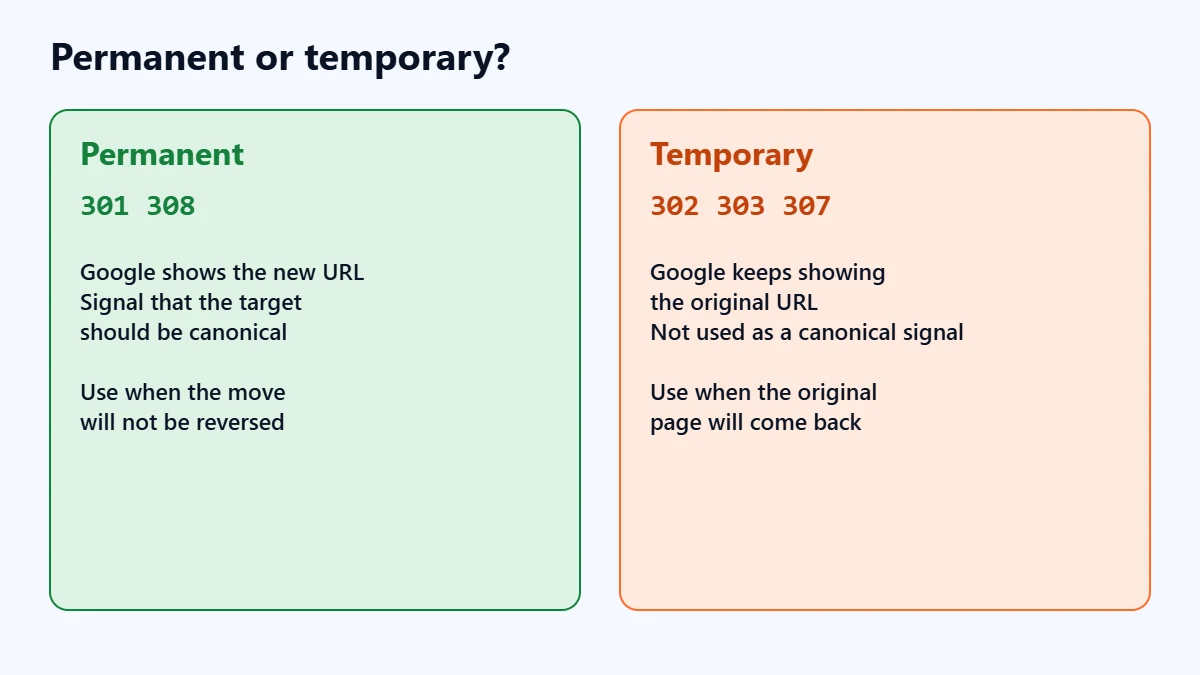
| Permanent | Temporary | |
|---|---|---|
| Status codes | 301 (moved permanently), 308 | 302 (found), 303, 307 |
| What Google shows | The new target URL | The original source URL |
| Canonical signal | Google uses it as a signal the target should be canonical | Not used as that signal, though the target may still be indexed if other signals point to it |
| Use when | You are sure the redirect will not be reversed | The original page will return |
When to use each
- Permanent (301): new URLs after a redesign, merged or consolidated pages, a new domain, moving from http to https, or choosing one version of your home page.
- Temporary (302): a page down for maintenance, a short promotion that temporarily replaces a page, or testing a new page before committing.
In our judgement, if you are unsure, ask whether the old URL will ever be used again. If the answer is no, the redirect is permanent.
Ways to redirect, in order of reliability
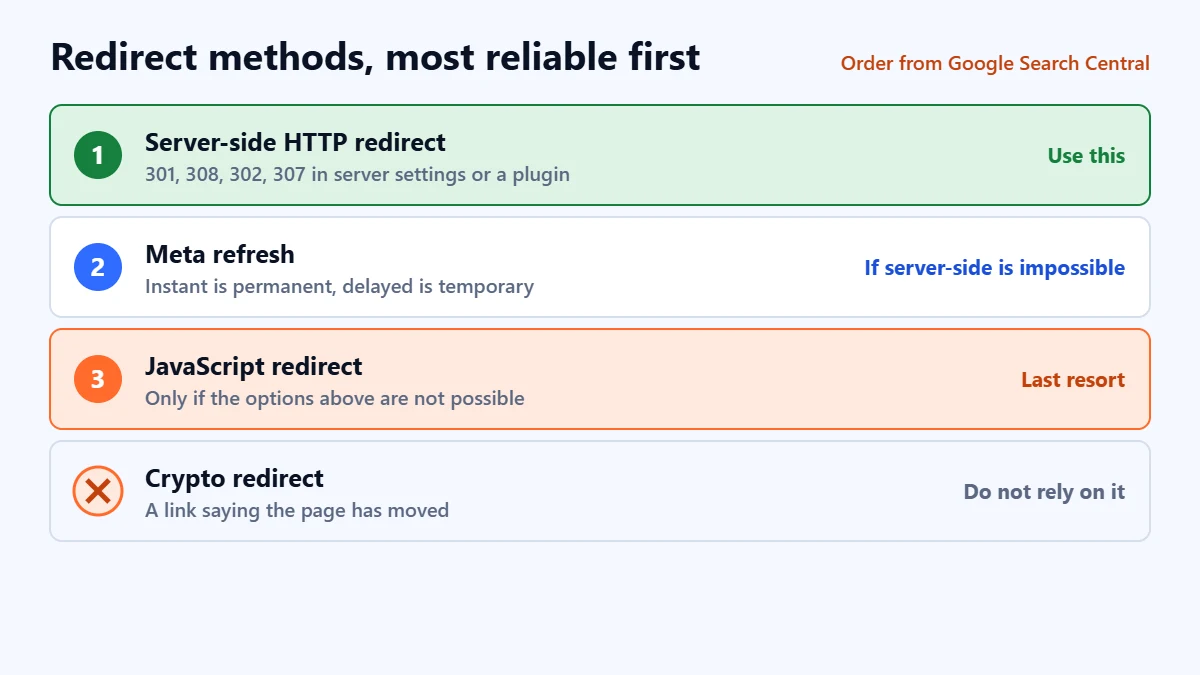
Google orders redirect methods by how likely it is to interpret them correctly:
- Server-side HTTP redirects (301, 308, 302, 307). Set up in your server configuration, hosting panel or a WordPress redirect plugin.
- Meta refresh. Google treats an instant meta refresh as permanent and a delayed one as temporary.
- JavaScript redirects. Google says to use these only if you cannot do server-side or meta refresh redirects.
- Crypto redirects, such as a link saying the page has moved. Google says not to rely on these.
Planning new URLs or a site move? Ask for a Free Growth Audit. We review your current URLs, redirects and indexing, and tell you what to protect before anything changes.
How to plan redirects for a URL change
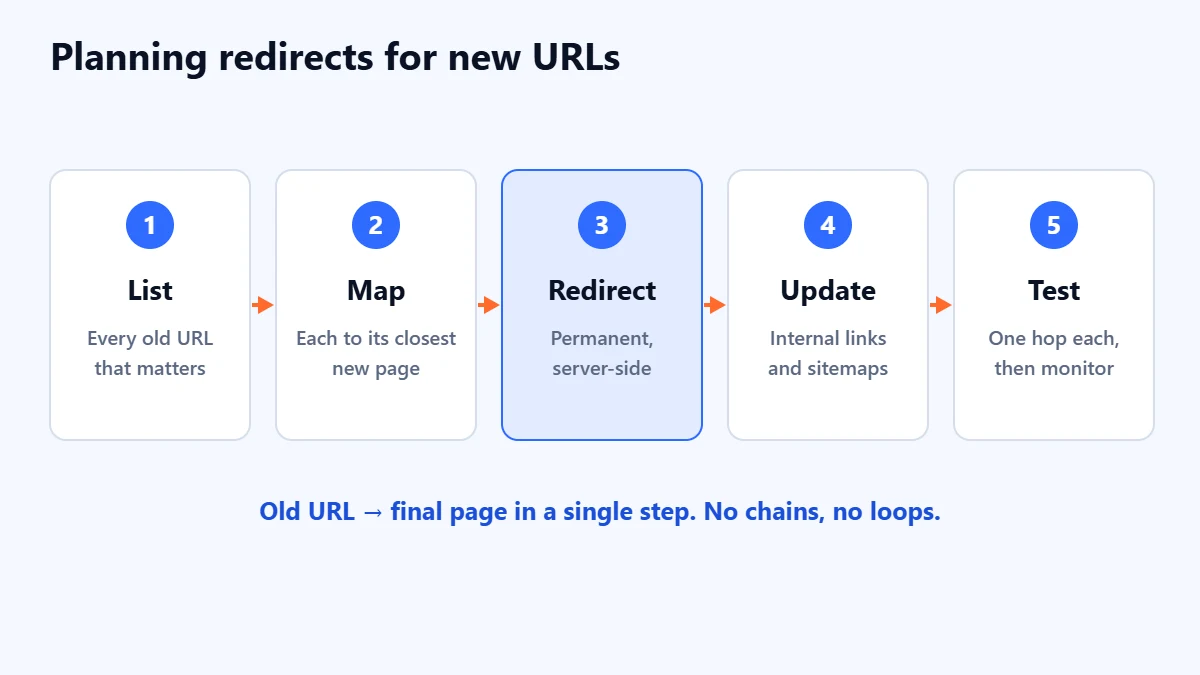
- List every old URL, including pages with links from other sites and those that get search traffic. Search Console’s Performance report shows which pages matter.
- Map each to its closest new page. One to one where possible.
- Set up permanent redirects on the server or in your redirect plugin.
- Update internal links and sitemaps to point straight to the new URLs, rather than through redirects.
- Test and monitor. Check each old URL lands on the right page with a single redirect, and watch Search Console over the following weeks.
Our website redesign SEO checklist covers redirects as part of a full relaunch.
Common redirect mistakes
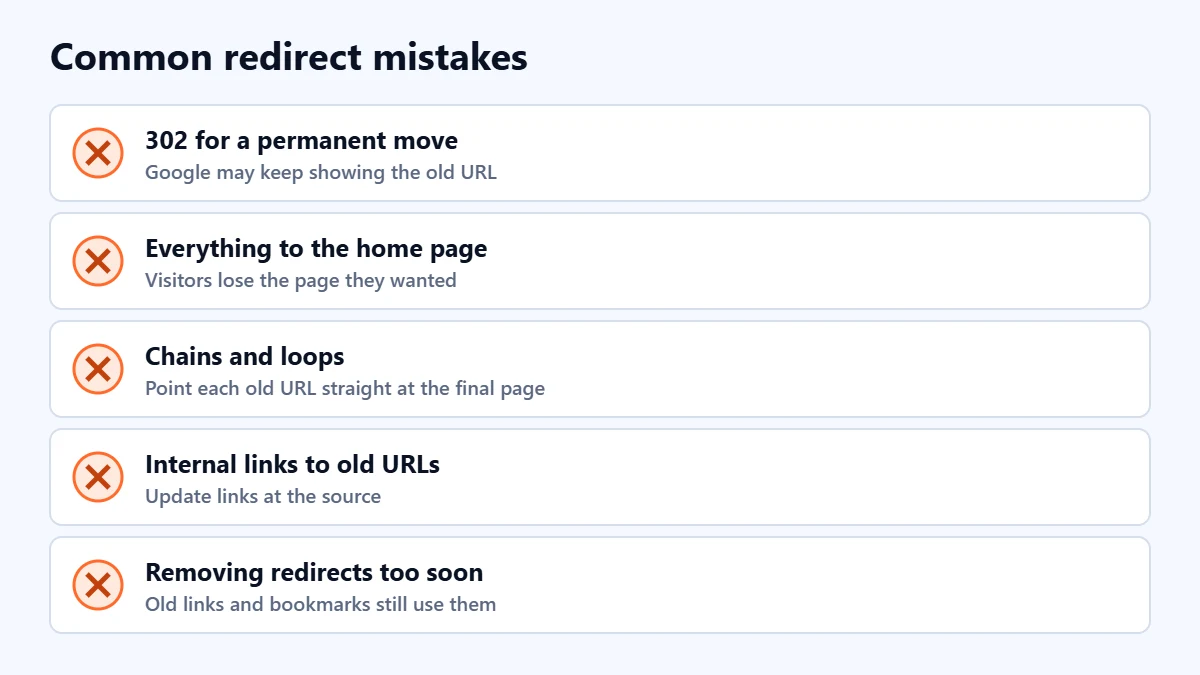
- Using 302 for a permanent move. Google may keep showing the old URL.
- Redirecting everything to the home page. Visitors and search engines lose the specific page they wanted.
- Chains. Old URL to newer URL to newest URL. Point each old URL straight at the final destination.
- Loops. Two URLs redirecting to each other, so the page never loads.
- Internal links still pointing at old URLs. Update them at the source.
- Removing redirects too soon. Links from other sites and bookmarks keep using old URLs for a long time.
If a page should disappear rather than move, a redirect is the wrong tool. Our guide to removing a page from Google explains the alternatives.
Frequently asked questions
Do I lose SEO value with a 301 redirect?
Google says it uses a permanent redirect as a signal that the target URL should be canonical, so the new page can take the old one’s place in results. Redirecting to a closely matching page matters, because a redirect to unrelated content is less useful to everyone.
What is the difference between 301 and 308?
Both are permanent. Google treats them the same way for search. The technical difference concerns how browsers handle the request method, which rarely matters for ordinary web pages.
How long should I keep redirects in place?
In our judgement, as long as practical, and indefinitely for important pages, because links from other sites and bookmarks do not update themselves.
Can I set up redirects in WordPress without a developer?
Yes. SEO plugins such as Rank Math include a redirections module, and dedicated redirect plugins exist. Choose a 301 for permanent moves and test each one after adding it.
Get your Free Growth Audit and Quote. We review your site’s URLs, redirects, indexing and technical SEO, then send a plain-English list of what we would fix first.
No obligation and no guaranteed rankings. Prefer to talk first? Contact us or see our website development service.