The short answer: Google shows a site name and a small icon, the favicon, beside your search results, and it chooses both automatically. To set your preferred site name, add WebSite structured data to your home page and use the same name consistently on that page. To set your favicon, add a <link rel="icon"> tag to your home page pointing to a square image that Google can crawl. Then wait: Google says recrawling can take from several days to several weeks. If Google still shows something else, check for inconsistent names, blocked files and duplicate home pages.
This guide is for business owners and marketers whose search results show the wrong business name, a generic globe icon, or an old logo. It follows Google Search Central as checked in November 2026. Apzom Digital builds websites and sells SEO, so read this knowing we have an interest. Most fixes take a few minutes.
What to take from this guide
- Both are chosen by Google. You give it clear signals, and it decides.
- Both live on your home page. Google looks there for the site name markup and the favicon tag.
- One per site. Google supports one site name and one favicon per domain or subdomain, not per subdirectory.
- Changes take time. Google has to recrawl the home page first.
Where they appear
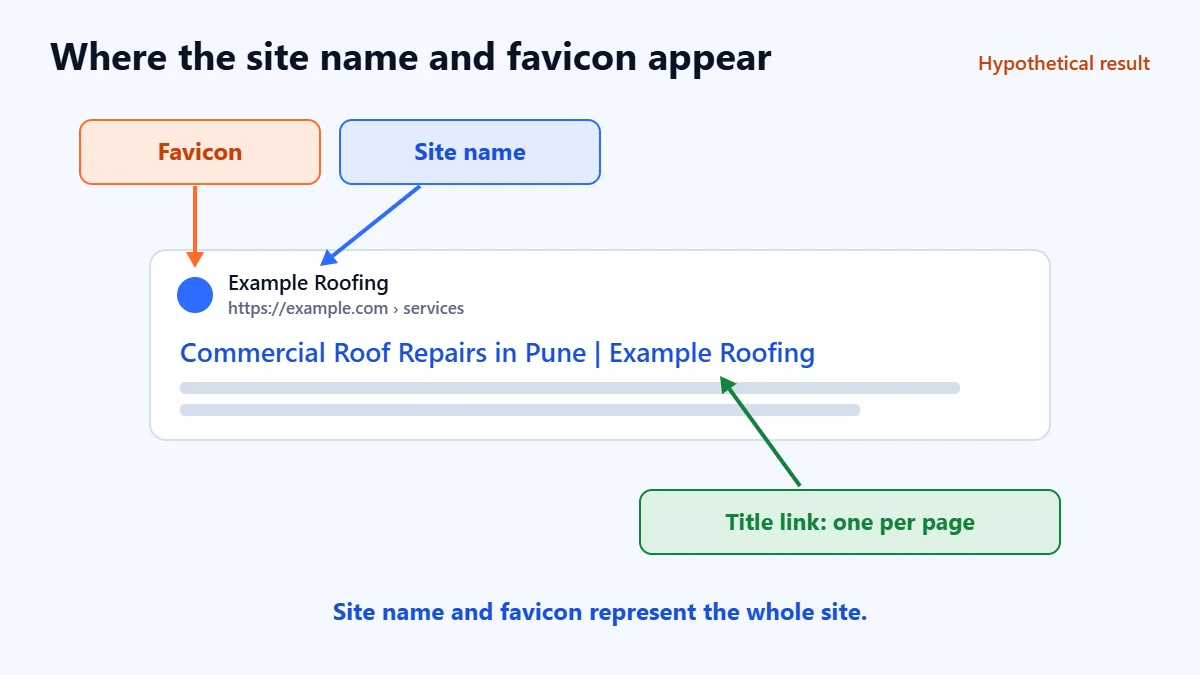
The site name and favicon sit at the top of each result, above the title link. Google says the site name represents the whole site, whereas the title link is specific to each page. Both help people recognise your business quickly as they scan results.
How to set your site name
Google says site names are generated automatically from the home page and references to it on the web. Its system considers WebSite structured data, og:site_name, the title, headings and other home page text, but WebSite structured data matters most if you want to state a preference.
- Choose the name. Google asks for a unique, concise, commonly recognised name that is not misleading.
- Add WebSite structured data to the home page, with the name in the
nameproperty. Many SEO plugins, including Rank Math and Yoast, add this for you. Check the plugin’s site name setting. - Add an alternative name. Google suggests the
alternateNameproperty, such as an acronym, so it has other options if your first choice is not selected. - Use the name consistently in the home page title, headings and og:site_name.
- Request a recrawl of the home page in Search Console’s URL Inspection tool.
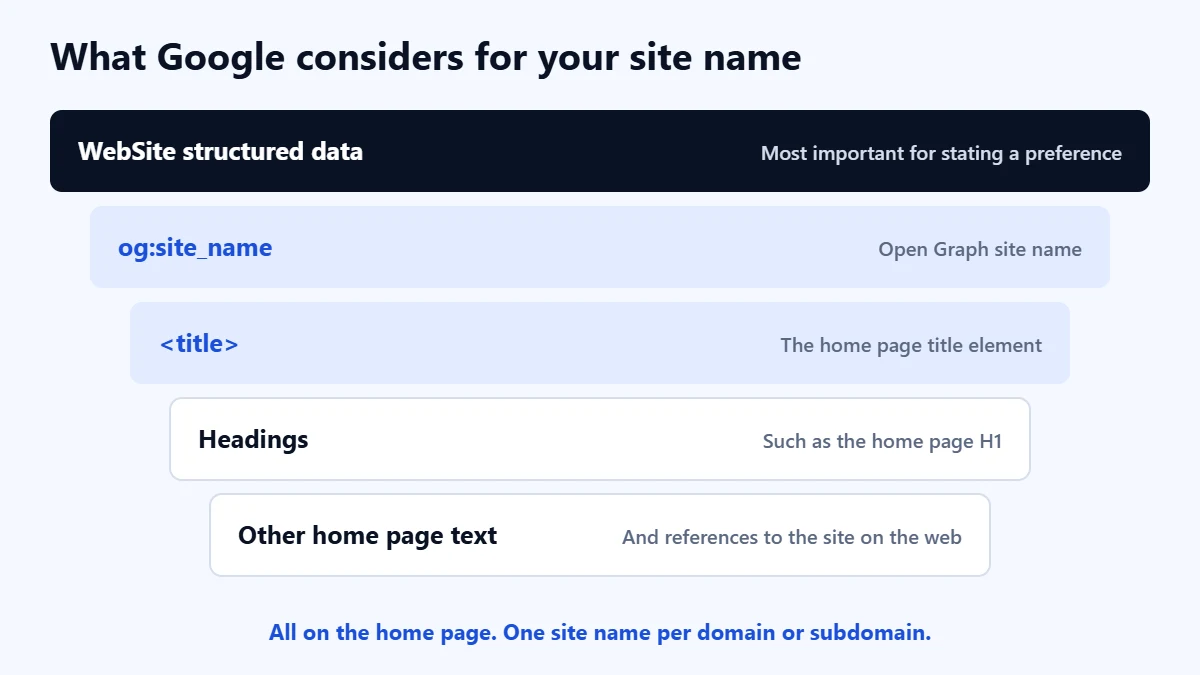
Google supports one site name per site, where a site is a domain or subdomain. It does not support site names for subdirectories, so example.com/news cannot have its own.
How to set your favicon
- Create a square image. Google requires a 1:1 aspect ratio of at least 8 by 8 pixels, and recommends larger than 48 by 48 so it looks good on different screens.
- Use a supported format: BMP, GIF, ICO, PNG, JPEG, PPM or TIFF, according to Google.
- Add a link tag to the home page, such as
<link rel="icon" href="/favicon.png">. In WordPress, set the Site Icon in the Customizer or your theme settings. - Keep the URL stable. Google asks you not to change the favicon URL frequently.
- Make sure Google can crawl it. Googlebot must be able to crawl the home page, and Googlebot-Image the favicon file. Neither should be blocked by robots.txt.
- Make it represent your brand. Google says it replaces inappropriate favicons with a default icon.
Want your search results to look right? Ask for a Free Growth Audit. We check your site name, favicon, structured data and how your pages appear in search, and tell you what to fix first.
If Google still shows the wrong name or icon
| Problem | Likely cause | What to check |
|---|---|---|
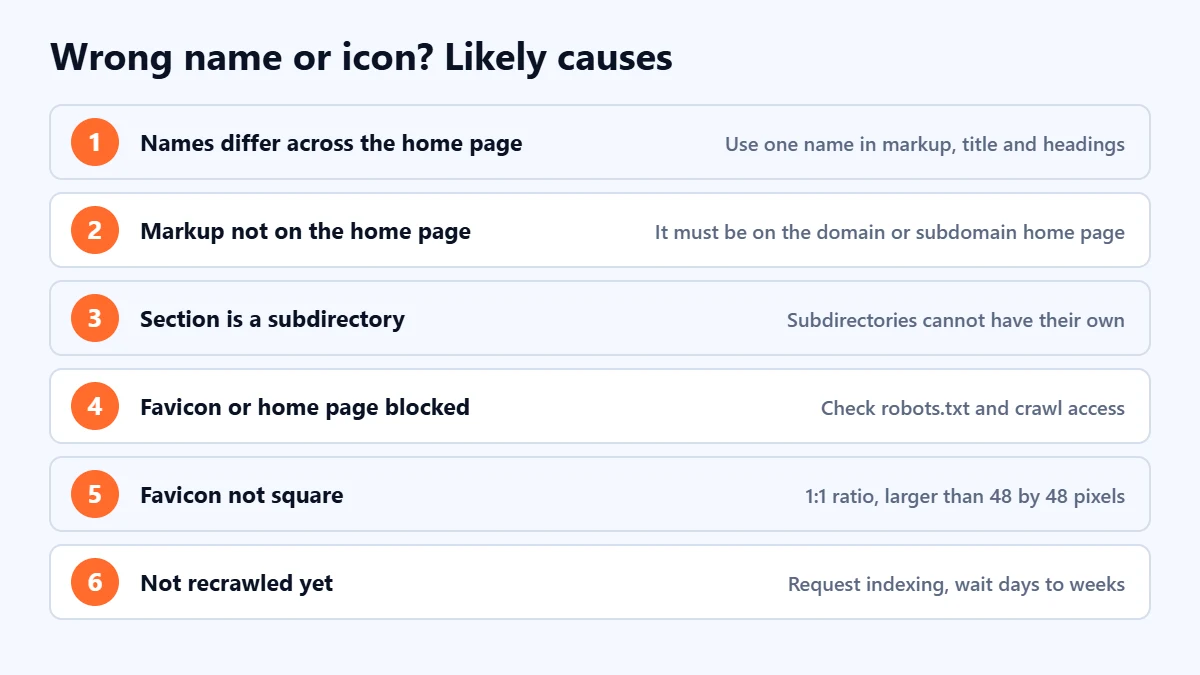
| Wrong site name | Names differ between the markup, title and headings | Use one name everywhere on the home page |
| Site name ignored | WebSite markup is not on the home page | Google says it must be on the domain or subdomain home page |
| Name for a section not used | The section is a subdirectory | Google does not support subdirectory site names |
| Generic icon | Favicon or home page blocked, or the image is not square | Check robots.txt and the image dimensions |
| Mixed results | Duplicate home pages, such as http and https, or www and non-www | Google says to use the same markup on each. In our judgement, also redirect to one version |
| No change yet | Google has not recrawled | Request indexing of the home page and allow several days to weeks |
A checklist
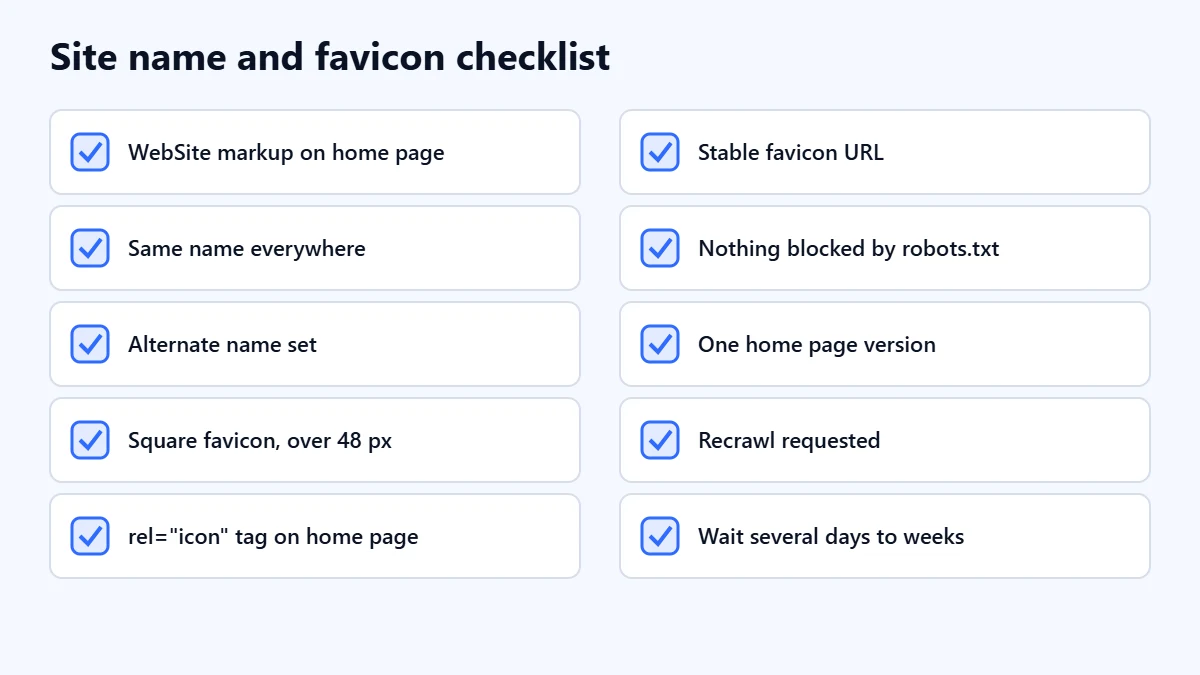
- WebSite structured data is on the home page, with your name.
- The same name appears in the title, headings and og:site_name.
- An alternate name is set, if you have one.
- The favicon is square and larger than 48 by 48 pixels.
- A
rel="icon"link tag is on the home page. - The favicon URL is stable.
- Neither the home page nor the favicon is blocked by robots.txt.
- One home page version, with others redirected. Our guide to 301 and 302 redirects explains how.
- A recrawl of the home page has been requested.
Our guide to schema markup for small businesses covers structured data more broadly, and our guide to Google sitelinks covers the extra links Google can show under your result.
Frequently asked questions
How long does it take for a new favicon to show in Google?
Google says crawling can take anywhere from several days to several weeks, depending on how often it refreshes your content. Requesting indexing of the home page can help it notice the change.
Why does Google show my domain instead of my business name?
Google may not have a clear signal yet. Add WebSite structured data with your name to the home page, use the same name consistently, and allow time for recrawling.
Can different sections of my site have different favicons?
Only if they are on different hostnames. Google supports one favicon per hostname, so a subdomain such as shop.example.com can have its own, but example.com/shop uses the main site’s favicon.
Is the site name the same as the title tag?
No. Google says the site name represents the whole site, and the title link is specific to each page. Our guide to title tags and meta descriptions covers page titles.
Get your Free Growth Audit and Quote. We review your search appearance, structured data and technical SEO, then send a plain-English list of what we would fix first.
No obligation and no guaranteed rankings. Prefer to talk first? Contact us or see our website development service.