The short answer: A website redesign loses rankings when search engines can no longer find, read or trust the pages that used to rank. That usually happens for a handful of plain reasons: old URLs that now lead nowhere, content that was cut, pages left blocked from the staging site, or internal links that disappeared from the new menu. You can avoid most of it with four habits. Know what kind of change you are making, build a redirect map before design starts, check every page against a launch list, and watch your data closely for the first ninety days.
This checklist is for business owners, marketing managers and in-house teams who are planning a new website or a big refresh, in any country. It walks through what to do before, during and after launch, with the steps in the order they matter. It does not assume you are a developer. Where a step is technical, we explain what to ask your developer or agency for.
Why redesigns lose traffic
A search engine knows your site as a list of addresses (URLs), what is on each one, and the signals pointing at each one, such as links from your own pages and from other websites. A redesign can change all three at once. When it does, the search engine has to re-learn your site, and anything it cannot match up may drop out.
The usual causes, roughly in the order we see them:
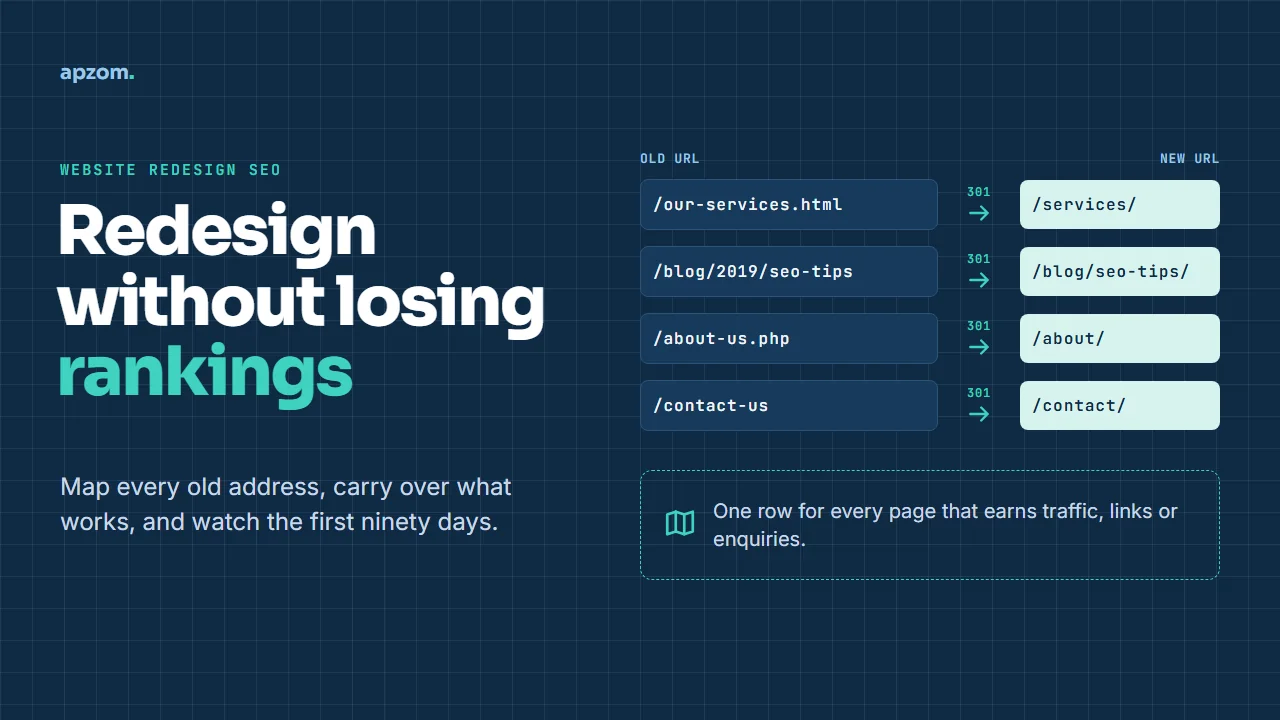
- Changed URLs with no redirects. Old pages return “not found” errors, so the rankings and links they built are lost.
- Content cut during design. Designers often shorten pages to fit a cleaner layout. If the removed text answered the searcher’s question, the page can slip.
- Staging settings left on. A “noindex” tag or a blocked robots.txt file from the test site goes live with the new one.
- Lost internal links. A new, simpler menu can quietly drop links to pages that relied on them.
- Titles, headings and structured data dropped. New templates often ship with generic titles or without the markup the old pages had.
- A slower or heavier site. New sliders, video and scripts can make pages slow, especially on phones.
None of these is a mystery. They are checklist problems, which is good news: a checklist can catch them.
Decide what kind of change you are making
The first framework we use with clients is the change-risk ladder. The higher up the ladder, the more work you need to do to keep your search traffic. Many redesign projects drift up the ladder without anyone deciding it, for example when a “new look” project quietly becomes a new URL structure.
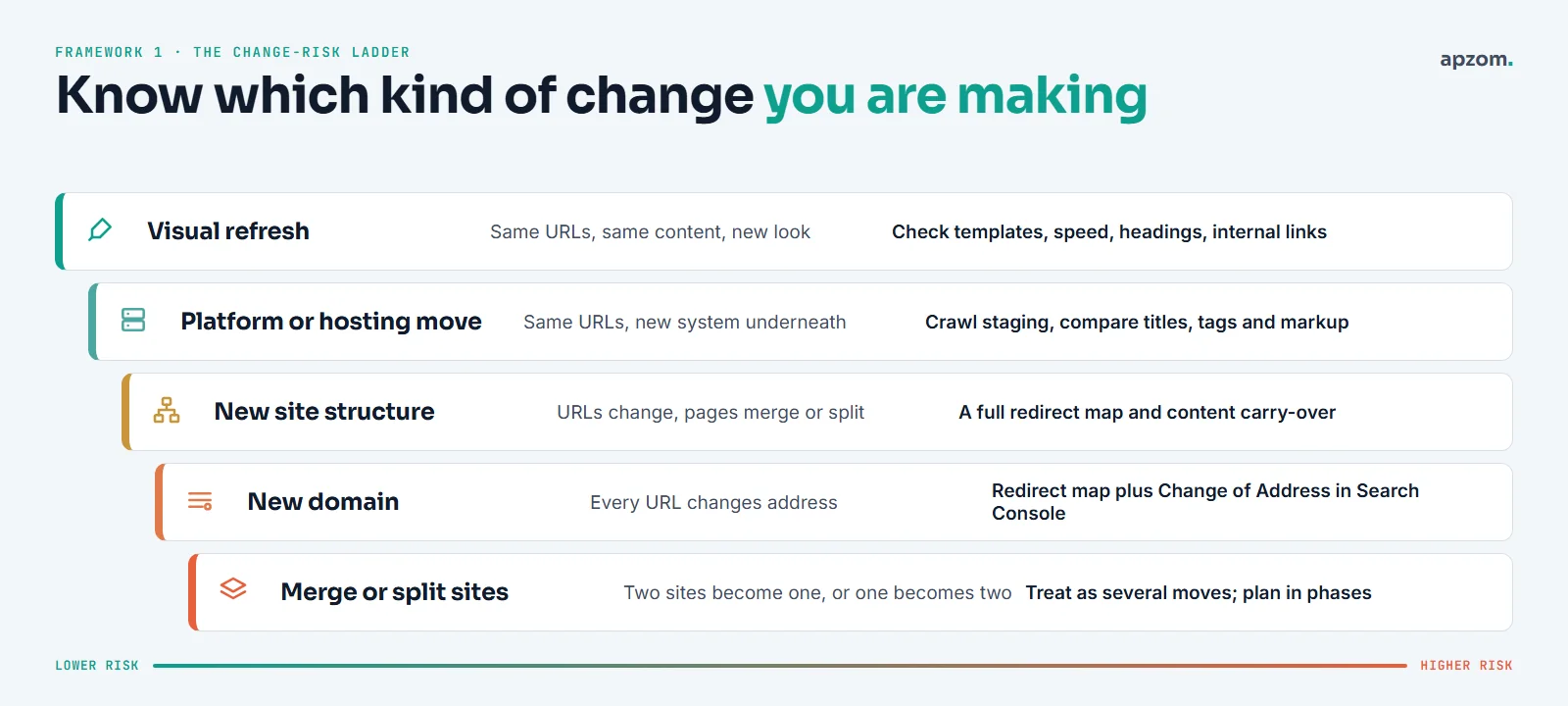
| Type of change | What changes | What you need |
|---|---|---|
| Visual refresh | The look only. URLs and content stay the same | Check templates, speed, headings and internal links |
| Platform or hosting move | The system underneath. URLs stay the same | Crawl the new site before launch and compare it with the old one |
| New site structure | URLs change; pages merge, split or move | A full redirect map and a content carry-over plan |
| New domain | Every URL changes address | A redirect map plus the Change of Address tool in Google Search Console |
| Merge or split sites | Two sites become one, or one becomes two | Treat it as several moves and plan them in phases |
Write down which rung you are on at the start of the project. If the plan changes halfway through, update it. Most of the problems we are asked to fix after launch began with a team that thought it was doing a visual refresh.
The higher rungs carry more risk for a simple reason. Google’s Search Console help page on the Change of Address tool warns that if a move is combined with “a redesign of the site’s content and URL structure”, you “will probably see some traffic loss” while Google reassesses the pages. That is a good reason to change only as much as the business needs. The Change of Address tool itself is only for moving to a different domain or subdomain. A redesign on the same domain, even with new URLs, does not use it.
Before you start: take a full benchmark
You cannot protect what you have not measured. Before any design work, save a snapshot of how the current site performs. You will need it after launch to tell a real drop from normal ups and downs.
- Search Console data. Export clicks, impressions and queries by page for at least the last 12 months from Google Search Console, and the same from Bing Webmaster Tools.
- Analytics. Save sessions, enquiries and sales by landing page. Note any seasonal peaks so you do not mistake them for launch effects.
- A full crawl. Use a crawler to list every URL with its title, meta description, H1, canonical tag, status code and word count.
- Backlinks. List the pages other websites link to. These pages need a redirect even if they get little traffic.
- Your money pages. Mark the pages that bring enquiries or sales. These get the most care.
Store all of this in one shared spreadsheet. It becomes the starting point for the redirect map.
Build the redirect map
A redirect map is a simple table: one row for each old URL, with the new URL it should go to. It is the single most important document in a redesign. The second framework helps you fill it in: every old page gets one of five decisions.
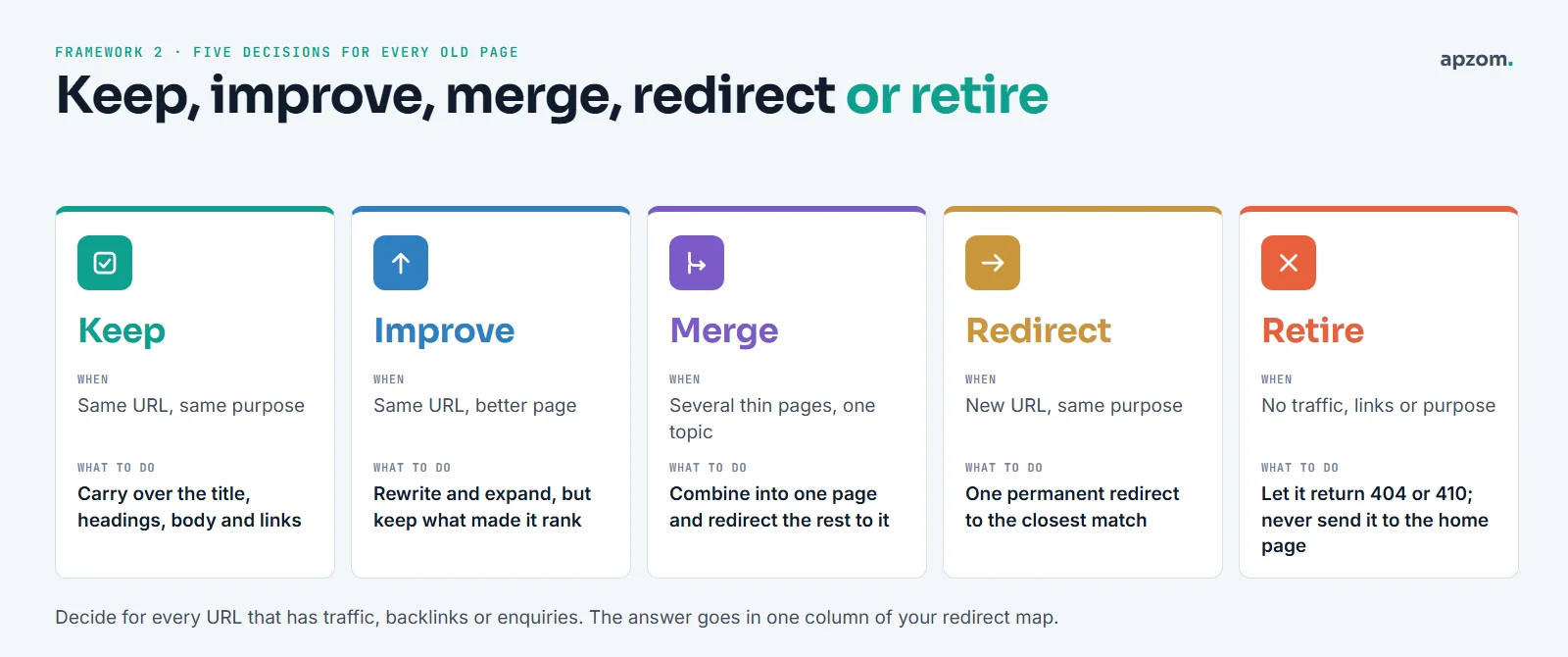
| Decision | When to use it | What to do |
|---|---|---|
| Keep | The URL and purpose stay the same | Carry over the title, headings, main content and links |
| Improve | Same URL, but the page needs to be better | Rewrite and expand, but keep the parts that answered the search |
| Merge | Several thin pages cover one topic | Combine them into one strong page and redirect the others to it |
| Redirect | The page moves to a new URL with the same purpose | Add one permanent redirect to the closest matching page |
| Retire | No traffic, no links, no purpose | Let it return a 404 or 410. Do not send it to the home page |
A few rules make the map work:
- Redirect to the closest match, not the home page. Google’s documentation on soft 404 errors says that redirecting many old URLs to one unrelated page, such as the home page, “might be treated as a soft 404 error”. The old page’s value is then lost. If there is no close match, let the old URL return a 404 or 410.
- Use permanent, server-side redirects. A 301 or 308 status tells search engines the move is permanent, and Google’s redirect documentation treats it as a strong signal that the new page should replace the old one in results. Temporary redirects (302, 303 or 307) are for short-term changes. JavaScript redirects are a last resort.
- One hop only. Old URL to new URL, directly. Chains of redirects (A to B to C) slow crawling and leak value. When an older redirect already exists, point it straight at the final URL.
- Include the odd URLs. PDFs, old campaign landing pages and any URLs other sites link to. Google’s site-move guide also says to include image, video, CSS and JavaScript URLs in the plan. If you can, keep image file paths unchanged.
Planning a new website? A Redesign SEO Review checks your current pages, builds the redirect map with you and flags the risks before design starts, while changes are still cheap.
Carry over what made pages rank
Search engines rank pages, not designs. For every page you keep, improve or merge, check that the new version still has what made the old one useful.
- The words. Keep the content that answered the searcher’s question. If design needs a shorter page, move detail into tabs, accordions or a linked guide rather than deleting it.
- Titles and meta descriptions. Copy the approved ones across. New templates often fill in a default like “Home” or the site name.
- One clear H1 and a sensible heading order. Templates sometimes turn the logo or a slogan into the H1.
- Internal links. Check that every important page is still linked from somewhere sensible, not just from the sitemap.
- Canonical tags. Each page’s canonical should point to its own new URL, not to the old domain or the staging site.
- Structured data. Keep the markup the old pages had (for example, organisation, product, article, FAQ or local business details), and make sure it still matches what the page shows.
- Images. Keep useful alt text and file names. If image URLs change, redirect the important ones.
- International sites. If you serve several countries or languages, keep hreflang tags complete and pointing to the new URLs on every version.
Test on a staging site, safely
A staging site is a private copy where you build and test the new design. It needs to be hidden from search engines, and the way you hide it matters.
The safest option is a password, for example your host’s password protection or HTTP authentication. Search engines cannot get past it, so nothing leaks into results. A robots.txt block alone is weaker. Google’s own robots.txt documentation says it “is not a mechanism for keeping a web page out of Google”: a blocked URL can still appear in results, without a description, if other pages link to it. And a noindex tag works only if crawlers are allowed to reach the page and see it, so do not combine it with a robots.txt block.
Whatever method you use, write it down. The most common launch mistake we see is the staging block going live with the new site. Before launch, crawl the staging site with your crawler (it can log in) and compare it row by row with the benchmark crawl.
Launch day: eight checks
The third framework is a short launch list. Run it on the live site within the first hour, not on staging.
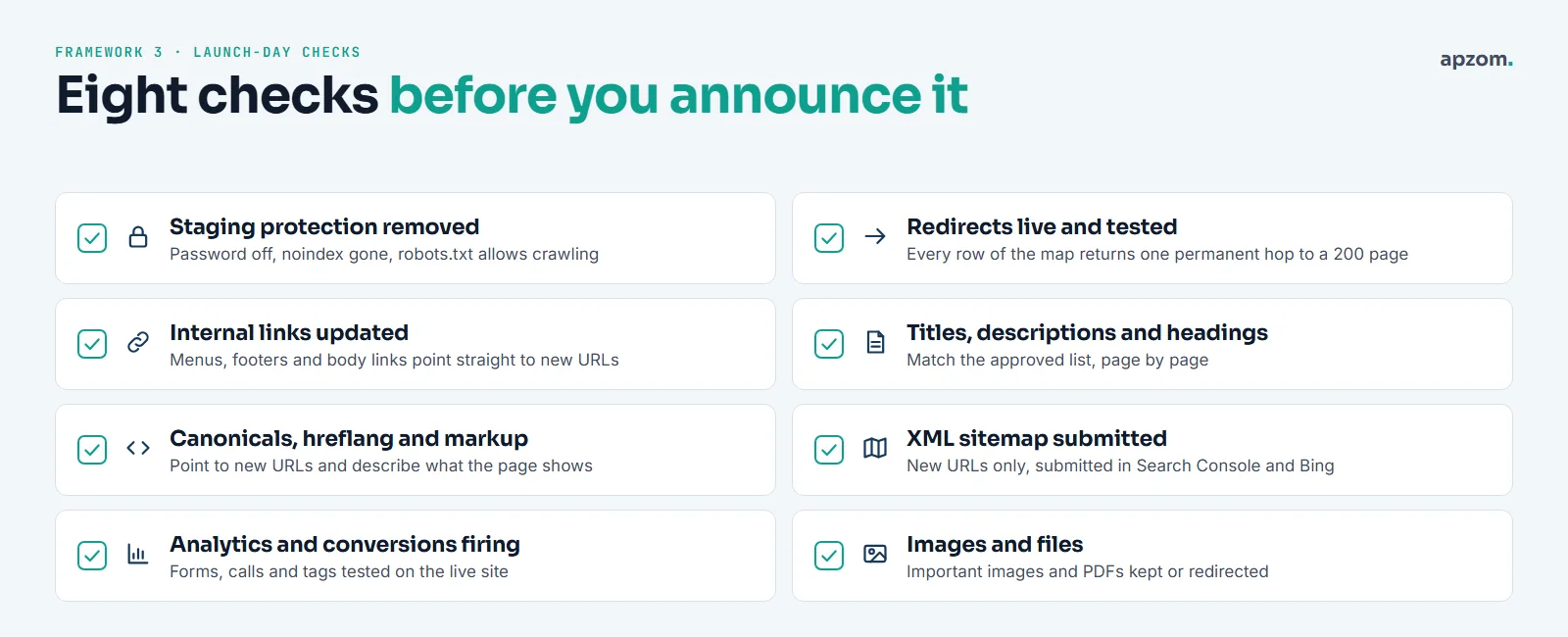
- Staging protection is removed: no password, no sitewide noindex, and robots.txt allows crawling.
- Redirects are live: test every row of the map. Each old URL should reach its new page in one permanent hop, and that page should load normally.
- Internal links point straight to new URLs, not through redirects.
- Titles, meta descriptions and H1s match the approved list.
- Canonical tags, hreflang and structured data point to the new URLs.
- A new XML sitemap lists the new URLs, and it is submitted in Google Search Console and Bing Webmaster Tools. Google says you can then remove the old sitemap, or keep both side by side for a while to watch the old URLs drop and the new ones rise.
- Analytics, conversion tracking, forms and call tracking all work on the live site.
- Important images and documents still load or redirect.
If the domain is changing, also use the Change of Address tool in Google Search Console after the redirects are live. You need to own both versions in Search Console, with a 301 redirect from the old home page to the new one.
After launch: the 1-7-30-90 watch
Some movement in rankings after a big change is normal while search engines re-crawl and re-learn the site. Google’s site-move guide calls these changes temporary. For a medium-sized site it says processing the move can take “a few weeks or more”, and longer for large sites. It gives no guaranteed recovery date. The fourth framework tells you what to watch, and when, so you can tell normal movement from a real problem.
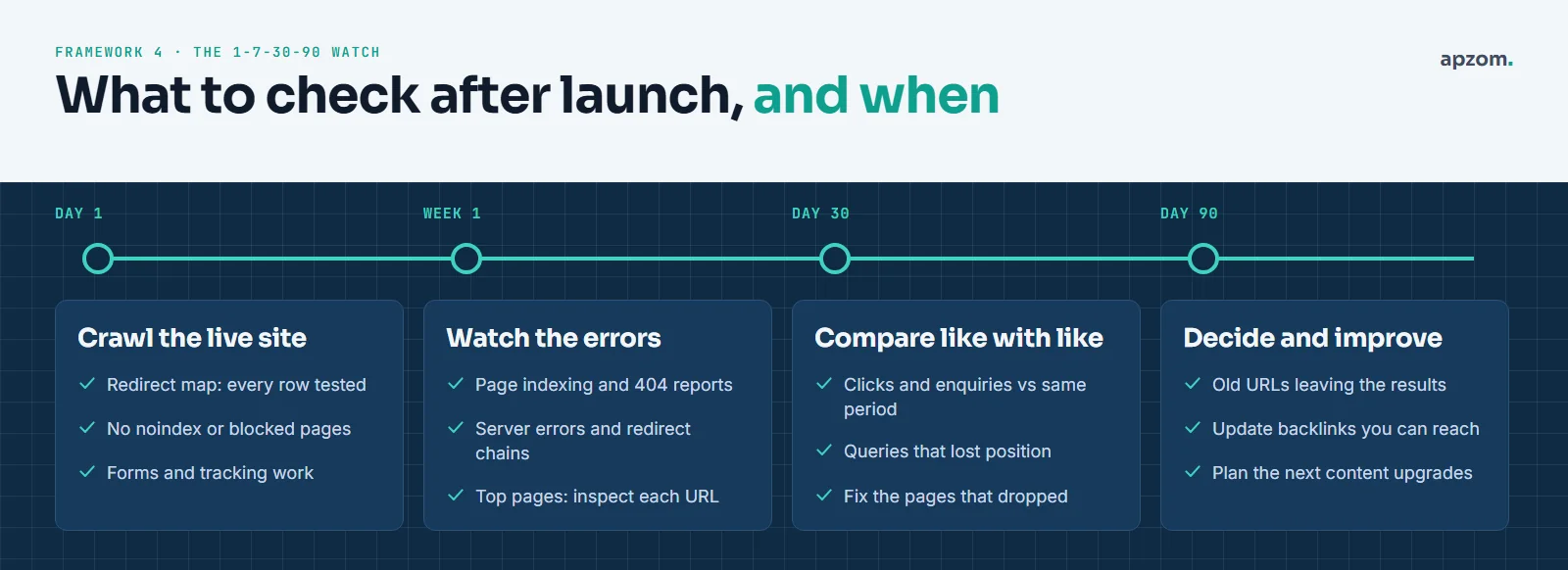
| When | What to check | What it tells you |
|---|---|---|
| Day 1 | Crawl the live site; test the redirect map; check for noindex and blocked pages; test forms | Whether the launch itself went to plan |
| Week 1 | The Page indexing report and the Crawl Stats report (under Settings) in Search Console, 404s, server errors, redirect chains; inspect your top pages with the URL Inspection tool | Whether search engines can reach and read the new pages |
| Day 30 | Clicks, enquiries and rankings for your top pages against the same period before launch | Which pages lost ground and need attention |
| Day 90 | Whether old URLs are leaving search results; backlinks you can ask sites to update; the next round of content work | Whether the move has settled and what to improve next |
When something drops, fix the page, not the whole site. Compare the old and new versions of that page side by side, using your benchmark crawl. In our experience, the cause is usually something on the checklist above: a missing redirect, a lost section of content, a changed title or a broken internal link.
Keep the redirects in place for the long term. Google’s site-move guide says to keep them “for as long as possible, generally at least 1 year”. They cost almost nothing to keep, and other websites will go on linking to your old URLs for years.
Use the redesign to fix speed and accessibility
A redesign is the cheapest time to fix problems built into the old templates. Two are worth putting in the brief.
Speed and stability. Google’s Core Web Vitals measure loading (Largest Contentful Paint, LCP), responsiveness (Interaction to Next Paint, INP) and visual stability (Cumulative Layout Shift, CLS). Google’s web.dev guidance defines a good score as LCP within 2.5 seconds, INP of 200 milliseconds or less and CLS of 0.1 or less, for at least 75% of real visits. INP replaced the older First Input Delay metric in March 2024. Google also indexes the mobile version of your site, so anything missing or broken on mobile is missing for Google too. Test the new templates on a mid-range phone, not just a fast office laptop. Heavy sliders, autoplay video and too many third-party scripts are the usual culprits.
Accessibility. An accessible site works better for everyone, and in some markets it is also a legal matter. The Web Content Accessibility Guidelines (WCAG) from the W3C are the common standard. WCAG 2.2 became a W3C Recommendation on 5 October 2023, and the W3C advises using it for new work. Rules differ by country:
| Market | What to know |
|---|---|
| EU | The European Accessibility Act has applied since 28 June 2025 to many consumer services, including online shops and consumer banking. Very small service businesses (fewer than 10 staff and no more than EUR 2 million turnover or balance sheet) are exempt. Each country enforces it through its own law |
| US | The ADA applies to businesses open to the public, and the Department of Justice says this includes their websites. There is no detailed technical web rule for private businesses; WCAG is the usual benchmark |
| UK | The Equality Act 2010 requires service providers to make reasonable adjustments for disabled people. Public sector websites must also meet the 2018 accessibility regulations and publish an accessibility statement |
| India | The Rights of Persons with Disabilities Act 2016 requires accessibility standards for information and communication technology. In April 2025 the Supreme Court held that digital access is part of the right to life under Article 21 |
This is a starting point, not legal advice. Check what applies to your business with a qualified adviser.
Common redesign mistakes
- Starting design before anyone has listed the pages that bring traffic and enquiries.
- Changing URLs for neatness alone. If an old URL works, keeping it is often the safest choice.
- Redirecting everything to the home page.
- Deleting “old” blog posts that still bring visitors or links.
- Launching on a Friday, or just before your busiest season, with nobody watching on the next working day.
- Judging the result after one week, or comparing a quiet month with a busy one.
How Apzom can help
We plan redesigns with search in mind from the first meeting, not as a final check. A typical project includes the benchmark, the redirect map with a keep, improve, merge, redirect or retire decision for each page, a staging crawl, launch-day checks and the 90-day watch. We work with clients worldwide, remotely, from our base in Ahmedabad, India.
Our website development team builds the site, and our SEO services team protects and grows the search traffic. You can see how we work in our process and our SEO methodology. For an example, our AutoHunt case study describes a WordPress website we built from scratch together with its technical SEO.
If you are weighing what search work should cost, read how much SEO costs. If you are choosing a team for the project, our guide on how to choose a digital marketing agency lists the questions to ask.
Request a Redesign SEO Review. We benchmark your current search traffic, list the pages that bring enquiries, draft the redirect map, and give you a launch-day checklist and a 90-day monitoring plan for your new site.
No obligation and no promise of rankings. Prefer to talk first? Contact us or see all our services.
Frequently asked questions
Will a website redesign hurt my SEO?
It does not have to. Rankings often move for a while after a big change, because search engines need to re-crawl and re-learn the site. Lasting drops usually come from avoidable mistakes: missing redirects, removed content, staging blocks left on, or lost internal links. A redirect map and a launch checklist prevent most of them.
How long does it take for rankings to recover after a redesign?
There is no fixed time. Google’s site-move guide says a medium-sized site can take “a few weeks or more” to process, and larger sites take longer. It depends on the size of the site, how much changed and how often search engines crawl it. A visual refresh with the same URLs may settle quickly. A new URL structure or a new domain takes longer. Watch your top pages at day 30 and day 90, and fix the pages that dropped.
Should I keep the same URLs when redesigning?
If the old URLs are clear and work well, keeping them is usually the safest option, because nothing needs to be redirected. Change a URL only when there is a real reason, such as a confusing structure or a merge of pages. When you do change one, add a permanent redirect from the old URL to the closest new page.
What is a redirect map?
A redirect map is a spreadsheet with one row for each old URL and the new URL it should send visitors and search engines to. It also records a decision for each page: keep, improve, merge, redirect or retire. Your developer uses it to set up the redirects, and you use it to test them on launch day.
Should I use a 301 or a 302 redirect?
Use a permanent redirect (301 or 308) when a page has moved for good, which is almost always the case in a redesign. A temporary redirect (302, 303 or 307) is for short-term changes, such as a page that will come back.
How do I stop Google from indexing my staging site?
Put the staging site behind a password. That is the most reliable option. Blocking it in robots.txt alone is weaker. Google says robots.txt is not a way to keep a page out of its results, and a blocked URL can still appear if it is linked from elsewhere. Whatever you use, remove it on launch day and check that the live site can be crawled.
Do I need to tell Google about my new website?
Submit a new XML sitemap in Google Search Console and Bing Webmaster Tools, and inspect your most important pages with the URL Inspection tool. If you are moving to a new domain or subdomain, also use the Change of Address tool in Search Console. For a redesign on the same domain, the tool does not apply: good redirects and a fresh sitemap are what matter.
Can Apzom redesign a website for a business outside India?
Yes. We work with clients worldwide, remotely, from our base in Ahmedabad, India. We plan the redirect map and launch checks around your markets, languages and any country-specific rules, such as accessibility requirements.