The short answer: to optimise a Google Business Profile, get the basics exactly right first: your real business name, the most accurate primary category, a correct address or service area, accurate hours and a working phone number and website link. Then add detail (description, services, products, attributes and real photos), keep the profile active with updates and review replies, and check the Performance report every month. Google says there is no way to pay for a better local ranking, so the profile has to earn it.
This checklist is for owners and marketing managers at local and service businesses: shops, clinics, firms, contractors, restaurants and anyone who wants to be found on Google Search and Maps. It follows Google’s own guidelines as they stand in October 2026, including the features Google has switched off, so you do not waste time on things that no longer exist. If you want the profile managed for you, our local SEO services cover setup, management and reporting.
How Google decides which businesses to show
Google’s help page on local ranking says local results are “mainly based on relevance, distance, and popularity”. In plain words:
- Relevance is how well your profile matches what someone searched for. Accurate categories, services and a clear description help here.
- Distance is how far you are from the searcher, or from the place named in the search. You cannot change this, except by having real locations where your customers are.
- Popularity, which Google describes under the heading “prominence”, is how well known your business is. Google says reviews, links and articles about your business, and your position in web results all play a part.
Google also says that “businesses with complete and accurate info are more likely to show up in local search results”, and that “more reviews and positive ratings can help your business’s local ranking”. And it is clear on one point: “There’s no way to request or pay for a better local ranking on Google.”
Before you start: eligibility and ownership
- You must be a real business that meets customers in person, at your location or at theirs. Google’s guidelines say a virtual office or remote mailbox is not eligible.
- One profile per location. A business with several staffed locations can have one profile for each. Do not create extra profiles to cover more towns.
- The business should own the profile. Add your agency or staff as managers, not owners. If someone who has left the business is still the owner, fix that before anything else. Our guide to choosing a digital marketing agency lists the other accounts your business should always own.
The profile ladder: the checklist in four steps
We work through every profile in the same order. We call it the profile ladder: each step only pays off once the step below it is right.
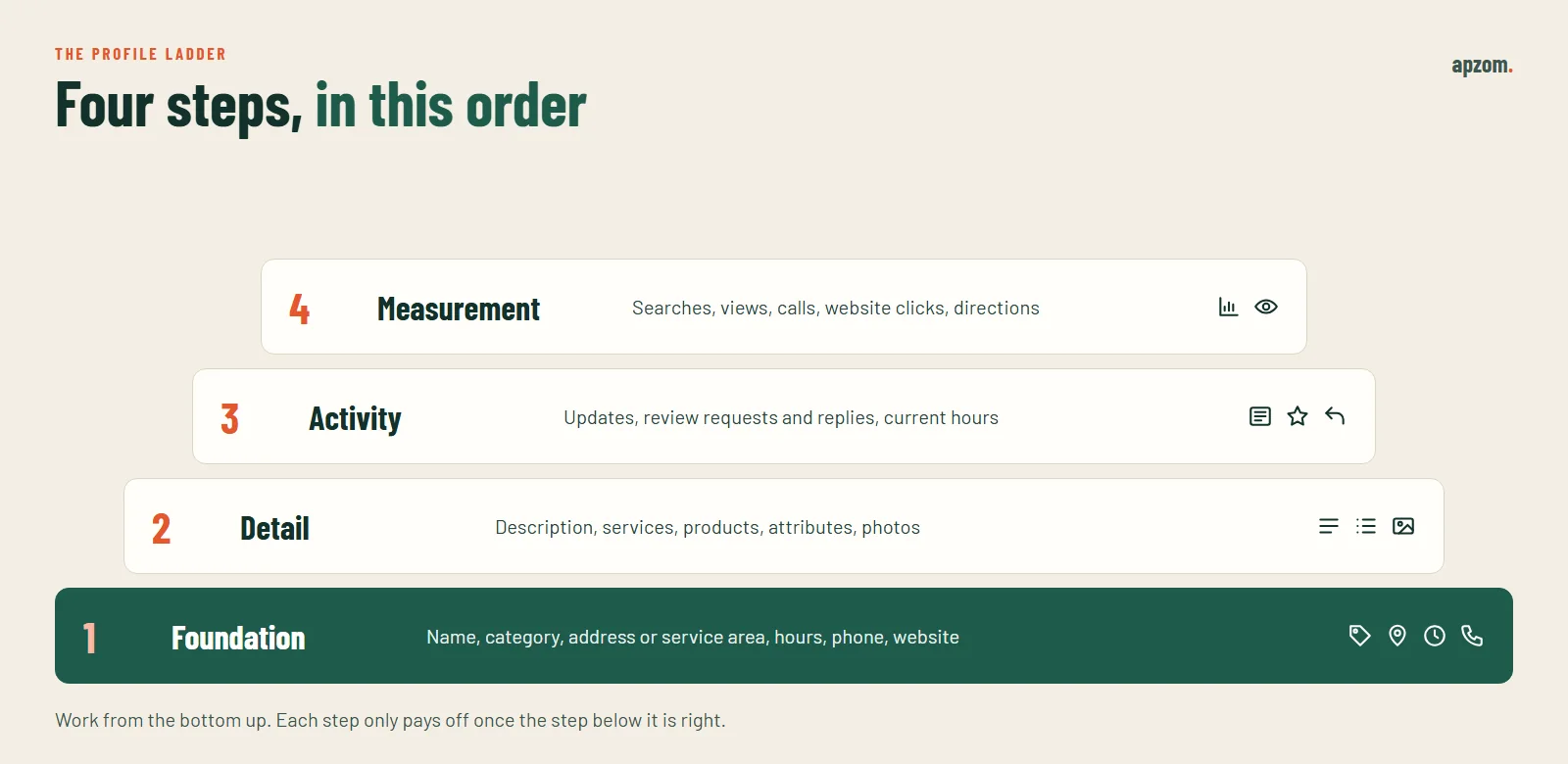
| Step | What it covers | Why it comes here |
|---|---|---|
| 1. Foundation | Name, category, address or service area, hours, phone, website | Errors here hurt everything above them and can trigger re-verification |
| 2. Detail | Description, services, products, attributes, photos | Helps Google and customers understand exactly what you offer |
| 3. Activity | Updates, review requests and replies, keeping hours current | Shows the business is active and builds reviews over time |
| 4. Measurement | Performance report, calls, website clicks, direction requests | Tells you what is working and what to fix |
Step 1: Foundation
Business name
Use your real business name, exactly as it appears on your signage, website and stationery. Google’s guidelines say your name “should reflect your business’s real-world name”. Adding extra words is one of the most common reasons profiles get suspended. Google lists what not to add, including:
- Marketing taglines.
- Service or product information that is not part of your real name.
- Location information.
- Phone numbers or website addresses.
- Opening hours, such as “open 24 hours”.
- Words in capitals that are not part of your brand, and special characters.
“Smith Dental” stays “Smith Dental”, not “Smith Dental Best Dentist Manchester”. If you think a competitor is breaking this rule, you can suggest an edit on their profile, but fix your own first.
Categories
Your primary category is one of the strongest signals for which searches you appear in. Choose the one that best describes your core business. Google lets you add up to nine more categories, but its advice is to “use as few categories as possible to describe your overall core business”. Add secondary categories only for services you really offer.
Address or service area
If customers visit you, show your address exactly as it appears in the real world. If you serve customers at their location and they do not come to you, Google says to hide your address and set service areas instead. You can list up to 20 service areas, and Google says the overall area should not be more than about two hours of driving time from where the business is based.
Hours
Add your regular customer-facing hours. Google recommends confirming hours for public holidays, even if they are the same as normal. If some services run at different times, such as delivery or takeaway, use “More hours” for them. Wrong hours are one of the quickest ways to lose a customer’s trust.
Phone and website
Use a phone number that is answered during your listed hours. Link to the most relevant page on your own website: usually the homepage, or the location page for a business with several branches. Many businesses add tracking tags (UTM parameters) to this link so that visits from the profile are reported separately in analytics. This is a normal analytics practice rather than something Google recommends, and the link must still go straight to your own website, without redirects through other sites.
Step 2: Detail
Description
You have up to 750 characters. Google’s rules say the description must not include URLs or HTML, and must not focus on special offers, prices or sales. Write it for people: what you do, who you serve, where, and what makes you different. Put the most important information first.
Services and products
List your services, with short descriptions and prices where it makes sense, and keep them accurate. Retail businesses in some countries can also show products. This is where you add detail that does not fit in your categories.
Attributes
Attributes describe things like accessibility, payment options or amenities. Some you set yourself. Others come from customers who have visited. Google lets you choose whether to show identity attributes, such as women-owned or veteran-owned, and you can change that choice at any time.
Photos
Photos help customers decide, and they show that the business is real. Add your exterior (so people can find you), interior, team at work, products and finished jobs. Keep adding new ones.
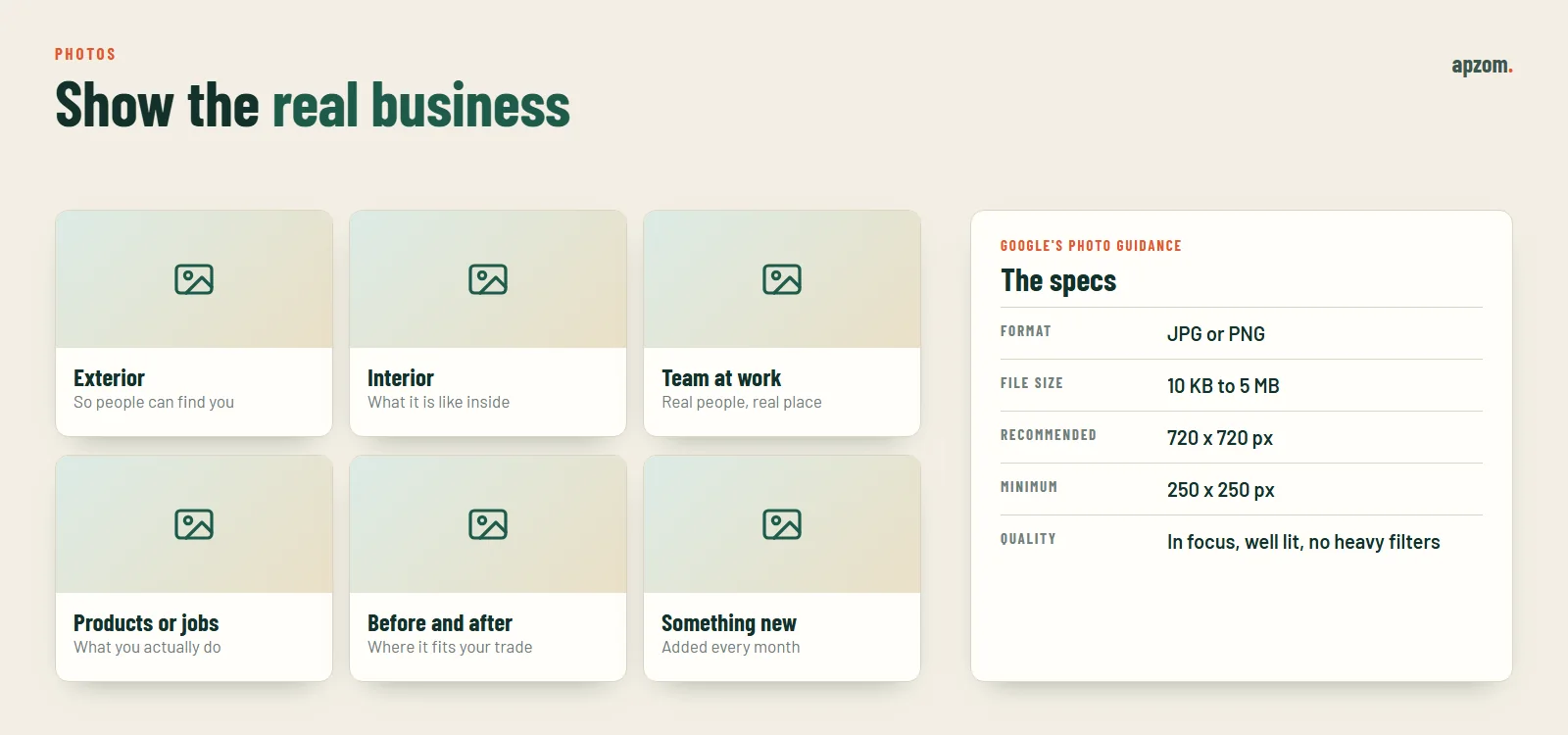
| Photo rule | Google’s guidance |
|---|---|
| Format | JPG or PNG |
| File size | Between 10 KB and 5 MB |
| Recommended size | 720 by 720 pixels |
| Minimum size | 250 by 250 pixels |
| Quality | In focus, well lit, no significant alterations or heavy filters |
Google’s photo guidelines do not specifically mention stock images, but a profile full of generic stock photos tells customers nothing about you. Use your own.
Step 3: Activity
Updates, offers and events
You can still publish posts on your profile in three forms: updates, offers and events. Use them for news, seasonal services, offers and events. Posts with a phone number in the text can be rejected if the number cannot be verified as connected to the business, so keep contact details in the profile fields. A short update every week or two is enough for most businesses.
Reviews: ask, answer, learn
Reviews influence both your ranking and whether people choose you. Treat them as a routine, not a campaign. We use three habits: ask, answer, learn.
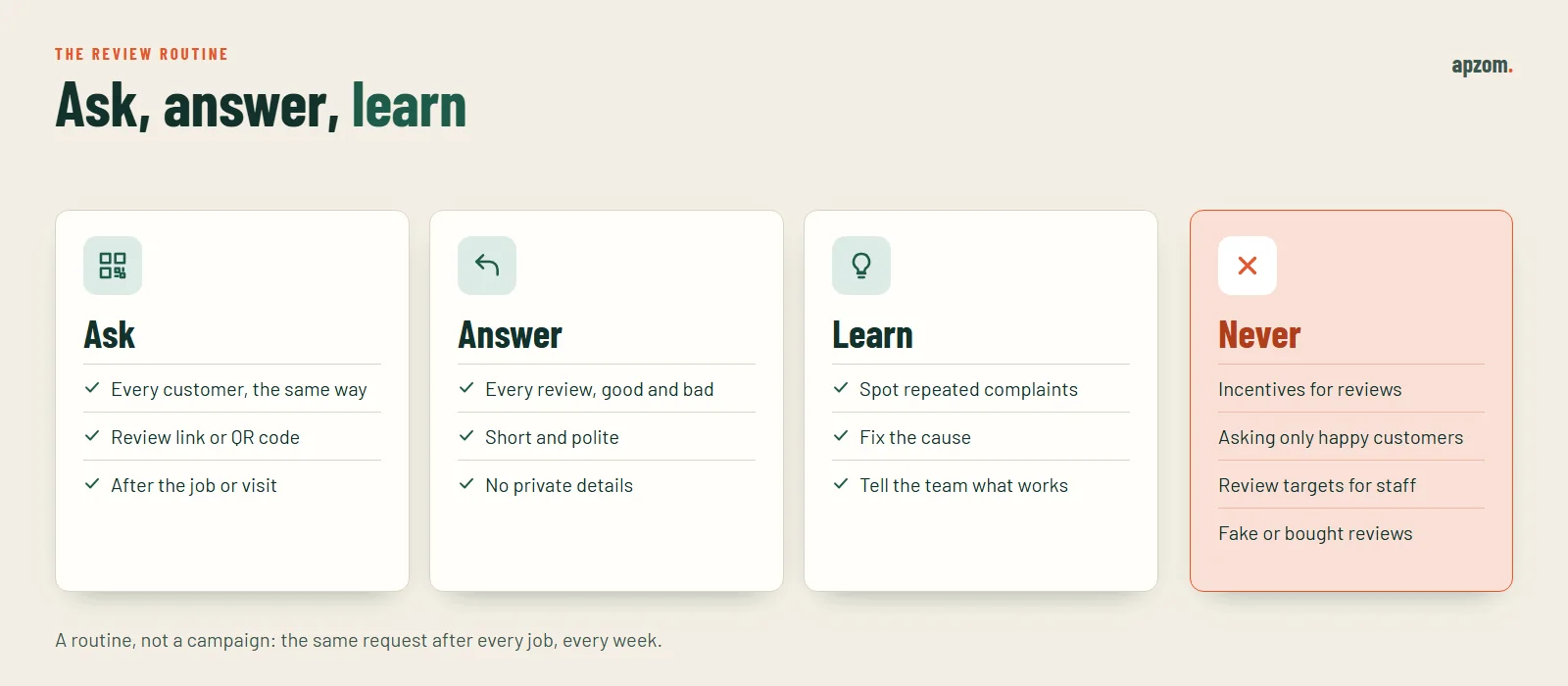
- Ask everyone, the same way. Google suggests sharing a review link or QR code. Ask every customer after the job or visit, not only the happy ones. Google’s policy says businesses must not “discourage or prohibit negative reviews, or selectively solicit positive reviews from customers”.
- Never offer incentives. Google says offering free or discounted goods or services in exchange for reviews is “strictly prohibited”. The same applies to pressuring customers to review while they are at your premises, or setting staff targets for a number of reviews.
- Answer every review, good and bad, politely and briefly. Google notes that replying shows customers you value their feedback. Never share private details about a customer in a reply.
- Learn from what people say. Repeated complaints about the same thing are free business advice.
In the US, the FTC’s rule on consumer reviews has banned fake reviews and incentives tied to positive or negative reviews since 21 October 2024. In the UK, fake reviews and concealed incentivised reviews have been banned practices since April 2025.
Not sure your profile is set up correctly? A Google Business Profile audit checks your name, categories, address or service area, hours, photos, reviews and Performance report against Google’s guidelines, and shows what to fix first.
Verification and editing
Google verifies that you are the real business before your profile goes fully live. Methods can include a video recording, phone or text, email or a postcard, but Google says “verification methods are automatically determined by Google and can’t be changed”. While you are waiting for a verification code, do not edit your business name, address or category, or the code may stop working.
After verification, changing key details can trigger re-verification. Google explains that a request to re-verify is likely because some business details were recently updated. Make big changes, such as a new name or address, carefully and only when they are real.
Businesses with 10 or more locations of the same business can apply for bulk verification. Service-area businesses are not eligible for it.
What Google has switched off
Business Profile features change often, and many guides still recommend features that no longer exist.
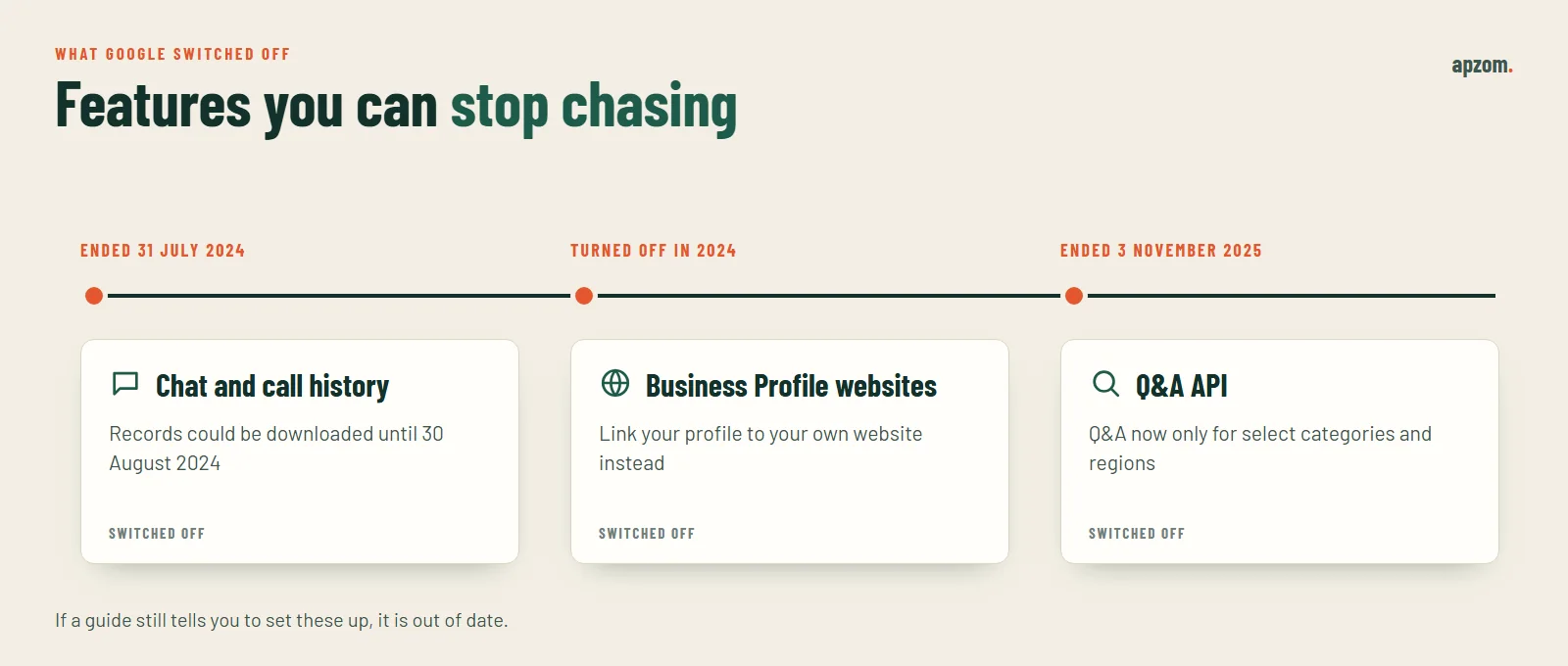
- Chat and call history ended on 31 July 2024. Google’s help centre states both features are no longer available, and the download of old records closed on 30 August 2024.
- Business Profile websites were turned off in 2024. The simple websites built inside Business Profile now no longer work. If your profile still links to one, replace it with your own website.
- The Q&A API ended on 3 November 2025. Google said it was updating the questions and answers feature. Its help pages now say Q&A is available only for select business categories and regions, so you may not see it on your profile.
Step 4: Measurement
The Performance report shows how people find and use your profile. Depending on your business, it can include searches (the search terms people used to find you), views, calls, website clicks, direction requests, bookings and other interactions. Only verified profiles see it, and search term data updates monthly.
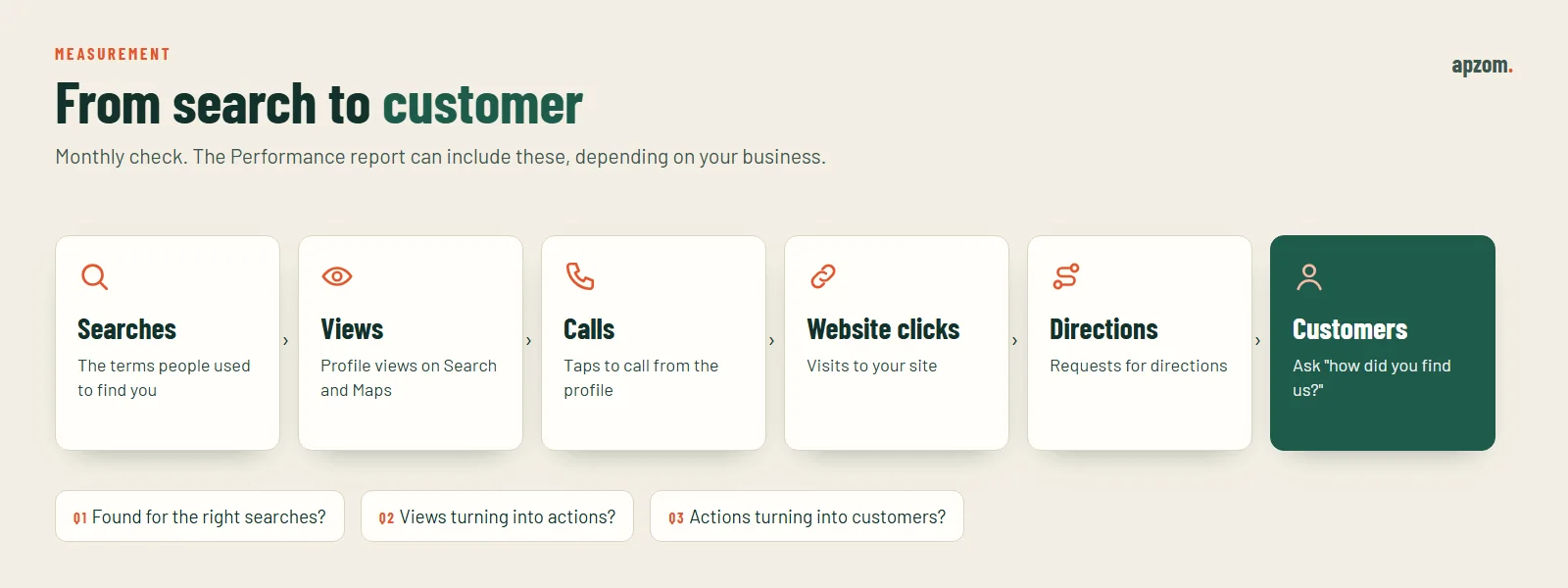
Check it once a month and ask three questions:
- Are people finding us for the right searches? If the search terms do not match your main services, look at your categories, services and description.
- Are views turning into actions? Many views with few calls or clicks may point to weak photos, poor reviews or wrong hours.
- Are actions turning into customers? Ask “how did you find us?” on every enquiry. The profile’s numbers only matter if they lead to real customers.
Suspensions and how to avoid them
Google says it may suspend or disable profiles that do not follow its guidelines. The most common causes are keyword-stuffed names, virtual office addresses, duplicate profiles for the same location and fake reviews. If your profile is suspended, fix the cause first, then use the Business Profile appeals tool and provide evidence, such as a business licence or photos of your signage.
A 15-minute weekly routine
- Reply to new reviews.
- Check hours are right for the coming week, especially around holidays.
- Add one or two new photos.
- Publish an update if you have news or a seasonal service.
- Send the review link to customers served this week.
Once a month, check the Performance report and review your services, description and categories.
Common Google Business Profile mistakes
- Adding services or towns to the business name.
- Choosing too many categories, or a primary category that is not your main business.
- Showing an address when customers never visit.
- Leaving holiday hours wrong.
- Uploading stock photos instead of your own.
- Asking only happy customers for reviews, or offering anything in return.
- Linking to a dead or old website.
- Never looking at the Performance report.
How Apzom can help
Our local SEO services cover Business Profile setup, clean-up, verification support, review routines and monthly reporting, alongside the website pages that support local search. Many industries have extra rules on top of Google’s, which we cover in our guides for dental practices, law firms and construction companies. You can see how we approach search in our SEO methodology.
We will not promise a position in the map results. We will make sure your profile is accurate, complete, within the rules and working for your business.
Request a Google Business Profile Audit. We check every rung of the profile ladder: foundation, detail, activity and measurement, plus guideline risks that can lead to suspension, and give you a prioritised fix list.
The audit is free, with no obligation and no guaranteed map rankings. Prefer to talk it through? Contact us or see our local SEO services.
Frequently asked questions
How do I optimise my Google Business Profile?
Use your real business name, the most accurate primary category, a correct address or service area, accurate hours, a working phone number and your own website. Then add a clear description, services, real photos and attributes, ask every customer for a review, reply to reviews and check the Performance report monthly.
How does Google rank Business Profiles in local results?
Google says local results are mainly based on relevance, distance and popularity. Complete and accurate information, reviews and your wider online reputation all help. You cannot pay for a better local ranking.
How many categories can I add to my Business Profile?
One primary category plus up to nine more. Google advises using as few as possible to describe your core business.
Can I add keywords to my business name on Google?
No. Google’s guidelines say your profile name should match your real-world business name. Adding services, locations or taglines can lead to suspension.
How long can a Business Profile description be?
Up to 750 characters, with no URLs, HTML or focus on special offers and prices.
Should I hide my address on Google Business Profile?
Yes, if you serve customers at their location and they do not visit your address. Set up to 20 service areas instead.
Can I offer a discount in exchange for a Google review?
No. Google’s policy strictly prohibits offering incentives for reviews, and fake or incentivised reviews are also illegal in some countries.
Does Google Business Profile still have chat and Q&A?
Chat ended on 31 July 2024. Google ended its Q&A API on 3 November 2025 and says Q&A is now available only for select business categories and regions.