The short answer: Build a location page for every real place where customers visit you, such as a clinic, a showroom, a branch or an office, and give each one facts that are true only there: the address, hours, phone number, team, the services offered at that site, directions and local proof. For areas you serve but have no premises in, build a page only when you can fill it with real local work and detail; otherwise list those areas on your service pages. Link every page from a crawlable locations hub, mark it up with structured data that matches what the page shows, and connect it to that location’s Business Profile. Pages that only swap a town name match what Google’s spam policies describe as doorway abuse, and they put your rankings at risk.
This guide is for owners, marketers and web teams at businesses with several branches (clinic groups, retail and showroom chains, firms with regional offices, franchise locations) and at service-area businesses, anywhere in the world. It covers which pages to build for each type of business, a four-question test for whether a page has earned its place, the minimum content each page needs, how to link and mark them up, what to do with the thin city pages you may already have, and how to measure each location. We checked Google’s, Bing’s and Apple’s documentation on 19 November 2026.
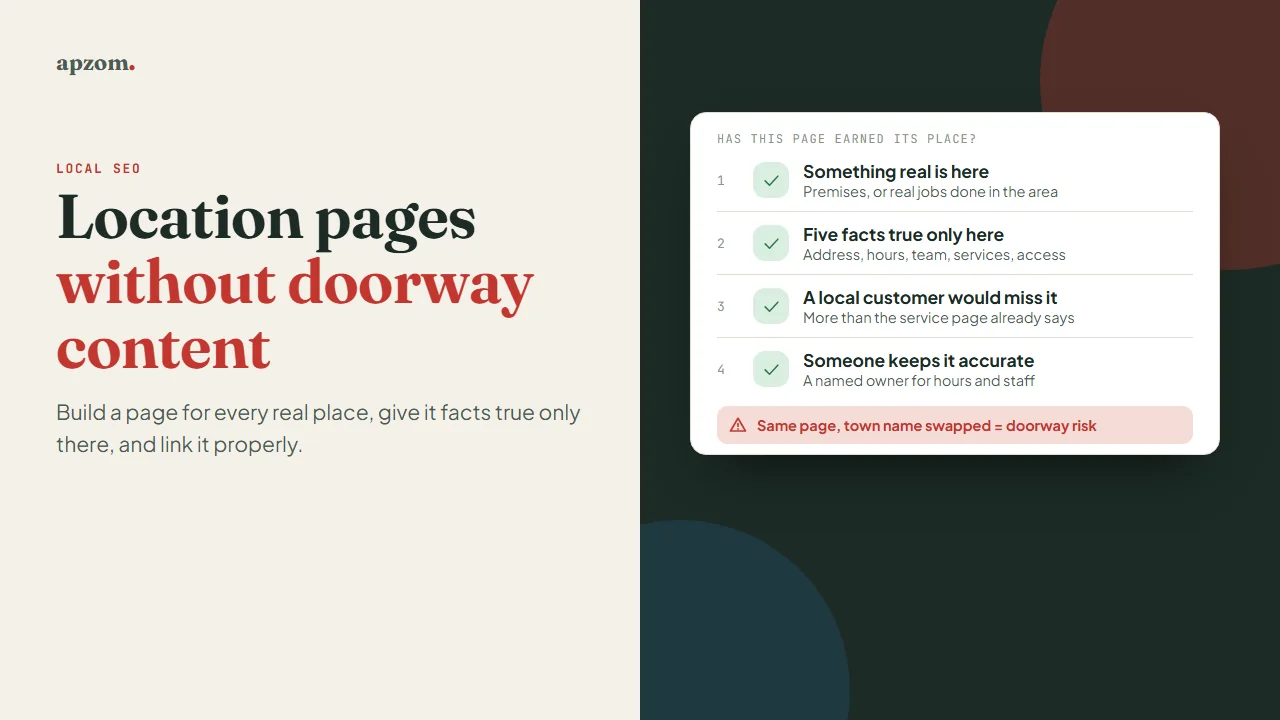
What a location page is for
A location page answers one question for a person who has already decided they might use you: “Can I use this branch, and how?” They want to know where it is, when it is open, how to get there or whether you come to them, what is available at that site, who they will deal with, and how to book or call. A good location page answers those in the first screen.
That job is also why search engines show these pages. When someone searches for a service near them or in a named place, a page that genuinely describes a business in that place is a relevant answer. The trouble starts when pages are built for the search rather than for the person.
Where the line is: doorway pages
Google’s spam policies describe doorway abuse as sites or pages “created to rank for specific, similar search queries” that send users to less useful intermediate pages. Two of Google’s own examples matter most for location pages: having multiple domain names or pages “targeted at specific regions or cities that funnel users to one page”, and creating “substantially similar pages that are closer to search results than a clearly defined, browseable hierarchy”. Its separate scaled content abuse policy covers generating many pages mainly to manipulate search rankings, typically unoriginal pages that give users little or no value, however they are created.
Google publishes no percentage of unique text that makes a page safe. The test is whether the page is useful to someone in that place. Two pages that differ only in the town name fail it; two pages that describe different premises, teams, opening hours and services pass it easily, even if they share a template. Google’s canonicalization documentation also says that “some duplicate content on a site is normal” and is not a violation of its spam policies, so a shared address footer or booking block is not the problem. Bing’s Webmaster Guidelines do not use the word doorway, but they warn that “thin, ad heavy, or affiliate-only URLs may lose ranking eligibility” and that publishing the same or substantially similar content across multiple URLs makes it harder for Bing to choose a preferred version.
Three business types, three answers
Before writing anything, decide which kind of business you are. Many businesses are a mix, so answer for each part.
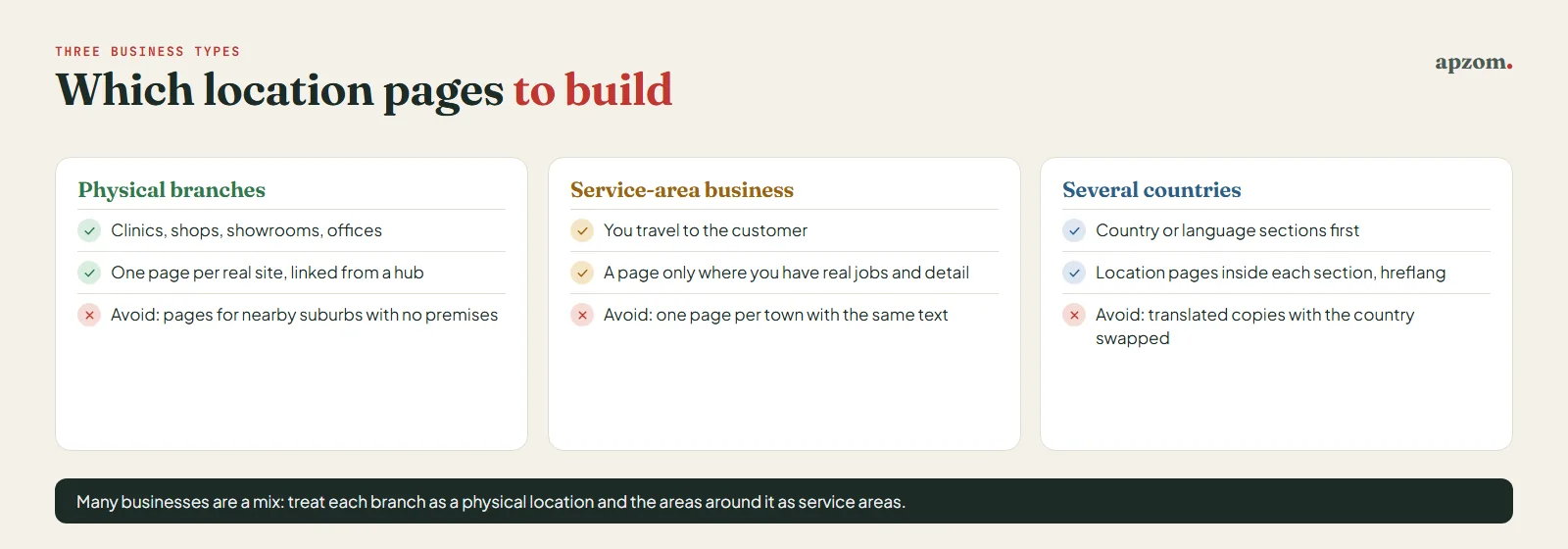
| Your business | Pages to build | What to avoid |
|---|---|---|
| Physical branches customers visit (clinics, shops, showrooms, offices) | One page per real site, linked from a locations hub | Pages for suburbs near a branch where you have no premises |
| Service-area business (you go to the customer) | A page only for areas where you have real jobs and local detail; list the rest on service pages | A page for every town within reach with the same text |
| Several countries or languages | Country or language sections first, then location pages inside them | Translated copies of one page with the country name swapped |
If you run branches and also visit customers, treat each branch as a physical location and the areas around it as service areas. Our local SEO checklist explains how Google Business Profile treats storefronts, multiple locations and service-area businesses differently. Home services companies have a more detailed method for deciding which towns earn a page in our guide to SEO for home services.
When the business works in several countries
If you have locations in more than one country, give each country its own section (a folder such as /uk/ or /ae/, a subdomain or a country domain) and put that country’s location pages inside it. Google’s guidance on multi-regional and multilingual sites describes these options and recommends hreflang annotations to help it show the correct language or regional version. Our guide to hreflang covers the markup. Write addresses, phone numbers and opening hours the way people in that country expect: international dialling codes, local address order, and local public holidays in the hours.
The four-question test: has this page earned its place?
Ask these four questions of every location page you plan or already have. If the answer to any of the first three is “no”, the page has not earned its place yet: list the place on the relevant service page instead, or, for a page you already have, use the clean-up table below. If the answer to the fourth is “no”, name an owner before you publish.
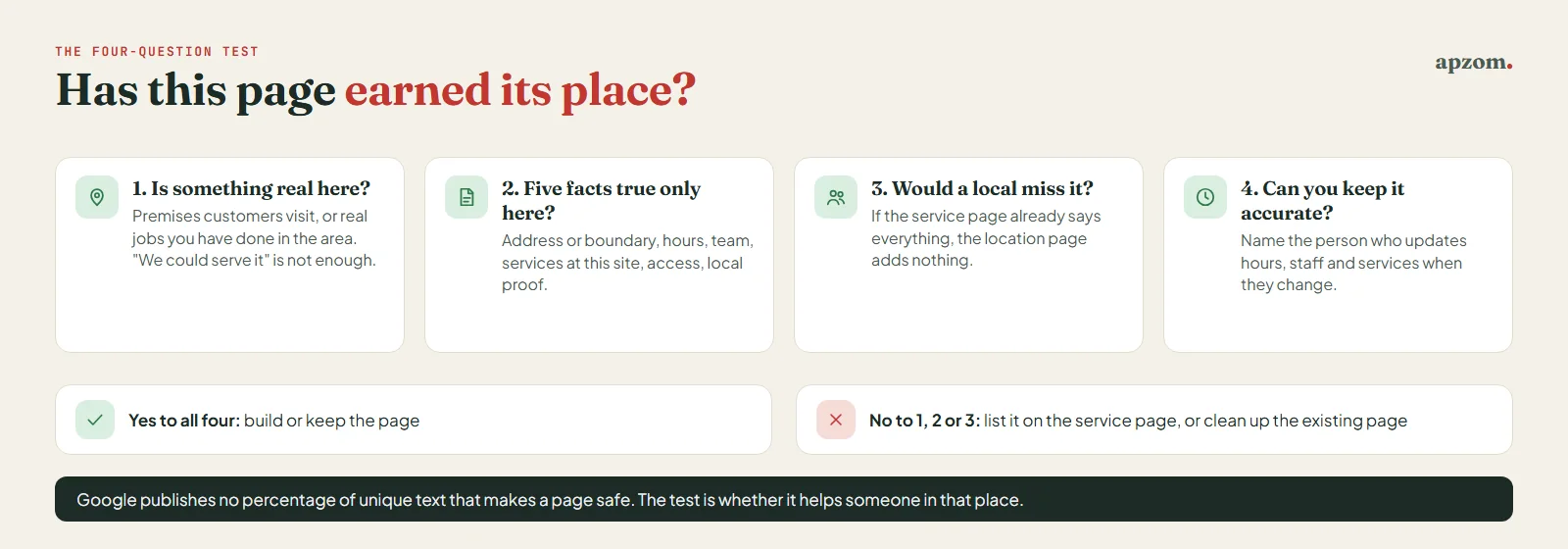
- Is there something real here? Premises customers can visit, or, for a service area, a meaningful number of jobs you have actually done there. “We could serve it” is not enough.
- Can you write at least five facts that are true only here? For example: the street address or the area boundary, opening hours, the team or manager, the services available at this site (and those that are not), parking or transit, accessibility, local photos, local reviews, typical response times, or a local rule that changes the work.
- Would a customer in this place miss the page if it vanished? If the general service page already tells them everything, the location page adds nothing.
- Can you keep it accurate? Hours, staff and services change. A page with last year’s opening hours is worse than no page, so name the person who will update it.
The examples differ by industry. A clinic group’s pages differ by clinicians, services offered at each site, accessibility and parking; our guide to SEO for healthcare clinics covers clinic location pages in more detail. A retail or showroom chain’s differ by stock or ranges displayed, opening hours and click-and-collect options. A professional firm’s regional offices differ by the partners or advisers based there and the sectors they serve. A franchise’s differ by owner, team and local offers. The test is the same in each case.
What every location page needs
Use one template for all your locations so they are easy to build and check, but make sure every field is filled with facts specific to that location. The template is shared; the content is not.
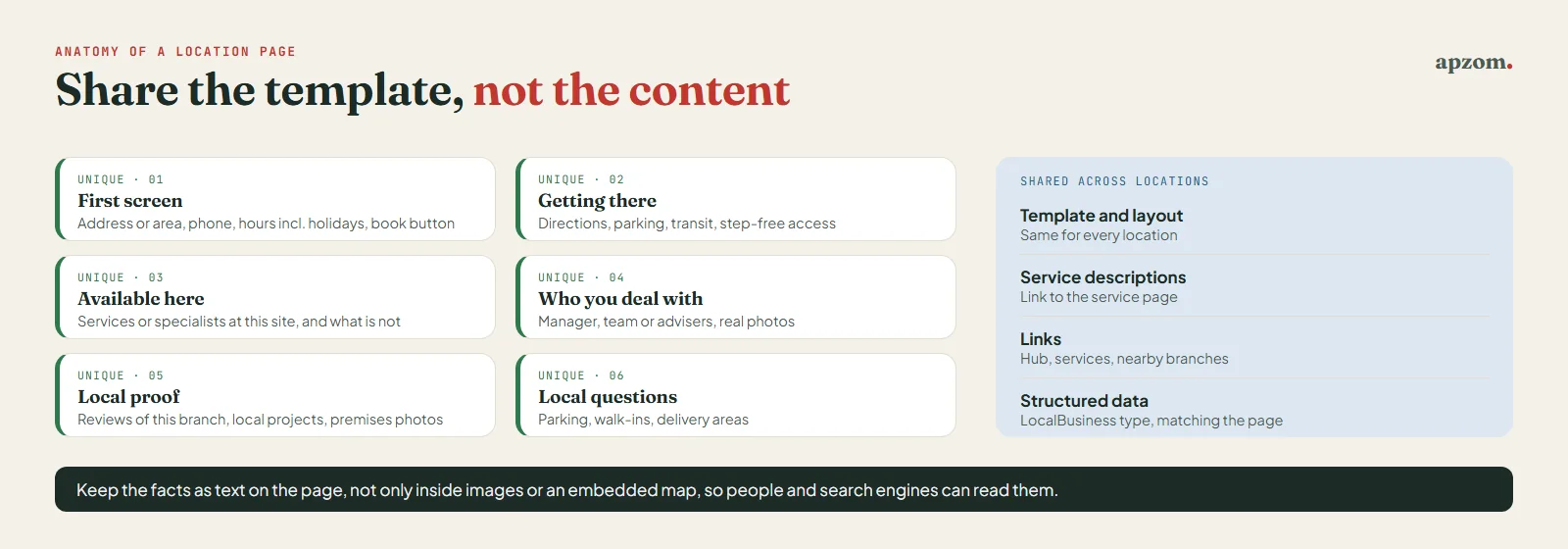
- A clear title and heading with the service and the place, written for people: “Physiotherapy clinic in Didsbury, Manchester”, not a list of nearby towns.
- The essentials in the first screen: full address (or the area you cover), phone number, opening hours including holiday hours, and a booking or contact button.
- How to get there: directions from the obvious starting points, parking, public transport and step-free access. For a service area, what you cover and your usual response time.
- What is available here: the services, products or specialists at this site, and anything the site does not offer, with a link to the nearest location that does.
- Who the customer will deal with: the branch manager, the team or named advisers, with real photos where people are happy to appear.
- Local proof: reviews from customers of this location, local projects or case notes you are allowed to share, and real photos of the premises.
- Answers to local questions: for example “Is there parking?”, “Do you see walk-in patients?” or “Do you deliver to the islands?”
- Links: to the services offered there, to the locations hub and to nearby locations.
Keep the information in the page as text, not inside images or an embedded map only, so people and search engines can both read it. Our guide to writing a service page covers the shared parts, such as what is included and pricing, that you can link to instead of repeating.
Link and mark up every location page
A location page that nothing links to is hard for both visitors and search engines to find.
Build a crawlable locations hub
Create one page, such as /locations/, that lists every location with a normal HTML link to each page, grouped by country, region or city if you have many. Google says it can generally crawl a link only if it is an <a> HTML element with an href attribute, and that it uses links to find new pages to crawl. Google does not say anything specific about store locators, but it follows from that rule: if your location pages are only reachable by typing a postcode into a search box, or through links built by script on click, a crawler has no ordinary link to follow. Keep the search box for visitors, but add the plain list of links below it. Link each location from the footer or the contact page too, and include the pages in your XML sitemap. Our guide to internal linking explains how to link location and service pages to each other.
Add structured data that matches the page
Mark up each location page with the most specific LocalBusiness type that fits (for example Dentist, Store or AccountingService), using the name, address, phone number, opening hours and URL shown on that page, plus the location’s coordinates. Google’s LocalBusiness documentation lists name and address as required properties, and recommends others such as url, telephone, geo and openingHoursSpecification, plus a “department” property for a department inside the business. Structured data helps search engines read the page, but Google says it “does not guarantee” that features using it will appear, and the markup should describe only what the page visibly says. Our guide to schema markup for small businesses has the code patterns and the testing steps.
Connect each page to its Business Profile
Link each location’s Google Business Profile to its own location page, not the home page. Google’s guidelines ask you to “provide a website that represents your individual business location”, and not to use links that redirect or refer people to other landing pages, such as social media pages. Do the same in Bing Places and on Apple Maps. Apple replaced Apple Business Connect with Apple Business on 14 April 2026 and said existing Business Connect data would move across automatically. Apple Business lets you manage several locations and upload them in bulk from a .csv, .tsv or .xlsx file of up to 10,000 rows. Apple reviews the file first, which can take up to five business days. Our guides to Bing Places and Apple Maps cover those listings.
Add UTM parameters to the website link in each profile, such as utm_source=google&utm_medium=organic&utm_campaign=gbp-manchester, so visits from each profile show separately in your analytics. Our guide to creating UTM links has a naming template.
Not sure which of your location pages have earned their place? Ask for a Free Growth Audit. We run the four-question test on your location and city pages, check the hub links, structured data and Business Profile links, and tell you which pages to improve, merge, hold or redirect.
Already have dozens of thin city pages? Clean them up
Many sites already carry a page for every town, written years ago from one template. Do not delete them in a hurry, and do not leave them as they are. Work through them one by one with the four-question test, then choose one of four actions.
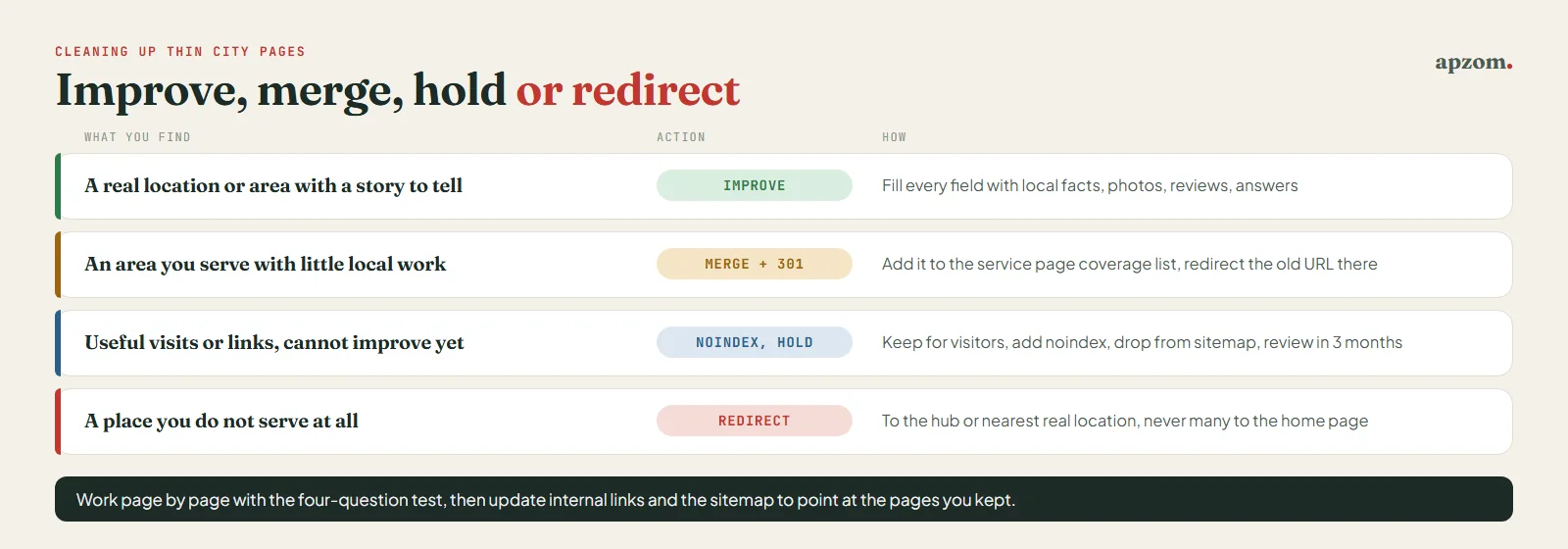
| What you find | Action | How |
|---|---|---|
| A real location or area with an honest story to tell | Improve | Fill every template field with local facts, add photos, reviews and answers |
| An area you serve with no premises and little local work | Merge | Add the area to the relevant service page’s coverage list, then 301 redirect the old URL to that service page |
| A page that still gets useful visits or links but cannot be improved yet | Hold with noindex | Keep it for visitors, add a noindex tag, remove it from the XML sitemap, and review it in three months |
| A place you do not serve at all | Redirect | 301 redirect to the locations hub or the nearest real location; never point many unrelated pages at the home page |
Google’s documentation describes a permanent server-side redirect (301) as the way to move a URL permanently, and a noindex rule as dropping a page from Search the next time it is crawled. Our guides to 301 vs 302 redirects and removing a page from Google explain both steps. Update your internal links and sitemap after each change so they point at the pages you kept.
If Search Console has already reported a manual action for thin content or doorway pages, fix the pages first and then request a review. Our guide to Google manual actions explains that process.
Measure each location separately
Location pages exist to bring customers to a branch, so measure them branch by branch.
- Search Console: filter the Performance report by each location page’s URL to see its search queries, impressions and clicks, and by country if you work in several. Our guide to Google Search Console shows how.
- Business Profile performance: check calls, directions and website clicks for each profile, alongside the UTM-tagged visits in your analytics.
- Enquiries and bookings by location: ask your booking or CRM system to record which location each enquiry came through. This is the number that matters.
Review each location monthly. A page with impressions but few clicks may need a better title; a page with visits but few enquiries may need clearer contact details or local proof.
Common mistakes
- Swapping the town name in one template. This is the pattern Google’s doorway policy describes.
- Listing nearby suburbs in the page title or footer. It reads as spam and helps nobody choose a branch.
- Building pages for places you do not serve. Customers who call and are turned away have wasted their time, and yours.
- Hiding locations behind a search box. Give each page a plain HTML link from a hub.
- Sending every Business Profile to the home page. Each profile should point to its own location page.
- Leaving closed or moved branches live. Redirect them to the nearest location and say so on that page.
- Marking up details the page does not show. Structured data must match the visible content.
How Apzom can help
Apzom Digital plans, writes and builds location pages for multi-location and service-area businesses: the four-question audit of your current pages, a location template, the hub and internal links, structured data, Business Profile links and the clean-up of thin pages, with redirects mapped before anything changes. We have not published a location-page case study yet, so we will not quote results we cannot prove. See our local SEO services and SEO services. We work with clients worldwide, remotely, from our base in Ahmedabad, India.
Get a Free Growth Audit of your location pages. Send us your website and a list of your branches and service areas. We send back a written plan: which pages to build, which to improve or merge, the redirect map for any changes, and a quote if you want us to do the work.
No obligation, and no promised rankings. Prefer to talk first? Contact us or read our local SEO checklist.
Frequently asked questions
How many location pages should I have?
One for each real place customers visit, plus one for each service area where you have enough real work and local detail to fill the page honestly. There is no target number; fewer good pages beat many thin ones.
Are city pages bad for SEO?
Not in themselves. City pages become a problem when they are near copies built only to rank, which Google’s spam policies call doorway abuse. A city page that describes real premises or real local work, with facts that are true only there, is a normal, useful page.
Can I create location pages for areas where I have no office?
Yes, if you genuinely serve the area and can describe real work, coverage and response times there. If you cannot, list the area on your service page instead. Our guide to SEO for home services shows one way to decide area by area.
Should each location have its own Google Business Profile?
Each real location that serves customers in person, and meets Google’s eligibility rules, can have its own profile. Google’s guidelines say a service-area business cannot list a virtual office unless that office is staffed during business hours, and that an office in a co-working space needs clear signage and must meet Google’s other conditions. Link each profile to its own location page. Service-area businesses should hide their address if customers do not visit, and Google says the service area generally should not extend farther than about two hours of driving time from where the business is based, although larger areas can suit some businesses; you can set up to 20 service areas. Our Google Business Profile optimization checklist covers the rest.
How long should a location page be?
As long as it takes to answer the local questions. A clinic or branch page with all the fields in this guide filled with real facts is usually several hundred words; padding it with generic text to look longer does not help.
What should I do with location pages for branches that have closed?
Redirect each one with a 301 to the nearest open location or the locations hub, update that location’s Business Profile so it shows the branch has closed, and remove the closed branch from your hub, footer and structured data.