The short answer: A soft 404 is a page that tells visitors it does not exist, or has little or no main content, but still returns a 200 (success) status code. Google detects these from the content, reports them in Search Console’s Page indexing report, and leaves them out of search. To fix one, decide what the page should be. If it is gone, return a real 404 or 410. If it moved, 301 redirect it to the new page. If it is a valid page, find out why it looks empty to Google, often because resources fail to load, and fix that.
This guide is for business owners and marketers who have seen “Soft 404” in Search Console and are not sure whether it matters. It follows Google Search Central as checked in November 2026. Apzom Digital sells SEO, so read this knowing we have an interest. You need access to Search Console and, for some fixes, to your website’s settings or developer.
What to take from this guide
- A soft 404 is a mismatch. The page looks like an error or is empty, but the server says everything is fine.
- Google excludes these pages from search. That is fine for a page that should be gone, and a problem for a page you want found.
- The fix depends on the page. Gone, moved and valid pages each need a different response.
- Custom 404 pages are fine, as long as the server still returns a 404 status code.
What a soft 404 is
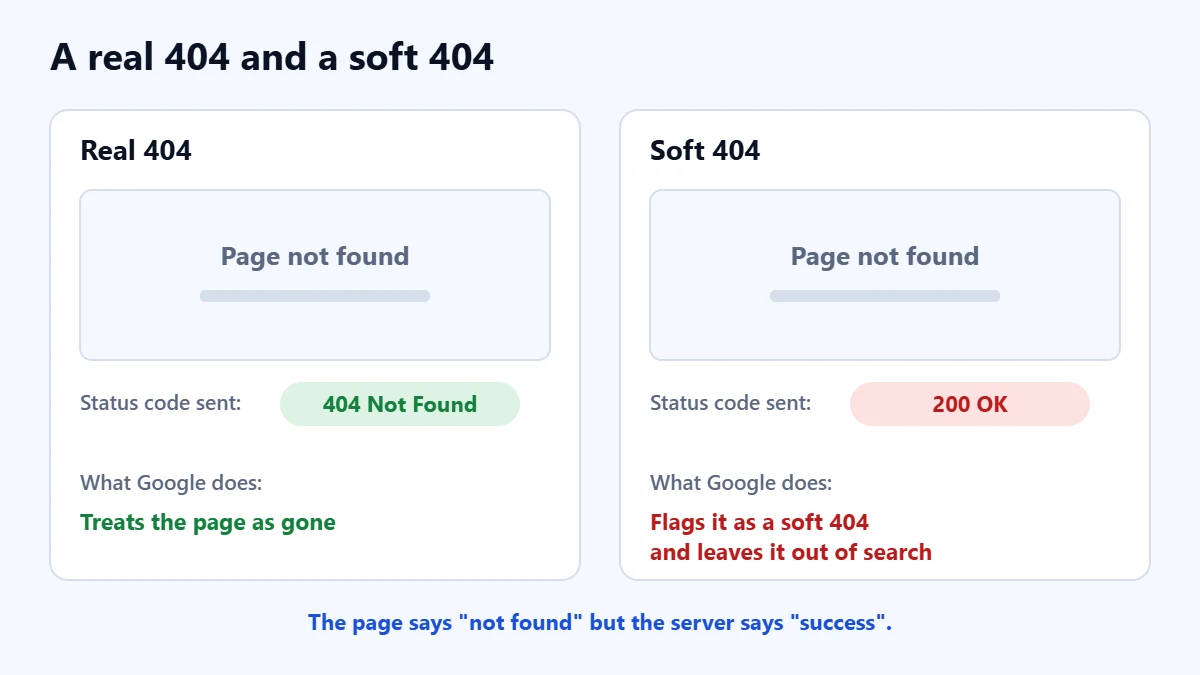
Every page your server sends comes with a status code. A 200 means “here is the page”. A 404 means “not found”. Google describes a soft 404 as a URL that shows a page saying it does not exist while returning a 200, and says it can also be a page with no main content or an empty page. Its systems spot this from the content and report it as a soft 404 in the Page indexing report.
Google says such pages are excluded from search. It does not, in the guidance we read, say that soft 404s harm the rest of your site. In our judgement the real cost is simpler: if a page you want customers to find is flagged, it will not appear.
Common causes
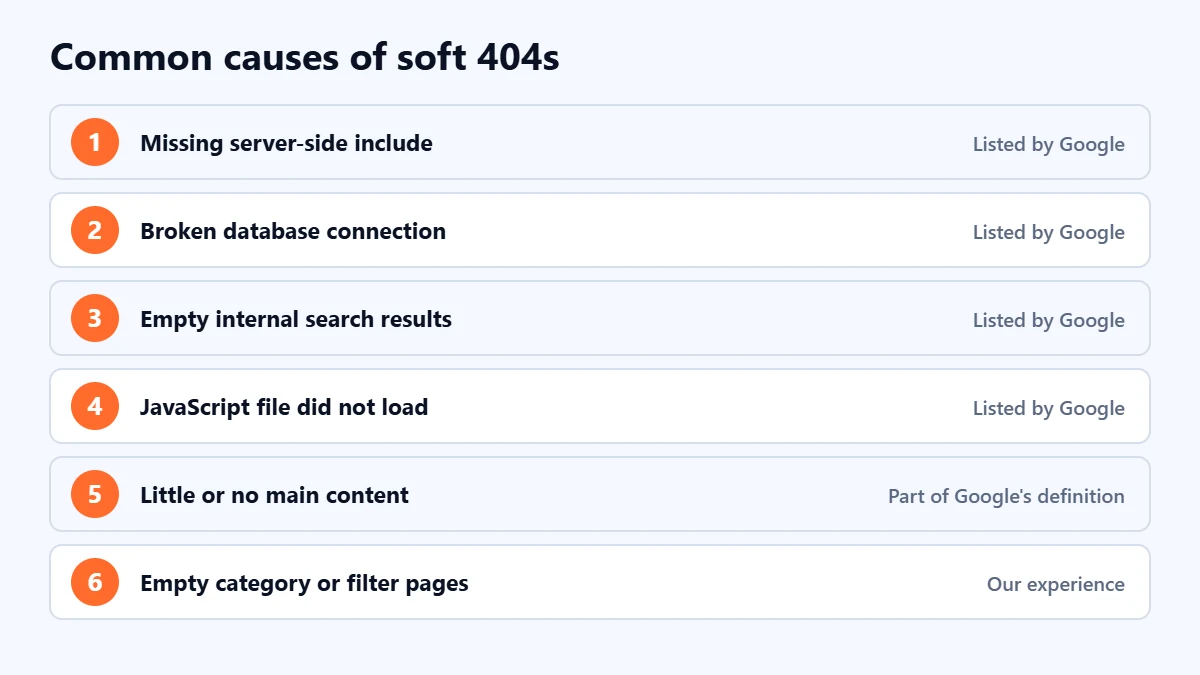
Google lists these causes of soft 404s:
- A missing server-side include file.
- A broken connection to the database.
- An empty internal search result page.
- A JavaScript file that did not load or is missing.
In our experience with business sites, a few other patterns also lead to soft 404s, although Google does not list them by name: category or tag pages with no posts, “no results” filter pages, and old product or service pages that were emptied rather than removed. They all look like error or empty pages to Google.
Single-page applications built with JavaScript frameworks are a special case. Google warns that they often return a 200 for client-side error pages. For those, it suggests redirecting to a URL where the server returns a 404, or adding a noindex robots meta tag when the item does not exist.
How to fix a soft 404
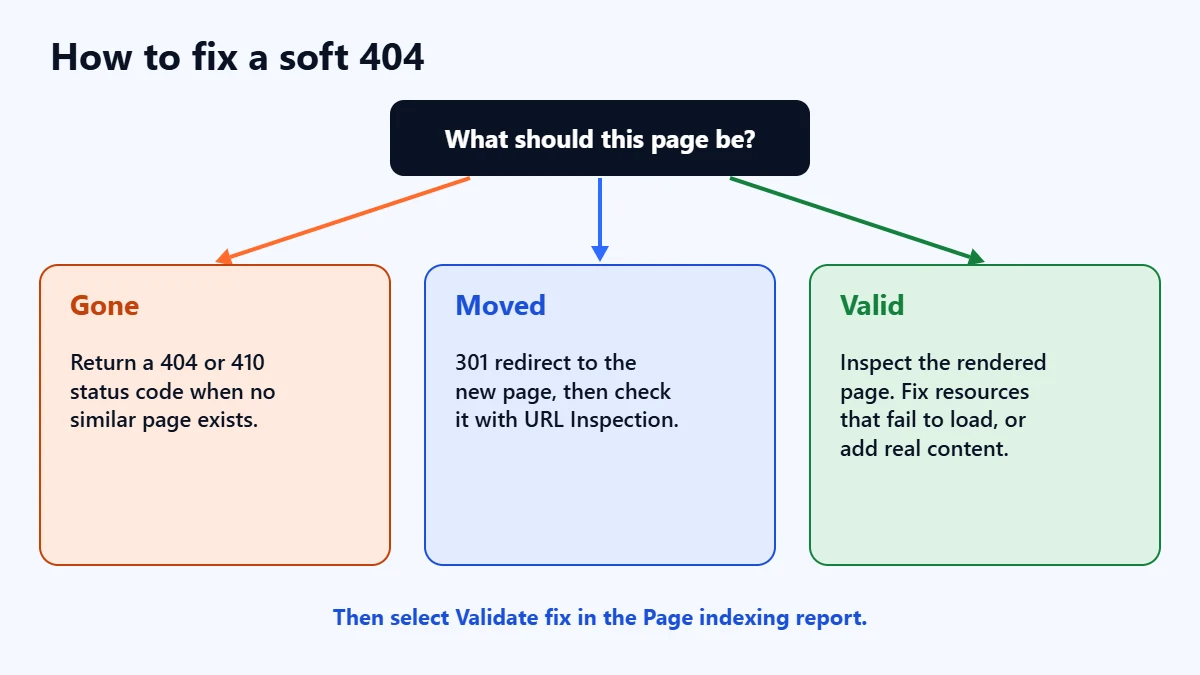
Start by opening the Page indexing report, selecting the “Soft 404” reason and looking at the example URLs. For each one, ask what the page should be.
| The page is… | What Google recommends |
|---|---|
| Gone, with no similar replacement | Return a 404 or 410 status code |
| Moved, or has a clear replacement | Return a 301 redirect to the new page, then check it with URL Inspection |
| Valid and should be indexed | Use URL Inspection to see the rendered page and status code, and fix whatever makes it look empty or like an error |
For a valid page, Google says a blank or nearly blank rendered page, or one showing an error message, may mean resources are failing to load. It names resources blocked by robots.txt, too many resources, server errors, and slow or very large resources. In URL Inspection, run a live test and view the tested page to see what Google sees.
If a valid page simply has very little on it, such as a service page with one line of text, in our judgement the right fix is to make it genuinely useful. Our guide to writing a service page covers what to include. Do not pad it with filler.
Our guide to 301 and 302 redirects covers redirects in detail, and our guide to removing a page from Google covers 404, 410 and noindex.
Not sure which pages matter? Ask for a Free Growth Audit. We review your Page indexing report, find the pages you actually want in search, and tell you what to fix first.
Custom 404 pages
A friendly “page not found” page helps visitors. Google suggests a clear message, the same look and navigation as the rest of your site, and links to popular pages and the home page. The important part is the status code. Google says custom 404 pages are created for users, so the server must still return a 404. If it returns a 200, the page becomes a soft 404 itself.
You can check the status code with URL Inspection in Search Console, or with your browser’s developer tools on the Network tab.
Telling Google you fixed it
Once you have fixed every example, open the Soft 404 issue in the Page indexing report and select Validate fix. Google says validation typically takes up to about two weeks, and that it can also notice fixes on its normal crawls. If validation fails, fix the remaining URLs and start it again. Our guide to using Google Search Console covers the reports in more detail.
A checklist
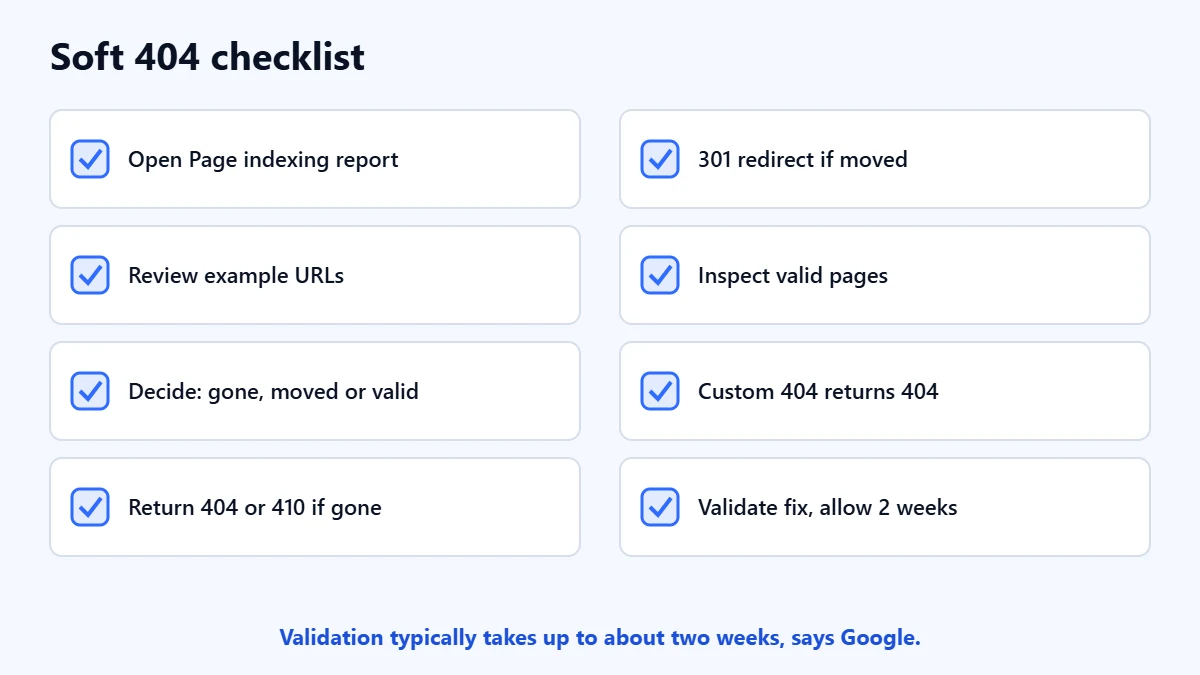
- Open the Page indexing report and select “Soft 404”.
- Review the example URLs.
- Decide whether each page is gone, moved or valid.
- Return 404 or 410 for pages that are gone.
- 301 redirect pages that moved.
- Inspect valid pages and fix failing resources or thin content.
- Check that your custom 404 page returns a 404 status.
- Select Validate fix, then allow up to about two weeks.
If a page is indexed but still hard to find, our guide to a page indexed but not showing on Google covers the next set of checks.
Frequently asked questions
Are soft 404 errors bad for SEO?
They mean the page is left out of search. That is harmless for a page that should be gone, but if a page you want found is flagged, it will not appear until you fix it. Google’s guidance does not say they harm the rest of the site.
Should I redirect all 404 pages to the home page?
No. Google recommends a 301 only when there is a clear replacement. Otherwise, return a 404 or 410. In our judgement, mass redirects to the home page confuse visitors who expected a specific page.
What is the difference between a 404 and a soft 404?
A 404 is a status code that says the page was not found. A soft 404 is a page that looks missing or empty but returns a 200 success code instead.
How long does it take for a fix to show in Search Console?
Google says validation typically takes up to about two weeks, and it may notice fixes earlier during normal crawling.
Get your Free Growth Audit and Quote. We review your indexing, crawl errors and technical SEO, then send a plain-English list of what we would fix first.
No obligation and no guaranteed rankings. Prefer to talk first? Contact us or see our SEO services.