The short answer: Give every page its own title that says what the page is, in the words a searcher would use, with your brand name at the end. Then write a meta description that summarises the page in a sentence or two and gives a reason to click. Keep both unique to the page, accurate and free of keyword stuffing. Google decides what to show: it creates title links automatically from several sources, and builds snippets mainly from page content. Good titles and descriptions make it more likely that what you wrote is what searchers see.
This guide is for business owners, marketers and anyone editing pages in WordPress, Shopify or another CMS. It follows Google Search Central documentation as checked in November 2026. Apzom Digital sells SEO, so read this knowing we have an interest. Everything here can be done in your SEO plugin’s snippet editor in a few minutes per page.
What to take from this guide
- One page, one distinct title. Google warns against repeated or boilerplate titles.
- Describe the page, then brand it. What it is first, your name last.
- Write the description as a summary, not a keyword list. Google uses it when it describes the page better than on-page text.
- Google may rewrite either. Accurate, specific text gives it less reason to.
How Google uses your title and description
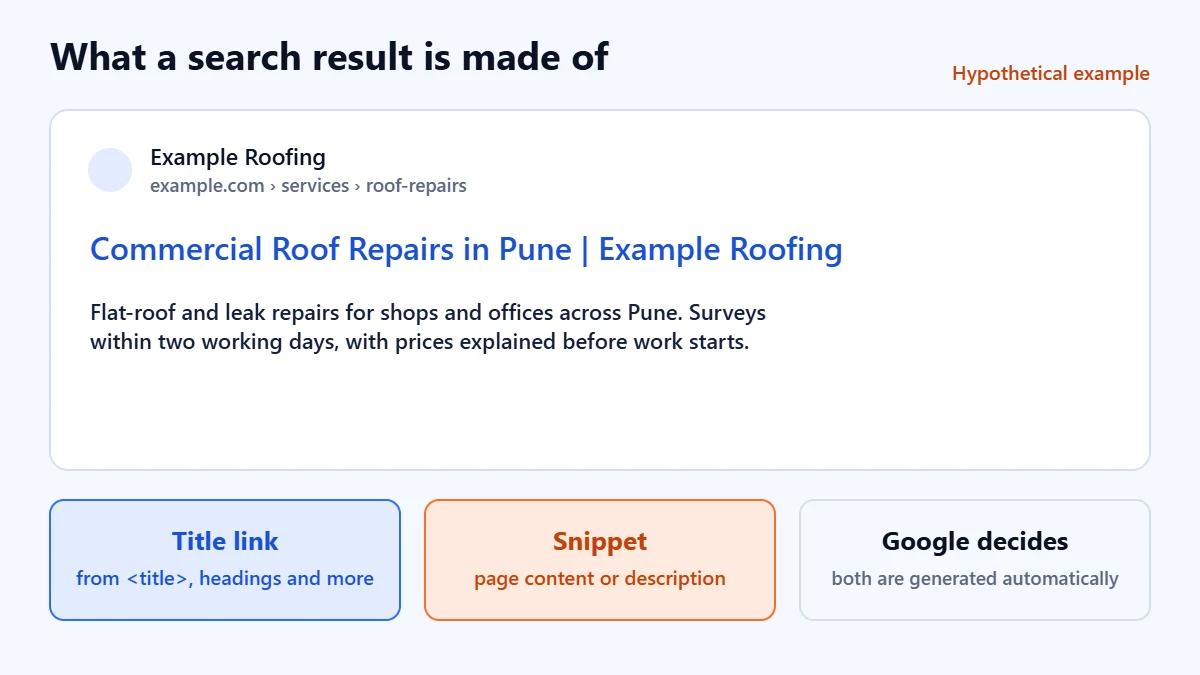
Google says title links are generated automatically, using the page’s content and references to it on the web. Its sources include the <title> element, the main visual title on the page, headings such as the H1, the og:title tag, other prominent text, anchor text on the page, text in links pointing to it, and WebSite structured data. Google also says changes take time to show, because it has to recrawl and reprocess the page, which can take a few days to a few weeks.
For snippets, Google says they are created mainly from the page content, and that it sometimes uses the meta description if it gives a more accurate description than the page text alone. It also says different searches can produce different snippets for the same page.
How to write a title
- Start with what the page is. The service, product, topic or question it answers, in plain words.
- Add the detail that makes it specific. A place, a customer type, or the angle of a guide.
- End with your brand. Google suggests including your site name, separated from the rest of the title with a delimiter, rather than repeating long branding on every page.
- Keep it reasonably short. Google says there is no length limit, but title links are truncated as needed, typically to fit the device width. Put the important words first.
- Avoid repeating words. Google gives “Foobar, foo bar, foobars, foo bars” as an example of keyword stuffing that can look spammy.
Patterns by page type
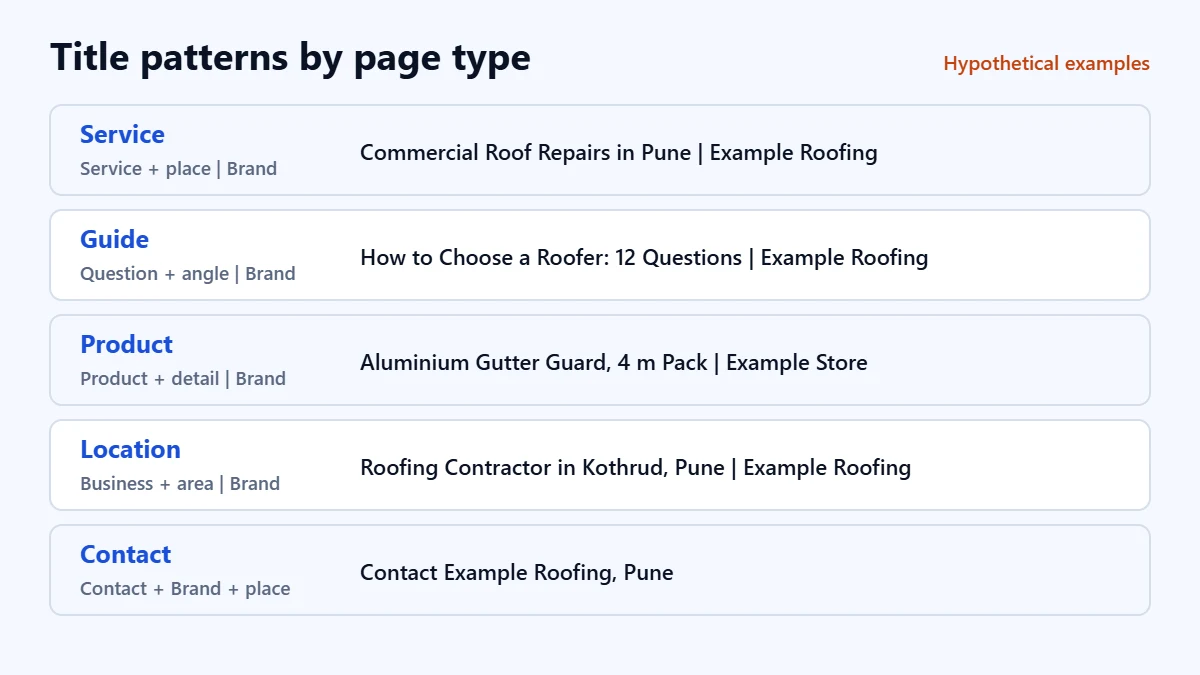
| Page type | Pattern | Hypothetical example |
|---|---|---|
| Service | Service + place or customer | Brand | Commercial Roof Repairs in Pune | Example Roofing |
| Guide | The question or topic + angle | Brand | How to Choose a Roofer: 12 Questions to Ask | Example Roofing |
| Product | Product name + key detail | Brand | Aluminium Gutter Guard, 4 m Pack | Example Store |
| Location | Business type + area | Brand | Roofing Contractor in Kothrud, Pune | Example Roofing |
| Contact | Contact + Brand + place | Contact Example Roofing, Pune |
Write a location page only if it genuinely says something different about that place. Our guide to writing a service page explains why near-identical city pages are a problem.
How to write a meta description
- Summarise the page in a sentence or two. Google describes a good description as a short, relevant summary, like a pitch that convinces the searcher the page is what they need.
- Include the details searchers care about. For a business, that might be what you offer, where, and opening hours. For a guide, what the reader will learn.
- Make each one unique. Google says identical or similar descriptions on every page are not helpful.
- Do not list keywords. Google’s own example of a poor description is a list of products separated by commas.
- Do not promise what the page does not deliver. A description that oversells leads to quick returns to the results.
Want your titles and descriptions reviewed? Ask for a Free Growth Audit. We check your key pages’ titles, descriptions, headings and search appearance, and tell you what to fix first.
Before and after
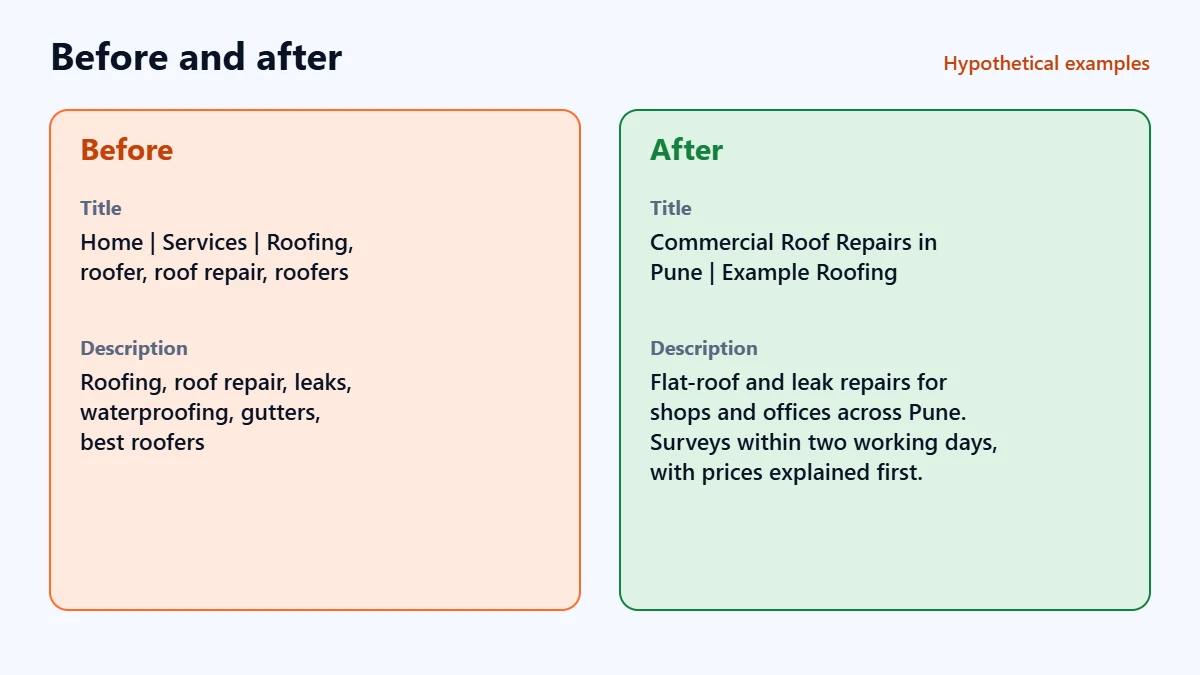
| Before (hypothetical) | After (hypothetical) | |
|---|---|---|
| Title | Home | Services | Roofing, roofer, roof repair, roofers | Commercial Roof Repairs in Pune | Example Roofing |
| Description | Roofing, roof repair, leaks, waterproofing, gutters, best roofers | Flat-roof and leak repairs for shops and offices across Pune. Surveys within two working days, with prices explained before work starts. |
Why Google might change what you wrote
You cannot force Google to use your text, and Google says it cannot manually change title links for individual sites. In our judgement, these are the usual reasons it rewrites them, and the fix in each case:
- The title does not match the page. Make the title and the H1 describe the same thing.
- The same title is used on many pages. Give each page distinct text.
- The title is stuffed or very long. Shorten it and remove repeated words.
- The description does not answer the search. That is normal for some searches, since snippets can vary by query. Make sure the opening of the page answers the main question clearly.
Doing it in WordPress
SEO plugins such as Rank Math and Yoast add a snippet editor to every post and page, where you set the SEO title and meta description separately from the page heading. Set templates for post types so new pages have a sensible default, then write custom titles for your most important pages. After changes, check your key pages in Search Console. Our guide to using Google Search Console shows how to watch clicks and click-through rate by page.
A checklist for each page
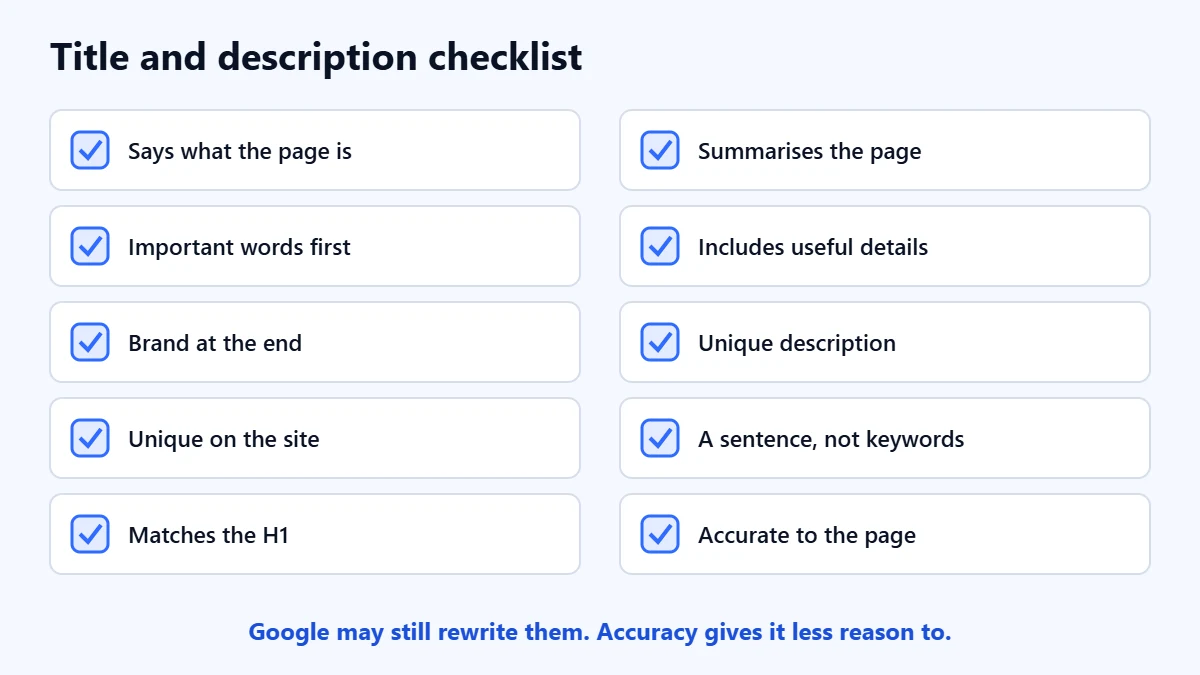
- The title says what the page is, with the important words first.
- The brand is at the end, after a simple separator.
- No other page on the site has the same title.
- No word is repeated without reason.
- The title and H1 describe the same thing.
- The description summarises the page in a sentence or two.
- It includes the details a searcher would want.
- No other page has the same description.
- It is written as a sentence, not a keyword list.
- Both are accurate to what the page delivers.
Frequently asked questions
How long should a title tag be?
Google says there is no length limit, but title links are shortened to fit the screen. In practice, keep the important words at the start and the whole title concise, so the meaning survives if it is cut.
Do meta descriptions affect rankings?
Google’s documentation presents the meta description as a way to influence the snippet people see, not as a ranking tool. A good description can make searchers more likely to choose your result.
Why is Google showing a different title from mine?
Google generates title links automatically and can draw on headings, prominent text and links to the page as well as the title element. Make the title accurate, specific and consistent with the page’s main heading, then allow a few days to a few weeks for Google to reprocess the page.
Should every page have a meta description?
Your important pages should have a unique, hand-written one. For very large sites, Google suggests descriptions can be generated from page content, as long as they are accurate and distinct.
Get your Free Growth Audit and Quote. We review how your pages appear in search, from titles and descriptions to indexing and content, then send a plain-English list of what we would fix first.
No obligation and no guaranteed rankings. Prefer to talk first? Contact us or see our SEO services.