The short answer: If your business does not appear on Google Maps, first work out whether it is missing or just not ranking. Search for your business name and city. If it does not appear even then, the profile is probably unverified, suspended, recently edited, a duplicate, or not yet live, so check its status in Business Profile. If it appears for its name but not for searches like “plumber near me”, it is visible but not ranking, which depends on relevance, distance and prominence. Google says there is no way to pay for a better local ranking.
This guide is for owners and managers of local businesses who cannot find their listing on Google Maps, or whose customers say they cannot. It follows Google Business Profile Help as checked in November 2026. Apzom Digital sells local SEO, so read this knowing we have an interest. Every check below can be done by the profile owner.
What to take from this guide
- Missing and not ranking are different problems. A name search tells you which one you have.
- Only verified profiles show. Google says only verified businesses can show their information on Maps and Search.
- Some delays are normal. Google says edits can take up to three days, and new businesses can take up to a month to appear in rankings.
- Ranking cannot be bought. Relevance, distance and prominence decide it.
First, search the right way
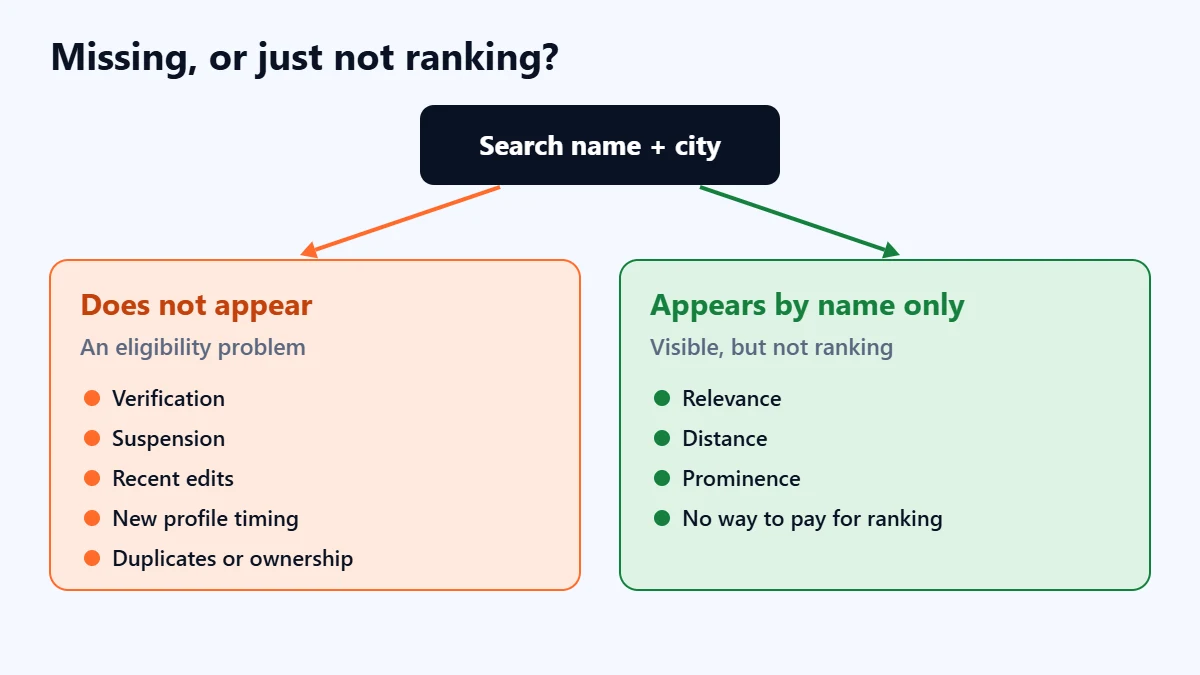
Google suggests finding your profile by searching on Google or Maps for your business name and city, or by searching “my business” while signed in to the Google account that manages it. In the Google Maps app, you can also tap Business.
- Not found by name and city: work through the eligibility checks below.
- Found by name, not by service: skip to the ranking section.
Remember that results depend on where the searcher is. A search from your own office, or from far outside your area, is not what a customer down the road will see.
If your business does not appear even by name
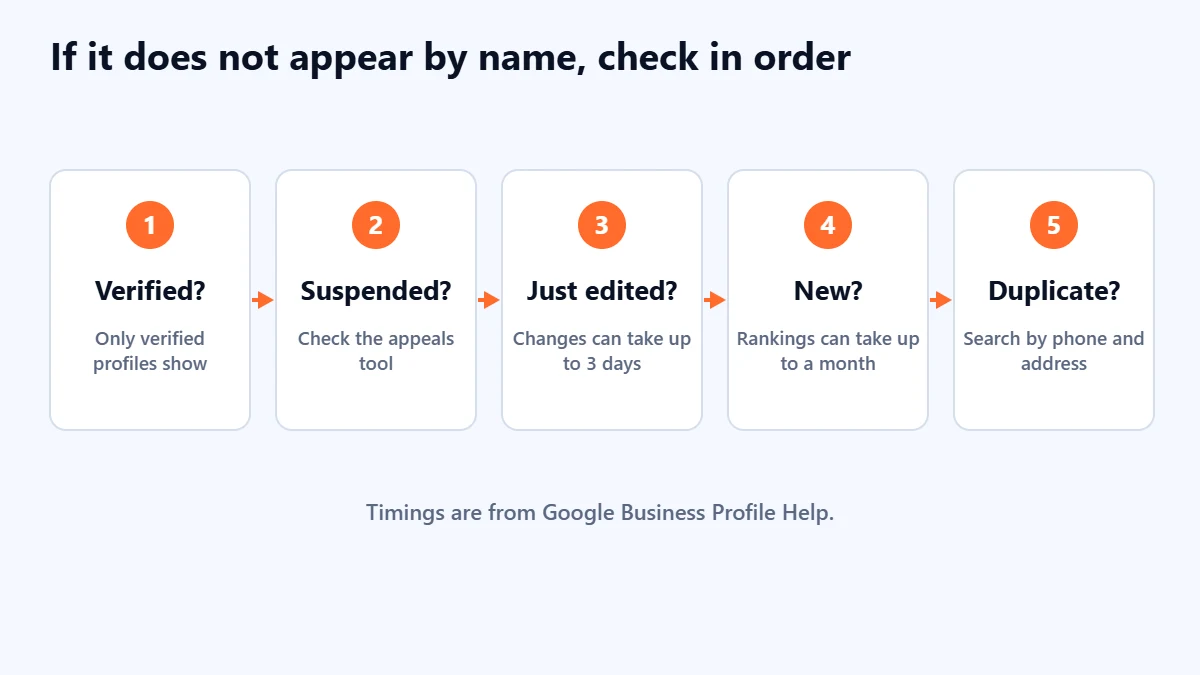
1. Is the profile verified?
Google says only verified businesses can show their business information on Maps and Search. Open the profile and check its verification status. If verification is incomplete or failed, our guide to verifying a Google Business Profile explains the options, including video verification.
2. Is it suspended or disabled?
Google says a profile that violates its guidelines becomes disabled or suspended and will not show to other people until the issue is resolved. The Business Profile appeals tool shows the reason. Our guide to a suspended Google Business Profile explains how to fix the cause and appeal, and why you should not create a new profile.
3. Did you just make changes?
Google says that when you edit your business information, changes can take up to three days to appear. If the business disappeared straight after an edit, wait, and check whether the edit is still under review.
4. Is the profile new?
Google says rankings for new businesses can take up to a month to appear in search results. A newly verified profile that cannot yet be found for general searches is not necessarily broken.
5. Is there a duplicate or an ownership problem?
An old listing created by a previous owner, staff member or agency can split information or confuse which profile shows. Search Maps for your phone number and address as well as your name, and claim or report any duplicates. Google’s guidelines say each location should have only one profile.
Still can’t find your business on Google Maps? Ask for a Free Growth Audit. We check your Business Profile’s status, ownership, duplicates and local visibility, and tell you what is stopping it from showing.
If it shows by name but not for your services
Now the profile is working, but other businesses are ranking above it. Google says local results are mainly based on relevance, distance and popularity, which it also calls prominence, and that there is no way to request or pay for a better local ranking.
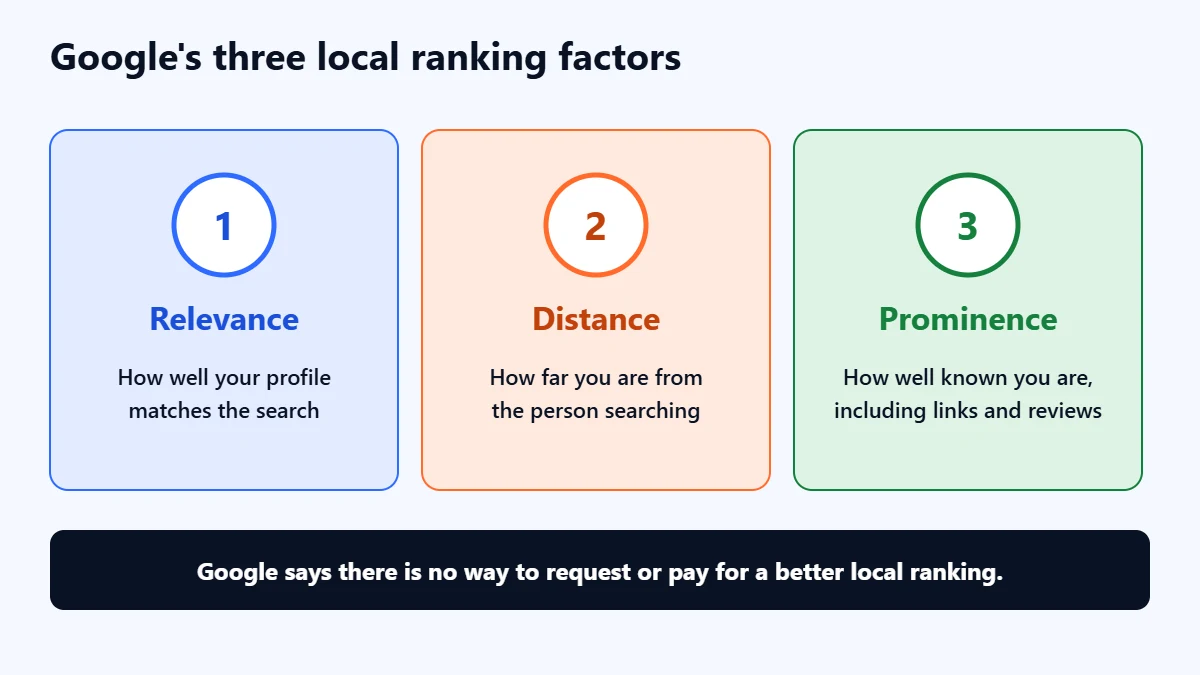
- Relevance: how well your profile matches the search. Google advises complete, detailed business information. Check your primary category, services and description reflect what people search for, without stuffing keywords into the business name, which breaks the guidelines.
- Distance: how far the business is from the searcher. You cannot change where customers are, so a business may rank well near its address and poorly a few kilometres away.
- Prominence: how well known the business is. Google says this draws on information such as how many websites link to you and how many reviews you have.
Our Business Profile optimisation checklist covers relevance in detail, our guide to getting more Google reviews covers reviews within the rules, and our local SEO checklist covers your website and listings elsewhere.
Service-area businesses
If you visit customers rather than having them visit you, Google’s guidelines say you should have one profile for your central location with a service area set. Hiding your address from customers does not remove the business from Maps. In our judgement, because distance is one of Google’s three main local factors, you should not expect one profile to rank equally well across a whole region.
A 10-minute check
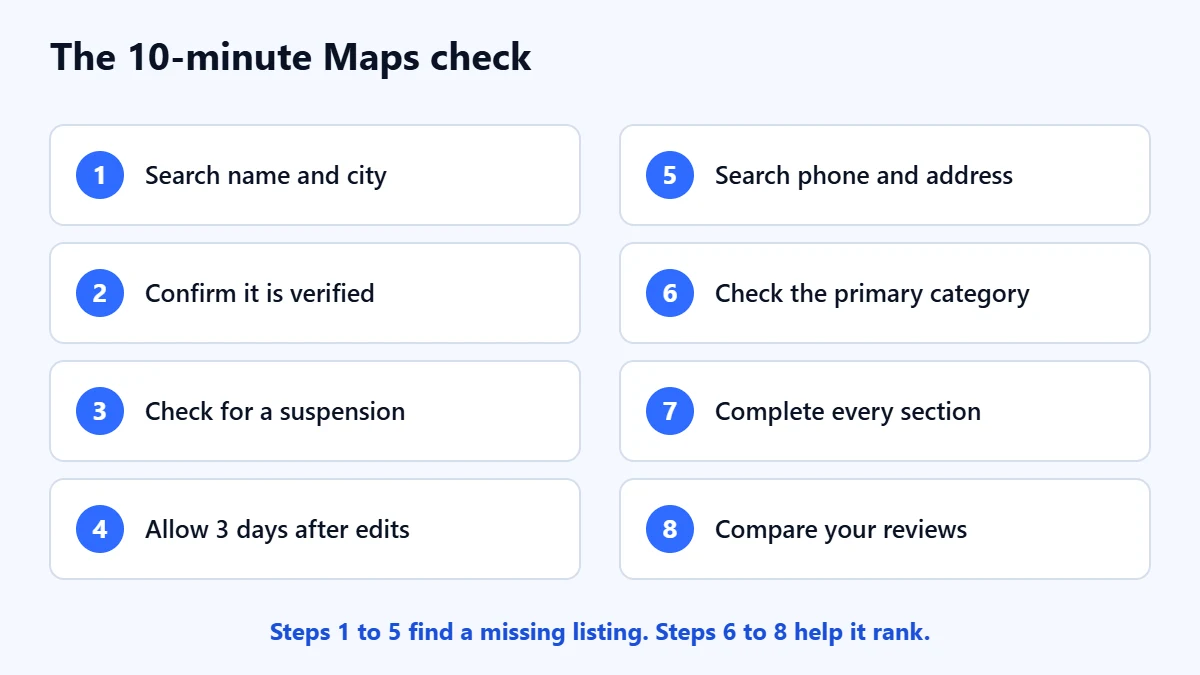
- Search Google and Maps for your business name and city.
- Sign in and confirm the profile is verified.
- Check for a suspension in the appeals tool.
- If you edited the profile recently, allow up to three days.
- Search Maps for your phone number and address to find duplicates.
- Check that your primary category describes your main service.
- Fill in every relevant section of the profile.
- Compare your reviews with the businesses ranking above you.
Common mistakes
- Creating a new profile. It adds a duplicate, and if the old one was suspended, it does not fix the cause.
- Adding keywords or a city to the business name. It breaks Google’s guidelines and can get the profile suspended.
- Judging ranking from your own desk. Results depend on the searcher’s location.
- Paying anyone who promises a top Maps position. Google says local ranking cannot be bought.
- Editing repeatedly while waiting. Google says edits can take up to three days to appear, so constant changes make it hard to tell what happened.
Frequently asked questions
How long does it take for a new business to show on Google Maps?
The profile needs to be verified first. After that, Google says rankings for new businesses can take up to a month to appear in search results. Searching for your exact name and city is usually the first place it will show.
Why does my business show on Google Search but not on Maps?
Check that you are searching on Maps from a relevant location, for your name and city. If it shows in Search for your name but not in Maps, check whether the profile is verified, and whether the address or service area is set correctly. If the problem persists, ask in Google’s Business Profile help community or contact Google support.
Can I pay Google to rank higher on Maps?
Not in the organic results. Google says there is no way to request or pay for a better local ranking. Paid ads can appear in Maps and local results, but they are labelled as ads and are separate from the organic ranking.
My business disappeared from Maps overnight. Why?
The most common causes are a suspension, a recent edit still under review, or a duplicate profile. Check the profile’s status first, then the appeals tool.
Get your Free Growth Audit and Quote. We review your Business Profile, local rankings and website, then send a plain-English list of what to fix first. We will ask for manager access; you stay the owner.
No obligation and no guaranteed rankings. Prefer to talk first? Contact us or see our local SEO service.