The short answer: Google Ads has three keyword match types. Broad match, the default, can show your ads on searches related to your keyword, including ones that do not contain its exact meaning. Phrase match, written in quotes, can show ads on searches that include the meaning of your keyword. Exact match, written in square brackets, can show ads on searches with the same meaning or intent. Broader types reach more searches with less control. Negative keywords work differently, and do not match close variants. The right mix depends on your budget, your conversion tracking and how much time you spend reading the search terms report.
This guide is for business owners and marketers setting up or reviewing Google Search campaigns. Definitions follow Google Ads Help as checked in November 2026. Apzom Digital manages Google Ads, so read this knowing we have an interest. The examples are illustrative: Google decides each match at auction time, so no example here guarantees how a particular search will match.
What to take from this guide
- Match types trade reach for control. Broad reaches most, exact gives the most steering.
- Broader types include narrower ones. Google says broad match covers the searches of phrase and exact, plus more.
- Matching is about meaning, not exact words. All three types can match searches worded differently from your keyword.
- The search terms report is the real control. Whatever you choose, read what your ads actually showed for.
The three match types
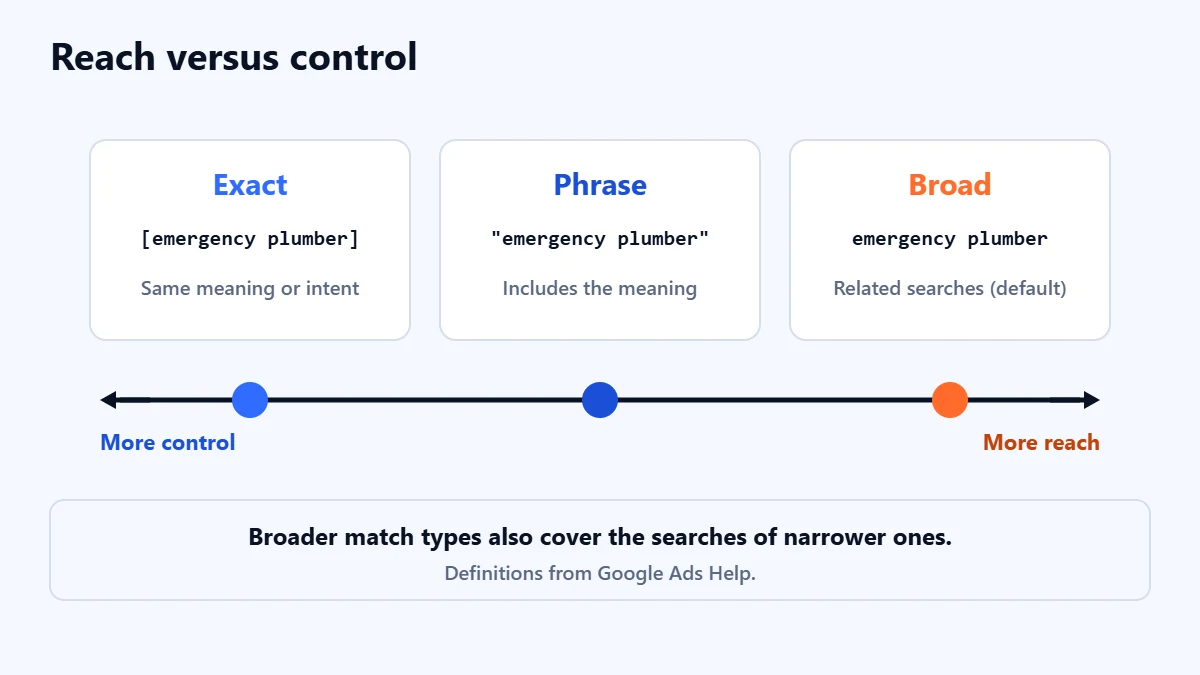
| Match type | How you write it | What Google says it can match |
|---|---|---|
| Broad | emergency plumber | Searches related to your keyword, which can include searches that do not contain its direct meaning. The default match type. |
| Phrase | “emergency plumber” | Searches that include the meaning of your keyword. The meaning can be implied, and searches can be a more specific form of it. |
| Exact | [emergency plumber] | Searches with the same meaning or same intent as the keyword. |
Google also notes that broader match types capture all the searches of narrower ones. A phrase match keyword matches everything the same keyword would match as exact, and broad match covers phrase and exact plus more.
How one keyword might match
The table below is illustrative, for the keyword “emergency plumber”. It shows the kind of searches each type is designed to allow. Real matching depends on Google’s systems and can change.
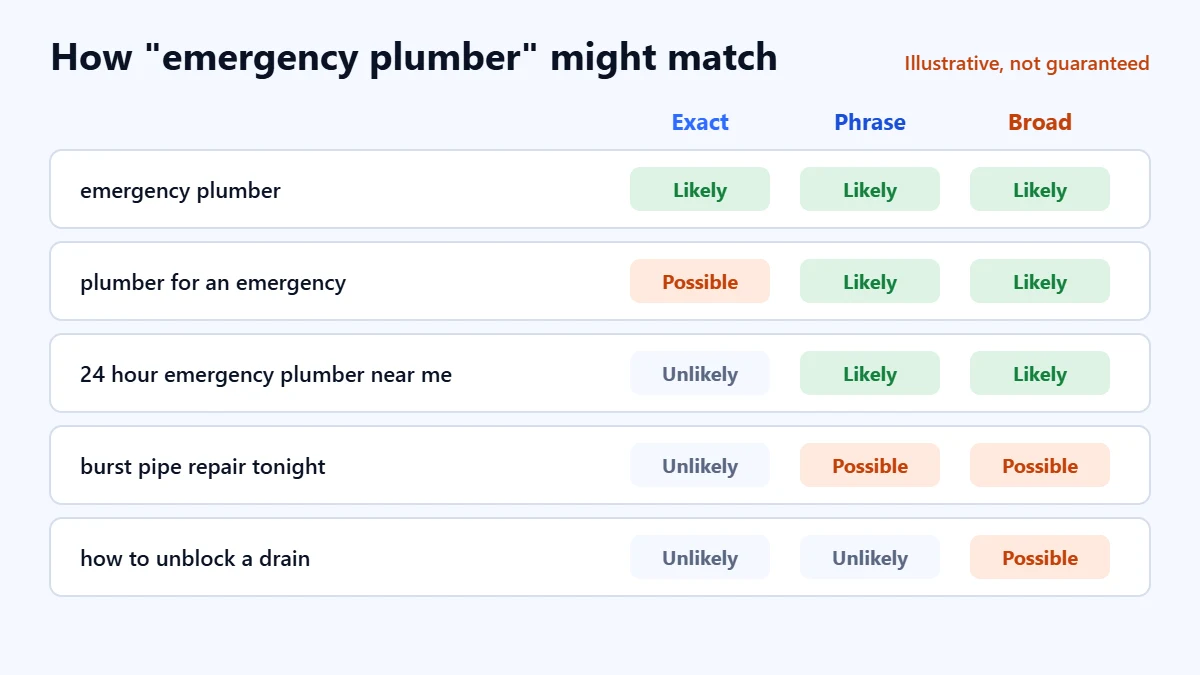
| Search | Exact | Phrase | Broad |
|---|---|---|---|
| emergency plumber | Likely | Likely | Likely |
| plumber for an emergency | Possible, same intent | Likely | Likely |
| 24 hour emergency plumber near me | Unlikely | Likely, more specific | Likely |
| burst pipe repair tonight | Unlikely | Possible | Possible, related |
| how to unblock a drain | Unlikely | Unlikely | Possible, related |
The last row shows the risk with broad match for a service business: a related search from someone who wants to do it themselves. That is where negative keywords and the search terms report come in.
Which match type should you use?
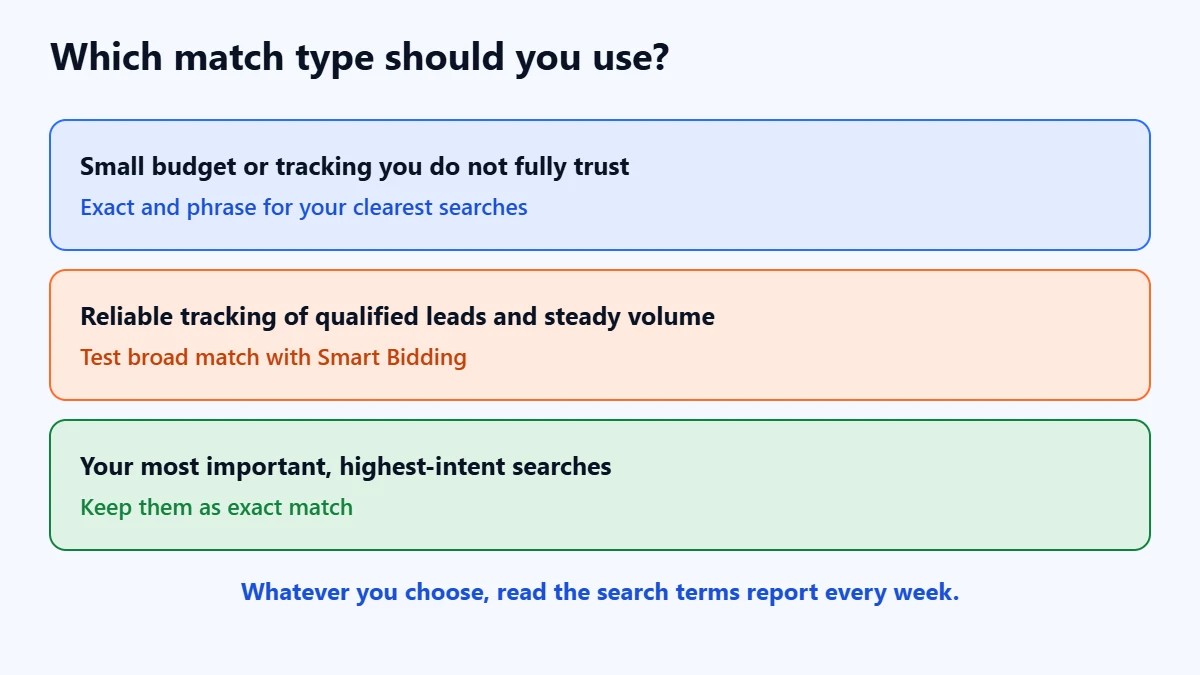
Google recommends broad match with Smart Bidding to reach a wider range of relevant searches. That can work well when automated bidding has a reliable signal. In our judgement:
- Small budget, or tracking you do not fully trust: start with exact and phrase for your clearest, highest-intent searches. Every click counts, and you need to see where they come from.
- Reliable conversion tracking and steady volume: test broad match alongside Smart Bidding, with the conversion goal set to qualified leads rather than every form fill. Our guide to improving Google Ads lead quality explains why.
- Your most important searches: keep them as exact match. In accounts that also run Performance Max, Google gives priority to Search campaigns when the search is identical to an exact match keyword, as our Performance Max vs Search guide explains.
Not sure your keywords are matching the right searches? Ask for a Free Growth Audit. We review your keywords, match types, negatives and search terms, and tell you where money is being wasted.
Negative keywords use different rules
Negative keywords stop your ads showing for searches you do not want. Google’s help pages explain that negative match types behave differently from normal keywords:
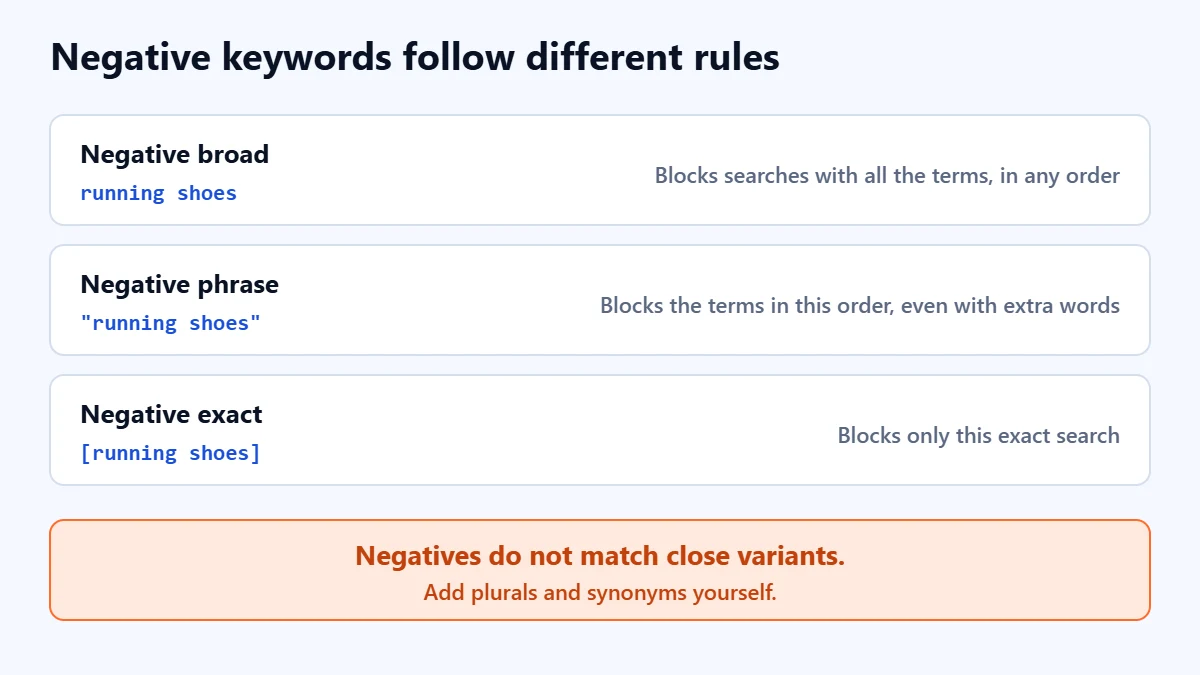
- Negative broad (the default): blocks searches that contain all your negative terms, in any order.
- Negative phrase: blocks searches that contain the exact terms in the same order, even with extra words.
- Negative exact: blocks only that exact search.
- No close variants: Google says negative keywords do not match close variants, so add singular and plural forms and common synonyms yourself.
Be careful with broad negatives. A negative such as “free” also blocks “free quote”, which you may want. Check new negatives against your main keywords before adding them, as our guide to Google Ads not getting impressions warns.
The weekly routine that keeps match types honest
- Open the search terms report for the last seven days.
- Mark searches that brought enquiries, and add the best as exact or phrase keywords.
- Mark searches that would never become customers, and add negatives.
- Note which keywords triggered the poor searches. If one broad keyword causes most of them, tighten it.
- Repeat weekly at first, then fortnightly once the list is clean.
Google notes that some low-volume search terms are left out of the report for privacy, so it never shows everything. It still shows enough to steer the account.
Common mistakes
- Leaving everything on broad match with weak tracking. Automated bidding needs a good signal to use broad match well.
- Expecting exact match to mean exact words. Google matches on meaning and intent.
- Never reading search terms. Match types are only as good as the review that follows.
- Adding broad negatives that block good searches. Check them against your keywords.
- Forgetting plurals in negatives. Negatives do not cover close variants.
Frequently asked questions
What is the default match type in Google Ads?
Broad match. Google assigns it to keywords unless you choose phrase or exact by adding quotes or square brackets.
Is broad match a waste of money?
Not necessarily. Google recommends it with Smart Bidding, and it can find relevant searches you would not have listed. It is risky when conversion tracking is weak or nobody reviews search terms, because it will reach more searches you did not intend.
Does exact match only show my ad for my exact keyword?
No. Google says exact match can show ads on searches with the same meaning or intent, which can include different wording.
Should I use all three match types for the same keyword?
Usually there is no need, because Google says broader types already cover narrower ones. Choose the type that fits how much reach and control you want for that keyword, and use the search terms report to adjust.
Get your Free Growth Audit and Quote. We check your Google Ads keywords, match types, negatives and tracking, then send a plain-English list of what to fix first. We will ask for read-only or standard access; you stay the owner.
No obligation and no guaranteed results. Prefer to talk first? Contact us or see our Google Ads management service.