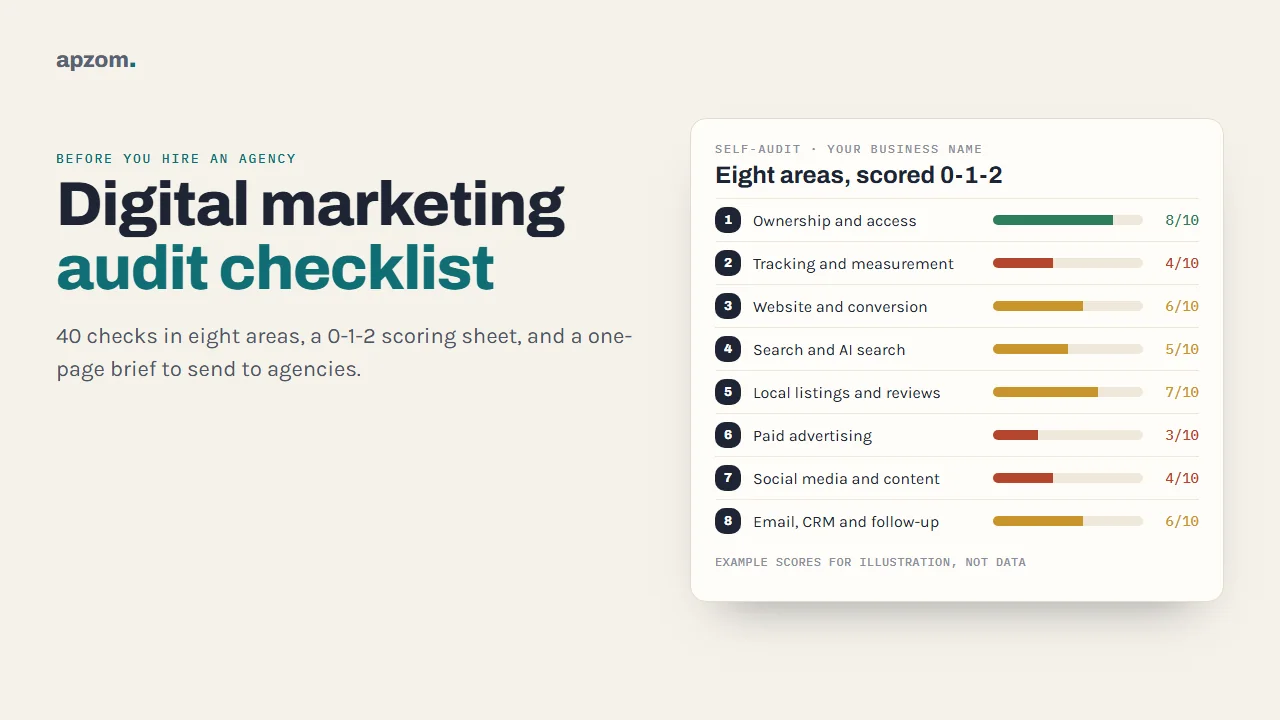
The short answer: A digital marketing audit is a structured check of every channel your business uses, from who owns the accounts to what happens after someone fills in a form. Before you hire an agency, do a short self-audit across eight areas: ownership and access, tracking, your website, search, local listings and reviews, paid ads, social media and content, and email and follow-up. Score each check 0, 1 or 2, fix ownership and tracking first, and turn the result into a one-page brief. You will get better proposals, compare agencies on the same facts and have a baseline to judge them against later.
This guide is for business owners and marketing leads anywhere in the world who are about to hire an agency, or replace one, and are not sure what they already have. It gives you the eight-area checklist (40 checks), a 0-1-2 scoring sheet, a simple rule for reading your score, and a one-page brief to send to agencies. Allow two to three hours. You do not need any paid tools, only access to your own accounts.
Why audit before you hire an agency
Most agencies will offer you an audit as part of their pitch, and a good one is worth having. Doing your own first still helps, for three reasons.
- You find out what you own. It is not unusual for an ad account, analytics property or domain to sit in a former freelancer’s or agency’s name, and an audit is often when owners first check. That is far easier to fix before a new contract than in the middle of one.
- You get proposals you can compare. If every agency receives the same facts, the differences between their proposals are about their thinking, not about what each one happened to discover.
- You set a baseline. Six months from now, you will want to know whether things improved. That is only possible if you wrote down where you started.
A self-audit is not a substitute for a specialist’s deep audit. It finds gaps; it does not always explain them. Our guides to a technical SEO audit and a content audit go much deeper into those two areas. This checklist is the wide view that tells you where to look.
Before you start: what to gather
Set aside two to three hours and collect:
- Logins for everything you can find: your domain registrar, website hosting and content management system, Google Analytics, Google Search Console, Google Business Profile, Google Ads, Meta (Facebook and Instagram), Microsoft Advertising, LinkedIn, your email marketing tool and your CRM or enquiry inbox.
- The last 12 months of numbers you already have: enquiries or sales by month, ad spend by platform (for your own use, not to share widely), and any reports a previous agency sent.
- A list of people who have had access: current and former staff, freelancers and agencies.
If you cannot find a login, write that down. “We do not know who controls this” is one of the most useful findings an audit can produce.
Framework 1: the eight-area self-audit
Work through the areas in this order. Ownership comes first because every other fix depends on it, and tracking comes second because you cannot judge any channel without it.
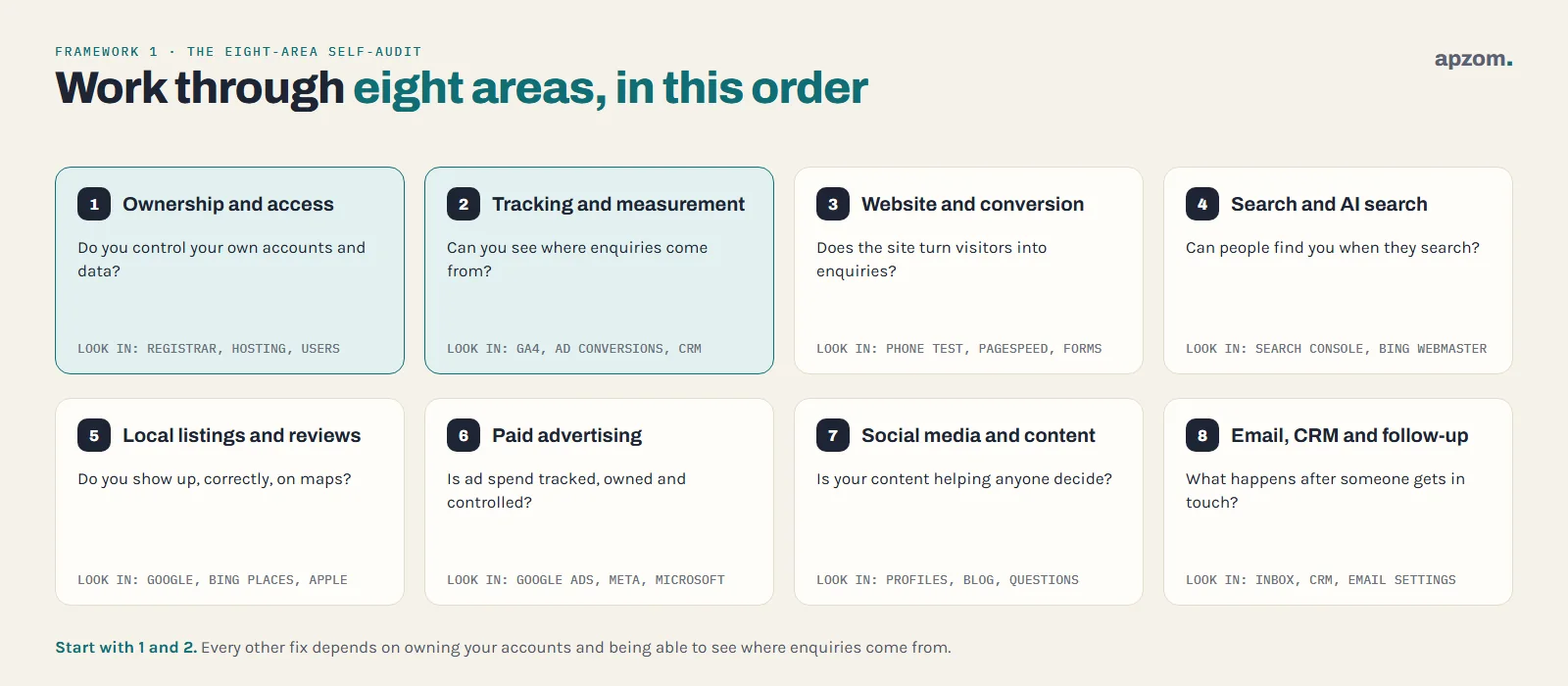
| Area | The question it answers | Where to look |
|---|---|---|
| 1. Ownership and access | Do you control your own accounts and data? | Registrar, hosting, every platform’s user settings |
| 2. Tracking and measurement | Can you see where enquiries and sales come from? | Google Analytics 4, ad platform conversions, CRM |
| 3. Website and conversion | Does the site turn visitors into enquiries? | The site on a phone, PageSpeed Insights, your forms |
| 4. Search and AI search | Can people find you when they search? | Google Search Console, Bing Webmaster Tools |
| 5. Local listings and reviews | Do you show up, correctly, on maps? | Google Business Profile, Bing Places, Apple Business |
| 6. Paid advertising | Is ad spend tracked, owned and controlled? | Google Ads, Meta, Microsoft Advertising |
| 7. Social media and content | Is your content helping anyone decide? | Your profiles, blog and the questions customers ask |
| 8. Email, CRM and follow-up | What happens after someone gets in touch? | Your inbox, CRM, email tool and sending settings |
Some businesses will not use every area. If you have never run paid ads, score that area as “not used” rather than zero, and leave it out of your total.
Framework 2: the 0-1-2 scoring sheet
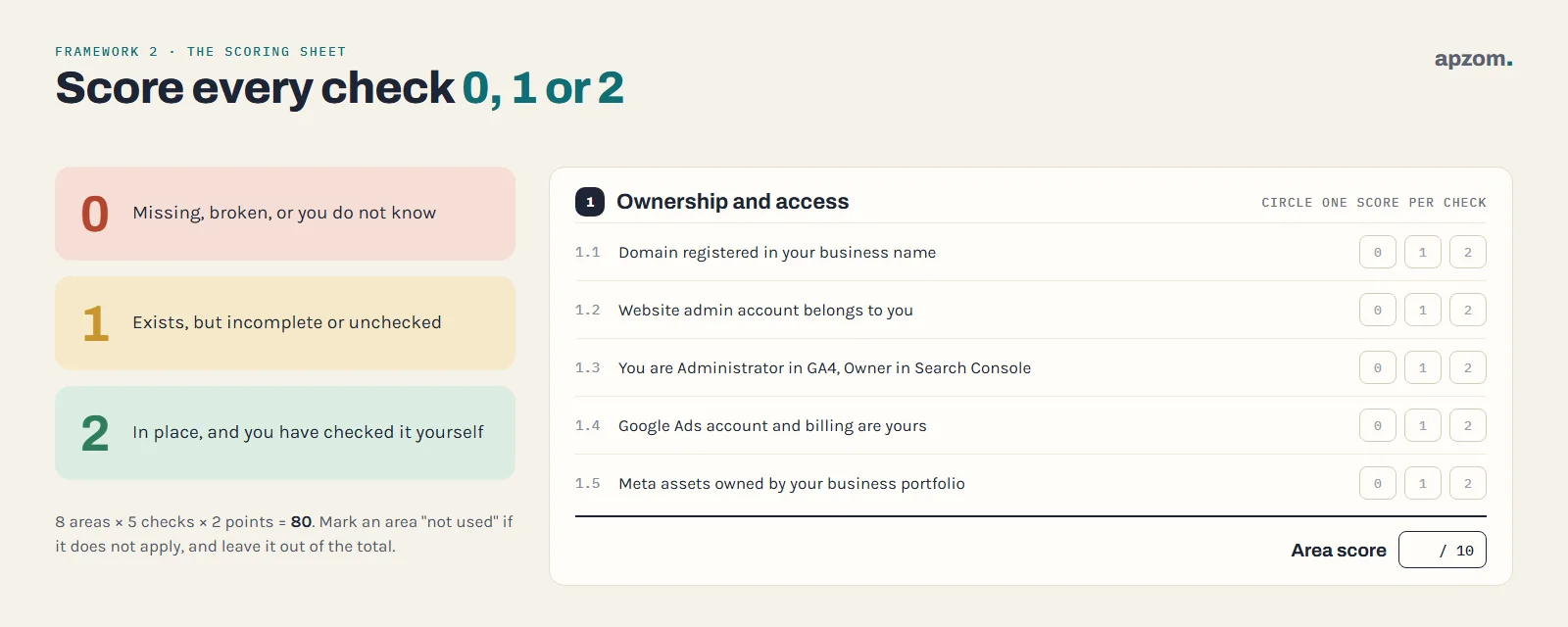
Each area has five checks. Score each check:
- 0 = missing, broken, or you do not know.
- 1 = it exists but is incomplete, out of date or unchecked.
- 2 = it is in place and you have checked it yourself.
Each area scores out of 10, and the full audit out of 80 (less for any area you do not use). The scores are for your own decisions; they are not an industry benchmark, and a score from one business cannot be compared with another’s.
Be strict. “I think the agency set that up” is a 0 or a 1, not a 2. The value of the sheet is that a 2 means you have seen it with your own eyes.
Copy this table into a spreadsheet, or print it, and circle one score per check:
| Area | Check 1 | Check 2 | Check 3 | Check 4 | Check 5 | Total /10 |
|---|---|---|---|---|---|---|
| 1. Ownership and access | 0 1 2 | 0 1 2 | 0 1 2 | 0 1 2 | 0 1 2 | /10 |
| 2. Tracking and measurement | 0 1 2 | 0 1 2 | 0 1 2 | 0 1 2 | 0 1 2 | /10 |
| 3. Website and conversion | 0 1 2 | 0 1 2 | 0 1 2 | 0 1 2 | 0 1 2 | /10 |
| 4. Search and AI search | 0 1 2 | 0 1 2 | 0 1 2 | 0 1 2 | 0 1 2 | /10 |
| 5. Local listings and reviews | 0 1 2 | 0 1 2 | 0 1 2 | 0 1 2 | 0 1 2 | /10 |
| 6. Paid advertising | 0 1 2 | 0 1 2 | 0 1 2 | 0 1 2 | 0 1 2 | /10 |
| 7. Social media and content | 0 1 2 | 0 1 2 | 0 1 2 | 0 1 2 | 0 1 2 | /10 |
| 8. Email, CRM and follow-up | 0 1 2 | 0 1 2 | 0 1 2 | 0 1 2 | 0 1 2 | /10 |
The checklist: 40 checks in eight areas
1. Ownership and access
- Your domain is registered in your business’s name, with a contact email you control, and you know when it renews. The registrant named in the registration record is the domain holder, so this matters more than it looks. If a former provider registered it, ask them to change the registrant to your business, or to give you the authorisation code to move it to your own registrar account. Under ICANN’s current Transfer Policy, a registrar can refuse a transfer within 60 days of registration or of a previous transfer, so do not leave this to the week your contract ends. Changing the registrant can also trigger a 60-day transfer lock unless you opt out beforehand, so if you plan to move registrars as well, ask about the opt-out first. ICANN approved changes to these rules in June 2026, but they are not in effect yet.
- Your website hosting and content management system have an administrator account that belongs to your business, not only to a developer.
- Google Analytics 4, Google Search Console and Google Tag Manager list someone from your business as Administrator (in GA4), Owner (in Search Console) and account Admin (in Tag Manager, if your site uses it). Agencies should have their own user with the lowest role that fits the work, such as Marketer or Analyst in GA4, a full user in Search Console, and Edit, Approve or Publish on the Tag Manager container.
- Your Google Ads account is yours, with your own billing and your own Admin user. An agency should get access by linking its manager account or by being added as a user, not by creating the account for you under its own name. If the agency’s manager account pays your monthly invoice, Google Ads Help warns that ads stop when that link is removed, so set up billing in your own name first.
- Your Meta business portfolio (managed in Meta Business Suite; many people still call it Business Manager) owns your Facebook Page, Instagram account, ad account and dataset (pixel). Agencies are usually given access as a partner, so they can work on your assets without owning them. Anyone who has left, staff or freelancer, has been removed here and in the accounts above. Score 2 only if both are true.
Old access is a security risk as well as an ownership one, which is why removing leavers is part of check 5. Google Business Profile ownership is scored in area 5.
2. Tracking and measurement
- Google Analytics 4 is installed once on every page, and data is arriving (check the Realtime report while you visit the site).
- Your important actions are marked as key events in GA4: form submissions, calls from the website, bookings or purchases. Google renamed conversions to key events in GA4 in March 2024 (Google Analytics blog), so older guides use the old word.
- Data retention in GA4 is set to 14 months (standard properties default to 2 months). Google Analytics Help notes that this setting affects explorations and funnel reports, not the standard reports. Raise it anyway, so your explorations can look back further than two months.
- Each ad platform records conversions, ideally the same actions as GA4, and Google Ads is linked to GA4.
- Campaign links are tagged. Email, social and other links carry UTM parameters, and ads use auto-tagging, so traffic is not all lumped into “direct” or “referral”.
If this area scores low, fix it before you judge anything else. Our guide to setting up Google Analytics 4 walks through it, and how to measure marketing ROI explains what to do with the numbers.
3. Website and conversion
- Every important page works on a phone: you can read it, tap the buttons and complete the form without zooming.
- Speed is acceptable. Run your main pages through Google’s PageSpeed Insights. Google’s Core Web Vitals call a page “good” when Largest Contentful Paint is within 2.5 seconds, Interaction to Next Paint is 200 milliseconds or less and Cumulative Layout Shift is 0.1 or less, measured at the 75th percentile of real visits (Google’s web.dev). Small sites often see no real-user data in PageSpeed Insights; then only the lab test is shown, so treat it as a guide.
- Every service you sell has a page that says who it is for, what it includes and how to start.
- Forms and contact details work. Send a test enquiry through every form, and check that it arrives and that someone replies.
- Proof is real and up to date: reviews, case studies, certifications and client names you can back up.
If people visit but do not get in touch, our guides to conversion rate optimization and landing page best practices show where enquiries usually leak.
4. Search and AI search
- Google Search Console is verified for your whole domain, and you have looked at the Performance report in the last month. Google keeps 16 months of Performance data there (Google Search Central), so you can see trends without any extra tool.
- Your important pages are indexed. Use the Pages report to check that the pages you care about are not excluded.
- You know which searches bring visitors: the queries and pages with the most clicks and impressions.
- Bing Webmaster Tools is set up and verified too. Its AI Performance report (in public preview since February 2026) shows how often Microsoft Copilot and Bing’s AI summaries cite your pages; Bing notes that citations are not clicks.
- Google’s AI features are not switched off by accident. Since August 2026, Search Console has a Generative AI performance report (impressions in AI Overviews and AI Mode) and a setting, under Search generative AI, that excludes a site from those features. Check that the setting is the way you intend, because an earlier owner or agency could have changed it. Google says no special markup or file is needed to appear in its AI features; normal SEO best practices apply.
Our guides to Google Search Console and Bing Webmaster Tools cover set-up. If you want to see whether AI tools send you visitors, see how to track AI search traffic in GA4.
5. Local listings and reviews
Skip this area if you do not serve customers in a local area or have no premises customers visit.
- Your Google Business Profile is verified and owned by you: your business is the primary owner and agencies are Managers, with the right category, hours, service area or address, and website link.
- Your name, address and phone number match across your website, Google, Bing Places and Apple Business (Apple’s tool, formerly Apple Business Connect).
- You ask every customer for a review, not only the happy ones. Google’s Maps user-generated content policy does not allow businesses to discourage negative reviews or ask only satisfied customers, and does not allow incentives for reviews. Laws apply too: in the US, the FTC’s rule on consumer reviews and testimonials (in force since 21 October 2024) bans fake and bought reviews and suppressing reviews through threats or intimidation; in the UK, the Digital Markets, Competition and Consumers Act 2024 has banned fake and concealed incentivised reviews since 6 April 2025. Ask any agency how it gets reviews.
- You reply to reviews, including the negative ones, politely and without sharing private details.
- Your profile is current: holiday hours, recent photos and services that match what you sell now.
Our Google Business Profile checklist and guide to getting more Google reviews cover each of these.
6. Paid advertising
Score this area “not used” if you have never run ads.
- Every ad account is owned by you (covered in area 1) and billed to you, so you can see what was spent.
- Ads are optimised for real enquiries, not only clicks. Check which conversion each campaign is set to optimise for.
- Each ad points to a page that matches it. An ad for one service should not land on the home page.
- You can see results per campaign in a way you understand, and they roughly match the enquiries that actually arrived.
- Nothing is running that nobody can explain. Old campaigns, broad audiences and automatic settings you never chose are worth listing for the agency to review.
Two notes for lead-generation businesses. If you advertise on Meta, check the attribution setting before comparing periods: Meta stopped returning the 7-day and 28-day view windows in its Ads Insights API in January 2026 and changed what counts as a click in March 2026, so older results are not like for like. And if sales close offline, ask how qualified leads flow back into Google Ads, through offline conversion imports or enhanced conversions for leads.
Google Ads shows a Quality Score from 1 to 10 for keywords. Google describes it as a diagnostic tool, not an input in the ad auction, so treat it as a clue, not a grade. If you are weighing up the fees agencies charge to run ads, see how much Google Ads management costs.
7. Social media and content
- Your profiles are complete and consistent: the same business name, description, contact details and website link.
- You know what each channel is for. Some channels build familiarity, some answer questions and some bring enquiries. “We post because we should” is a 0.
- Your website answers the questions customers ask before they buy: pricing approach, process, timelines, areas served.
- Old content is reviewed: posts and pages that are wrong, out of date or duplicated are updated, merged or removed.
- You can name one piece of content that brought an enquiry or helped someone decide. If you cannot, that is a finding, not a failure.
8. Email, CRM and follow-up
- Every enquiry lands in one place (a CRM, a shared inbox or even a spreadsheet), with the source recorded.
- Someone owns the reply, with a target response time that is actually met.
- Your sending domain is authenticated with SPF, DKIM and DMARC. Gmail, Yahoo and Outlook.com require this from senders of about 5,000 or more messages a day, along with one-click unsubscribe for marketing mail (Google, Yahoo and Microsoft sender guidelines), and Gmail has been rejecting more non-compliant mail since November 2025. It is worth setting up at any volume.
- Your marketing list is permission-based, with a working unsubscribe link, and you can show how and when people joined.
- Leads that do not buy at once get a follow-up, and you can see how many enquiries become customers.
Not sure what your scores mean, or what to fix first? Request a free growth audit and include your eight area scores in your message. We look at the weakest areas in more depth and tell you what to fix first.
Framework 3: reading your score
Once you have your scores, do not average them. Read them area by area, in this order.
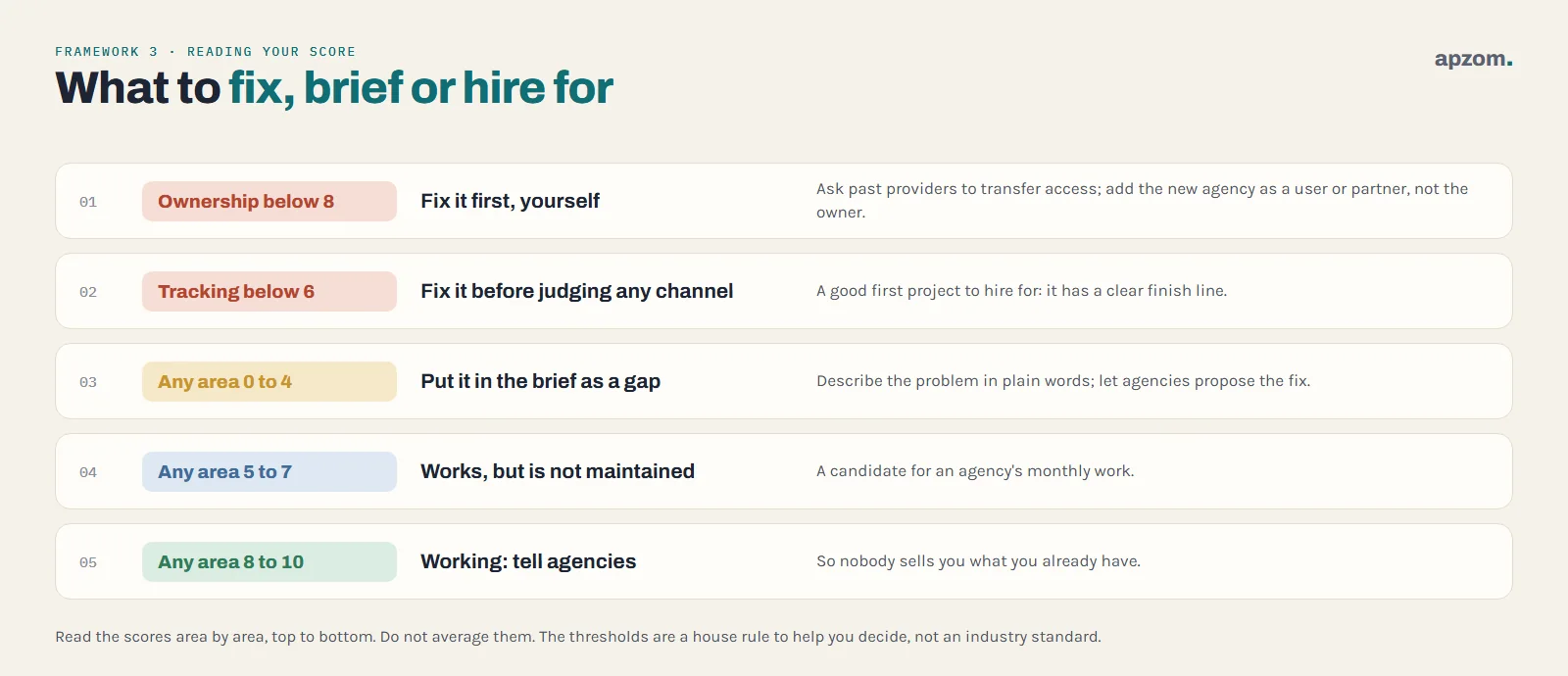
- Ownership below 8: fix it first, yourself. This is your property. Do not hand it over to a new agency to sort out; ask your previous providers to transfer access now, and make sure the new agency is added as a user or partner, not as the owner.
- Tracking below 6: fix it before judging any channel. Without it, every agency’s results will be a matter of opinion. This is a good first project to hire for, because it has a clear finish line.
- Areas scoring 0 to 4: these are the gaps. Put them in the brief, in plain words, as the problems you want solved.
- Areas scoring 5 to 7: these work but are not maintained. They are good candidates for an agency’s monthly work.
- Areas scoring 8 to 10: these are working. Tell agencies, so they do not sell you what you already have.
The thresholds are a simple house rule to help you decide, not a standard. If an area that drives most of your enquiries scores low, treat it as urgent even if the number looks respectable.
Turn the audit into a one-page agency brief
The audit is most useful when you send it to agencies before they write a proposal. Keep it to one page.
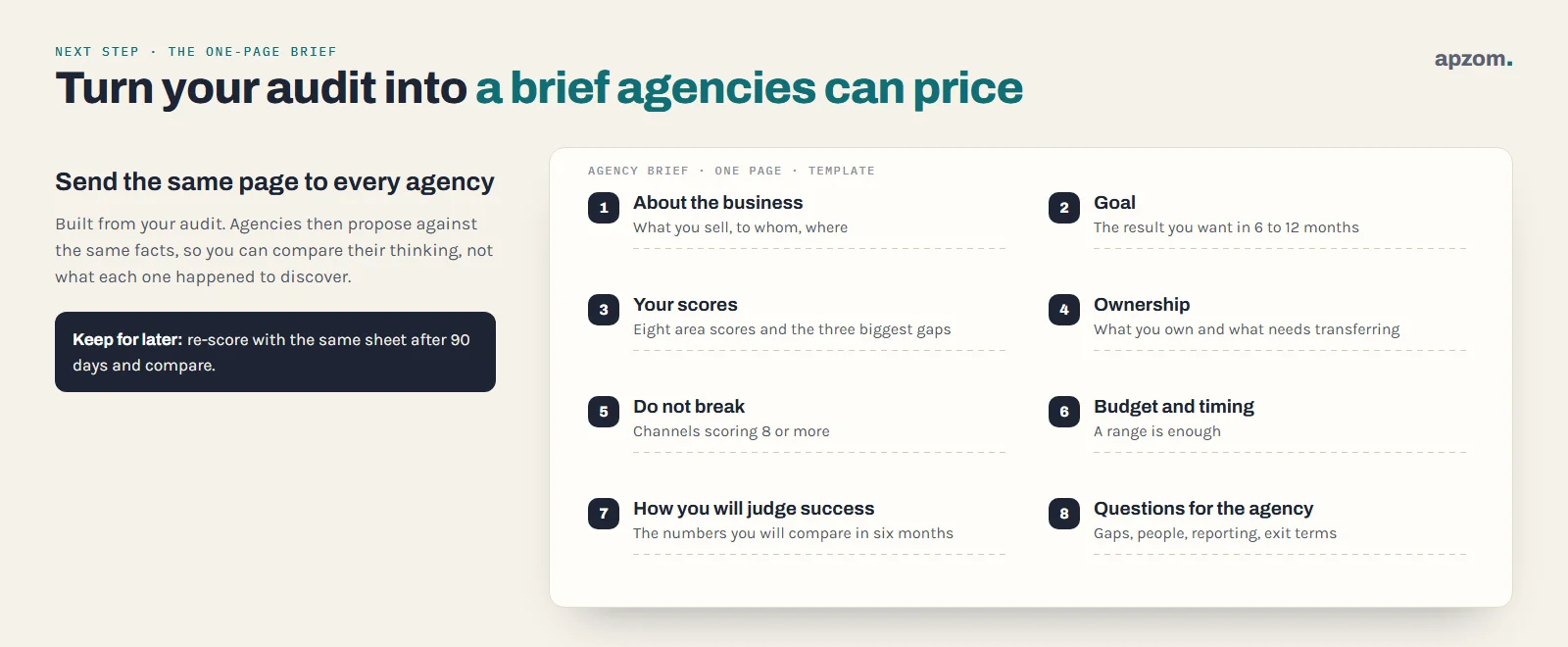
- About the business: what you sell, to whom, where (countries or areas) and how customers usually buy.
- Goal: the result you want in 6 to 12 months, in business terms, such as more qualified enquiries for one service.
- Your scores: the eight area scores and the three biggest gaps.
- What you own and what needs transferring: from area 1.
- What works and must not break: the channels scoring 8 or more.
- Budget range and timing: a range is enough; it helps agencies propose something realistic.
- How you will judge success: the numbers from area 2 you will compare in six months.
- Questions for the agency: for example, how they would fix your two biggest gaps, who will do the work, how they report, and what you keep if you part ways.
Then send the same brief to every agency you speak to. If you have already written the five-line brief from our guide to choosing a digital marketing agency, this page adds the facts behind it; that guide also covers the questions to ask and what to look for in the answers.
What a self-audit cannot tell you
- Why something is not working. A low score shows where to look. Finding the cause often needs a specialist, such as a technical SEO audit or an ad account audit.
- What your competitors are doing. This checklist is about your own house. An agency should bring market and competitor research to its proposal.
- What results to expect. No audit can promise rankings, leads or a return. Be wary of anyone who guarantees them; Google’s own guidance on hiring an SEO says no one can guarantee a number one ranking on Google.
Common mistakes
| Mistake | Why it hurts | Fix |
|---|---|---|
| Letting the new agency create accounts in its name | You can lose the history and the access when you part ways | Create accounts in your business’s name and add the agency |
| Judging channels before fixing tracking | Decisions rest on guesses | Score area 2 first; fix it before comparing channels |
| Scoring from memory | A “2” you have not checked hides real gaps | Only score 2 for things you have seen yourself |
| Sending each agency different information | Proposals cannot be compared | Send everyone the same one-page brief |
| Treating the score as a benchmark | Scores are not comparable between businesses | Compare only with your own re-audit later |
| Never repeating the audit | You cannot tell whether things improved | Re-score with the same sheet after 90 days |
Privacy and contracts: two checks before you sign
- Personal data. If an agency will handle your leads, customer lists or CRM, it is usually acting as your processor. Under Article 28 of the EU GDPR and the UK GDPR, that needs a written contract, often called a data processing agreement. Other countries have their own rules, so ask the agency what it signs as standard.
- Access in the contract. Write down that the accounts, data, website and creative work belong to your business, and that the agency will hand over access when the contract ends.
How Apzom can help
Apzom Digital reviews businesses’ marketing before and after they hire, as part of our digital marketing services. Request a free growth audit and tell us your area scores: we look at the weakest areas in more depth, look for the causes behind low scores, and tell you what to fix first, whether you then work with us or with another agency. If you already know your gap is search or paid ads, we can start with our SEO services or performance marketing team. You can read how we work on our process page.
We work with clients worldwide, remotely, from our base in Ahmedabad, India.
Request a free growth audit. Tell us your area scores and goals. We review the weakest areas, from ownership and tracking to your website, search, ads and follow-up, and tell you plainly what to fix first, whether you then work with us or with another agency.
Free, with no obligation and no guaranteed rankings or leads. Prefer to talk first? Contact us or see all our digital marketing services.
Frequently asked questions
What is a digital marketing audit?
It is a structured review of every channel your business uses to win customers online, from accounts and tracking to your website, search, ads, social media and follow-up. It records what exists, what works and what is missing, so you can decide what to fix first.
How long does a digital marketing audit take?
Allow two to three hours for a self-audit with this checklist, if the logins are to hand. A specialist audit that also investigates causes usually takes longer, depending on how many channels and accounts you have.
Should I pay for a digital marketing audit?
Do your own first; it costs nothing and tells you where to look. Paying for a specialist audit makes sense when you know an area is underperforming and need the cause found, such as a technical SEO problem or an ad account that spends without results.
What should a digital marketing audit include?
At least ownership and access, tracking, the website, search, local listings and reviews (for local businesses), paid ads, social media and content, and email and follow-up. Ownership and tracking matter most, because every other finding depends on them.
How often should I audit my digital marketing?
Re-score with the same sheet every 90 days in the first year with a new agency, then once or twice a year. Repeat it any time you change agency, website or main platform.
What should I do if an agency or freelancer controls my accounts?
Ask them, in writing, to make your business the owner or administrator and to keep their own access as a separate user or partner. Most platforms let an owner add and remove users, so this is a normal request.