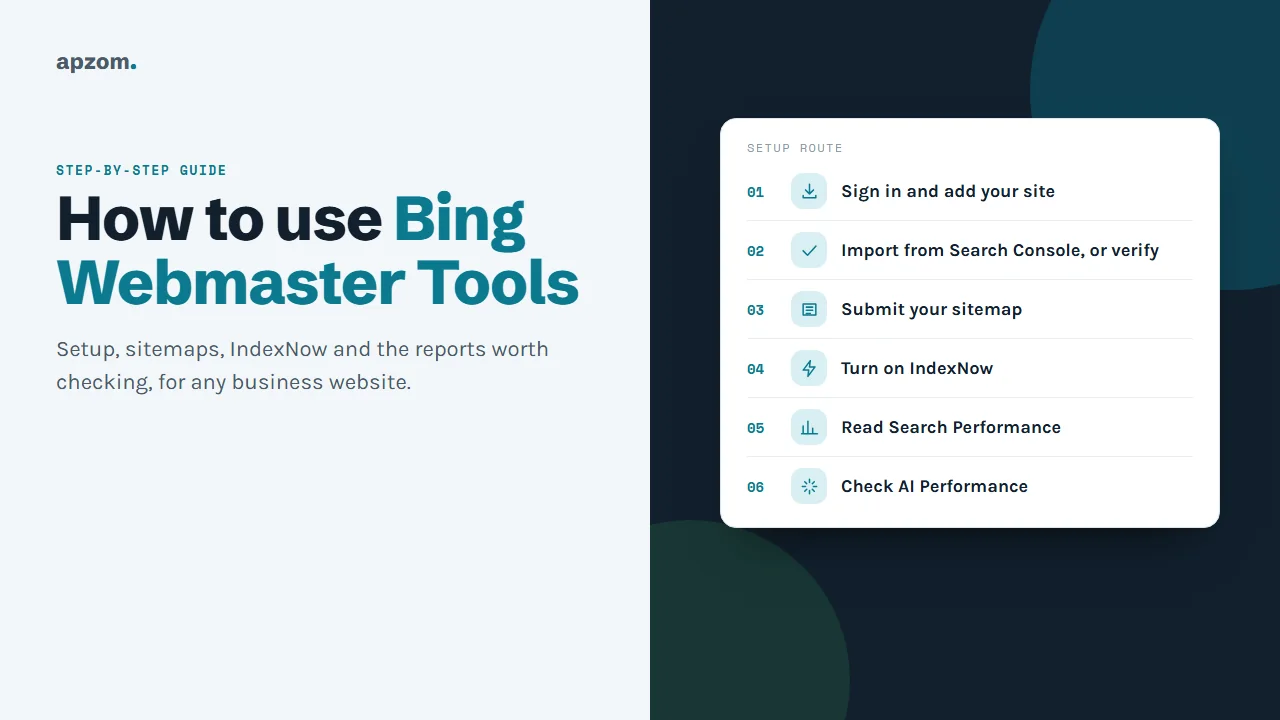
The short answer: To use Bing Webmaster Tools, sign in at bing.com/webmasters, add your website and verify it. If your site is already verified in Google Search Console, the import option is usually the fastest route. Then submit your XML sitemap, turn on IndexNow so Bing hears about new and changed pages quickly, and check three reports once a month: Search Performance (which searches bring clicks), the AI Performance report (how often Microsoft’s AI answers cite your pages) and Recommendations (problems Bing has found). The setup is free, and most of it can be done in one sitting.
This guide is for small business owners, marketers and developers anywhere in the world who already use Google Search Console, or are about to, and want to cover Bing too. Bing’s own Webmaster Guidelines say Copilot uses the same crawling and index as Bing search, so a site that Bing can crawl and understand is in a better position in Microsoft’s AI answers as well as in Bing results. There is one more reason to start now: Bing’s Search Performance data only begins from the day you add your site, and Bing says you cannot see backdated data. The guide follows Microsoft’s own Bing Webmaster Tools help pages and blog, uses the feature names from Bing’s help centre at the time of writing (Microsoft renames items from time to time), and assumes no technical background.
Before you start
You need:
- A Microsoft, Google or Facebook account to sign in with. Use an account the business controls, not one that belongs to a single staff member or an agency, so that access stays with the business. You can add other users later.
- Access to Google Search Console for the same site, if you want to use the import shortcut.
- Your sitemap address. Most content management systems and SEO plugins create one automatically, often at yoursite.com/sitemap.xml or yoursite.com/sitemap_index.xml.
If someone already set up Bing Webmaster Tools for your site, ask them to add you as a user rather than adding the site again.
Step 1: add and verify your site
Go to bing.com/webmasters and sign in. Bing offers two ways to add a site.
The quick route: import from Google Search Console
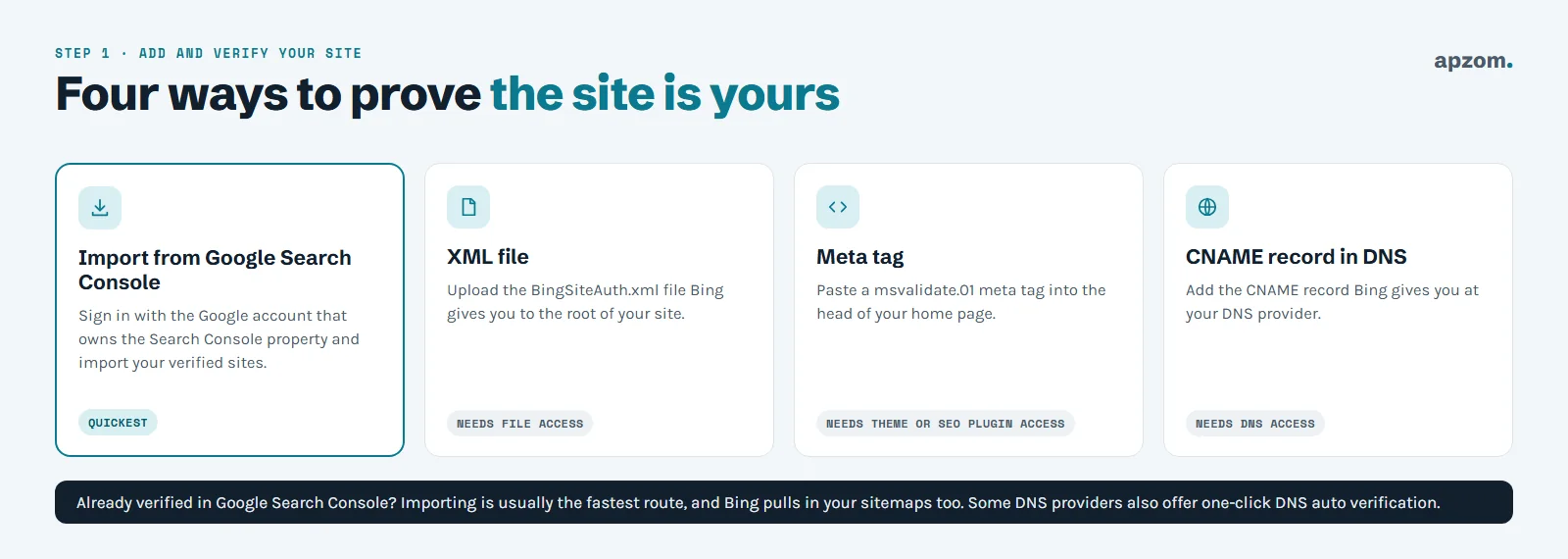
Choose the Import option and sign in with the Google account that owns your Search Console property. Bing lists the sites that account has verified, and you choose which to import. Bing verifies the imported sites automatically and pulls in their sitemaps, and it keeps importing new sitemaps you add in Search Console later (Bing Webmaster Tools Help, “Add and verify site”). One import can bring in up to 100 sites. If you later disconnect your Google account, Bing asks you to verify the imported sites again.
This is the route we recommend for most small businesses, because it skips the technical verification step. If you have not set up Search Console yet, our guide to how to use Google Search Console covers that first.
The manual route: add the site and verify it
If you do not use Search Console, enter your site’s address and choose one of the verification methods Bing offers:
- DNS auto verification. If your DNS provider supports Domain Connect and has partnered with Bing, you sign in to your DNS provider and Bing verifies the site automatically. This option only appears for those providers.
- XML file. Download the file Bing gives you and upload it to the root folder of your website.
- Meta tag. Copy the tag Bing gives you and paste it into the head section of your home page. Many SEO plugins have a field for this.
- CNAME record. Add the DNS record Bing gives you at your domain or DNS provider. (One Bing blog post describes a DNS TXT record instead; follow whatever the verification screen shows you.)
We recommend leaving the file, tag or record in place after verification, so the site stays verified if Bing checks again. Bing says it usually takes about 48 hours to start generating data for a newly added site.
Step 2: submit your sitemap
A sitemap is a file that lists the pages you want search engines to know about. If you imported from Search Console, check whether your sitemap came across. If not:
- Open Sitemaps in the left menu.
- Choose Submit sitemaps, paste the full address of your sitemap and submit it. Bing accepts XML sitemaps (the preferred format), RSS, Atom and plain text files with one URL per line.
- Bing usually reads a submitted sitemap straight away and then about once a day, so check back after a day or two. The report shows when Bing last read the sitemap and how many URLs it found.
It also helps to add a line to your robots.txt file pointing to your sitemap (for example, Sitemap: https://yoursite.com/sitemap.xml), so every search engine can find it. Keep the sitemap clean: list only pages you want in search results, keep each file under 50,000 URLs and 50MB uncompressed (the sitemaps.org limits), and only update the last-modified (lastmod) date when a page really changes. Bing says it relies on accurate lastmod values and ignores the changefreq and priority fields.
Step 3: turn on IndexNow
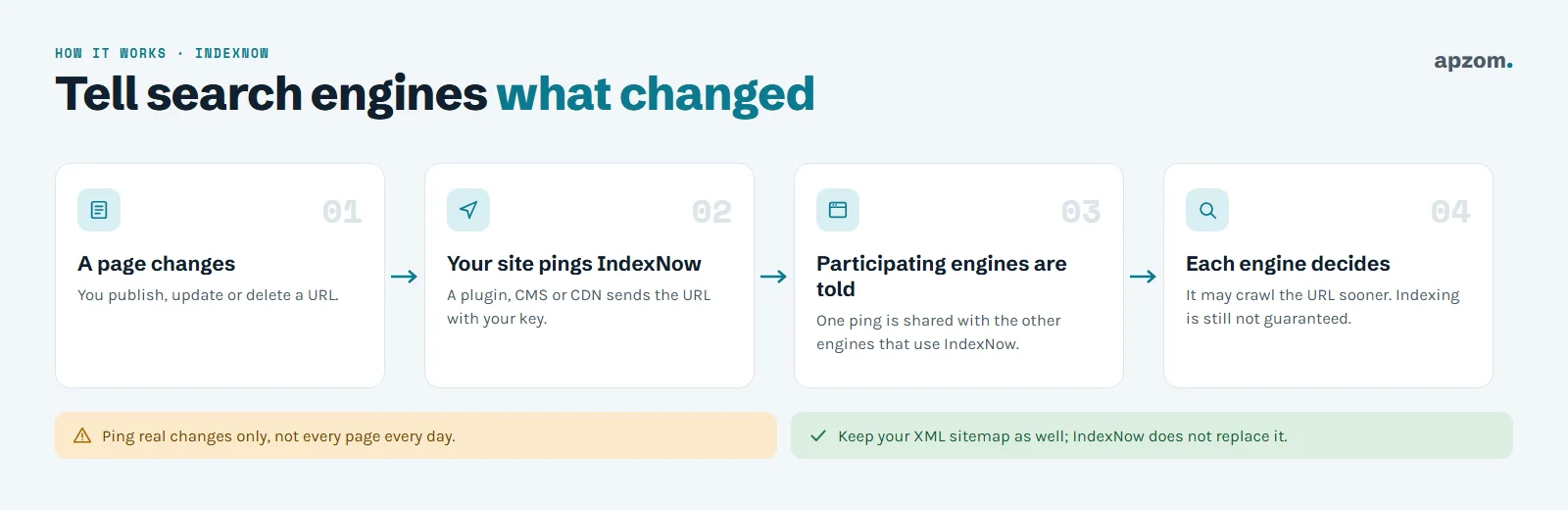
IndexNow is an open protocol that lets your website tell search engines straight away when a page is added, updated or deleted, instead of waiting for them to crawl it again. Bing supports it, and indexnow.org lists other participating search engines including Naver, Seznam.cz, Yandex and Yep (it now also lists Amazon); one notification is shared with the others that take part. Google is not listed as a participant.
You do not need to code anything on most sites. Common ways to switch it on:
- WordPress: Rank Math includes IndexNow in its free Instant Indexing module, Yoast includes it in Yoast SEO Premium, and Microsoft publishes a free IndexNow plugin for WordPress. Use one of these, not several.
- Cloudflare: if your site uses Cloudflare, its Crawler Hints feature, available on all plans, can send IndexNow notifications for you.
- Other platforms: some website builders include it on certain plans (Wix, for example, on its Premium plans). On Shopify, Bing points to a third-party app rather than a built-in feature. Check your platform’s documentation.
- Custom sites: a developer can generate a key, host the key file on the site and send changed URLs to the IndexNow endpoint.
In Bing Webmaster Tools, the IndexNow section shows the URLs your site has submitted, so you can check it is working after you publish something. Bing also has a manual URL Submission tool (up to 10,000 URLs per domain per day, resetting at midnight UTC), but it now strongly recommends IndexNow and says URL Submission may be deprecated in future.
Two things to keep in mind. First, IndexNow tells search engines a page has changed; it does not guarantee they will crawl or index it. Second, IndexNow does not replace your sitemap. Keep both.
Want Bing and Google set up properly in one go? A Search Engine Setup Check from Apzom reviews Bing Webmaster Tools and Google Search Console, sitemaps, IndexNow and the issues each tool reports, and gives you a short fix list.
Step 4: read the reports that matter
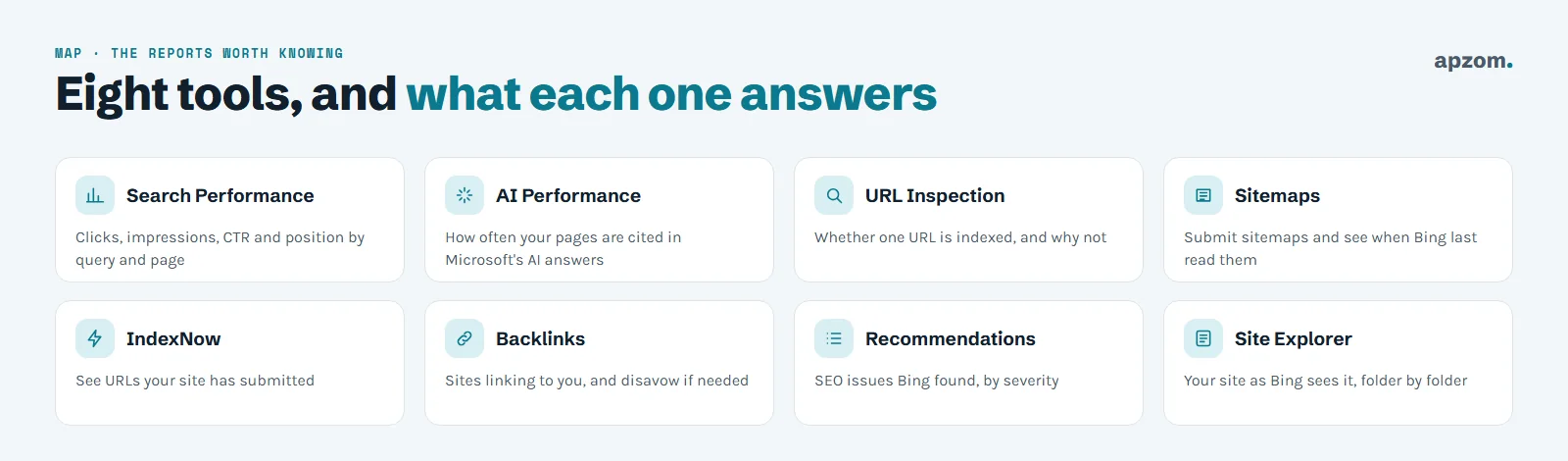
Bing Webmaster Tools has many sections. For a small business, a handful answer the questions that matter.
| Report | The question it answers | What to do with it |
|---|---|---|
| Search Performance | Which searches and pages bring clicks and impressions on Bing? | Compare with Search Console; look for pages that do better or worse on Bing |
| AI Performance | How often are my pages cited in Microsoft’s AI answers? | See which pages earn citations and which topics do not |
| URL Inspection | Is this page indexed, and if not, why? | Check important new or changed pages |
| Sitemaps | Has Bing read my sitemap without errors? | Fix errors and resubmit |
| IndexNow | Did my site tell Bing about new pages? | Check after you publish |
| Backlinks | Which sites link to me? | Spot unexpected or spammy links |
| Recommendations | What SEO problems has Bing found? | Fix high-severity issues first |
| Site Explorer | How does Bing see my site, folder by folder? | Find sections with errors or missing pages |
Search Performance
Search Performance shows clicks, impressions, click-through rate and average position for your pages in Bing search, broken down by search query and by page. Its click and impression totals include Bing’s chat responses (“Web and Chat”), but the query and page breakdowns cover web results only. It is the Bing equivalent of Search Console’s Performance report. Bing’s blog says the report now covers up to 16 months of history (an older help page still says six months), but only from the date you added the site. The date picker in your account shows what is available. Bing’s numbers are often smaller than Google’s, so look at trends and at which pages perform differently, not at the totals.
AI Performance
Microsoft launched the AI Performance report as a public preview in February 2026. It shows how often your pages are cited in AI-generated answers in Microsoft’s products, including Copilot, with newer preview views such as Citation Share, Topics and Intents. It is based on a sample and does not show clicks, so treat it as a signal of visibility, not traffic. Small or new sites may see little or no data at first. Use it to see which pages are being cited and which topics are not. Our guide to tracking AI search traffic in GA4 explains how to see the visits those citations send to your site.
URL Inspection and Recommendations
URL Inspection tells you whether a specific page is in Bing’s index and, if not, gives a reason. Use it on important pages after you publish or change them. Recommendations (formerly called SEO Reports) lists issues Bing has found across your site, rated High, Moderate or Low severity, with up to 50 affected pages shown for each and a full list you can download. Fix the high-severity ones first; many low-severity items are suggestions, not errors. If you want a technical audit run on demand, the Site Scan tool crawls your site within a monthly page quota that Bing sets.
A simple routine
Bing Webmaster Tools does not need daily attention. A short, regular check-in is enough for most businesses.
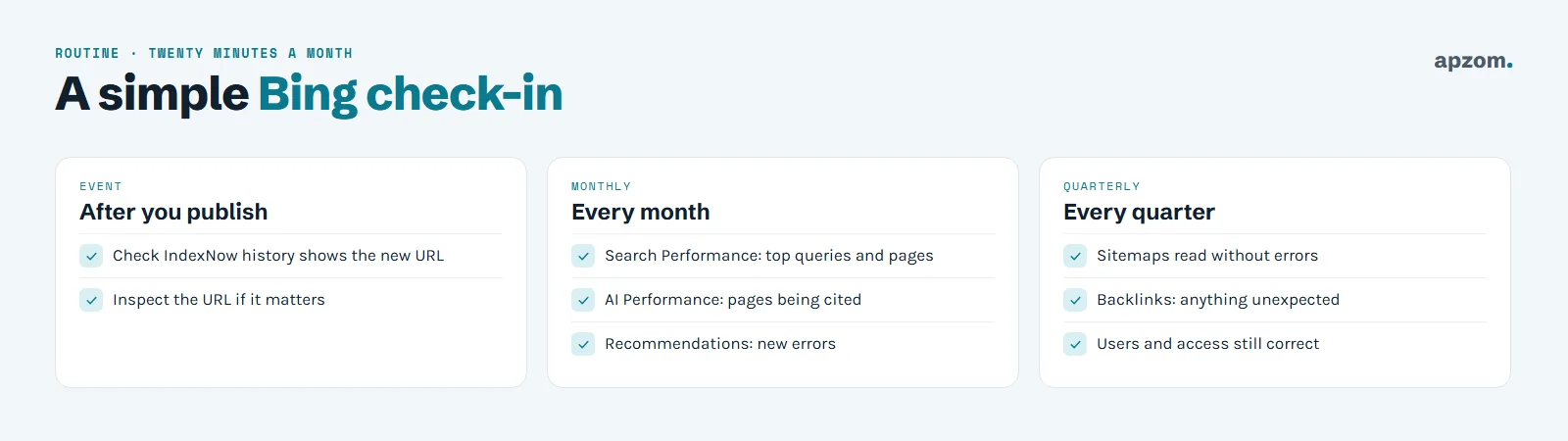
- After you publish an important page: check that it appears in the IndexNow section, and inspect the URL if it is a priority page.
- Every month: look at Search Performance for your top queries and pages, the AI Performance report, and any new Recommendations.
- Every quarter: check that sitemaps are read without errors, glance at backlinks for anything unexpected, and check who has access.
Common problems and fixes
| Problem | Likely cause | Fix |
|---|---|---|
| Import does not show my site | The Google account you used does not have the Search Console property, or the site is already in Bing Webmaster Tools | Sign in with the account that owns it, or verify manually |
| Verification fails | The file, tag or DNS record is missing, cached or in the wrong place | Check it is live on the exact address Bing expects; clear caches; wait for DNS to update |
| Sitemap shows errors | Wrong address, blocked by robots.txt, or broken URLs inside | Open the sitemap address in a browser and fix what it lists |
| Pages not indexed | New site, thin or duplicate pages, or blocked pages | Inspect the URL, fix the reason given, and make sure the page is in the sitemap |
| IndexNow section is empty | Plugin not set up, key file not reachable, or two tools conflicting | Use one IndexNow tool and check its settings |
| Numbers far lower than Google | Bing sends fewer searches than Google to many sites | Compare trends and page-level differences, not totals |
How Apzom can help
Apzom Digital sets up and checks Bing Webmaster Tools alongside Google Search Console as part of our SEO services. We import or verify your site, submit sitemaps, set up IndexNow, fix the issues Bing reports and include Bing and AI citation data in your monthly reporting. If you want a wider check of how search engines see your site, our guide to doing a technical SEO audit explains what we look at.
We work with clients worldwide, remotely, from our base in Ahmedabad, India.
Frequently asked questions
Is Bing Webmaster Tools free?
Yes. Bing Webmaster Tools is free to use. You need a Microsoft, Google or Facebook account to sign in. It also links to Microsoft Clarity, a free analytics tool with heatmaps and session recordings, which needs its own script on your site.
Do I need Bing Webmaster Tools if I already use Google Search Console?
They cover different search engines. Search Console shows Google’s data; Bing Webmaster Tools shows Bing’s, including the AI Performance report for Microsoft’s AI answers. Importing from Search Console makes adding Bing quick.
Is Bing Webmaster Tools the same as Bing Places?
No. Bing Places for Business manages your business listing on Bing Maps and in local results. Bing Webmaster Tools is about how Bing crawls and indexes your website. Local businesses usually want both; our guide to adding your business to Bing Places covers the listing.
Does IndexNow help with Google?
Google is not listed as an IndexNow participant on indexnow.org. For Google, keep your sitemap up to date in Search Console.
How long does it take for Bing to index a new site?
It varies. Submitting a sitemap and using IndexNow helps Bing find pages sooner, but Bing decides what to crawl and index, so there is no fixed timeline.
Can I give my agency access without sharing my login?
Yes. Bing Webmaster Tools lets you add other users to a site, so an agency or colleague can use their own account. Keep at least one owner account inside your business.
Request a Search Engine Setup Check. We check that your site is verified in Bing Webmaster Tools and Google Search Console, sitemaps are read without errors, IndexNow is working once (not twice), and the issues both tools report are listed in order of what to fix first.
No obligation and no promised rankings. Prefer to talk first? Contact us or see our SEO services.