The short answer: To choose a web design company, write a one-page brief first, shortlist three companies whose live work you can check, ask every one of them the same questions, and compare quotes line by line rather than by the total. Before you sign, make sure the contract puts the domain, hosting, administrator login, design files and analytics in your business’s name, says what “finished” means, and explains what happens if you part ways. A company that is vague about ownership or handover is the one to walk away from, however good its portfolio looks.
This guide is for business owners and managers anywhere in the world who are hiring someone to build or rebuild a website, whether that is a five-page brochure site or a larger site with bookings or a shop. It gives you three tools you can use straight away: an ownership keyring (eight things you should hold yourself), fifteen questions to ask every company, and a map of the contract clauses that help prevent common disputes. It is written by a company that builds websites, so read it knowing we have an interest; the checks work just as well if you hire someone else, a freelancer or no one at all.
Start with a one-page brief
Most bad web projects go wrong before anyone designs anything. The company quotes for what it imagines you want, you approve a price for what you imagine it will build, and the gap shows up halfway through. A short brief closes that gap and makes quotes comparable.
Your brief does not need technical language. It needs answers to these questions:
- What is the website for? For example: get enquiries, take bookings, sell products, recruit staff, or prove you are a real, credible business.
- Who is it for? Your main customers, where they are, and what they need to know before they contact you.
- What pages and features do you need? List the pages you think you need, plus anything that does a job: forms, booking, payments, a members’ area, multiple languages.
- Who writes the words and supplies the photos? This changes the price and the timeline more than most owners expect.
- What do you already have? A domain name, an existing site, hosting, a logo, brand colours, Google Business Profile, analytics.
- What is your budget range and deadline? A range is fine. It helps a good company suggest what to leave out.
- Who decides on your side? One person who can approve work keeps projects moving.
If you are not sure what a website should cost, read our guide to how much a website costs before you set a budget, and our comparison of WordPress vs website builders if you have not chosen a platform.
Framework 1: the ownership keyring
One of the most expensive web design mistakes is not a bad design. It is a business that cannot get into its own website. The agency registered the domain in its own account, hosts the site on its own server and is the only one with an administrator login. When the relationship ends, the business has to negotiate for access to something it paid for.
The ownership keyring is a simple test. Picture the eight keys below on one ring. Before you sign, each one should be in your business’s name or in an account you control, with the company given access as a user. Ask: “If this company disappeared tomorrow, could we still log in, renew and move every one of these?”
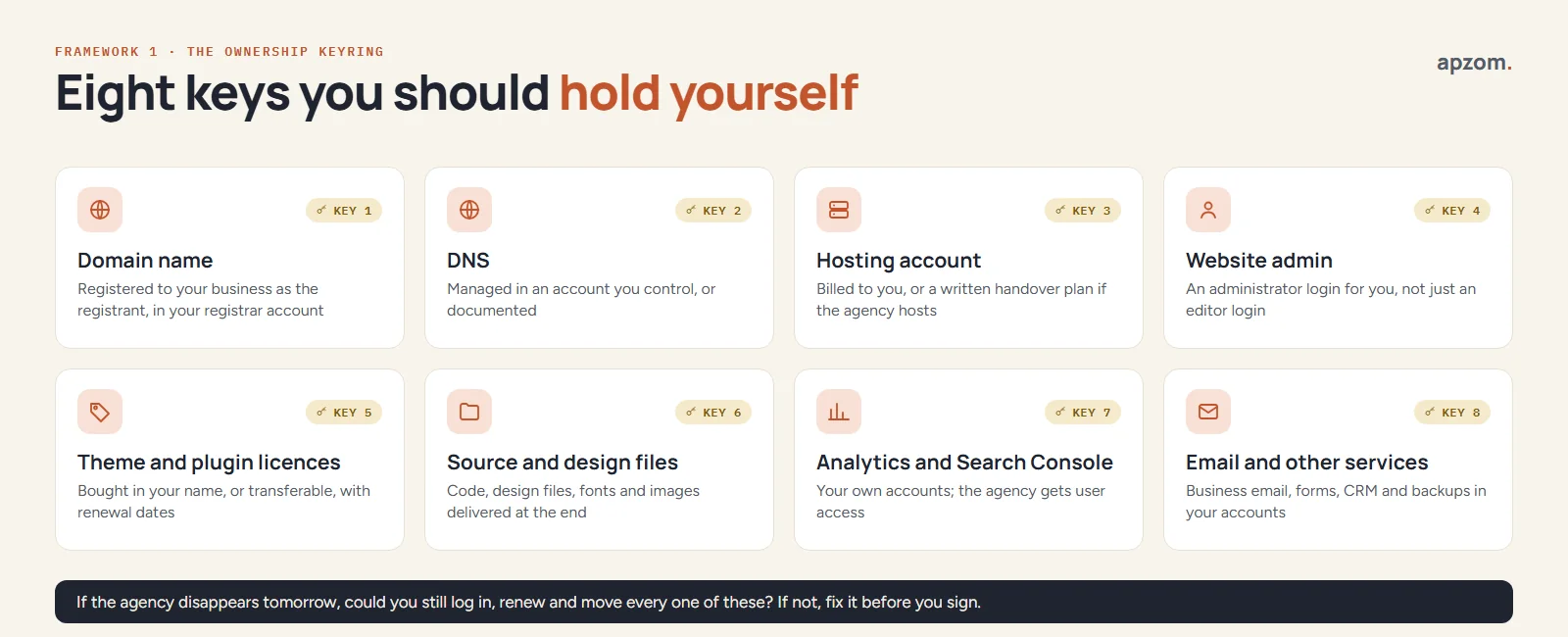
| Key | What “in your name” means | Why it matters |
|---|---|---|
| Domain name | Your business is the registrant, in a registrar account you control | The registrant is the domain’s legal holder; the registrar account holder handles renewals and transfers, so you need both |
| DNS | Managed in an account you can log in to, or fully documented | DNS points your domain at the website and email; without it you cannot move either |
| Hosting account | Billed to you, or a written plan to move the site if the company hosts it | You need to be able to back up and move the site |
| Website admin | An administrator login for you, not only an editor login | Editors can change pages but not install, update or export |
| Theme and plugin licences | Bought in your name, or transferable, with renewal dates listed | A licence held in the agency’s account may stop receiving updates if the agency stops renewing it |
| Source and design files | Code, design files, fonts and images handed over at the end | You need them to change or rebuild later without starting again |
| Analytics and Search Console | Your own Google accounts; the company is added as a user | Your traffic history should stay with you |
| Email and other services | Business email, forms, CRM and backups in your accounts | These hold customer data and contacts |
Two points need care.
The domain registrant. ICANN, the body that coordinates generic domain names, calls the registrant the “registered name holder”. Since January 2025 ICANN treats RDAP as the definitive source of registration data for generic domains (you can run a lookup at lookup.icann.org), but public lookups often show registrant details as “REDACTED”. So check the registrant name inside your registrar account, not only in a public lookup. If a company offers to register the domain “for you”, ask for it to be registered in your business’s name in an account you own, so that you, not the agency, can request the transfer (auth) code. ICANN’s rules cover generic domains such as .com and .org; country-code domains such as .uk, .in, .de or .au follow their own registry’s rules, so ask your registrar. Fix ownership early: for generic domains, under ICANN’s current Transfer Policy, a registrar may refuse a transfer in the first 60 days after registration or after a previous transfer, and changing the registrant usually triggers a 60-day transfer lock unless you opt out beforehand. ICANN’s Board adopted a package of transfer-rule changes in June 2026, but until they take effect the current rules apply, so ask your registrar which rules it uses today.
Open source does not mean you own everything. If your site is built on WordPress, WordPress itself is released under the GNU General Public License, version 2 or later (WordPress.org, “License”), so the platform is not something an agency can withhold. But a site is more than WordPress. It also has a theme, plugins, custom code, design files, photos and fonts, and paid themes and plugins usually come with their own licence keys and renewal terms. For example, Gravity Forms says an expired licence keeps the plugin running but stops updates, including security fixes. So ask for a list of every premium licence and whose account holds it.
Shortlist three companies you can check
Three is enough to compare without losing weeks. To find them, ask businesses you respect who built their site, look at sites in your sector that you like and check their footers, and search for companies that publish clear information about process and pricing.
Then check each one in about twenty minutes:
- Look at live sites, not just portfolio images. Open three sites they list. Do they load quickly on your phone? Are they still online and still credited to the company?
- Run one through PageSpeed Insights. Paste the page address into Google’s free PageSpeed Insights (pagespeed.web.dev). It shows Core Web Vitals field data for sites with enough real visitors, and a lab test otherwise. Google’s web.dev guidance treats a page as “good” when, at the 75th percentile of page loads, Largest Contentful Paint is 2.5 seconds or less, Interaction to Next Paint is 200 milliseconds or less and Cumulative Layout Shift is 0.1 or less. Do not reject a company over one slow page, but a pattern tells you something.
- Ask to speak to one or two past clients. A confident company will arrange it. Ask the client what went wrong and how it was handled. Every project has problems; the handling is what you are buying.
- Check who does the work. Some companies resell work to subcontractors. That is not always bad, but you should know.
Framework 2: fifteen questions to ask before you sign
Ask every company the same questions, in writing if you can. The answers matter less than how specific they are. A vague answer to a simple question is a warning.
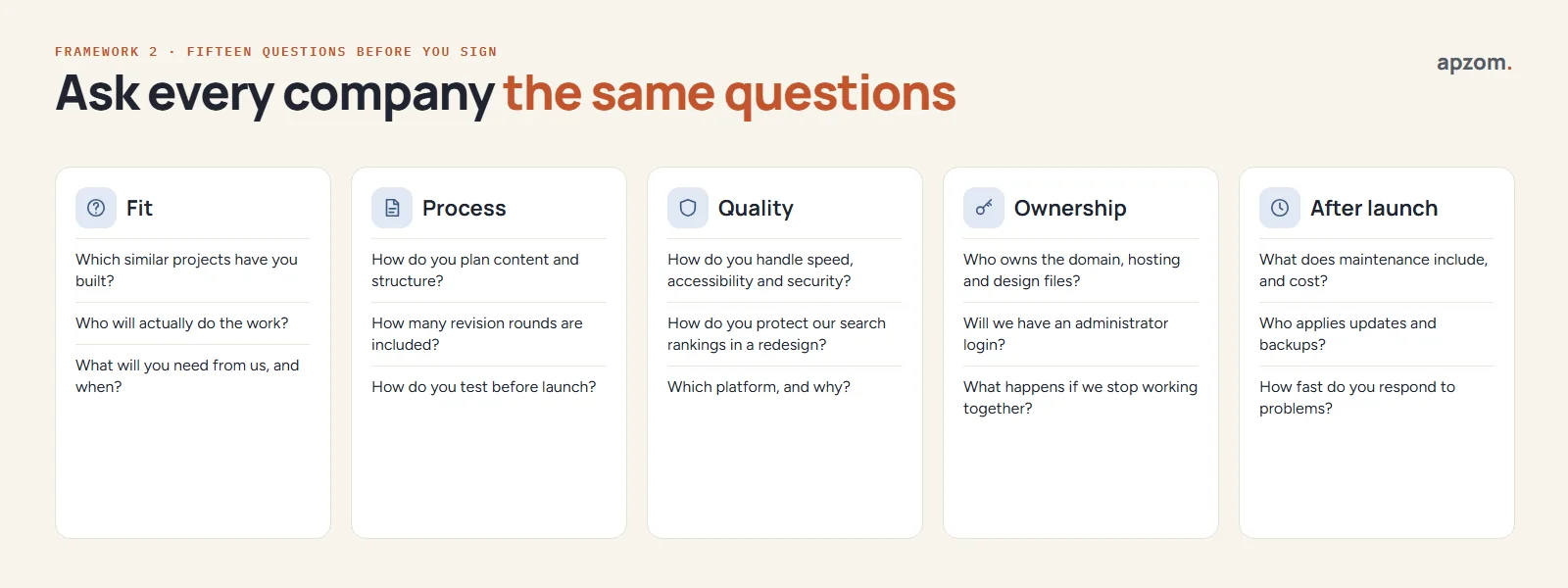
| Group | Question | What a good answer sounds like |
|---|---|---|
| Fit | Which similar projects have you built? | Named live sites with a similar purpose, not just a similar look |
| Fit | Who will actually do the work? | Named roles, and whether any work is subcontracted |
| Fit | What will you need from us, and when? | A list of content, approvals and access, with dates |
| Process | How do you plan content and structure? | A sitemap and page plan before design starts |
| Process | How many revision rounds are included? | A number, and what counts as a revision |
| Process | How do you test before launch? | Real phones and browsers, forms, speed and accessibility checks |
| Quality | How do you handle speed, accessibility and security? | Specific practices, with a named standard such as WCAG for accessibility |
| Quality | How do you protect our search rankings in a redesign? | A URL map, page-by-page 301 redirects and checks after launch |
| Quality | Which platform, and why? | A reason linked to your needs, not just “it is what we use” |
| Ownership | Who owns the domain, hosting and design files? | “You do”, and it is in the contract |
| Ownership | Will we have an administrator login? | Yes, from launch day |
| Ownership | What happens if we stop working together? | A written handover: files, logins and help to move |
| After launch | What does maintenance include, and cost? | Updates, backups, monitoring and a number of support hours |
| After launch | Who applies updates and backups? | Named responsibility and how often |
| After launch | How fast do you respond to problems? | Stated response times for urgent and normal issues |
If you are also hiring for marketing, our guide to choosing a digital marketing agency covers the questions that apply to SEO, ads and reporting. This guide stays on the build.
Comparing web design quotes? Send us the quotes or the contract you have been given. We will check scope, ownership, handover and maintenance terms, and tell you plainly what is missing.
Compare quotes line by line
Two quotes for “a business website” can differ widely because they describe different work. Put them side by side against your brief:
- Pages and templates. How many unique page designs, and how many pages in total?
- Content. Is writing, editing, photography or stock imagery included, or are you supplying everything?
- Features. Forms, bookings, payments, search, languages, integrations with your CRM or email tool.
- Technical work. Speed, basic on-page SEO, redirects from an old site, analytics setup, accessibility.
- Training and handover. How you will update the site yourself.
- Ongoing costs. Hosting, domain renewal, licences, maintenance and support, per month or per year.
If something you need is missing from a quote, ask for it to be priced, rather than assuming it is included. The cheapest quote often leaves out content, redirects or maintenance, and those come back as extra charges later.
Framework 3: the contract clause map
A clear contract protects both sides. The eight clauses below cover the areas where web design disputes commonly start. This is a planning aid, not legal advice: copyright and data protection rules differ by country, and for a large project it is worth paying a lawyer to review the contract.
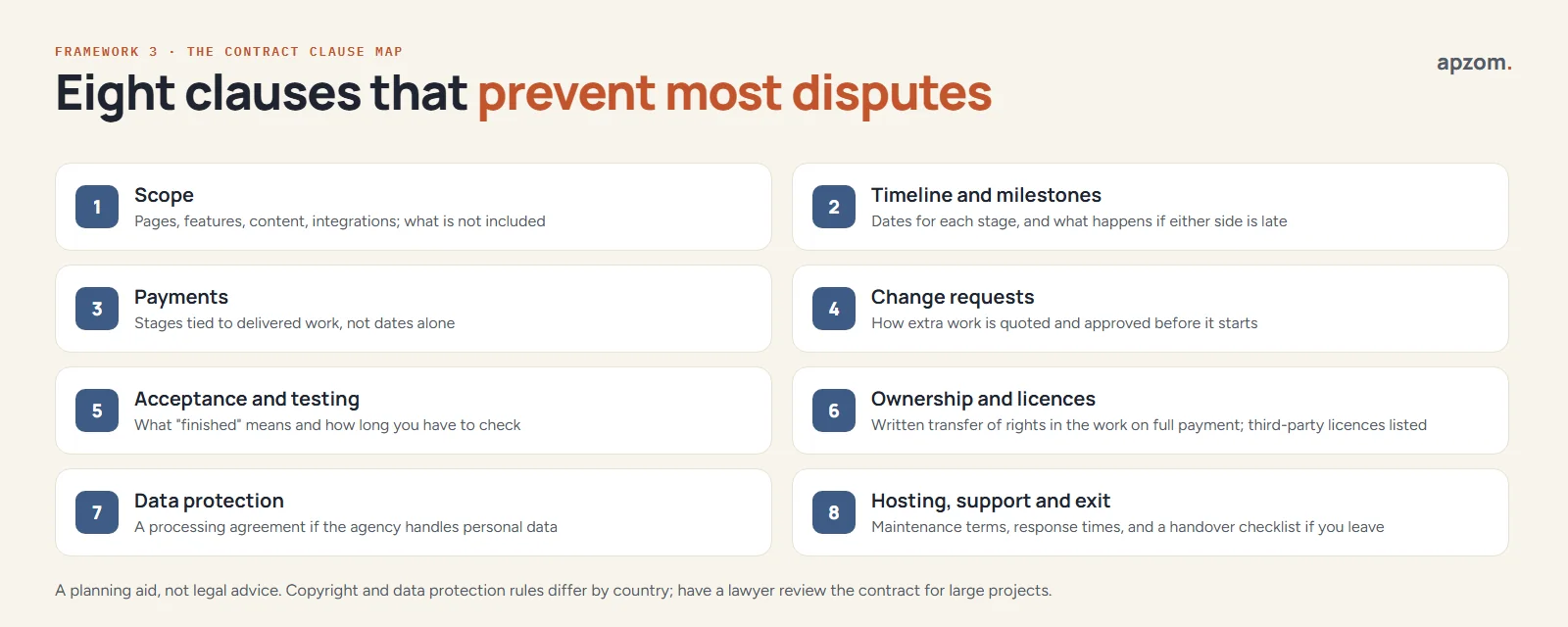
- Scope. The pages, features, content and integrations included, and a short list of what is not included.
- Timeline and milestones. Dates for each stage, and what happens if either side is late, including when you are slow to send content.
- Payments. Stages tied to delivered and approved work, not only to calendar dates.
- Change requests. How extra work is quoted and approved in writing before it starts.
- Acceptance and testing. What “finished” means, the checks that will be done, and how long you have to report problems.
- Ownership and licences. A written, signed transfer of rights in the custom work to you on full payment, worldwide and for the full term of copyright, plus a list of third-party licences and who holds them.
- Data protection. A data processing agreement if the company will handle personal data for you, for example form submissions or customer records.
- Hosting, support and exit. Maintenance terms, response times, and a handover checklist if you leave.
Why the ownership clause needs to be written down
In many countries, paying for creative work does not by itself transfer the copyright to you:
- United States. Work by an outside agency counts as a “work made for hire” only in nine limited categories, and only with a written agreement signed by both sides (US Copyright Office, Circular 30). Whether a website fits one of those categories is a legal question, so the safe route is a signed written assignment, which the Copyright Act requires for any transfer of ownership (17 U.S.C. 204(a)).
- United Kingdom. Under the Copyright, Designs and Patents Act 1988 the author is the first owner unless they are an employee working in the course of employment. The UK Intellectual Property Office says an assignment must be in writing and signed by or on behalf of the assignor, so an agency’s work needs a written assignment.
- India. Under the Copyright Act, 1957 the author is the first owner, except for work under a contract of service, and an assignment must be in writing and signed by the assignor. If an assignment does not state a period, it is deemed to last five years, and if it does not state a territory, it is presumed to cover India only (section 19). So the clause should say “worldwide” and “for the full term of copyright”.
- Elsewhere. In the EU, ownership rules are set country by country, and other countries, including Australia, Canada and the UAE, have their own rules, so check locally.
The practical answer is the same everywhere: get a signed clause that assigns the rights in the custom work to your business on payment, and lists anything that is licensed instead, such as themes, plugins, fonts and stock photos.
Data protection and accessibility
If your website collects personal data, the company that builds or hosts it may be handling that data for you. Under the EU GDPR, Article 28 requires processing by a processor to be governed by a written contract setting out what it may do with the data, and UK GDPR has the same requirement (the UK ICO’s guidance is under review after the Data (Use and Access) Act 2025). India’s Digital Personal Data Protection Act, 2023 lets a business use a data processor only under a valid contract and keeps the business responsible for that processing (section 8); the DPDP Rules notified in November 2025 phase in most obligations over 18 months, a timeline the government has proposed shortening. Ask the company whether it will act as a processor and, if so, for its data processing terms.
Accessibility is now a legal question in more places, not just good practice. Since 28 June 2025, the European Accessibility Act has required many consumer services sold in the EU, including ecommerce, to be accessible, through each member state’s national law. Microenterprises providing services (fewer than 10 staff and EUR 2 million or less in turnover or balance sheet) are exempt. In the United States, the Department of Justice says the Americans with Disabilities Act applies to the websites of businesses open to the public, although it has no regulation setting a specific technical standard for them. In Great Britain, service providers have an anticipatory duty under the Equality Act 2010 to make reasonable adjustments for disabled people, and the Equality and Human Rights Commission gives website accessibility as an example. The usual technical reference is the W3C’s Web Content Accessibility Guidelines; WCAG 2.2 is the current version and is also published as ISO/IEC 40500:2025. Ask which level the company builds to (Level AA is the common target) and how it tests.
Red flags and green flags
These are the signs we would act on. One red flag is a reason to ask more questions. Two or three are a reason to walk away.
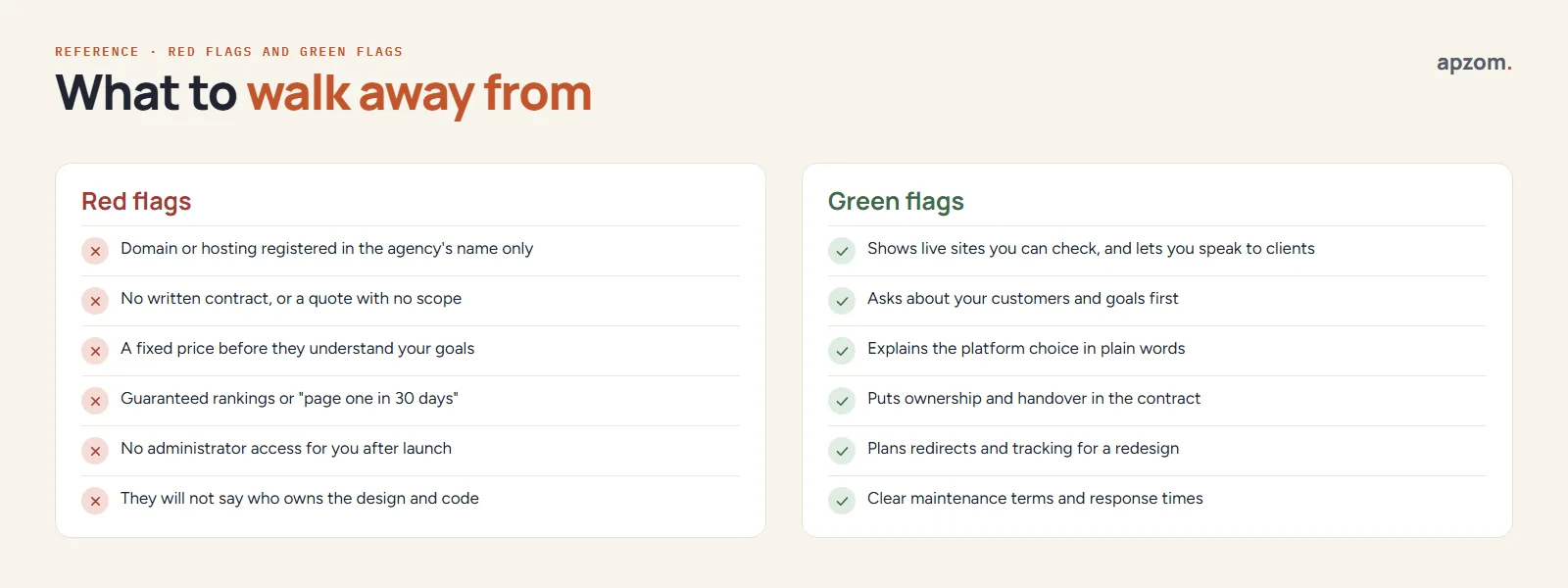
Red flags:
- The domain or hosting is registered only in the company’s name, and they will not change it.
- There is no written contract, or the quote has no scope.
- They give a fixed price before they understand your goals.
- They guarantee rankings or promise “page one in 30 days”. Google’s own “Do you need an SEO?” page warns that no one can guarantee a number one ranking on Google.
- You will not get an administrator login after launch.
- They will not say who owns the design and code.
Green flags:
- They show live sites you can check, and let you speak to past clients.
- They ask about your customers and goals before talking about design.
- They explain the platform choice in plain words.
- They put ownership and handover in the contract without being asked twice.
- For a redesign, they plan redirects and tracking before launch.
- Maintenance terms and response times are written down.
If this is a redesign, protect what already works
Replacing an existing site carries a risk that a new site does not: losing the search traffic and links you have built. Google’s documentation treats a redesign that changes URLs as a site move. Its guidance (Google Search Central, “Site moves with URL changes”) is to map every old URL to its new one, use permanent redirects such as 301, keep them “for as long as possible, generally at least 1 year”, and expect temporary fluctuation in rankings during the move. Ask the company to show you its URL map before launch, not after.
Our website redesign SEO checklist walks through the full process, including what to check in the first weeks after launch.
The handover checklist
On launch day, or within a week of it, you should have:
- The domain in your registrar account, with your business as registrant, and the renewal date noted.
- Hosting in your account, or a written agreement for the company’s hosting with a way to export a full backup.
- An administrator login in your own name, ideally with two-step authentication turned on, and an agreed plan for keeping WordPress, the theme and plugins updated (WordPress.org says only the latest version of WordPress is officially supported).
- A list of every theme, plugin and paid service, who holds each licence and when it renews.
- The design files, custom code, fonts and image files, or a link to a shared folder you own.
- Google Analytics and Google Search Console in your own Google account, with the company added as a user.
- A short guide or recorded walkthrough for updating pages yourself.
- A first full backup, and confirmation of how often backups run and where they are stored.
If you cannot tick all eight within a week of launch, ask why before you make the final payment.
Web design company, freelancer or website builder?
| Option | Usually best for | Watch out for |
|---|---|---|
| Website builder (DIY) | Simple sites, tight budgets, owners with time to learn | Your time; limits on design, features and moving the site later |
| Freelancer | Clear, smaller projects with one main skill needed | Capacity, holidays, and who supports the site if they stop |
| Web design company | Larger sites, several skills (design, development, content, SEO) or ongoing support | Higher cost; check who actually does the work |
There is no single right answer. The ownership keyring and the contract clauses apply whichever you choose. A freelancer who puts everything in your name can be a safer choice than an agency that does not.
How Apzom can help
Apzom Digital builds and rebuilds business websites, mainly on WordPress, as part of our website development service. We start from your goals and content, and we are happy to put the domain, hosting, licences and analytics in your name and the handover in writing, as this guide recommends. If you already have quotes from other companies, we can review them against the keyring and clause map in this guide and tell you what is missing, even if you do not hire us.
We work with clients worldwide, remotely, from our base in Ahmedabad, India. Our case studies page shows the client results we have published so far.
Frequently asked questions
How many web design companies should I contact?
Three is usually enough. Send each one the same brief, so that the quotes are comparable. Contacting ten tends to produce more noise than insight.
Should the web design company register my domain?
They can help, but the domain should be registered with your business as the registrant, in a registrar account you control. If they register it, ask for it in your name from day one.
Who owns the website design after I pay?
That depends on your contract and your country’s copyright law. In many countries, paying does not by itself transfer copyright. Ask for a written clause that assigns the rights in the custom work to you on full payment and lists anything that is licensed instead.
Is it a red flag if a company hosts my website?
Not on its own. Many good companies offer managed hosting. It becomes a red flag when you cannot get a full backup, an administrator login, or a clear way to move the site if you leave.
How long does it take to build a business website?
It depends on size, features and how quickly content and approvals arrive. Ask each company for a timeline with milestones, and note which dates depend on you. Late content and slow approvals can delay a project as much as the build itself, so plan for them.
Do I need a maintenance plan?
If your site runs on a content management system such as WordPress, someone needs to apply updates, run backups and watch for problems. That can be you, if you have the time, or the company under a written maintenance plan. Either way, decide before launch.
Request a Website Quote Review. We read the proposal or contract side by side with the ownership keyring and clause map in this guide, flag missing keys and vague clauses, and list the questions to ask before you sign. If you would rather we quote for the build, we will do that separately.
No obligation, and we will not pressure you to choose us. Prefer to talk first? Contact us or see our website development service.