The short answer: A manual action is a penalty applied by a human reviewer at Google who has found that pages on your site break Google’s spam policies. Affected pages, or the whole site, can rank lower or disappear from search. You will find it in Search Console’s Manual actions report, and Google also sends a message. To recover, fix the issue on every affected page, then select Request Review and explain what was wrong, what you did and the result. Google says most reviews take several days or weeks.
This guide is for business owners and marketers who have seen a manual action in Search Console, or who want to check whether a traffic drop could be one. It follows Google’s Search Console Help and spam policies as checked in November 2026. Apzom Digital sells SEO, so read this knowing we have an interest.
What to take from this guide
- Check the report first. A green tick in the Manual actions report means there is no manual action.
- Manual is different from algorithmic. Most traffic drops are not manual actions.
- Fix everything before asking for review. Google says partial fixes do not earn a partial return.
- Be specific in the request. Explain the issue, the fix and the outcome, with evidence.
What a manual action is
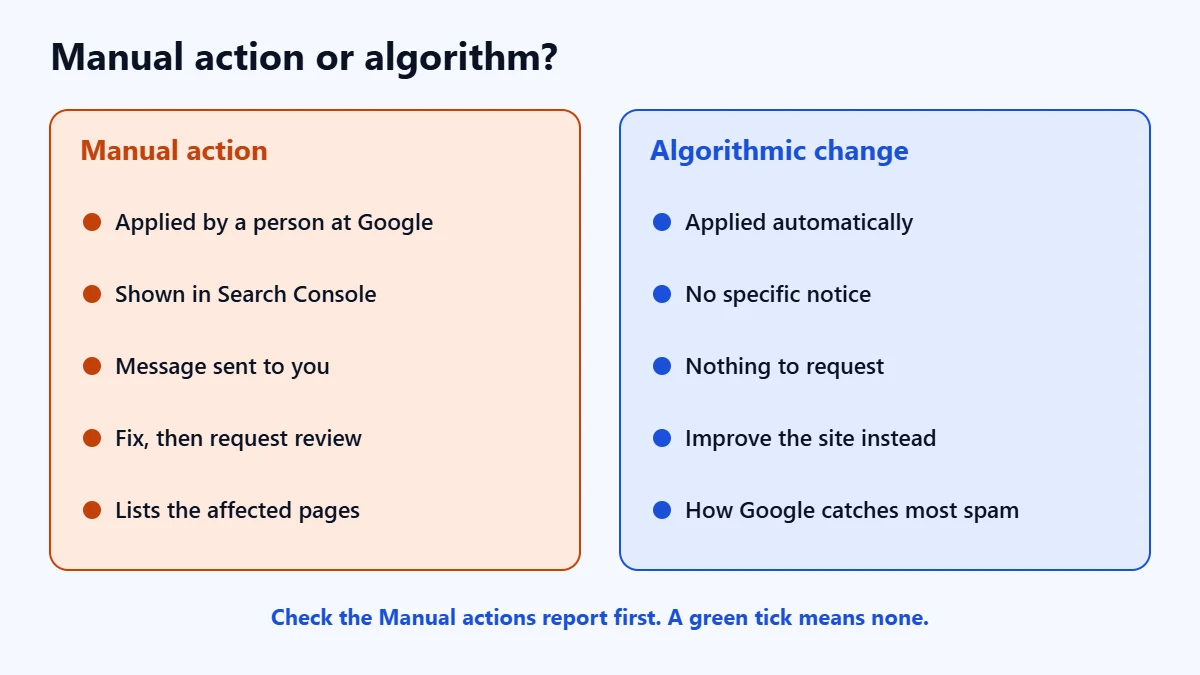
Google says its systems detect most spam automatically. On top of that, it uses manual actions to protect the quality of its index. A manual action means a person at Google has decided that pages on your site do not comply with its spam policies. Most target attempts to manipulate search results.
| Manual action | Algorithmic change | |
|---|---|---|
| Who applies it | A human reviewer at Google | Google’s automated systems |
| Shown in Search Console | Yes, in the Manual actions report, with a message | No specific notice |
| How to recover | Fix it, then request a review | Improve the site. There is no review to request |
In our experience, most sudden traffic drops on business sites come from algorithm updates, technical problems or tracking changes, not manual actions. Our guide to diagnosing a drop in organic traffic covers those causes.
How to check
Open Search Console, select your property and go to Security and Manual Actions, then Manual actions. Google says that if your site is affected, it notifies you in this report and in the Search Console message centre. A site with no manual actions shows a green tick. Each action lists the affected patterns of pages, which can be part of your site or all of it. Our guide to using Google Search Console explains the other reports.
The common types
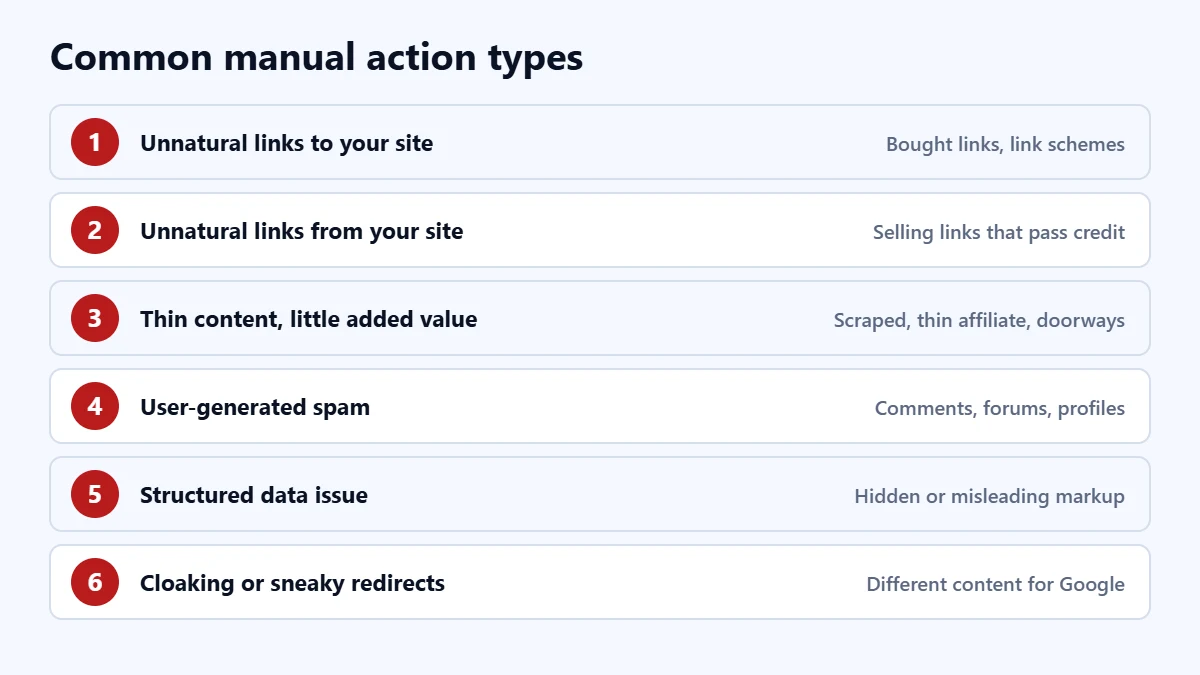
Google lists many manual action types. These are the ones business sites are most likely to meet:
| Type | What it means |
|---|---|
| Unnatural links to your site | Manipulative inbound links, such as bought links or link schemes |
| Unnatural links from your site | Paid or manipulative outbound links, such as selling links that pass ranking credit |
| Thin content with little or no added value | Scraped content, thin affiliate pages or doorway pages |
| User-generated spam | Spam posted by visitors in comments, forums or profiles |
| Site abused with third-party spam | Spam placed through forums, file uploads or internal search pages |
| Structured data issue | Markup that is hidden, misleading or outside Google’s guidelines |
| Cloaking or sneaky redirects | Showing Google different content from users, or redirecting users unexpectedly |
| Hidden text or keyword stuffing | Text hidden from users, or repeated keywords to manipulate rankings |
Google says user-generated spam usually affects only the pages with the spam, but that too much of it may affect its view of the whole site. It says unnatural links can lead to an action on some or all of a site. Our guide to nofollow, sponsored and ugc links explains how to mark paid and user-added links correctly, and our guide to schema markup covers structured data.
Facing a manual action? Ask for a Free Growth Audit. We review the action, the affected pages and your links, and tell you what we would fix first.
How to fix it and request a review
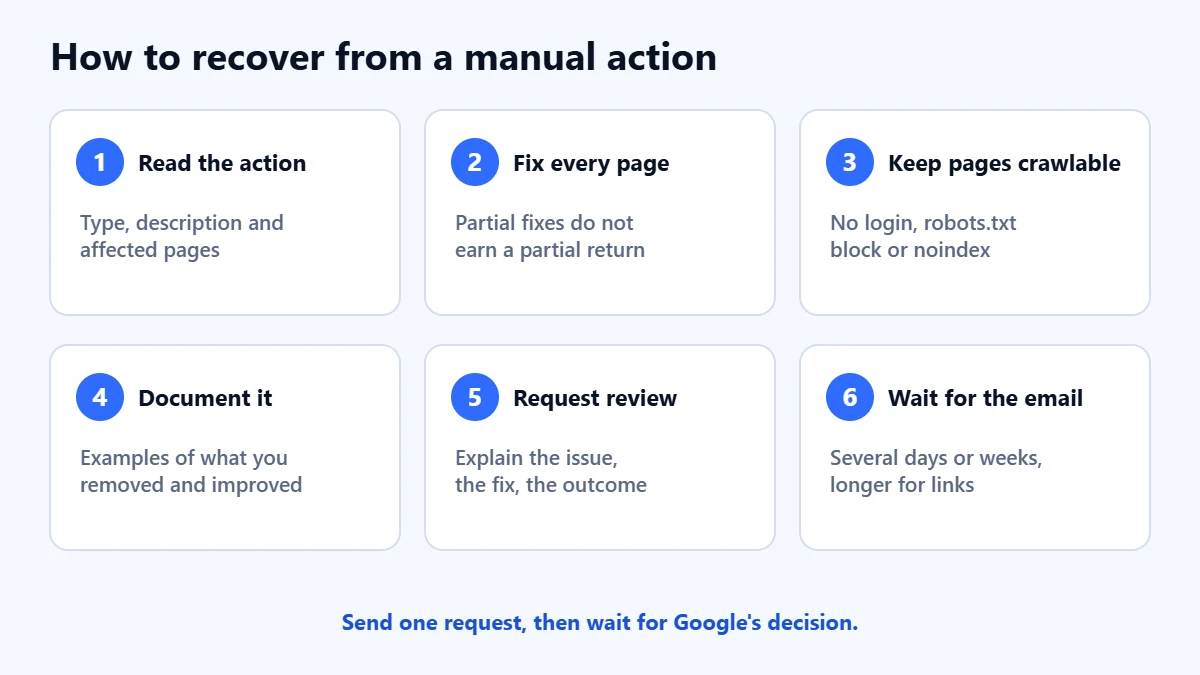
- Read the action. Note the type, the description and the affected pages.
- Fix every affected page. Google says fixing only some pages will not earn a partial return to search results.
- Make sure Google can reach the pages. No login, paywall, robots.txt block or noindex on pages you want reviewed. Check with URL Inspection.
- Fix every listed issue before you ask for review.
- Request review. Select Request Review in the report.
Google says a good reconsideration request does three things: explains the exact quality issue, describes the steps you took to fix it, and documents the outcome. Give examples of content you removed and content you improved. For link actions, document the links you had removed and explain any you could not remove. If you bought the site after the problem began, say so.
Google says most reviews take several days or weeks, and that link reviews may take longer. You will get an email when the request is received and when the review ends. Do not send another request before you have a decision.
Unnatural links and the disavow tool
For an unnatural links action, Google says to try to get the bad links removed first. It says that blindly adding all backlinks to a disavow file is not a good-faith effort, and that disavowing everything without trying to remove links may lead to the request being rejected. Use the disavow file only for links you could not remove, use the domain: operator for many links from one site, and do not disavow natural links.
In our judgement, if an agency or contractor built links for you in the past, ask them for a list. It makes the clean-up much faster.
A checklist
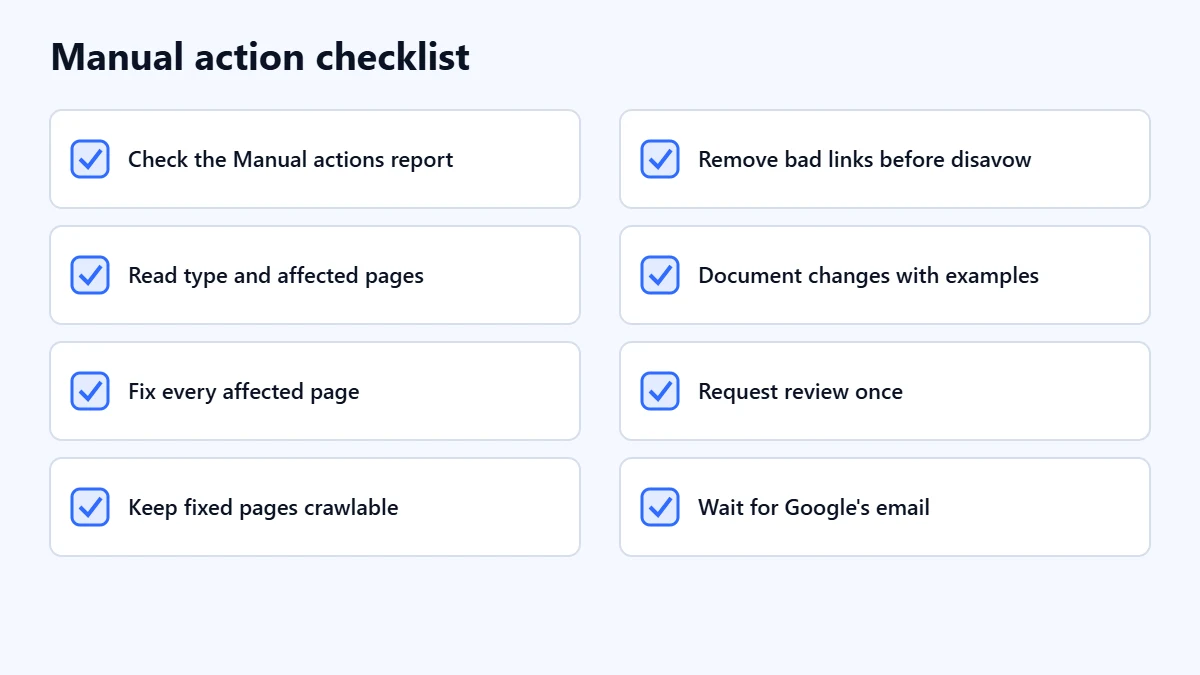
- Check the Manual actions report.
- Read the type and the affected pages.
- Fix every affected page.
- Make sure Google can crawl the fixed pages.
- For links, remove what you can before disavowing.
- Document what you changed, with examples.
- Request review once, and wait for the email.
Frequently asked questions
How do I know if I have a manual action?
Check the Manual actions report in Search Console. Google says it notifies affected sites there and in the message centre. A green tick means there is none.
How long does a manual action review take?
Google says most reconsideration reviews take several days or weeks, and link-related reviews may take longer.
Will my rankings return after the review?
If the request succeeds, the action is lifted. Google does not promise your previous rankings. In our judgement, rankings that depended on the removed links or content may not return.
My traffic dropped but there is no manual action. What now?
The cause is likely algorithmic, technical or seasonal. Our guide to a page indexed but not showing on Google covers several of those checks.
Get your Free Growth Audit and Quote. We review your Search Console reports, links and content, then send a plain-English list of what we would fix first.
No obligation and no guaranteed rankings. Prefer to talk first? Contact us or see our SEO services.