The short answer: The cost of building an app depends mainly on eight things: which platforms it runs on (iPhone, Android, web), how many features and screens it has, how custom the design is, what happens behind the scenes (accounts, data, an admin panel), which other services it connects to, the security and compliance rules it must meet, how much testing it needs, and the work to launch it in the app stores. Who builds it (a freelancer, an agency, your own team or a no-code tool) changes the price and the risks. After launch, budget for running costs every year: store fees and commission, hosting, operating-system updates and maintenance. We do not quote a typical price, because there is no reliable public figure; this guide shows you how to understand and compare the quotes you get.
This guide is for founders and business owners anywhere in the world who are planning a mobile app, or have quotes in hand and cannot tell why they differ so much. It gives you three tools: the eight cost drivers, a complexity ladder for features, and a comparison of team models, plus a checklist of the running costs most budgets forget and the ownership terms to put in the contract. It is written by an agency that offers app and software development, so read it knowing we have an interest; every check works whoever you hire.
Why app quotes differ so much
“Build me an app” can mean a simple information app or a marketplace with payments, live chat and an admin system. Two quotes for “an app” often describe very different work, different assumptions about who supplies content and design, and different promises about testing and support. The only fair comparison is line by line, against the same written brief.
Before you ask for quotes, write a short brief: what the app is for, who will use it, the five to ten things a user must be able to do, which platforms you need, what it must connect to, and how you will measure success. The clearer the brief, the closer the quotes.
Framework 1: the eight cost drivers
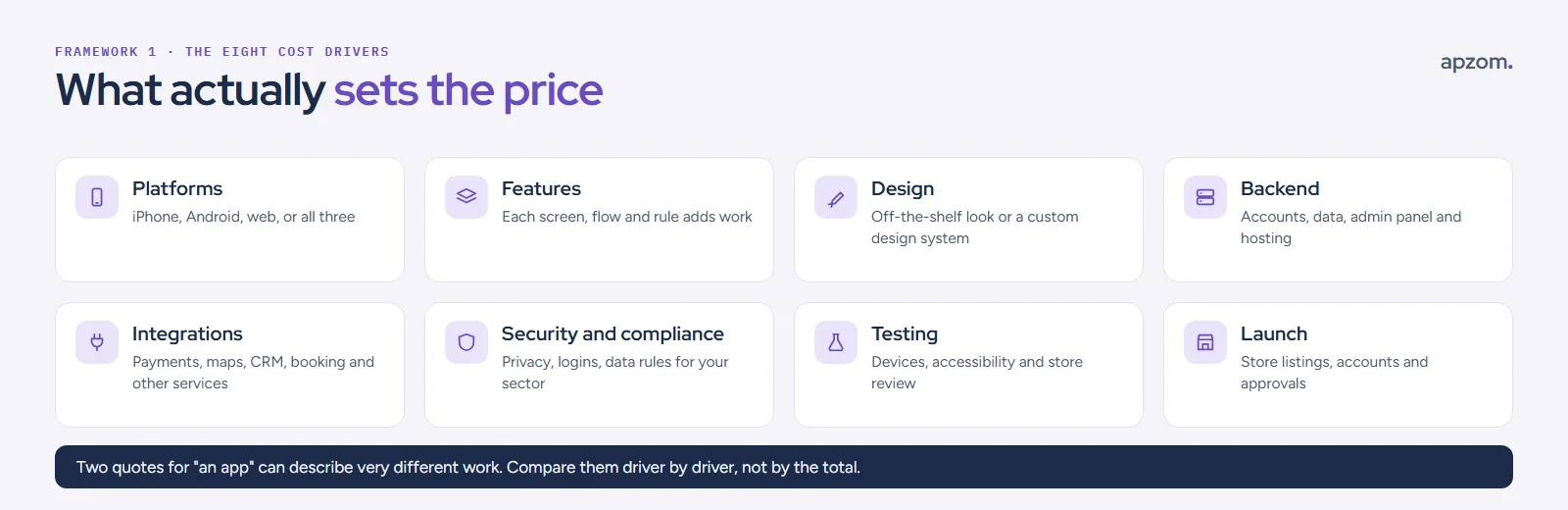
- Platforms. iPhone, Android, the web, or a combination. A cross-platform framework can let one codebase run on more than one platform: Flutter says it builds for mobile, web, desktop and embedded devices from a single codebase, and React Native targets Android and iOS. That can reduce work compared with two separate native apps, but each platform still needs testing and store work, and there is no official figure for how much it saves.
- Features. Every screen, flow and business rule adds design, building and testing time. For most apps, features drive the largest share of the work.
- Design. A design based on standard components costs less than a fully custom look with its own animations and design system.
- Backend. Most apps need something behind the scenes: user accounts, a database, file storage, notifications and an admin panel for your team.
- Integrations. Payments, maps, booking systems, your CRM, email or analytics. Each one adds set-up, testing and sometimes ongoing fees.
- Security and compliance. Logins, data protection, and any rules for your sector or users, such as children’s privacy, health or financial data.
- Testing. Testing on real devices, accessibility checks and fixing what the app store review finds.
- Launch. Developer accounts, store listings, screenshots, privacy information and the review process for each store.
Framework 2: the complexity ladder
Features are where budgets grow fastest. The complexity ladder groups them into five levels; each level up usually adds cost and time.
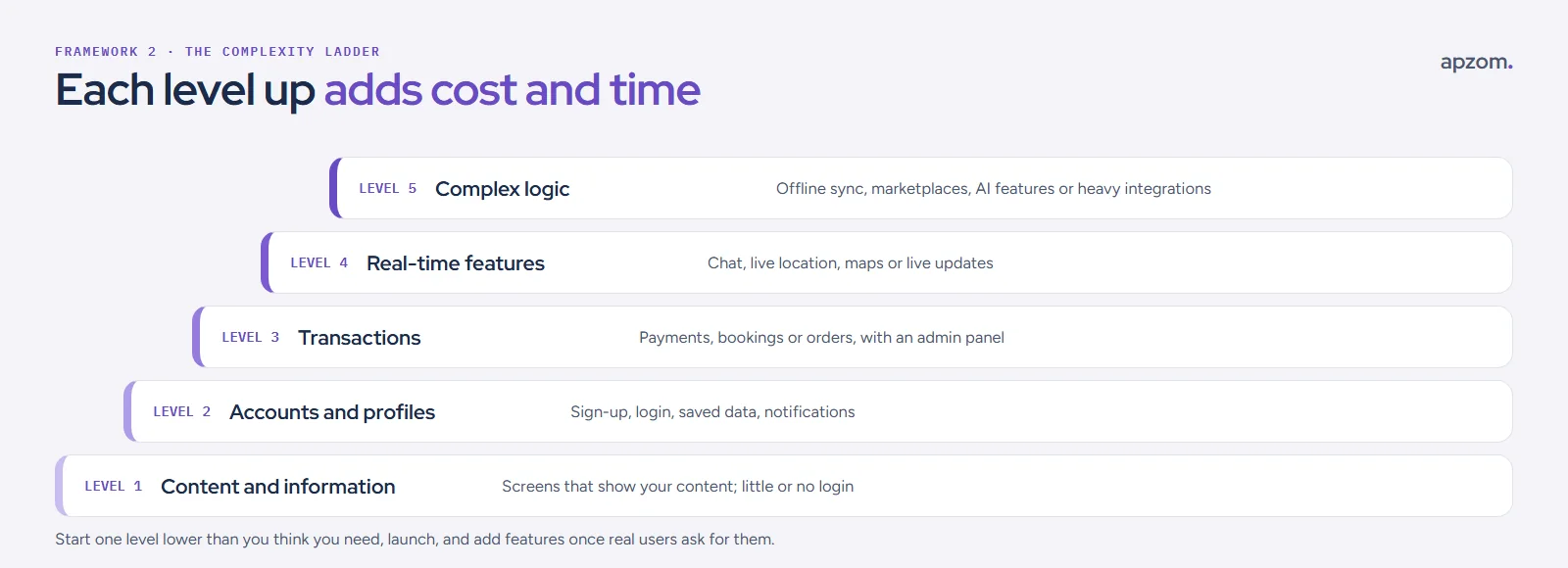
| Level | What it includes | Example |
|---|---|---|
| 1. Content and information | Screens that show your content, little or no login | A guide or event app |
| 2. Accounts and profiles | Sign-up, login, saved data, notifications | A loyalty or members’ app |
| 3. Transactions | Payments, bookings or orders, with an admin panel | A booking or ordering app |
| 4. Real-time features | Chat, live location, maps or live updates | A delivery or service tracking app |
| 5. Complex logic | Offline sync, marketplaces, AI features or heavy integrations | A two-sided marketplace |
A sensible approach is to start one level lower than you think you need, launch, and add features once real users ask for them. A smaller first version also tells you whether people will use the app before you spend on everything.
Have app quotes that do not match? Ask for a Free Growth Audit and Quote. We compare them against the eight cost drivers in this guide and tell you plainly what is missing or unclear.
Framework 3: who builds it
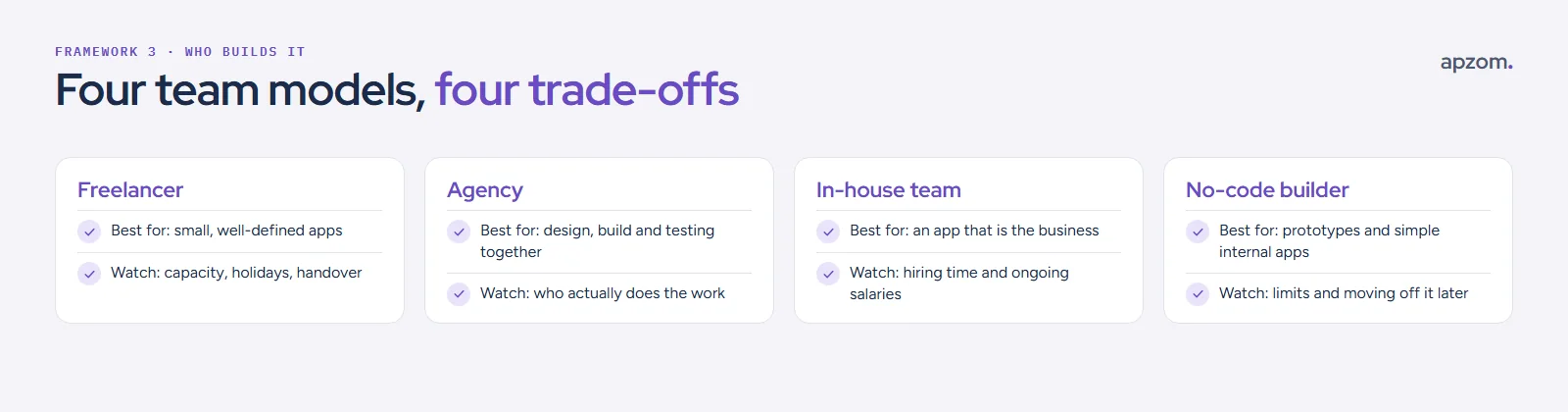
| Team model | Best for | Watch out for |
|---|---|---|
| Freelancer | Small, well-defined apps | Capacity, holidays and who supports the app if they stop |
| Agency | Design, build and testing in one team | Who actually does the work, and how changes are priced |
| In-house team | An app that is the core of the business | Hiring time and ongoing salaries |
| No-code builder | Prototypes and simple internal apps | Platform limits and moving off it later |
Location also changes the price, because rates differ widely between countries. For context only, the US Bureau of Labor Statistics put the median annual wage for software developers at US$135,980 in May 2025; that is a salary, not a project price. A lower rate is only cheaper if the work is good, communication is clear and the code is yours at the end.
The running costs budgets forget
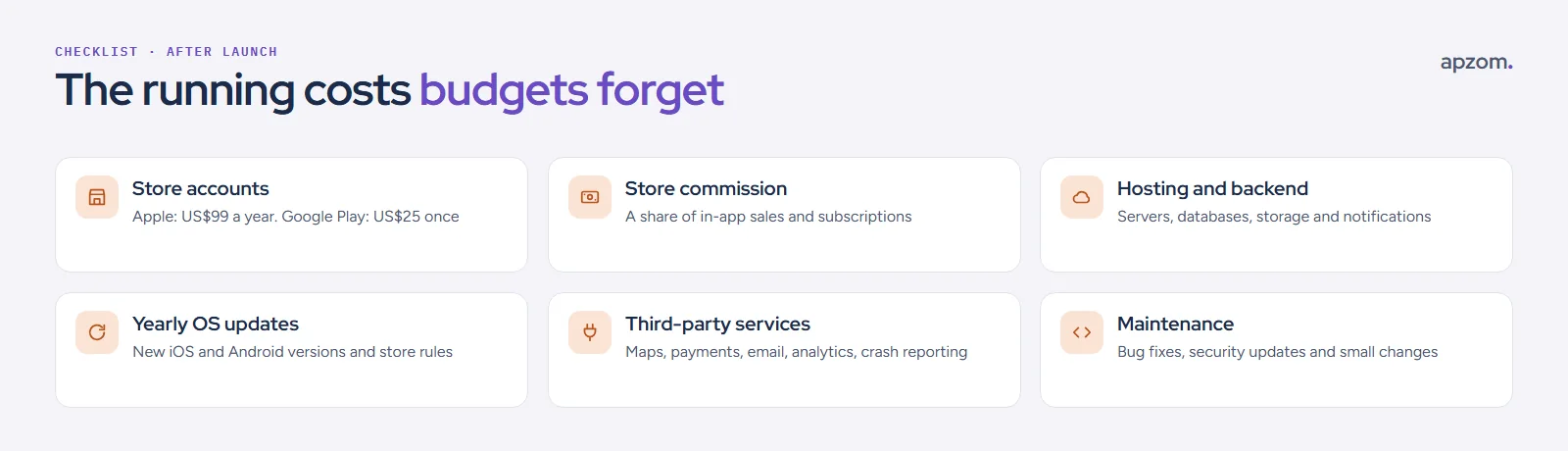
An app is not finished at launch. Budget for these, most of them every year:
- Store accounts. The Apple Developer Program costs US$99 a year, or the local-currency price, and eligible nonprofits, schools and government bodies can ask for a fee waiver; Google Play charges a one-time US$25 registration fee.
- Store commission. Both stores take a share of digital goods and subscriptions sold in the app. Apple’s standard rate is 30%, or 15% for subscriptions after the first year, and its Small Business Program offers 15% to developers who earned up to US$1 million in the previous calendar year, if they apply. Apple has separate terms in the EU, revised several times, most recently in October 2026, so check them before you model revenue there. Google Play changed its fees in 2026: in the EEA, the UK and the US (from 30 June 2026) and Australia and Japan (from 30 September 2026) there is now a service fee plus a 5% billing fee when you use Google Play Billing, and rates differ by product type and by new or existing installs. Elsewhere the older model (15% on the first US$1 million a year) applies until Google’s planned rollout, which it dates to September 2027, so check Google’s Play Console Help page on service fees for each country you sell in. Physical goods and services sold through the app, such as bookings or deliveries, generally use your own payment provider instead.
- Hosting and backend. Servers, databases, storage and push notifications, often charged by usage. Some services have free starting tiers; Google’s Firebase, for example, has a no-cost Spark plan and a pay-as-you-go Blaze plan.
- Yearly operating-system updates. Apple and Google update their systems and store requirements every year. Since 28 April 2026, Apple requires app uploads to be built with Xcode 26 and the iOS 26 SDK, and Google Play has required new apps and app updates to target Android 16 (API level 36) since 31 August 2026. Both have raised these requirements roughly every year, so budget for at least one compatibility update a year, even with no new features; an Android app that is never updated eventually stops being offered to new users.
- Third-party services. Maps, payments, email, analytics and crash reporting can each carry fees.
- Maintenance. Bug fixes, security updates and small improvements.
Store and compliance requirements that add scope
App stores have rules that affect what you build:
- Account deletion. If users can create an account, Apple has required since 30 June 2022 that they can also start deleting it from inside the app (a web page can finish the process, but email-only or phone-only deletion is not accepted outside highly regulated industries); Google Play requires an in-app path and a web link.
- Privacy information. Apple’s privacy labels must cover data collected by third-party code in your app, and since 1 May 2024 Apple requires a declared reason for using certain listed APIs, including in third-party SDKs. Google Play requires a Data safety form and a privacy policy for every app, even one that collects no data, and the form must include data collected by third-party SDKs.
- Logins. If your app offers third-party logins such as Google or Facebook for the main account, Apple’s guidelines require an equivalent privacy-focused login option as well. Apps that use only their own email-and-password sign-in are exempt.
- Testing before launch. New personal Google Play developer accounts must run a closed test with at least 12 testers for 14 days in a row before publishing. Google applies this rule to personal accounts created after 13 November 2023, not to organisation accounts.
- Children. Apps aimed at children have extra rules, such as the US COPPA rule for children under 13, whose amended version has required compliance since 22 April 2026.
- Accessibility. The W3C’s accessibility guidance applies to mobile apps, and if you sell to consumers in the EU, the European Accessibility Act may apply to your app.
Ask every company you get a quote from how they handle store review and these requirements.
Ownership: put it in the contract
As with a website, make sure you own what you pay for:
- Developer accounts in your business’s name. Publish the app under your own Apple and Google developer accounts, not the agency’s. Organisation developer accounts on both Apple and Google need a D-U-N-S number, which is free but can take about a week, so start early. If an app was published under someone else’s account, both stores have a process to transfer it, with conditions.
- Source code and design files. A written assignment of rights in the custom code and design on payment, and a list of anything licensed instead. Our guide to choosing a web design company explains why this needs to be in writing in the US, UK and India.
- Backend and service accounts for hosting, databases and integrations in your name.
- A handover plan if you part ways: code repository access, documentation and help moving the app if needed.
How to compare quotes
- Ask every company to price against the same brief.
- Ask for a breakdown by the eight cost drivers, not just a total.
- Check what is included in testing, store submission and support after launch.
- Ask what happens when you want changes, and how they are priced.
- Ask which platforms and devices they will test on.
If you also need a website, our guide to how much a website costs uses the same approach.
How Apzom can help
Apzom Digital’s app development and software development services cover planning, design, building and launch for business apps, and we recommend the code and store accounts are in your name from day one. We have not published an app case study yet. We can also review quotes you already have against the cost drivers in this guide and tell you what is missing.
We work with clients worldwide, remotely, from our base in Ahmedabad, India.
Frequently asked questions
Why do app quotes vary so much?
Because they describe different work. Platforms, features, design, backend, integrations and testing can differ widely between two quotes for “an app”. Compare them line by line against the same brief.
Is it cheaper to build for iPhone or Android first?
It depends on where your users are. Building for one platform first can reduce the first cost; cross-platform frameworks can cover both from one codebase, though each still needs testing and store work.
What is an MVP?
A minimum viable product: the smallest version of the app that does the core job well enough to test with real users. It reduces the first cost and tells you what to build next.
How long does it take to build an app?
It depends on the features and how quickly decisions and content arrive. Ask each company for a timeline with milestones and note which dates depend on you.
Do I need a backend for my app?
Most apps that have user accounts, save data, send notifications or need an admin panel do. Simple apps that only show fixed content may not.
What happens if my developer disappears?
If the code, developer accounts and backend are in your name, another developer can take over. If they are not, you may have to rebuild. That is why ownership belongs in the contract.
Get your Free Growth Audit and Quote. Send us your brief or the quotes you have. We review scope, platforms, testing, launch, running costs and ownership terms, and, if you want us to quote, price it against the same brief.
No obligation. Prefer to talk first? Contact us or see our app development service.