The short answer: To give an agency access to your Facebook and Instagram advertising without losing ownership, keep your Page, Instagram account, ad account and pixel in your own Meta business portfolio, then add the agency as a partner. In Meta Business Suite, open Settings, go to Users, then Partners, add the agency using its business portfolio ID, and share only the assets it needs at the access level it needs. The agency then gives its own staff access inside its own portfolio. Do not let an agency create or claim your Page or ad account in its portfolio, and do not add agency staff as admins of your portfolio unless you would trust them with everything.
This guide is for business owners and marketers anywhere in the world who are hiring an agency or freelancer to run Meta ads, or who want to check that an existing set-up leaves them in control. It explains the difference between adding a partner and adding people, walks through the steps, explains access levels, and ends with an ownership checklist and what to do when you part ways. It follows Meta’s Business Help Center at the time of writing; Meta renames menus often, so if a label differs, look for the nearest match.
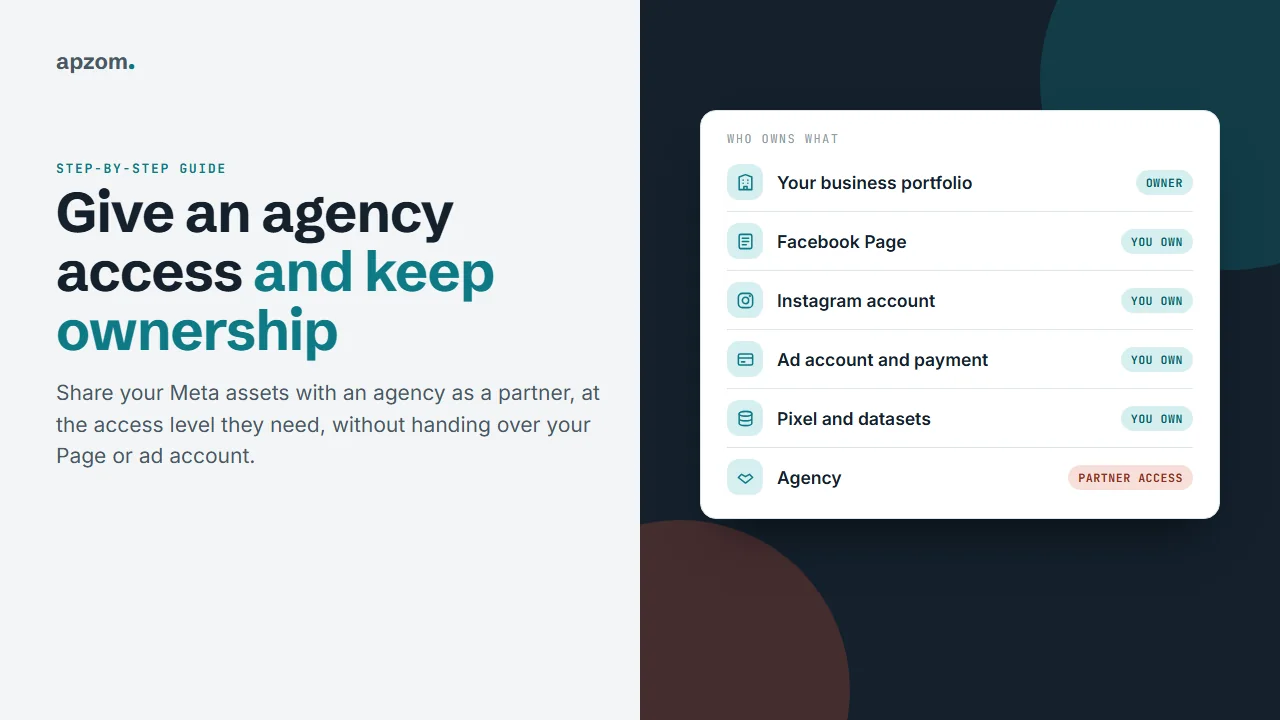
Before you start: know what you own
A business portfolio (previously called Business Manager) is the container in Meta’s business tools that holds your business assets: Facebook Pages, Instagram accounts, ad accounts, pixels and datasets, catalogues and the people who can use them. The portfolio that owns an asset controls it.
Before you share anything, check:
- Your business has its own business portfolio, created by someone at your business. Meta recommends (but does not require) at least two people with full control, and suggests keeping that group small, ideally ten or fewer.
- Your Facebook Page, Instagram account, ad account and pixel are owned by your portfolio. This matters because some assets cannot be moved later: Meta says an ad account created in a portfolio “can’t be deleted or transferred from the portfolio”, and a Page can only move if the portfolio that owns it removes it first.
- The ad account’s payment method is yours. This is our advice rather than a Meta rule: whoever controls billing controls the account’s spending.
Framework 1: partner access vs adding people
There are two ways to let someone in.
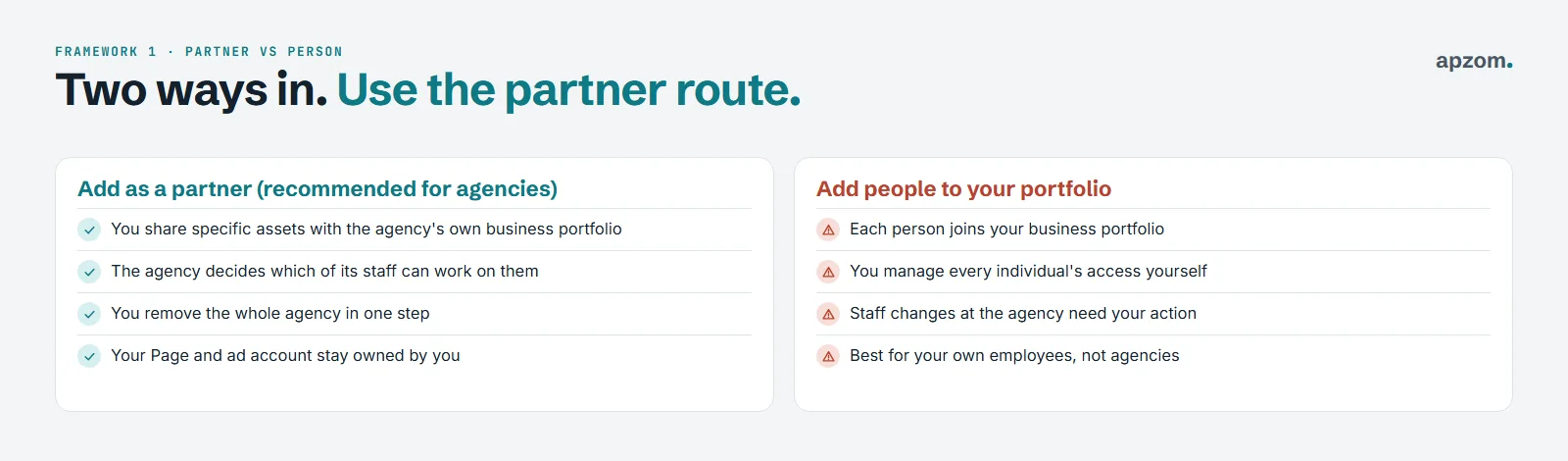
| Question | Add the agency as a partner | Add agency staff as people |
|---|---|---|
| Who joins | The agency’s business portfolio | Each individual joins your portfolio |
| Who manages their staff | The agency assigns its own people | You manage every person’s access |
| When staff change | No action needed from you | You add and remove people yourself |
| Ending the relationship | Remove the partner in one step | Remove each person, one by one |
| Best for | Agencies and freelancers with their own portfolio | Your own employees |
For agencies, the partner route is usually the right one. It keeps the agency’s staff out of your portfolio’s user list, lets you see exactly which assets you have shared, and makes ending access simple. It also protects your most important assets: even a partner with full control of your Page cannot delete or deactivate it, move it in or out of a portfolio, or connect or disconnect its Instagram account, and a partner cannot share your asset onward with another business.
Framework 2: how to add an agency as a partner
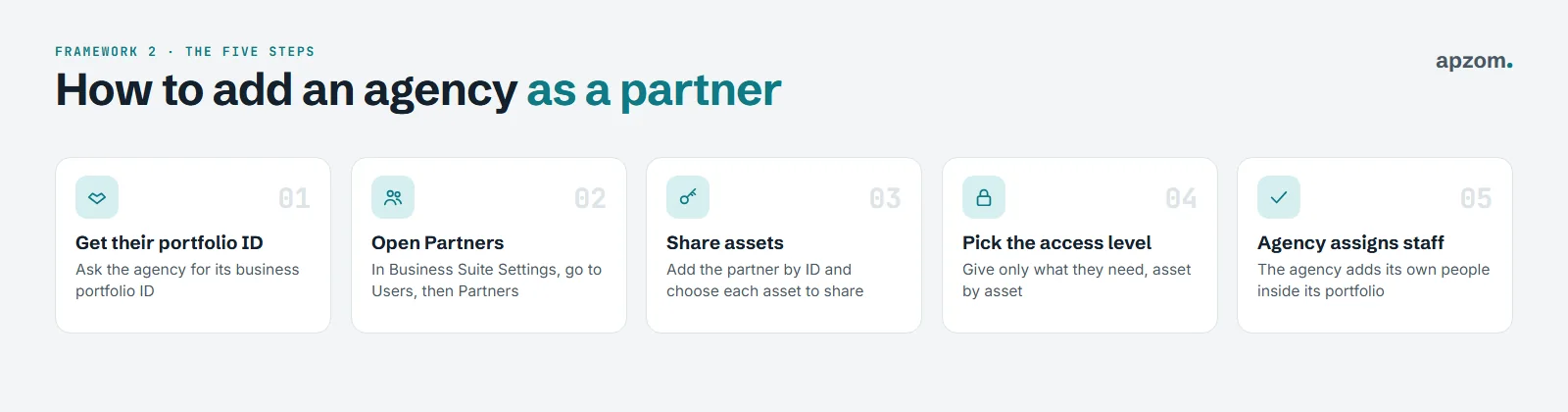
- Get the agency’s business portfolio ID. Ask the agency to send it. Meta shows it in Settings, under Business portfolio info (shown as Business info in some accounts), below the portfolio name.
- Open Partners. In Meta Business Suite, open Settings, then under Users click Partners. Click Add, then select “Give a partner access to your assets”. You need full control of the portfolio, Meta may ask you to turn on two-factor authentication first, and someone else with full control may need to approve.
- Share assets. Enter the agency’s portfolio ID and choose each asset you want to share: the Page, the ad account, the pixel or dataset, the Instagram account.
- Pick the access level for each asset (see below), then click Assign assets. Give only what the agency needs for the work.
- The agency assigns its staff. Inside its own portfolio, the agency gives its team access to the assets you shared.
If the agency asks you to “add your Page to our Business Manager” or to make them the owner, say no. Share instead.
If the agency sends you a request instead, you will find it under Requests in Settings, where you can approve it, deny it, or change which assets and permissions you share. Meta also notes that Facebook never asks for access to your Page, so treat any such message as a scam.
Not sure who owns your Page and ad account? Ask for a Free Growth Audit. We check who owns each Meta asset, who has access and at what level, and tell you what to fix first.
Framework 3: access levels
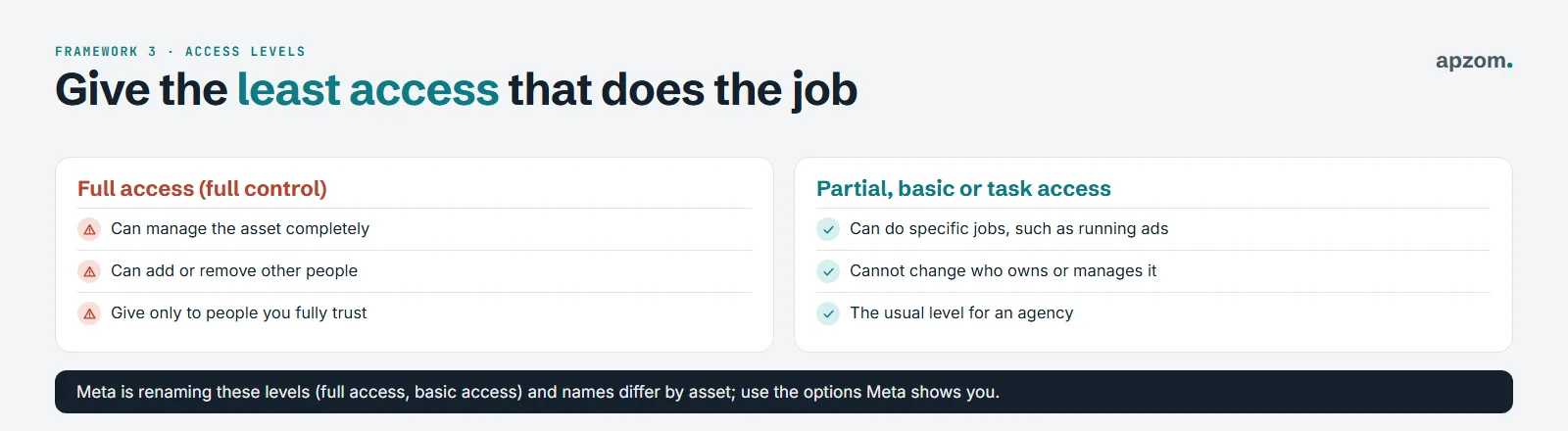
Each asset has its own permissions, and Meta is renaming the levels: its main permissions page now uses “full access” (formerly full control) and “basic access” (formerly the employee role), while some partner and Page pages still say “full control” and “partial access”. In broad terms there are two kinds:
- Full access or full control: can manage the asset completely, including who else has access. Keep this for people inside your own business.
- Partial, basic or task access: can do specific jobs, such as creating and managing ads or viewing performance, without being able to change who owns or manages the asset. This is usually right for an agency.
For an ad account, an agency usually needs Meta’s “Manage campaigns” task. Keep “Manage ad accounts” (settings, finances and permissions) for your own team. For a Page, it may need to create content or ads, or only to run ads that appear from the Page. For a pixel or dataset, “Use events dataset” lets it use the data in campaigns and view analytics without changing settings. Meta’s exact permission names differ by asset and change over time, so check the options Meta shows you when you share each one.
The ownership checklist
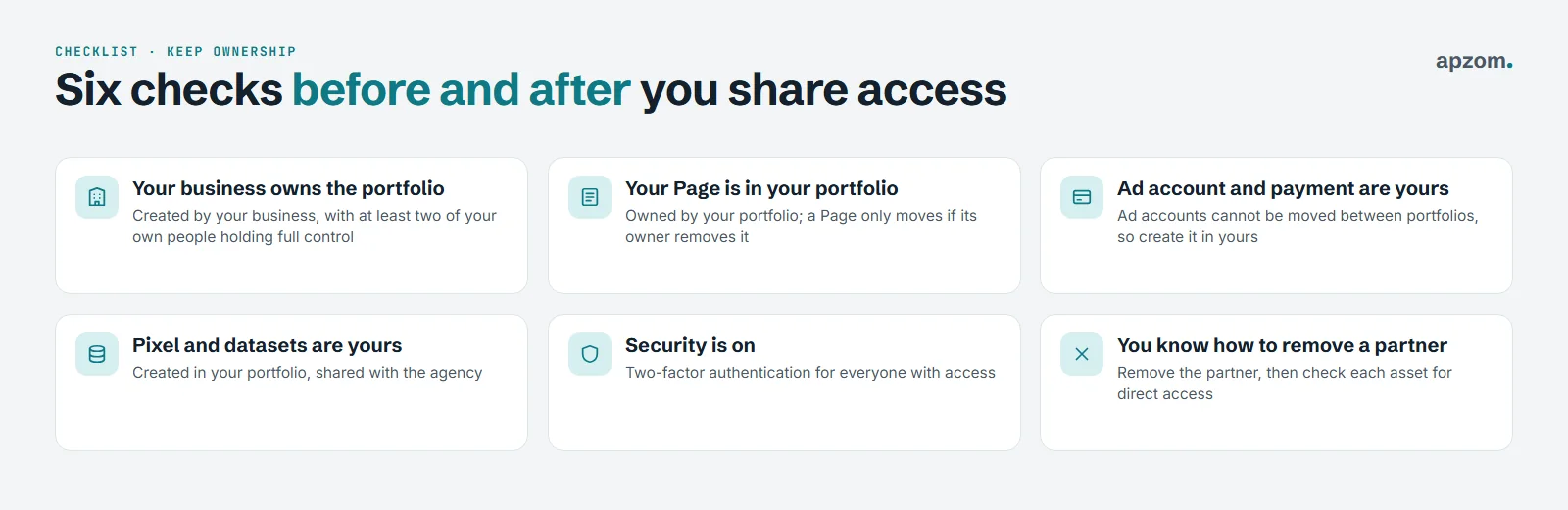
- Your business owns the portfolio, with at least two people from your own business holding full control.
- Your Page is in your portfolio, not claimed by the agency’s.
- Your ad account and payment method are yours.
- Your pixel and datasets are yours, shared with the agency, not created in its portfolio. Our guide to setting up the Meta Pixel and Conversions API covers creating them.
- Security is on. Meta automatically requires two-factor authentication for some business portfolios older than 90 days. Turn it on for everyone anyway: Settings, Business portfolio info, then set Two-factor authentication to Everyone.
- You know how to remove a partner. Removing the agency in Partners ends the access you gave it there. Check each asset afterwards for anyone added directly.
The same principle applies to Google: our Google Ads audit checklist explains how to keep your Google Ads account in your name while an agency manages it.
When you part ways
- Before removing anyone, review active campaigns and billing and decide what should keep running.
- In Meta Business Suite, open Settings, then Partners, select the agency, click Options, then Remove from business portfolio, then Remove partner (you need full control). Or remove access asset by asset.
- Check the people list for anyone from the agency who was added directly, and remove them.
- Check your Page’s access settings for any agency staff added to the Page directly.
Common mistakes
| Mistake | Why it hurts | Fix |
|---|---|---|
| The agency created your ad account in its portfolio | Ad accounts cannot be moved between portfolios, so the agency keeps that account and its history | Create a new ad account in your own portfolio and share it with the agency |
| Your Page is owned by the agency’s portfolio | You can lose control of your Page | Ask the agency to remove the Page from its portfolio so your portfolio can add it |
| Agency staff added as admins of your portfolio | They can change everything, including your access | Remove them and add the agency as a partner |
| Only one person with full control | If that person leaves or is locked out, you lose access | Keep at least two trusted people with full control |
| No two-factor authentication | Accounts are easier to take over | Turn it on for everyone with access |
How Apzom can help
Apzom Digital’s Meta ads management service follows the set-up in this guide: we ask to be added as a partner, so your Page, ad account, pixel and data stay in your portfolio, and you can remove our access at any time. If your current set-up is unclear, we can check who owns what and explain which assets can be moved into your own portfolio and which, like ad accounts, cannot. Our guide to Facebook and Instagram ads for local businesses covers running the ads themselves.
We work with clients worldwide, remotely, from our base in Ahmedabad, India.
Frequently asked questions
What is the difference between Business Manager and a business portfolio?
They are the same thing. Meta now calls the container a business portfolio; you will still see the older name in some help pages and from some agencies. Each person can create up to two business portfolios, and a new portfolio can create only one ad account at first, rising to three once a campaign has delivered and a payment has been made.
Should I give my agency admin access?
Not to your whole business portfolio. Add the agency as a partner and give it the access it needs on each asset, which is usually less than full control.
Can the agency still see my ads after I remove them?
When you remove a partner, it loses access to the assets you shared with it. Check the people list and each asset’s access settings too, in case anyone was added directly.
Who should pay for the ads?
Your business, with your own payment method on your own ad account. That way the account history and billing stay with you.
My Page is owned by my old agency. What can I do?
Ask the agency to remove the Page from its portfolio so that your business portfolio can add it. If someone at your business has full control of the Page, they can request its removal. The owning portfolio has 30 days to respond, and if it does not, the Page is not released. If you have lost control of your own business portfolio, Meta’s route is Business Support Home, choosing the Business Manager admin dispute option; it asks for ID, proof of business ownership and a signed attestation letter, and Meta may still refuse.
Does this work for Instagram too?
Yes. Add your Instagram professional account to your business portfolio (Settings, Instagram accounts, Add), then share it with the agency as a partner, just like your Page. Never give an agency your Instagram password. Instagram’s own in-app “Shared access” feature is a different thing and is not the usual route for agencies.
Get your Free Growth Audit and Quote. We review your business portfolio, Page, Instagram, ad account, pixel and partner access, and send a plain-English plan to keep ownership with your business. You stay the owner throughout.
No obligation and no guaranteed results. Prefer to talk first? Contact us or see our Meta ads management service.