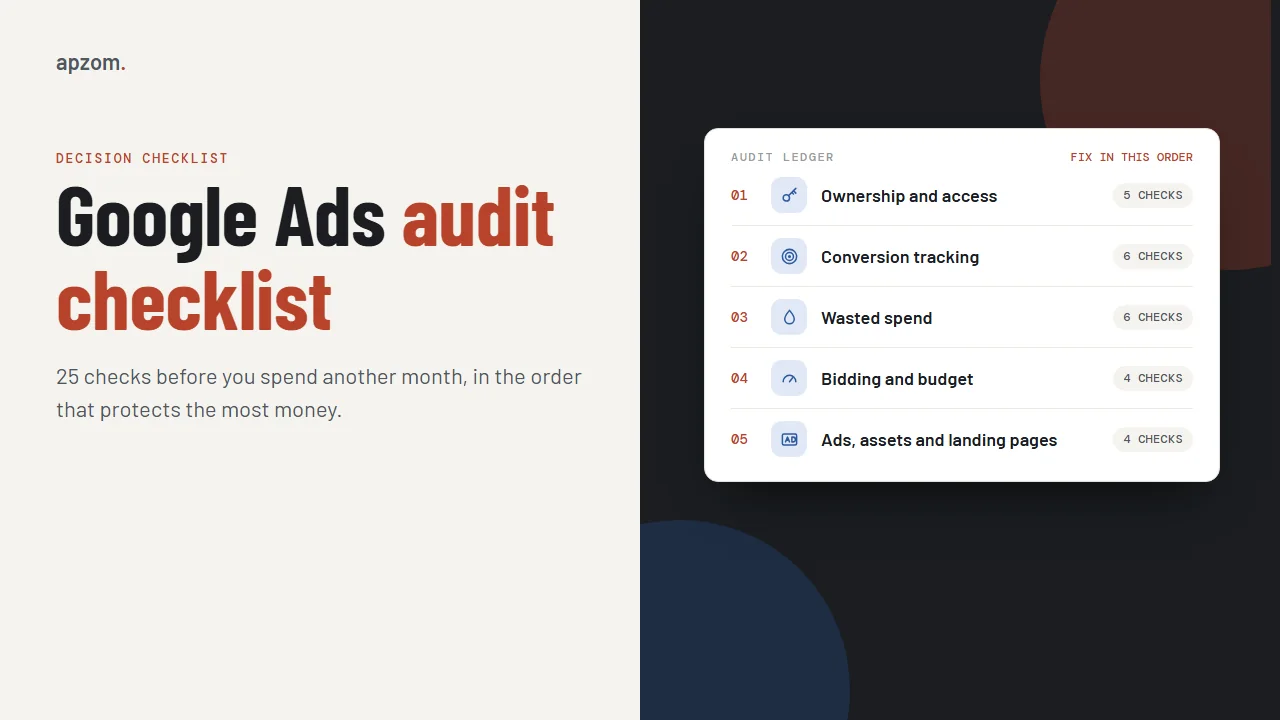
The short answer: A Google Ads audit checks, in order, the things that cost the most money when they are wrong. First, make sure your business owns the account, the billing and the tracking. Second, check that conversion tracking counts real enquiries and sales, once. Third, stop paying for clicks you did not mean to buy: irrelevant searches, the wrong locations and networks you never chose. Only then look at bidding, budget, ads and landing pages. The 25 checks below take that order. Most can be done in an afternoon, in your own account, without an agency.
This guide is for business owners and marketers anywhere in the world who already run Google Ads, whether you manage the account yourself or pay someone to, and want to know if it is set up to protect your money. It is a check of an existing account; if you are starting from scratch, our Google Ads setup guide for small businesses covers that. Menu names follow Google Ads Help at the time of writing; Google moves things often, so if a label differs, look for the nearest match. It is written by an agency that manages Google Ads, so read it knowing we have an interest; every check works just as well if you do it yourself.
Framework 1: audit in the order money is lost
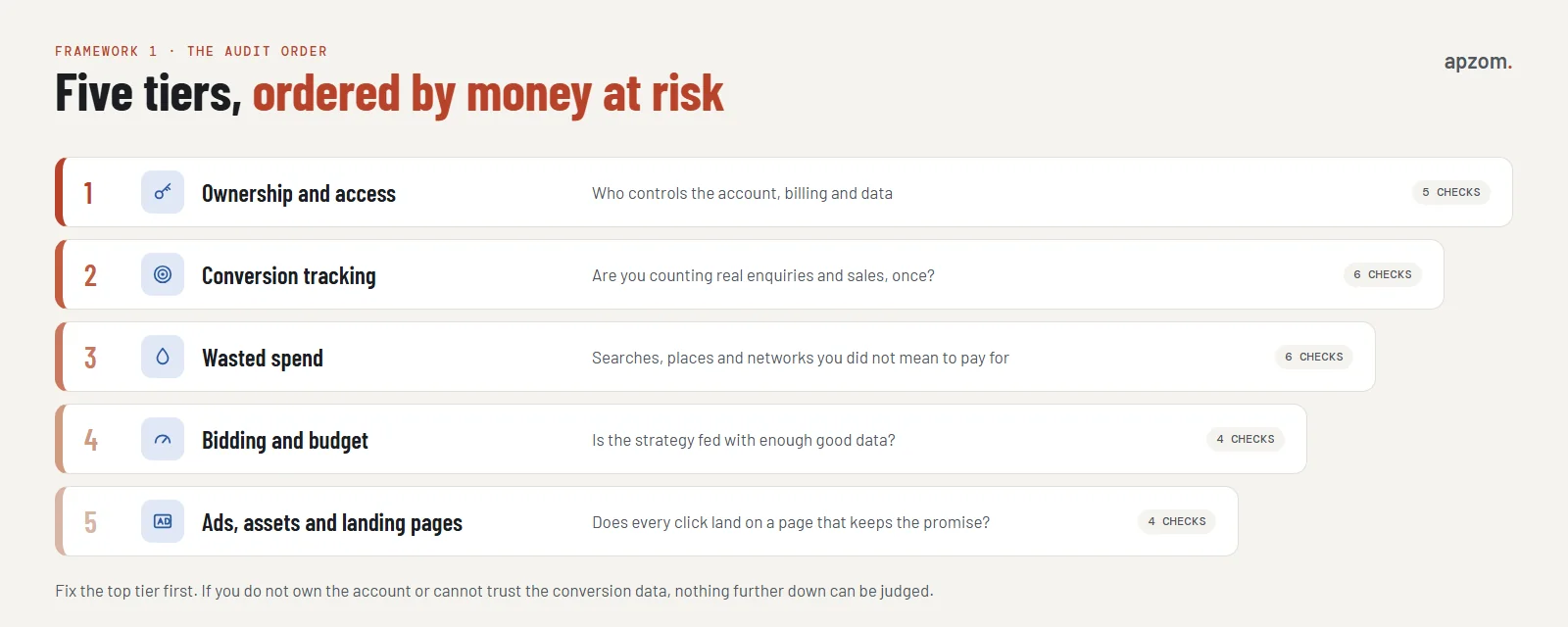
The checks are grouped into five tiers. The order matters: a problem in an early tier makes everything after it unreliable. If you cannot trust your conversion data, you cannot judge your bidding; if you do not control the account, you cannot fix any of it.
| Tier | What it protects | Checks |
|---|---|---|
| 1. Ownership and access | Your control of the account, billing and data | 1 to 5 |
| 2. Conversion tracking | Whether results are counted correctly | 6 to 11 |
| 3. Wasted spend | Clicks you did not mean to pay for | 12 to 17 |
| 4. Bidding and budget | Whether spend is guided by good data | 18 to 21 |
| 5. Ads, assets and landing pages | Whether clicks turn into enquiries | 22 to 25 |
Score each check as pass, fix or not sure as you go. The scorecard at the end shows how to read the result.
Tier 1: ownership and access (checks 1 to 5)
If an agency set up your account, it may have been created under the agency’s control. Check these first; they decide whether you can fix anything else.
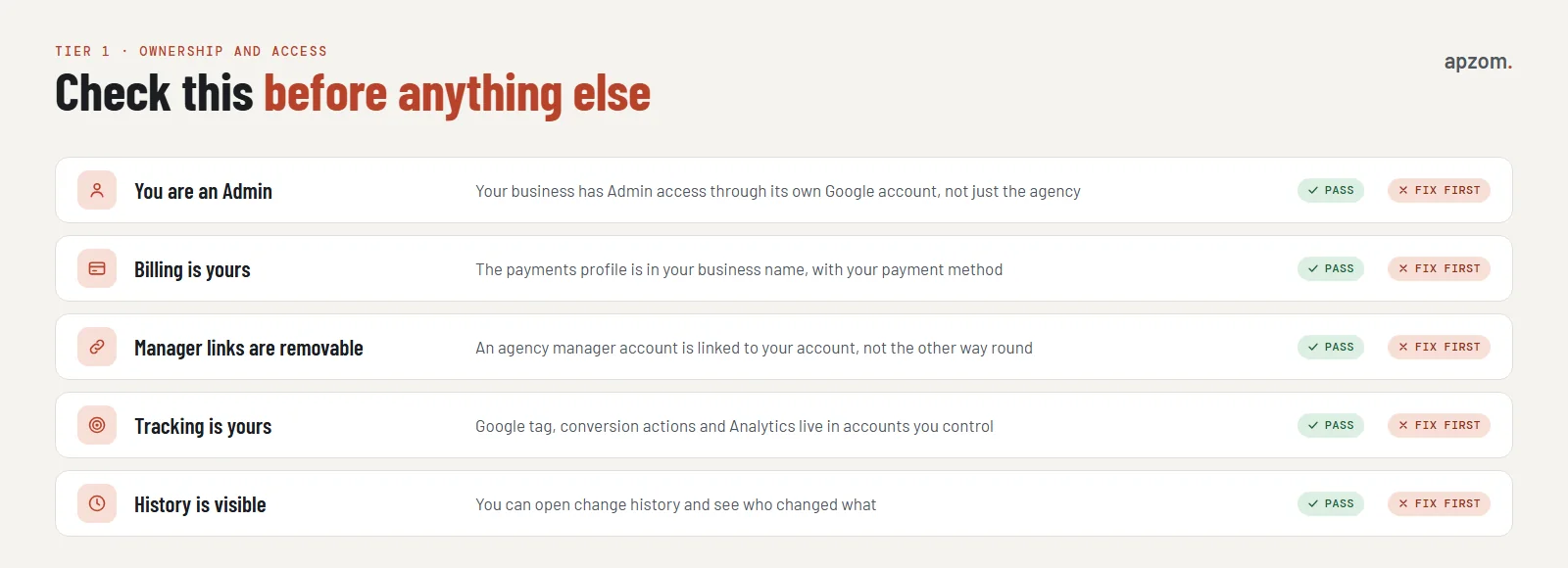
- You have Admin access with your own Google account. In the account, open Admin, then Access and security, to see the list of users. Your business should have at least one person with Admin access using a Google account the business controls, not only an agency login. Google recommends having more than one Admin.
- Billing is in your business name. Check the billing and payments settings: the payments profile should be in your business’s name, with your payment method. Google says the payments profile names the person or company legally responsible for paying, and users cannot be added to or removed from it directly; the primary contact must ask Google Ads support. If your agency’s manager account pays your invoice for you, Google Ads Help warns that ads stop when that link is removed, so set up billing in your own name before you ever unlink.
- Agency access is a link you can remove. An agency should manage your account through its manager account, linked to yours. Google says the client account still owns its data and the client can unlink a manager account. Watch one detail: an account the agency created from its own manager account is owned by that manager account automatically, while linking an existing account only gives the agency ownership if you agree to it. If the agency’s manager account owns your account, ask how to change that before anything else. For Meta, see our guide to giving an agency access to your Meta business portfolio.
- Tracking lives in accounts you control. Your Google tag, conversion actions and Google Analytics 4 property should belong to your business, so you keep your history if you change agency.
- You can see change history. Change history shows who changed what and when, going back two years. If changes appear that nobody explains, ask.
Tier 2: conversion tracking (checks 6 to 11)
Bidding, reporting and every decision about what works depend on conversion data. If it is wrong, the account optimises for the wrong thing.
- Every conversion action is a real business result. Open the conversions summary under Goals. Each action should be something that matters: a form sent, a qualified call, a booking, a purchase. Page views and button clicks should not be counted as conversions.
- Primary and secondary actions are set on purpose. Primary actions are used for bidding and the Conversions column; secondary actions are for observation. Make sure the actions you bid on are the ones you want more of.
- Counting suits the action. Website conversion actions default to “Every”, so check this. For leads, “one” conversion per click is usually right, so one person filling in a form twice is counted once. For purchases, “every” conversion usually makes sense.
- No conversion action shows a warning. Check the status of each action. The healthy status is Active; statuses such as Needs attention, Misconfigured or Awaiting conversions (nothing recorded in the last seven days) need checking before you judge results; Removed means the action no longer tracks. Some older Google pages still use earlier labels such as Unverified or Inactive.
- The numbers match your real enquiries. Compare a month of Google Ads conversions with the enquiries or sales you actually received. If they differ widely, find out why: duplicates, spam, or tracking firing on the wrong step.
- Consent and enhanced conversions are set up where needed. Google’s EU user consent policy covers visitors in the European Economic Area, the UK and Switzerland, so your consent banner and Google’s consent mode need to be set up correctly for measurement and personalised ads. Outside Europe, check the privacy law in each country you target. Enhanced conversions can improve measurement by using hashed customer data, where you have a lawful basis.
If your tracking needs work, our guide to setting up Google Analytics 4 covers key events, and our guide to measuring marketing ROI explains why platform numbers and your own records rarely match exactly.
Tier 3: wasted spend (checks 12 to 17)
These are the quiet leaks: money spent on clicks that were never likely to become customers.
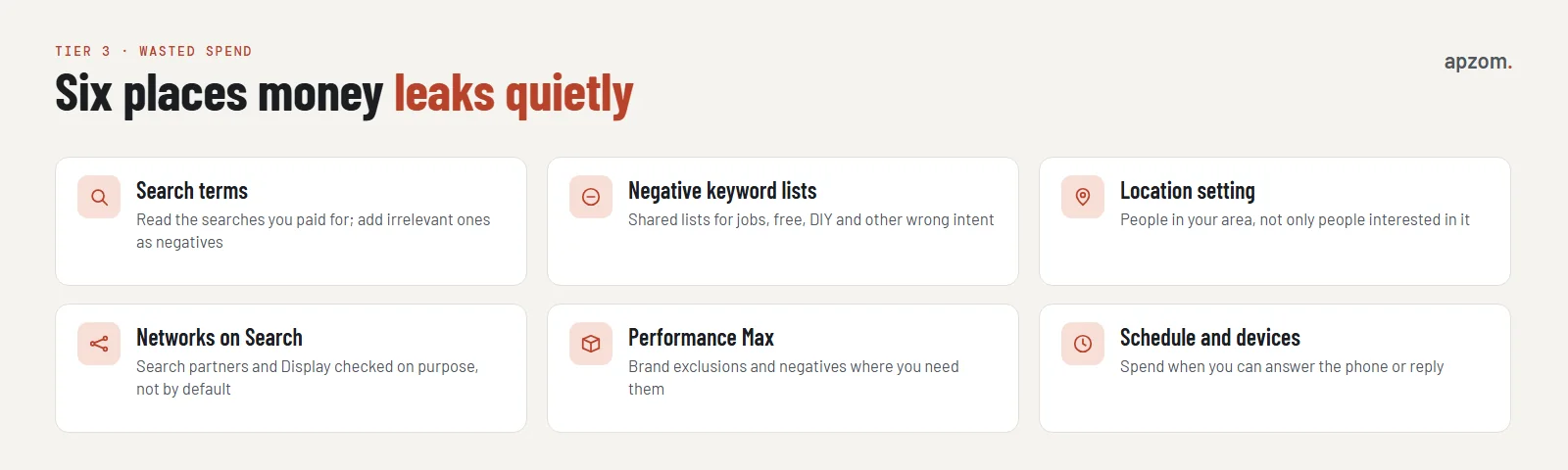
- Read the search terms report. It shows the actual searches that triggered your ads. Look for searches that are irrelevant to what you sell, and add them as negative keywords. Negative keywords do not match close variants, so add plurals and synonyms yourself. Low-volume searches are hidden from the report for privacy, so it never shows every query you paid for.
- Use negative keyword lists. Shared lists for common wrong intent, such as jobs, free, DIY or courses, save adding the same negatives to every campaign; you can have up to 20 lists of up to 5,000 keywords each. Account-level negative keywords (up to 1,000, under Admin, then Account settings) also apply to Performance Max’s search and shopping traffic.
- Check the location setting. In location options, the default can include people who are interested in your location as well as people who are there. For most local businesses, targeting people in or regularly in your area (“Presence”) is usually the safer choice. That is our advice; Google recommends the default.
- Check networks on Search campaigns. Search partners are included by default in Search campaigns; the Display Network is used only when the “Include Google Display Network” box is ticked, so check whether it is. Make sure each is on because you chose it, and check its results separately. Google announced channel prioritisation on 14 October 2026 and is rolling it out over the coming months; it lets Search campaigns set Google Search, search partners and the Display Network to high or low priority. Google says that from February 2027, Search campaigns with the Display Network turned on will move to this system automatically, and that setting the Display Network to low priority with a 50% budget allocation keeps the current set-up, so check these settings before then.
- Check Performance Max and brand exclusions. If you run Performance Max, check that brand exclusions and account-level negative keywords are set where you need them, and look at where its spend goes. For Search campaigns, Google moved brand settings into AI Max from 27 May 2025, so you may need to look there.
- Check the ad schedule. Ads that run when nobody can answer the phone or reply to an enquiry waste clicks on people who move on.
Want a second pair of eyes on your account? Ask for a Free Growth Audit. We run the ownership, tracking and wasted-spend checks in this guide on your Google Ads account and tell you what to fix first.
Tier 4: bidding and budget (checks 18 to 21)
- The bidding strategy fits your data. Automated bidding strategies such as Maximise conversions or Target CPA learn from conversion data. If tracking is wrong (tier 2) or conversions are very few, they have little to learn from. Fix tracking before changing strategy, and avoid frequent strategy changes; Google says the learning status after a strategy change never lasts more than seven days. Also note that Smart Bidding ignores device bid adjustments except -100% (Target CPA treats them as a change to the target instead), and ignores ad schedule bid adjustments, though the schedule itself still applies.
- Budgets match priorities. Check which campaigns are limited by budget and whether those are the ones that produce enquiries. Remember that Google can spend up to twice the daily budget on a given day, but no more than 30.4 times the daily budget in a month.
- Auto-applied recommendations are reviewed. Google Ads can apply some recommendations automatically. Check the recommendations settings, and make sure nothing changes your account without someone deciding it should.
- Optimisation score is not the goal. The optimisation score estimates how well the account follows Google’s recommendations, and Google says it is not used in Quality Score. A higher score does not by itself mean better results for your business; judge recommendations on whether they fit your goals.
Our guide to Google Ads management costs explains how agencies charge for this work, if you are deciding whether to keep doing it yourself.
Tier 5: ads, assets and landing pages (checks 22 to 25)
- Ads match the searches. Each ad group’s ads should speak to the searches it receives. Responsive search ads show an ad strength rating; Google says it does not affect the auction, so use it as a hint, not a target.
- Assets are in place. Sitelinks, callouts and, where it suits you, call assets give people more ways to act. Sitelinks need at least two to show, and Google suggests adding at least four.
- Landing pages keep the ad’s promise. Each ad should lead to the page that best matches the search, not your home page. Google’s landing page experience rating, part of Quality Score, is a useful warning sign; Quality Score is a diagnostic tool, not an input in the auction. Our guide to landing page best practices has a message-match test.
- No ads are disapproved or limited. Check for policy issues and advertiser verification requests. Some categories, such as healthcare and financial services, have extra requirements; Google expanded financial services verification to 24 more European markets from July 2026, and agencies managing those accounts must verify too.
Framework 2: the scorecard
When you have been through all 25 checks, count the passes, fixes and “not sure” answers in each tier.
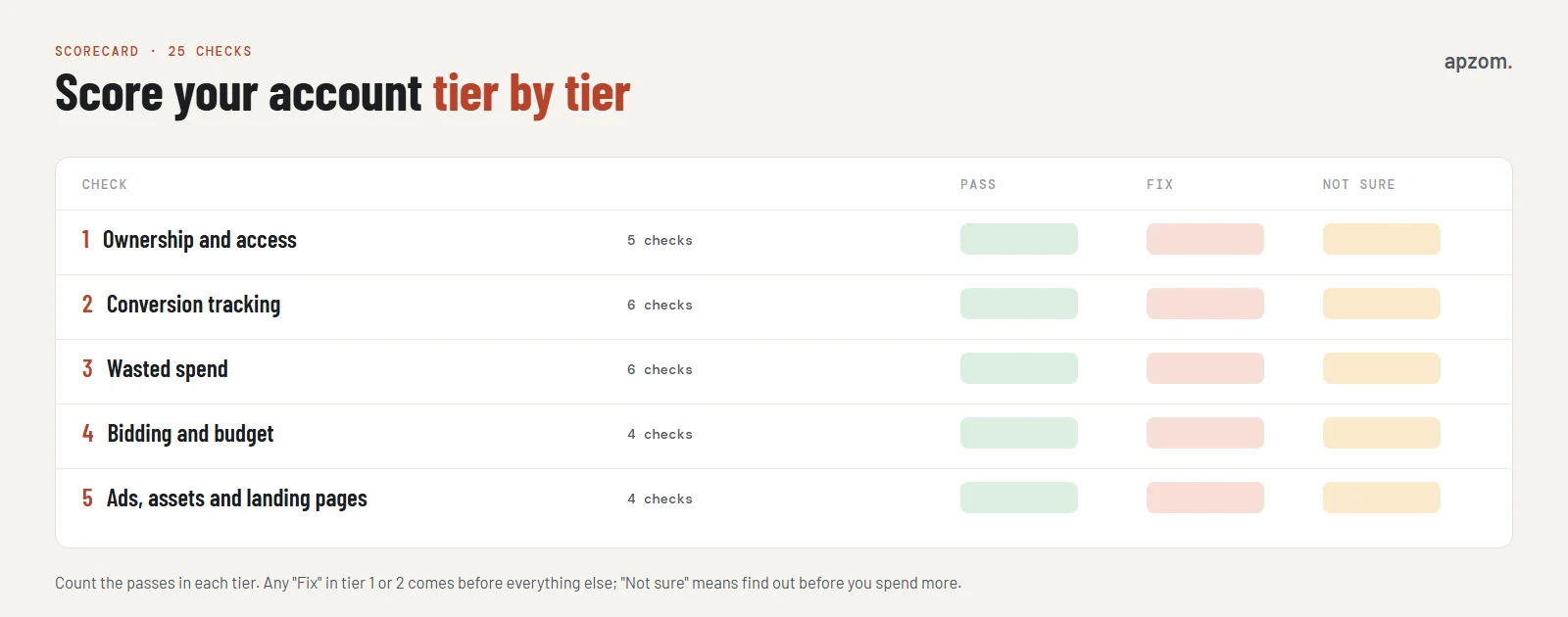
- Any “fix” in tier 1 or 2: stop and fix these first. Without ownership and trustworthy conversion data, the rest of the audit cannot be judged properly.
- Several fixes in tier 3: these usually give the quickest savings.
- “Not sure” anywhere: find out before you spend another month; an unknown is a risk.
How often to audit
A light check every month covers the search terms report, conversion status and budget; the Auction insights report, which you open by selecting campaigns, shows which competitors appear alongside you (Google hides it when your impression share is below 10%). A full audit like this one is worth doing every few months, when you change agency, or when results change without an obvious reason.
How Apzom can help
Apzom Digital audits and manages Google Ads as part of our Google Ads management service. We run the checks in this guide, explain what we find in plain words, and fix tracking, wasted spend and account ownership in accounts your business owns. If you prefer to keep managing the account yourself, our Free Growth Audit gives you a prioritised list to work through.
We work with clients worldwide, remotely, from our base in Ahmedabad, India.
Frequently asked questions
How long does a Google Ads audit take?
A small account can usually be checked in an afternoon using this list. Larger accounts with many campaigns take longer, mainly because of the search terms and conversion checks.
Can I audit my account without giving anyone access?
Yes. Every check here can be done by someone with access to your own account. Checks 1 to 3 need Admin access to see users, managers and billing. If you want an outside audit, give the auditor read-only or standard access, never your login.
What is the most common problem in a Google Ads account?
We do not quote a statistic, because we have not found a reliable published one. Conversion tracking that counts the wrong thing is especially damaging, though, because automated bidding and every report depend on it.
Should I trust Google’s recommendations?
Treat them as suggestions. Some are useful; others, in our view, mainly increase spend or reach. Review each one against your goals before applying it, and check that auto-apply is set the way you want.
What should I do if my agency owns my account?
Ask for Admin access and for billing to be moved to your business. Google says the client account still owns its data and, with Admin access, can unlink a manager account under Admin, then Access and security, then Managers. If that is not possible, ask what it would take to move to a new account you own, and make sure you keep your conversion data and history where you can.
Is a high optimisation score good?
Not necessarily. It measures how closely the account follows Google’s recommendations, not your business results. Judge the account by enquiries, sales and cost per result.
Get your Free Growth Audit and Quote. We check account ownership and billing, conversion tracking, search terms, locations, networks, bidding and landing pages, and send a plain-English, prioritised fix list. We will ask for read-only or standard access to your account; you stay the owner.
No obligation and no guaranteed results. Prefer to talk first? Contact us or see our Google Ads management service.