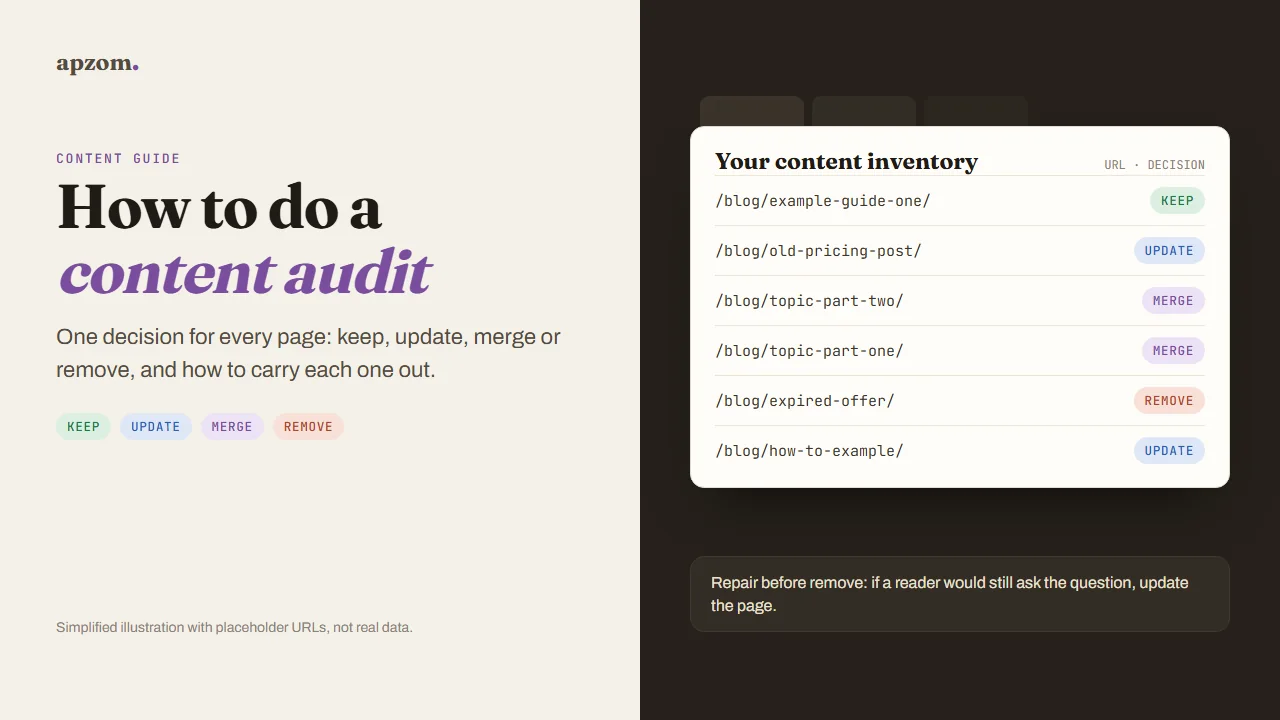
The short answer: A content audit is a page-by-page review of everything you have published, ending with one decision for each page: keep it as it is, update it, merge it into a stronger page, or remove it. To do one, list every URL, collect a few facts for each (search clicks and impressions, conversions, internal links, whether the information is still accurate, and whether another page covers the same question), apply a clear decision rule, and then carry out each decision properly: real updates with honest dates, permanent redirects to the closest matching page for merges, and a 404 or 410 for pages with no useful replacement. Repair comes before removal: many weak pages are worth fixing rather than deleting.
This guide is for business owners, marketers and content leads anywhere in the world who have a blog, guide library or resource section that has grown over the years and now holds pages nobody is sure about. It works for a site with 30 posts or several thousand. Search engine guidance in it was checked against Google Search Central, Search Console Help and Bing Webmaster Guidelines on 25 October 2026.
What a content audit is, and what it is not
A content audit judges your pages as answers for readers: are they accurate, useful, distinct from each other and connected to what your business sells? It is not the same as a technical SEO audit, which checks whether search engines can crawl, render and index your site. The two overlap at the edges (a page that cannot be indexed will show no search data), and a technical check is a sensible first step, but the content audit is about the decisions only a person who understands the subject can make.
Three reasons to run one:
- Accuracy. Old posts carry old prices, old laws, old menu paths and products that no longer exist. A wrong page costs you trust with every reader who finds it.
- Overlap. Over time, several posts end up answering the same question. They split your internal links and your readers’ attention, and none of them is the best answer.
- Focus. Knowing which pages bring visitors, leads and links tells you where to put your next hour of work.
Google’s guidance on helpful content asks site owners to judge their pages as a reader would. Its guidance on core updates says that “deleting the unhelpful content can help the good content on your site perform better”, but it also calls deleting content “a last resort” and suggests improving content in meaningful ways first. A content audit is the structured way to make those calls across a whole site. It is not a quick ranking trick: Google’s helpful content guidance lists adding or removing a lot of content mainly to make a site seem fresh for search rankings among the signs of search-engine-first content.
What Apzom’s archive work showed
The method in this guide draws on the Apzom team’s archive work. For Justwebworld, an online magazine of nearly 8,000 articles that has published since 2012, Apzom’s case study describes the approach: a full audit of the archive flagged articles that were outdated, thin or wrong, and these are being rewritten and corrected in place, with more than 400 repaired so far. “Last updated” dates that bulk saves had reset were corrected on 8,014 posts, with a safeguard so trivial edits no longer change the date. And 355 outbound links pointing to domains that had expired, been taken over or gone offline were unlinked across 322 articles.
Three lessons from that work shape the rules below:
- Repair in place before you remove. Many flagged pages had a real reader question behind them. Fixing the answer kept the URL, its links and its history.
- Dates must tell the truth. A date that changes on a trivial edit tells readers and search engines nothing, so only real updates should move it.
- Check outbound links as part of content quality. A link to a domain that has changed hands can send your readers somewhere harmful years after you added it.
Step 1: build the inventory
List every indexable page you publish content on: posts, guides, resource pages and, if you want, service pages. Do not rely on a “site:” search in Google to find them; Google says that operator does not show every indexed page. Use these sources instead and combine them in one spreadsheet:
- Your CMS export or XML sitemap, for the full list of URLs, titles, authors and publish dates.
- A crawler. The free version of Screaming Frog SEO Spider crawls up to 500 URLs in a single crawl, which is enough for many small sites.
- Google Search Console, Performance report, filtered by page. It keeps 16 months of data, which is enough to see a full year and the seasons around it. Our Search Console guide shows how to export by page.
- GA4, for key events (enquiries, sign-ups, purchases) by landing page. Google says the data retention setting (2 or 14 months in a standard property) affects explorations and funnel reports, not standard aggregated reports, so check it before you explore a long date range.
- Bing Webmaster Tools, if Bing or Microsoft Copilot matter to your audience.
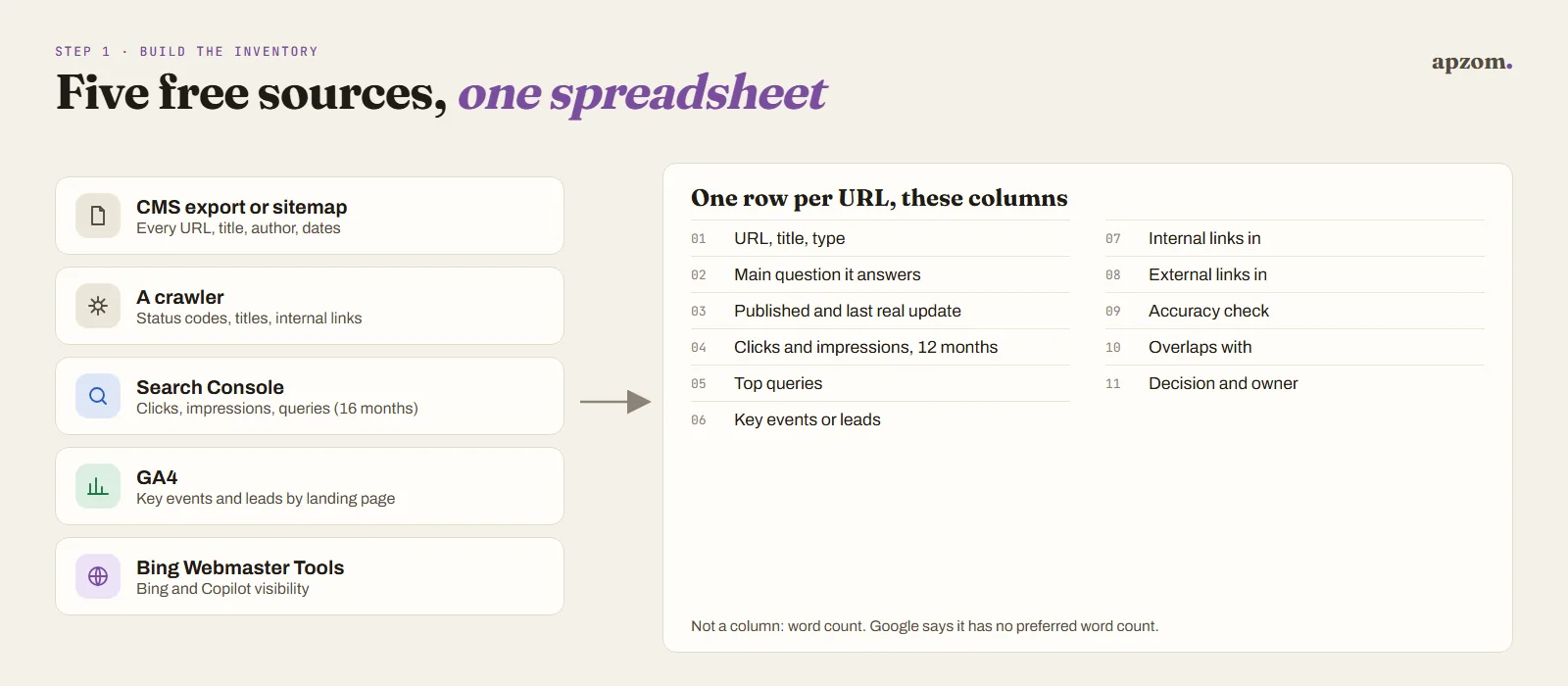
For each URL, record these columns. Keep it to what you will actually use to decide.
| Column | Why it matters |
|---|---|
| URL, title, type | What the page is |
| Main question it answers | The intent, in plain words; this is how you spot overlap |
| Published date, last real update | How old the information may be |
| Clicks and impressions (last 12 months) | Whether search sends anyone, and whether it could |
| Top queries | What people actually search to find it |
| Key events or leads | Whether it brings business |
| Internal links in | Whether your own site points to it |
| External links in (if you have a backlink tool) | Whether other sites reference it |
| Accuracy check | Correct, out of date or wrong, with a note on what |
| Overlap with | Any other URL answering the same question |
| Decision and owner | Keep, update, merge or remove, and who does it |
Do not use word count as a decision rule. Google’s own helpful content self-assessment says it has no preferred word count; a short page that fully answers a short question is fine, and a long page padded to hit a number is not.
Step 2: decide keep, update, merge or remove
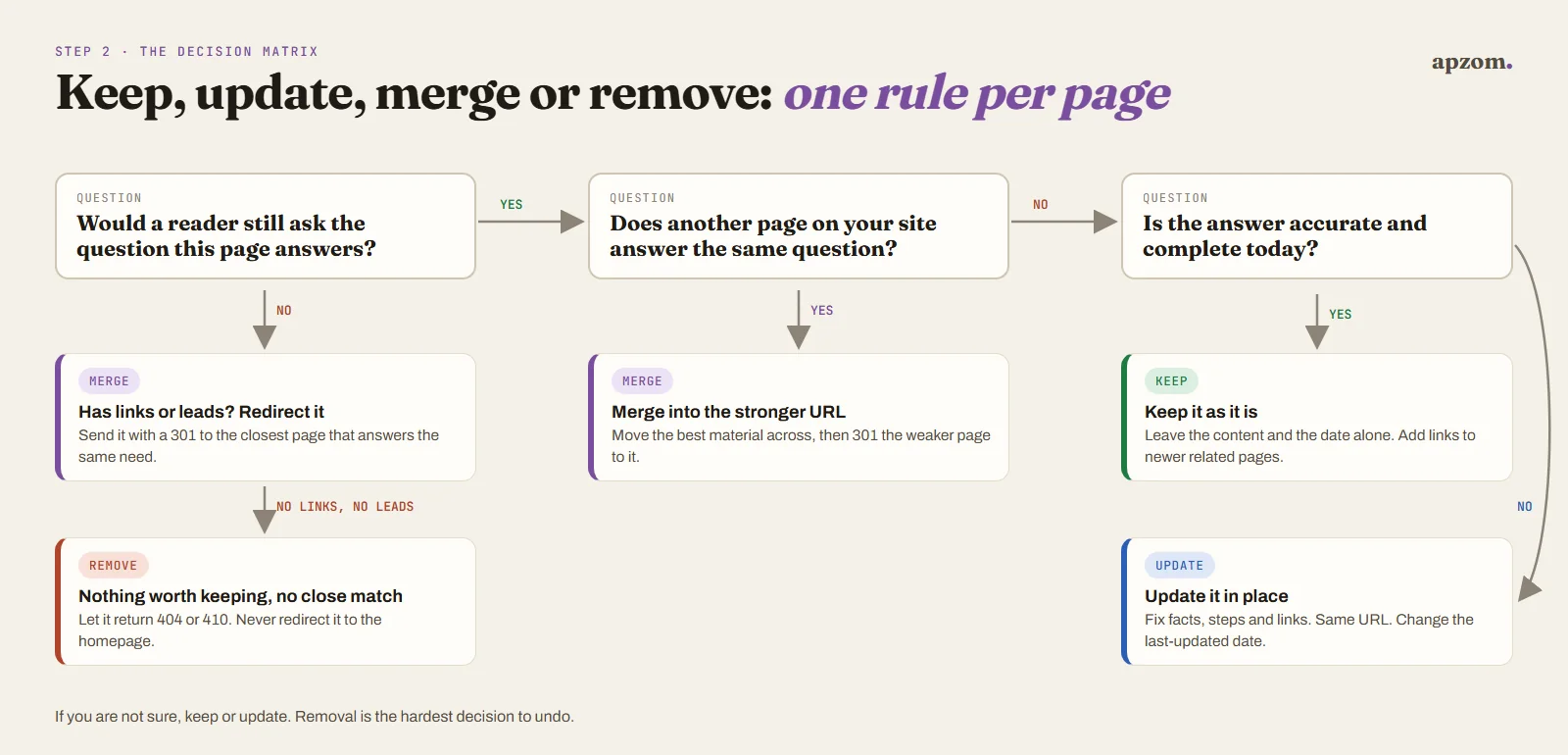
Give every page exactly one decision. The matrix below starts with the two questions that matter most, then a tie-break.
| Decision | Use it when | Typical signs |
|---|---|---|
| Keep | The page is accurate, answers its question well and has no stronger twin | Steady clicks or leads, few or no accuracy notes |
| Update | The question still matters to your readers, but the answer is out of date, thin or unclear | Impressions without clicks, outdated facts, old screenshots, a better answer elsewhere online |
| Merge | Two or more pages answer the same question, or one is a weaker fragment of another | Several URLs ranking for the same queries, split internal links |
| Remove | The page has no reader value and nothing worth keeping, or describes something that no longer exists and has no close replacement | No clicks, no links, no leads, and no question worth answering |
Tie-break rules:
- If a reader would still ask the question, update rather than remove. The question is the asset; the old answer is not.
- If a page has links from other sites, never just delete it. Update it, or merge it with a redirect so those links keep working.
- If two pages overlap, keep the URL with the better links and search history, and move the best unique material from the other into it.
- If a page is needed by customers but not by search (an old product manual, terms for a past promotion), keep it live and consider a noindex rule rather than removing it.
- If you are not sure, update or keep. Removal is the decision that loses the most if it is wrong.
A worked example (illustrative)
Imagine a small accounting firm’s blog with these three posts. The URLs and facts are invented to show how the rules work, not taken from a real site.
| Page | What the inventory shows | Decision |
|---|---|---|
| /blog/tax-deadlines-guide/ | Steady clicks every filing season and two enquiries a month, but last year’s dates | Update in place, then change the last-updated date |
| /blog/tax-deadline-tips/ | Ranks for the same queries as the guide, few clicks, one link from a local news site | Merge its two useful tips into the guide, then 301 it to the guide |
| /blog/office-party-photos/ | No clicks, no links, no enquiries, and no question a reader would search for | Remove and let it return 404 or 410 |
The firm ends with one strong deadlines guide instead of two weak ones, the news site’s link still works, and nothing a reader needs has gone.
Step 3: carry out each decision correctly
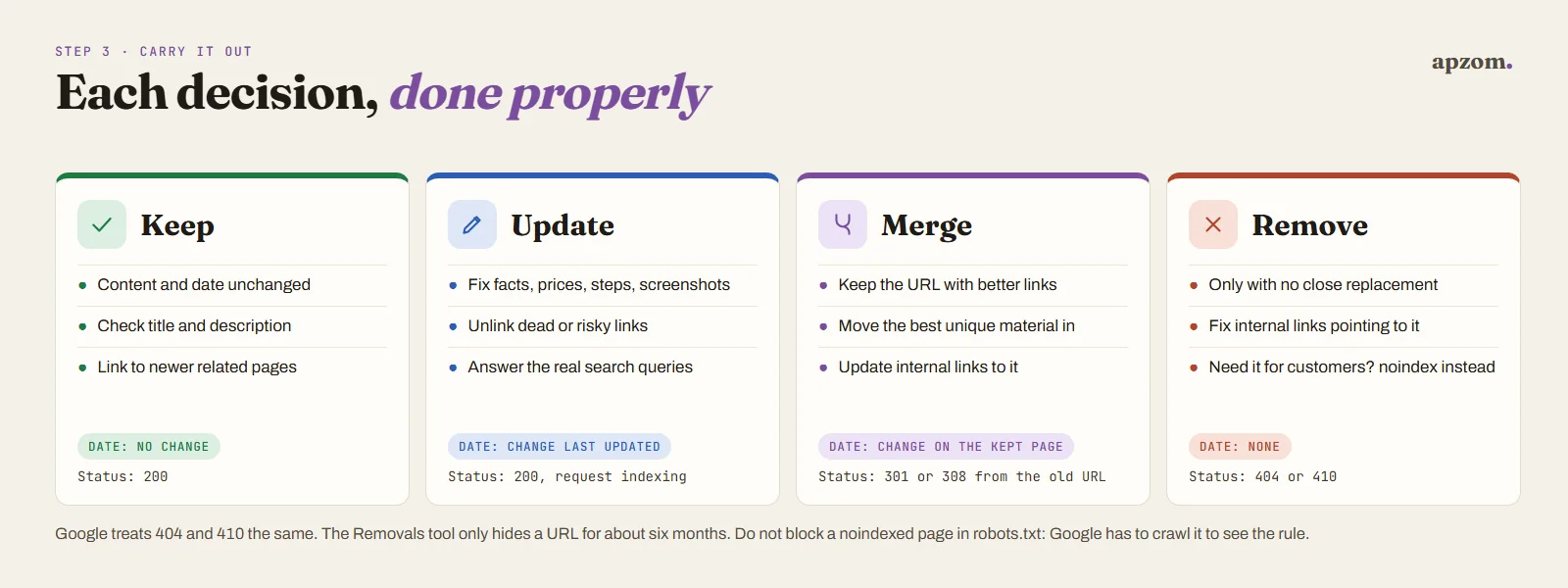
The decision is only half the job. Doing it badly can lose links, confuse search engines or mislead readers.
Keep
Leave the content and the date alone. Check that the page links to your newer related pages and that its title and description still describe it. Changing a date on a page you did not change misleads readers; Google’s helpful content guidance specifically asks whether you change dates to make pages seem fresh when the content has not substantially changed.
Update
Fix what is wrong or missing: facts, prices, steps, screenshots, examples and links. Keep the same URL. Then change the “last updated” date, because now there is a real change to show. Google’s byline date guidance recommends a clear visible date and matching dateModified in structured data; our schema markup guide shows where that sits. After a substantial update, use URL Inspection in Search Console to request indexing (Google sets a daily limit on these requests, so save them for important pages). Bing’s Webmaster Guidelines also say to update content when facts or guidance change and to notify IndexNow when content is added, updated or deleted (Google does not take part in IndexNow).
A useful update usually includes:
- correcting every outdated fact, with the current source checked;
- answering the questions that the page’s real search queries show people asking;
- removing or unlinking dead and risky outbound links;
- adding links to newer related pages on your site;
- making the answer clear in the first lines.
Merge
Choose the page that will survive (usually the one with more links and search history). Move into it any genuinely useful material from the others, so the merged page is better than each part. Then set a permanent server-side redirect (301 or 308) from each retired URL to the surviving page, and update your own internal links to point straight to it. Google treats permanent redirects as a strong signal of which URL to show. If you must keep near-duplicates live, for example two printable versions, a rel=”canonical” link tells Google which one you prefer, but Google describes a canonical preference as “a hint, not a rule”. Bing’s guidelines likewise say to use redirects rather than canonical tags when content moves.
Remove
If a page has no close replacement, let it return a 404 (not found) or 410 (gone). For Google the two have the same effect: indexed URLs that return either are removed from the index. Bing’s guidelines say to return a 404 for content that is permanently removed. Do not redirect removed pages to your homepage or to a loosely related page: Google’s site move guidance warns that redirecting many old URLs to one irrelevant URL, such as the home page, might be treated as a soft 404 error, and readers who click an old link land somewhere that does not answer them. Redirect only when another page really answers the same need. If you want a page out of search but still available to people, use a noindex rule instead, and do not also block it in robots.txt, because Google has to crawl the page to see the noindex. Search Console’s Removals tool only hides a URL for about six months; it is not a permanent removal.
Hundreds of old posts and no time to judge them? A Content Audit Review builds an inventory of your posts, flags the riskiest and most valuable pages, and gives each one a keep, update, merge or remove decision with the reason.
Step 4: prioritise by risk, then by value
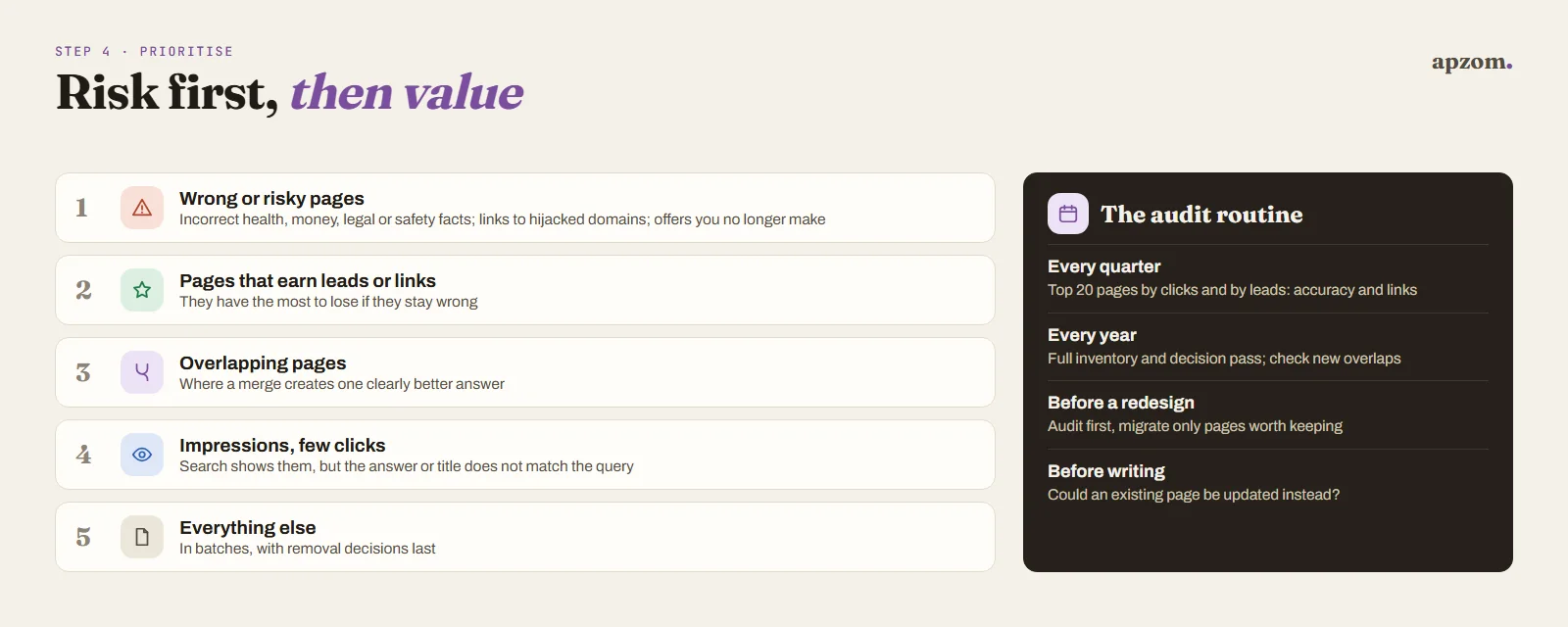
On a large site you cannot fix everything this month. Work in this order:
- Wrong or risky pages first. Incorrect health, money, legal or safety information; outbound links to hijacked or harmful domains; pages promising things you no longer offer.
- Pages that earn leads or links but have problems. They have the most to lose.
- Overlapping pages where a merge will create one clearly better answer.
- Pages with impressions but few clicks. Search shows them, but the title, description or answer does not match what people want.
- Everything else, in batches, with removal decisions last.
Record each change in your spreadsheet with the date and what changed, so you can match results to actions later.
How to check whether the audit worked
- Search Console Performance report: compare clicks, impressions and queries for updated and merged pages over equal periods; as a rule of thumb, wait at least 8 to 12 weeks after the change. Seasonal topics need the same months compared year on year.
- Page indexing report: check that removed pages show as not found and that redirected URLs show as redirects, not errors.
- Redirect checks: each retired URL should return one 301 or 308 that lands on a 200 page, with no chains.
- GA4 key events by landing page: a merged page should collect the leads its parts used to bring, or more.
- Reader signals: fewer emails pointing out errors, and questions on calls that the pages now answer.
Expect a mix of results. Some updated pages will gain, some will hold steady, and a few may lose some traffic if they were ranking for things they did not really answer. Judge the audit on accuracy and leads as well as clicks.
Common content audit mistakes
- Deleting in bulk because pages are “thin”. Many short pages answer short questions well. Judge usefulness, not length.
- Changing dates without changing content. It misleads readers, and Google’s guidance lists it as a sign of search-engine-first content.
- Redirecting everything to the homepage. Readers lose the answer, and Google says it might treat it as a soft 404.
- Merging pages without moving the best material. The surviving page must be better than either part.
- Forgetting internal links. After merges and removals, update links on your own site so they point to live pages.
- Rewriting every page with AI to “refresh” it. Google says appropriate use of AI or automation is not against its guidelines, but its scaled content abuse policy applies however content is made; a refresh must add real accuracy and value.
- Auditing once and never again. Facts keep changing. Plan a lighter review every quarter and a full audit once a year.
A simple audit routine
- Every quarter: check your top 20 pages by clicks and by leads for accuracy and broken links; review any page whose topic changed in the news or law.
- Every year: a full inventory and decision pass, and a check for new overlaps created by the year’s posts.
- Before a redesign: audit content first so you only migrate pages worth keeping. Our website redesign SEO checklist covers the migration side.
- Before writing anything new: check whether an existing page already answers the question and could be updated instead. Our keyword research guide helps you spot real gaps.
How Apzom can help
We run content audits as part of our content marketing and SEO services: we build the inventory from your CMS, crawls, Search Console and GA4, check pages for accuracy against current primary sources, decide keep, update, merge or remove for each page with the reason written down, and then do the work, including updates in place, honest dates, redirect maps and internal link fixes. For larger or older sites, our SEO methodology explains how we pair this with technical checks. You can see the archive work described above on our Justwebworld case study.
We work with clients worldwide, remotely, from our base in Ahmedabad, India.
Request a Content Audit Review. We build an inventory of your posts and guides from your CMS, a crawl, Search Console and GA4, check the pages that matter most for accuracy against current primary sources, find overlapping pages, and give each page a keep, update, merge or remove decision with the reason and the right redirect or status code. You get the decision sheet and a priority order, or we do the work for you.
No obligation and no guaranteed rankings. Prefer to talk first? Contact us or see all our services.
Frequently asked questions
How long does a content audit take?
It depends on the number of pages and how much checking each one needs. A site with 50 posts can often be inventoried and decided in a few days; an archive of thousands takes weeks, and the repairs take longer than the audit itself. Start with your highest-risk and highest-value pages so the audit pays off early.
Will deleting old blog posts improve my SEO?
Not on its own, and not as a first step. Google’s core updates guidance says deleting unhelpful content can help the good content on a site perform better, but it calls deletion a last resort and suggests improving content first. Deleting pages that have links or answer real questions can lose traffic. Update or merge first; remove only when nothing is worth keeping.
Should I use a 404 or a 410 for removed pages?
Either works for Google, which treats them the same: indexed URLs returning either are removed from its index. Bing’s guidelines mention 404 for permanently removed content. Use a permanent redirect (301 or 308) instead only if another page really answers the same need.
Should I change the published date when I update a post?
Keep the original published date and update the “last updated” date, but only when the content has really changed. Correcting a typo or re-saving a page is not an update.
How often should I audit my content?
A light review of your most important pages every quarter and a full audit once a year suits most business sites. Topics that change fast, such as platform settings, prices and laws, need checking more often.
What is the difference between a content audit and a content inventory?
The inventory is the list of pages and their facts. The audit is the judgement you make from that list: the keep, update, merge or remove decision for each page.
Can I do a content audit without paid tools?
Yes. Your CMS export or sitemap, Google Search Console, GA4, Bing Webmaster Tools and the free version of a crawler cover most small sites. Paid tools add backlink data and larger crawls.