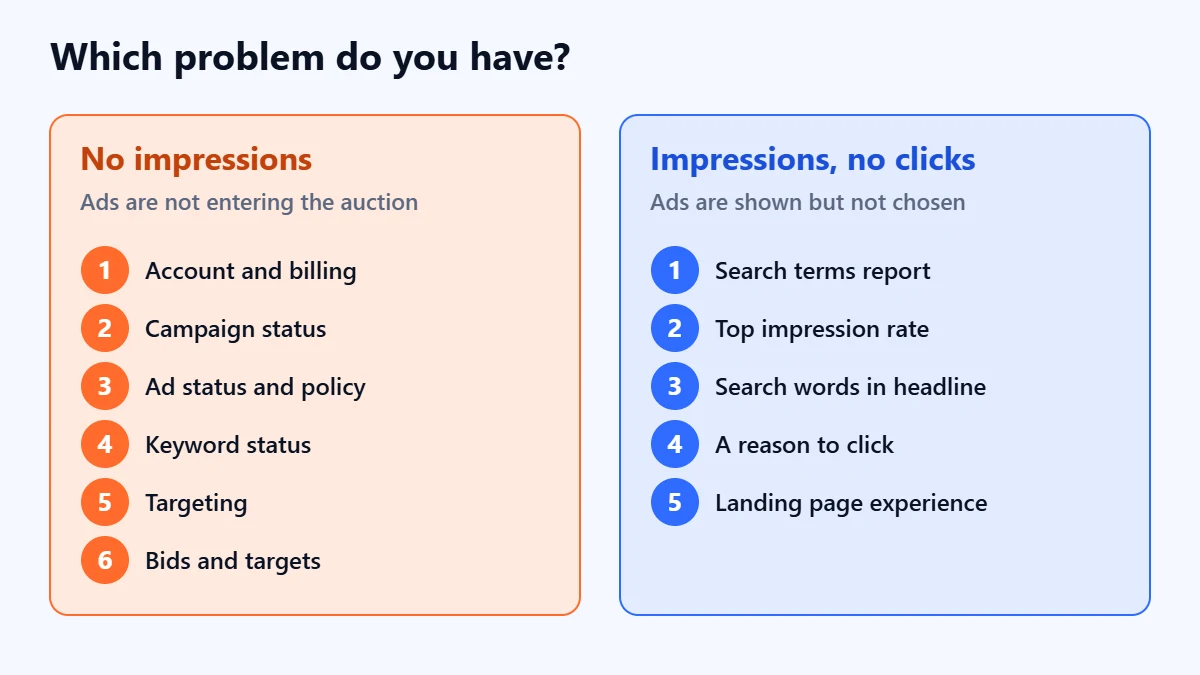
The short answer: If your Google Ads get no impressions, something is stopping them from entering the auction. If they get impressions but no clicks, they are being shown without persuading anyone. Check in this order: account and billing, campaign status, ad status, keyword status, targeting, then bids and competition. Most causes appear as a status in the account, with a reason you can hover over, so start by reading what Google Ads says before changing bids or budgets. Searching for your own ad on Google is not a reliable test.
This guide is for business owners and marketers running Google Search campaigns who have opened the account to find zero impressions, or plenty of impressions and almost no clicks. Status names follow Google Ads Help as checked in November 2026, and Google renames things often. Apzom Digital manages Google Ads, so read this knowing we have an interest. Every check below can be done in your own account.
What to take from this guide
- No impressions and no clicks are different problems. One is about eligibility, the other about relevance and appeal.
- The account usually tells you why. Campaign, ad and keyword statuses each have a reason attached.
- Raising the bid does not fix every status. Google says low search volume, for example, has nothing to do with bids.
- Don’t test by searching for yourself. Results vary by person, place, device and history.
First, which problem do you have?
| What you see | What it usually means | Where to start |
|---|---|---|
| Zero impressions everywhere | Something at account or campaign level is stopping all ads | Account notifications, billing and campaign status |
| Zero impressions in one campaign or ad group | A status, policy or keyword problem in that part of the account | Ad and keyword statuses |
| Very few impressions | Narrow targeting, low search volume, low Ad Rank or a small budget | Keyword status, targeting and budget |
| Impressions but very few clicks | Ads are shown low on the page, to the wrong searches, or with weak copy | Search terms, position and ad copy |
The checks, in order
Work from the top. A problem higher up stops everything below it, so there is no point adjusting bids for an ad that is not allowed to run.
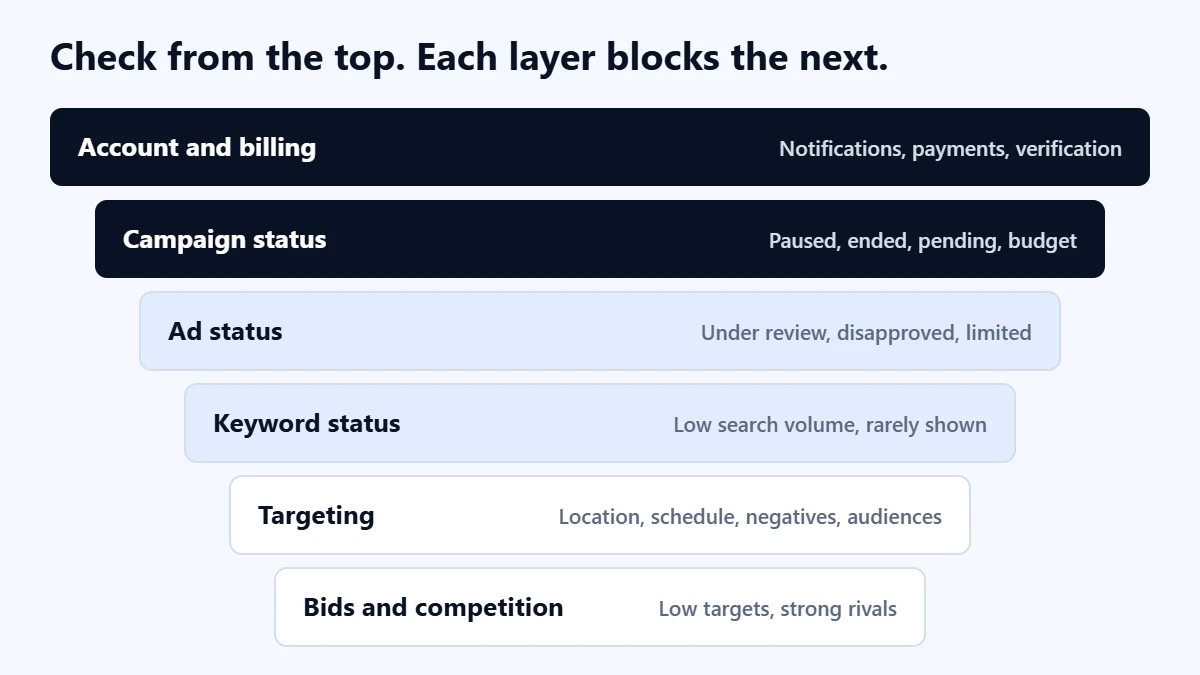
1. Account and billing
Look for a red or yellow notification bar at the top of the account. A failed payment, an unfinished verification or an account-level policy issue can stop every campaign at once. If everything stopped on the same day, start here.
2. Campaign status
Check the campaign status column. Campaigns that are paused, ended or still pending will not serve. “Limited by budget” means, in Google’s words, that your average daily budget is lower than the recommended amount. That limits how often ads show, but it rarely explains zero impressions on its own.
3. Ad status
Google Ads lists these ad statuses: Paused, Pending, Ended, Removed, Under review, Eligible, Eligible (limited), Not eligible and Disapproved. Google says most reviews are completed within one business day, though complex ones can take longer.
- Disapproved: the ad breaks a policy and will not show until it is fixed.
- Eligible (limited): Google says this applies when policies such as Alcohol, Gambling, Healthcare and Trademarks stop ads showing in certain locations, to certain ages or on certain devices.
- Not eligible: often because the campaign or ad group above it is paused, removed or incomplete.
To see the reason, hover over the status, or add the “Policy details” column to the ads table from the columns menu.
4. Keyword status
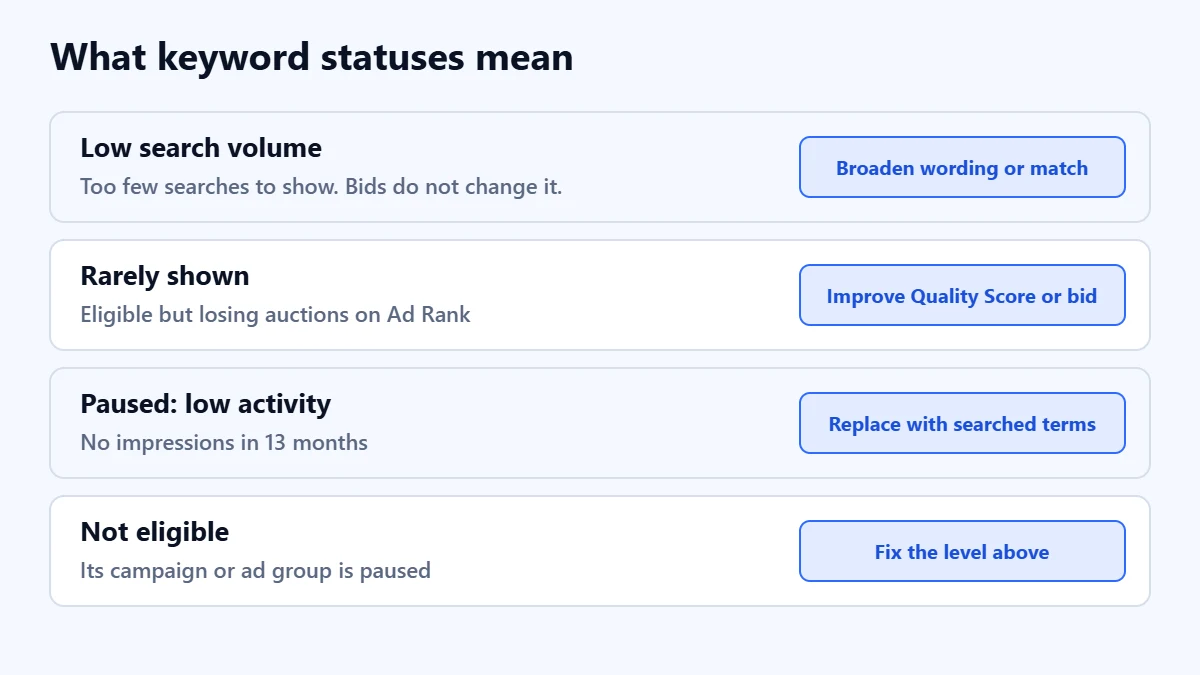
- Low search volume: Google says the keyword is inactive until searches increase, and that the status is unrelated to Quality Score, bid or ads, so editing those will not change it. The keyword may be too specific, unclear or easy to misspell. Use broader wording or a broader match type.
- Rarely shown: the keyword is eligible but loses most auctions. Google points to Ad Rank components: your bid and Quality Score, which covers ad relevance, landing page experience and expected click-through rate.
- Paused due to low activity: Google automatically pauses keywords with zero impressions in the past 13 months.
- Not eligible: for example, because the campaign or ad group is paused.
5. Targeting
If everything is eligible but impressions are tiny, the audience may be too small. In our judgement, these are the settings most worth checking:
- Location: a radius of a few kilometres in a small town may contain very few searches.
- Ad schedule: ads limited to office hours miss evening and weekend searches.
- Negative keywords: a broad negative added to block one bad search can block your main keywords too. Our guide to improving Google Ads lead quality explains how to add negatives safely.
- Audience restrictions: limiting Search to an audience list rather than observing it can shrink reach sharply.
- Language: make sure the campaign includes every language your customers use.
6. Bids, targets and competition
If you use a target CPA or target ROAS, a target set far below what the market costs can stop the campaign competing. Google’s own Performance Max guidance warns that a target CPA set too low can limit performance, and the same logic applies to Search. If competitors bid heavily on the same terms, your ads may rarely reach the top of the page. Our Google Ads audit checklist covers bidding and budget checks in more depth.
Still no impressions after these checks? Ask for a Free Growth Audit. We review your account settings, statuses, targeting and bidding, and tell you what is stopping your ads and what to fix first.
If you get impressions but no clicks
Now the ads are eligible and being shown, but people are not choosing them. Work through these:
- Read the search terms report. If your ads appear for searches you never intended, few of those people will click. The fix is better keywords and negatives, not better copy.
- Check where ads appear. Ads that rarely appear above the organic results tend to be seen by fewer people. Look at the top impression rate columns to see how often yours do.
- Match the ad to the search. The words people searched for should appear in the headline. A generic ad shown for many different searches rarely stands out.
- Give a reason to click. Say what you offer, where, and what makes you a sensible choice, using claims you can back up. Use the assets available to you, such as sitelinks and call assets.
- Look at the landing page too. Landing page experience is one of the ad quality factors Google considers, and Google’s Quality Score diagnostic shows how yours compares with other advertisers. Our landing page guide covers the essentials.
Why searching for your own ad does not work
Google says search results are specific to the time, place, device and recent history of the person searching. You may simply not be in the audience your campaign targets, or you may search at a time the ad schedule excludes. Not seeing your own ad does not mean it is not running, and seeing it does not mean everyone else does. Read the statuses and reports instead.
A 15-minute check
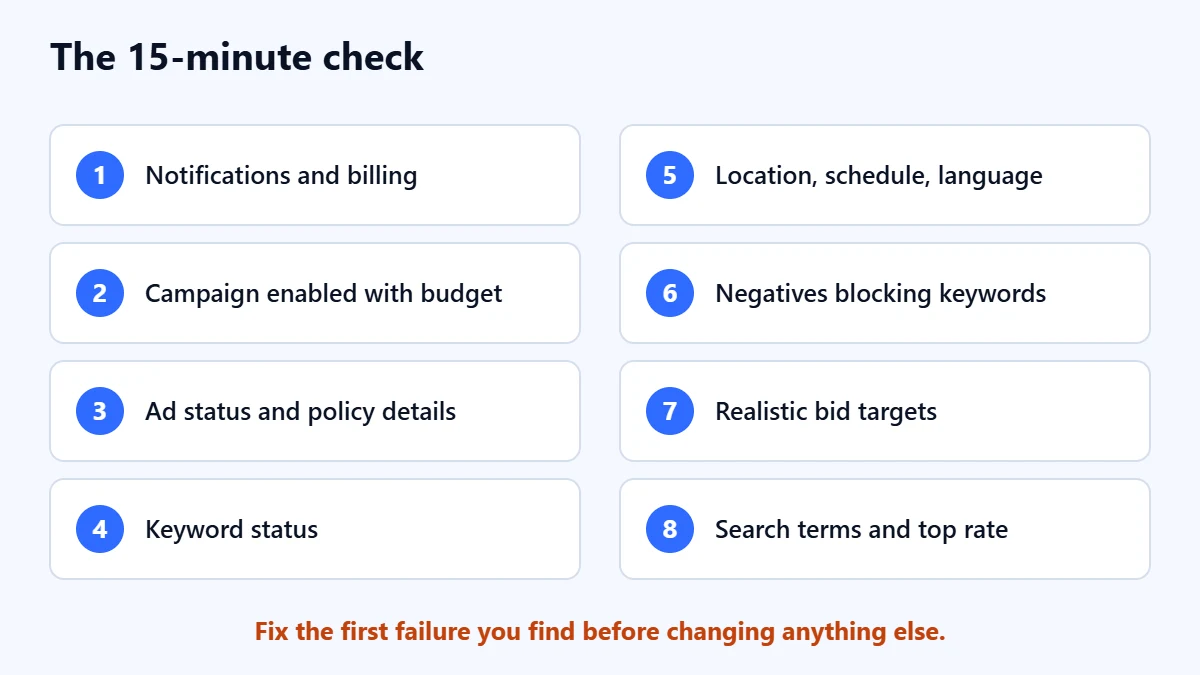
- Check the account notification bar and billing.
- Confirm each campaign is enabled, not ended, and has a budget.
- Read every ad status, and add the “Policy details” column.
- Read every keyword status, looking for low search volume and rarely shown.
- Check location, schedule, language and audience settings.
- Look for negative keywords that block your main keywords.
- Check that bid targets are realistic for your market.
- If you have impressions but no clicks, read the search terms report and your top impression rate.
Common mistakes
- Raising the budget first. If the ads are not eligible, more budget changes nothing.
- Raising bids for low search volume keywords. Google says bids do not affect that status.
- Making many changes in one day. You will not know which one fixed the problem, and automated bidding needs time to settle after changes.
- Creating new campaigns to start fresh. The same settings will cause the same result.
Frequently asked questions
How long does it take for a new Google ad to start showing?
An ad stays “Under review” until checked. Google says most reviews finish within one business day, but complex reviews can take longer. Once approved, an eligible ad can start showing straight away if its campaign and keywords are eligible too.
My ads were working and then stopped. What changed?
Start with the account notifications and billing, then look at the change history to see what was edited around that date. A failed payment, a new policy issue or a change someone made are the most common explanations.
Is a low click-through rate always bad?
Not if the clicks you do get turn into qualified leads. Judge Search campaigns by cost per qualified lead. A very low click-through rate is still worth investigating, because it often means the ads appear for the wrong searches.
Should I switch to Performance Max if Search is not getting impressions?
Fix the cause first. Performance Max uses the same account, policies and budget, so most of the problems above will affect it too. Our comparison of Performance Max and Search campaigns explains when each makes sense.
Get your Free Growth Audit and Quote. We check your Google Ads account from billing to search terms, then send a plain-English list of what to fix first. We will ask for read-only or standard access; you stay the owner.
No obligation and no guaranteed results. Prefer to talk first? Contact us or see our Google Ads management service.