The short answer: Buy off-the-shelf software when a product already fits most of how your business works, because it is usually cheaper and faster to start. Extend it (with settings, plug-ins, integrations or a small custom add-on) when a product fits the core but a few steps do not. Build custom software only when the work it supports is different enough, or important enough, that ready-made tools keep getting in the way, and when you can fund the upkeep for years, not just the first build. Compare the options on the total cost over three to five years, how well each one fits your process, who owns the code and data, and how easily you could leave.
This guide is for business owners and managers anywhere in the world who are choosing between a ready-made product, such as a SaaS CRM or a booking system, and software built for them. It gives you a three-way decision (buy, extend or build), a fit test you can run in a week, the total-cost questions both sides of the comparison must answer, and the ownership and exit terms to put in writing. It is written by an agency that builds custom software, so read it knowing we have an interest; every test works whichever way you decide.
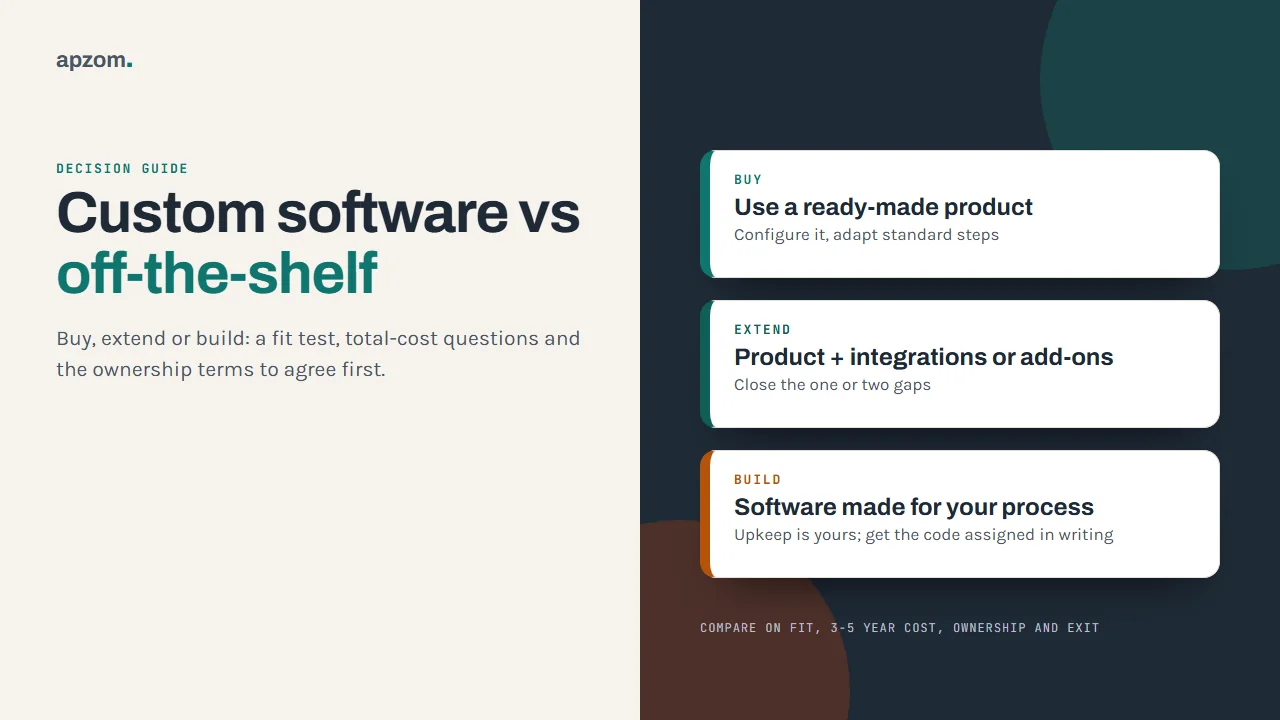
Buy, extend or build: the three real options
This choice is usually framed as “custom versus off-the-shelf”. In practice there is a middle option, and it is often the right one.
| Option | What it means | Usually right when | Main risk |
|---|---|---|---|
| Buy | Use a ready-made product as it is, configured with its own settings | It fits most of your process and the gaps are things you can change on your side | You adapt to the product, and its price and roadmap are set by the vendor |
| Extend | Keep a ready-made product and add integrations, plug-ins or a small custom tool around it | The core fits, but one or two steps, reports or connections do not | Custom pieces need their own upkeep when the product changes |
| Build | Software designed and written for your business | Your process is genuinely different, is part of how you compete, or no product handles it | Higher first cost, and you own the upkeep, security and roadmap |
“Off-the-shelf” also covers more than SaaS subscriptions. It includes software you install yourself, open-source products such as WordPress, and industry systems sold with an implementation partner. “Custom” ranges from a small internal tool to a full platform. The decision is the same: how much of the work does a ready-made product already do well?
Step 1: map the process before you look at products
Before you compare software, write down the work it must support. Keep it short:
- The jobs. The five to ten things people must be able to do, in the order they do them, such as “capture an enquiry, assign it, quote, follow up, mark won or lost”.
- The people and roles. Who does each step, and who must not see certain information.
- The data. What you record, where it comes from and where it must go next, such as your accounting system or your website forms.
- The rules. Approvals, pricing logic, deadlines or regulations that the software must enforce.
- The numbers. How many users, records or transactions you expect now and in three years.
Mark each step as standard (most businesses in your sector do it the same way) or different (the way you do it is part of why customers choose you). This one distinction drives most of the decision: standard steps rarely justify custom code, different steps sometimes do.
Step 2: run the fit test on two or three products
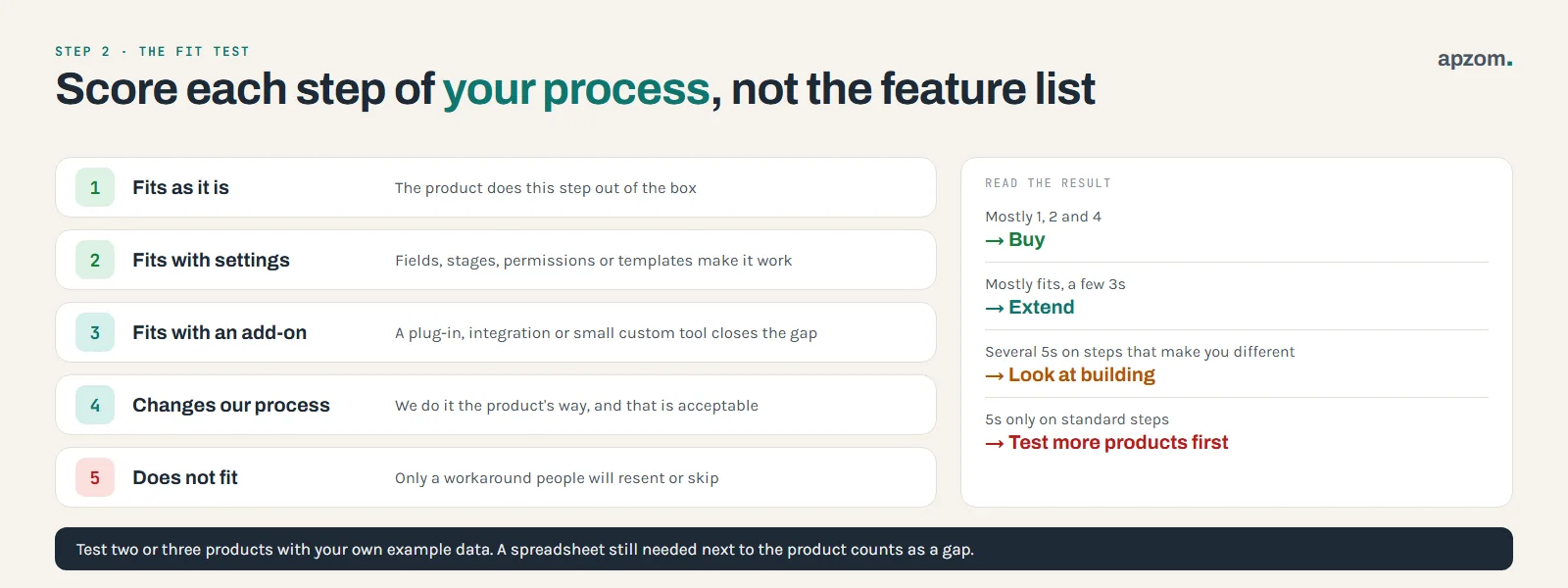
Shortlist two or three ready-made products that claim to do the job and test them against your process map, not against their feature list. Use a free trial or a guided demo with your own example data.
For each step on your map, score the product:
- Fits as it is. The product does this step out of the box.
- Fits with settings. You can configure fields, stages, permissions or templates to make it work.
- Fits with an add-on. A plug-in, an integration or a small custom tool closes the gap.
- Changes our process. You could do it the product’s way instead, and that would be acceptable.
- Does not fit. The step cannot be done without a workaround that people will resent or skip.
Then read the result:
- Mostly 1, 2 and 4: buy. Changing a standard step to match a good product is usually cheaper than building around it.
- Mostly fits, with a few 3s: extend. Price the add-ons and their upkeep honestly.
- Several 5s on the steps you marked “different”: building, or a custom tool alongside a product, deserves a proper look.
- 5s only on standard steps: look at more products before you consider building. Someone has probably solved it.
Watch for spreadsheets and copy-and-paste in the trial. If people would still need a spreadsheet next to the product to get their work done, record that as a gap.
Step 3: compare the total cost, not the first invoice
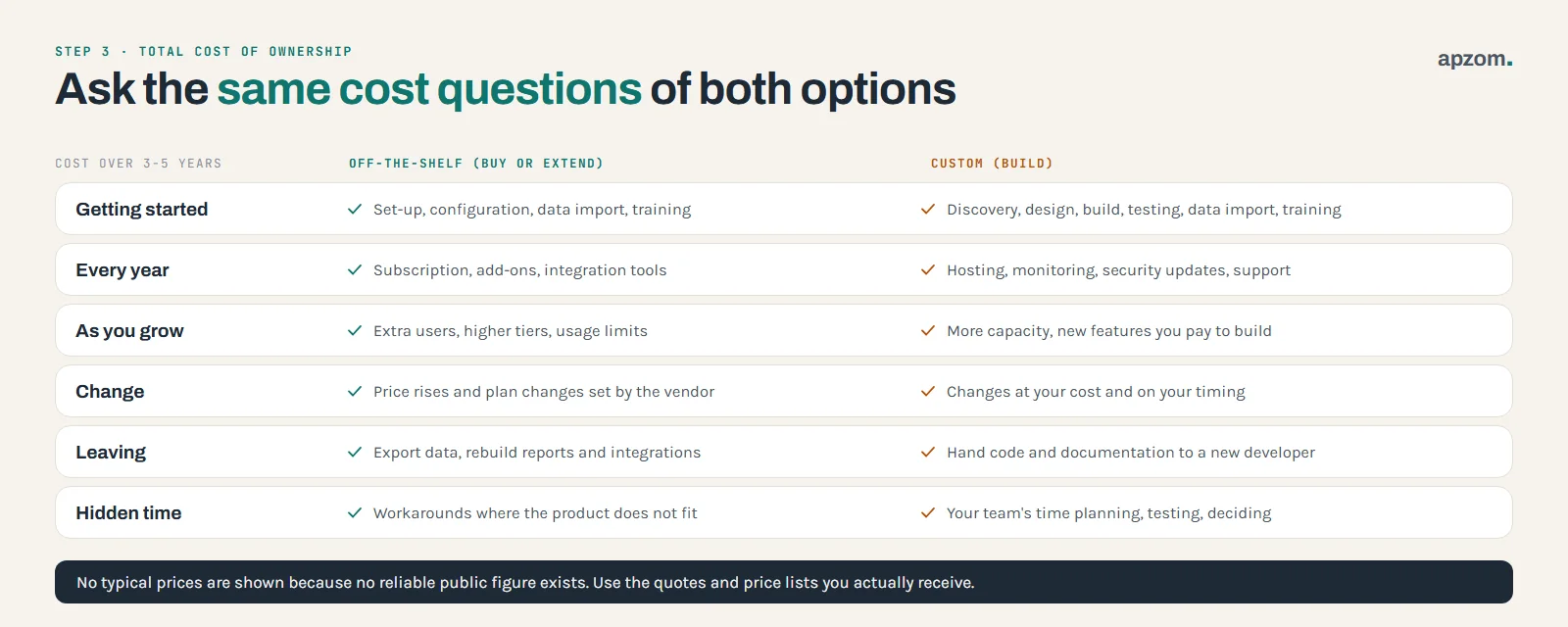
A subscription looks cheap and a build looks expensive, but the first invoice is the wrong comparison. Work out the cost of each option over three to five years, using the same questions for both. We do not quote typical prices, because there is no reliable public figure for either side; use the quotes and price lists you actually receive.
| Cost | Off-the-shelf (buy or extend) | Custom (build) |
|---|---|---|
| Getting started | Set-up, configuration, data import, training | Discovery, design, development, testing, data import, training |
| Every year | Subscription per user or per usage tier, add-ons, integration tools | Hosting, monitoring, security updates, support |
| As you grow | Price per extra user, higher plan tiers, usage limits | More capacity, new features you pay to build |
| Change | Price rises and plan changes set by the vendor | Changes and new features at your cost and timing |
| Leaving | Exporting data, rebuilding reports and integrations elsewhere | Handing over code and documentation to a new developer |
| Hidden time | Workarounds where the product does not fit | Your team’s time in planning, testing and decisions |
Three things are often missed:
- Upkeep is not optional for custom software. Programming languages, frameworks and libraries have support windows. PHP’s own support policy, for example, gives each release two years of full support and two more years of security fixes only, and PHP 8.2 stops receiving security fixes on 31 December 2026. Node.js says its long-term support releases typically get critical bug fixes for a total of 30 months. When a version you depend on stops getting security fixes, someone has to upgrade the code. Budget for that every year, even if you add no features.
- Seats add up. A per-user price that suits ten people can become the largest line in the budget at a hundred. Check the price at the team size you expect, not today’s.
- Workarounds cost time. If a product forces your team into double entry or side spreadsheets, that time is a real cost, even though no one invoices you for it.
Not sure whether to buy, extend or build? Ask for a Free Growth Audit and Quote. Send us your process and the products you are looking at, and we will tell you plainly where a ready-made product fits and where it does not.
Step 4: check ownership, data and the exit
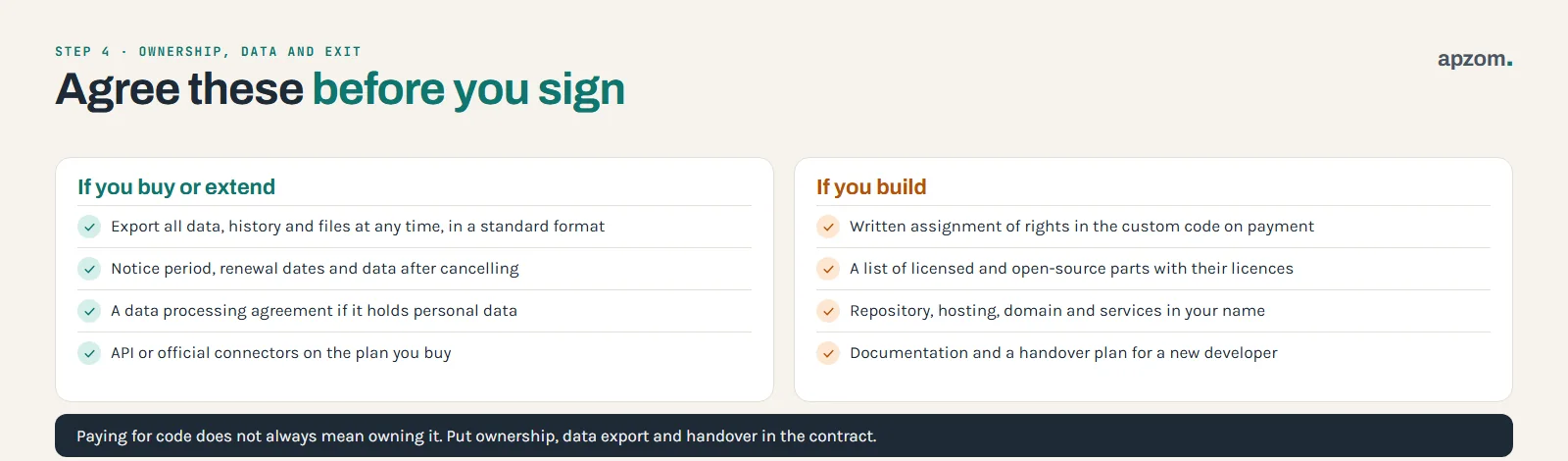
The questions that matter most often appear only when something goes wrong: the vendor raises prices, the developer stops answering, or you want to switch. Settle them before you sign.
If you buy or extend
- Your data out. Can you export all your data, including history, attachments and notes, in a standard format, at any time, without an extra fee? Test it during the trial.
- Switching terms. Read the notice period, renewal dates and what happens to your data after you cancel. In the EU, the Data Act has applied since 12 September 2025 to cloud and SaaS providers serving EU customers, wherever the provider is based. It caps the notice period to start switching at two months, sets a maximum 30-day switching period (up to seven months if the provider shows 30 days is technically unfeasible), gives you at least 30 days to retrieve your data, and bans switching charges from 12 January 2027 (until then they must be limited to cost). Some services built mainly for one customer are exempt from parts of these rules. The Data Act does not apply in the UK, and outside the EU your exit rights usually depend on the contract, so read it before you sign. GDPR’s data portability right is a right for individuals, not a way for a business to export its own data.
- Personal data. If the product stores customer or staff details, the vendor is usually processing personal data for you. Under the EU and UK GDPR (Article 28), that processing must be governed by a written contract covering instructions, security, sub-processors and the return or deletion of data at the end. India’s Digital Personal Data Protection Act 2023 (section 8) also says a business may use a processor only under a valid contract, and the business stays responsible for the processing. Ask for the vendor’s data processing agreement and read where your data is stored.
- Source code escrow. If a supplier keeps the code for a system you depend on, ask whether its source can be held by an independent escrow agent and released if the supplier stops trading or stops maintaining it.
- Integration access. Check the product has an API or official connectors on the plan you are buying, because some plans limit them.
If you build
- Who owns the code. Do not assume you own code just because you paid for it. In the US, UK, Canada, Australia and India, the default rules give employers ownership of code written by their own employees, but an outside developer or agency usually owns the copyright in code it writes unless it assigns it to you in a signed written document. In the US, software is not one of the nine categories of commissioned work that a “work made for hire” clause can cover, according to the US Copyright Office’s Circular 30, so the contract needs a written assignment as well. In India, the Copyright Act 1957 (section 19) presumes that an assignment which does not state its duration lasts five years and one which does not state its territory covers India only, so the clause should say “for the full term of copyright” and “worldwide”, and state the payment. Ask for a written assignment of the rights in the custom code on payment, and a list of any parts that are licensed to you instead, such as the developer’s own reusable components. This is general information, not legal advice; ask a lawyer in your country to check the IP and data clauses before you sign.
- Open-source parts. Expect a custom build to include open-source libraries. That is normal and useful, but each licence has conditions. The GNU General Public License (GPL), for instance, does not require you to publish your changes if you only run the software on your own server, but GPL-licensed code sent to visitors’ browsers, such as JavaScript, counts as distribution, and the AGPL variant requires you to offer the source to people who use the software over a network. WordPress is licensed under the GPL version 2 or later. WordPress.org considers plug-ins and themes derivative works that inherit the GPL, although where that boundary sits is debated, so agree how a custom plug-in will be licensed. Ask for a list of the main libraries and their licences.
- Accounts in your name. The code repository, hosting, domain, and any paid services should be in your business’s name, with the developer given access.
- Documentation and handover. Ask for set-up instructions, a description of how the system is organised, and a handover plan if you part ways, so that another developer can take over.
When custom software is the right answer
Building is worth a serious look when several of these are true:
- The process is part of how you compete. The way you quote, schedule, match or serve customers is genuinely different, and making it fit a generic tool would weaken it.
- Ready-made products fail the fit test on the steps you marked “different”, not just on standard ones.
- You are joining systems that do not talk to each other, and the joining work has become the real product: a portal or dashboard that pulls together data from several tools.
- The per-user or per-usage cost of a product grows faster than your business and a build would cost less over the period you plan for.
- You have rules a product cannot enforce, such as specific approval chains, data separation between clients, or where data must be stored.
- You can fund the upkeep and have someone in the business who owns the system and makes decisions about it.
When off-the-shelf is the better choice
Buy, or extend, when:
- The work is standard. Accounting, payroll, email, calendars and most help desks are solved problems. Custom code here rarely pays back.
- You need it working soon. A product can often be set up far sooner than a build, which needs time for discovery, design, development and testing.
- No one inside the business can own a custom system. Software without an owner drifts.
- You are still discovering the process. If you do not yet know how the work should run, start with a flexible product, learn, and decide later.
- Security and compliance features you need are hard to build well, and the product already has them, such as single sign-on, audit logs or certifications that your customers ask for. Ask the vendor for evidence rather than relying on a badge on its website.
Extending: the option to price before you build
Extending keeps the parts a product does well and adds only what is missing. Common patterns:
- Integrations. Connect the product to your website forms, accounting system or messaging tools through its API, so data moves without copying.
- Plug-ins or apps from the product’s own marketplace, where they exist and are maintained.
- A small custom tool alongside it, such as a quoting calculator, a client portal or a reporting dashboard that reads from the product.
- WordPress as the base for a website-led system. WordPress is open source and has a large plug-in ecosystem, so a custom plug-in can add the missing workflow without building a whole platform.
US government auditors (GAO) have warned that heavily customising packaged software can make vendor upgrades harder, so keep changes outside the core product where you can. Extensions need upkeep too. When the product changes its API or settings, the custom parts may need updating, so ask who maintains them and how changes are priced.
Security and quality questions for either route
Whichever you choose, the software will hold business data, so ask the same questions of a vendor or a developer:
- How are logins protected, and is multi-factor authentication available?
- Who can see which data, and can access be limited by role?
- How are backups taken, how often, and has a restore been tested?
- How are security updates applied, and how quickly?
- Is the work checked against a recognised list of risks? The OWASP Top 10 (2025 edition) is a widely used reference for web application risks, and the US National Institute of Standards and Technology’s Secure Software Development Framework (SP 800-218) describes good development practice.
- Can people with disabilities use it? The W3C’s WCAG 2.2 is the current accessibility guideline. If you sell certain services, including ecommerce, to consumers in the EU, the European Accessibility Act has applied since 28 June 2025, with an exemption for service providers with fewer than 10 employees and annual turnover or balance sheet of no more than EUR 2 million. In the US, the Department of Justice’s 2022 guidance says the ADA requires businesses open to the public to make their websites accessible, but there is no regulation setting detailed technical standards for them; businesses have flexibility in how they comply, and WCAG is a helpful reference.
Accounting and tax: ask before you budget
How you account for the cost of software can differ between buying a subscription and building your own system, and between accounting standards. Under IFRS, the IFRS Interpretations Committee’s 2019 and 2021 decisions treat a SaaS contract that gives only a right to access the supplier’s software as a service contract, and say configuration and customisation costs for it usually do not create an asset, so they are usually expensed, although the IASB is revisiting the topic. Under US GAAP, the rules for software built for internal use (ASC 350-40) were updated by FASB in September 2025, with the new rules effective for annual periods beginning after 15 December 2027, with early adoption permitted. Ask your accountant before you set the budget, because it can change how the project appears in your accounts.
A five-step way to decide
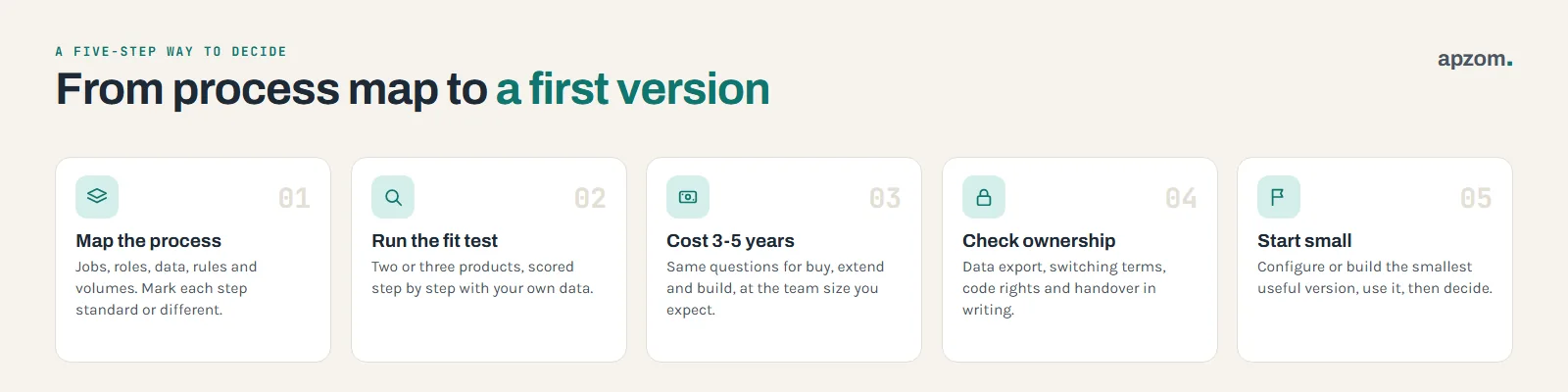
- Map the process and mark each step standard or different.
- Run the fit test on two or three products with your own data.
- Cost every option over three to five years, with the same questions on both sides.
- Check ownership and exit terms for each option in writing.
- Start small. Buy and configure, or build the smallest useful version, use it with real work for a few weeks, then decide what to add.
If you decide to build or extend, our guide to writing a website brief shows how to turn your process map into a brief a developer can quote against, and our guide to what an app costs explains what drives software quotes. If your choice is about the website itself rather than business software, read WordPress vs website builders.
How Apzom can help
Apzom Digital’s software development service builds web-based business software: custom business systems, CRM and lead management, admin panels and dashboards, customer and employee portals, and workflow automation and integrations. We are a digital marketing agency first, so we can also connect that software to your website, performance marketing and reporting. If an existing product fits your process well, we will tell you, because buying it is usually cheaper and faster. We have not published a dedicated software case study yet.
We work with clients worldwide, remotely, from our base in Ahmedabad, India.
Frequently asked questions
Is custom software more expensive than off-the-shelf?
Usually at the start, not always over time. A subscription spreads the cost; a build front-loads it and then needs yearly upkeep. Compare both over three to five years at the team size you expect.
How long does it take to build custom software?
It depends on the number of users and roles, the features, the integrations and the data. A small internal tool can take weeks; a larger system takes months. Ask for a timeline with milestones after the scope is agreed, not before.
Can I start with off-the-shelf and move to custom later?
Yes, and it is often a sensible path. Choose a product that lets you export all your data and has an API, so the move is possible when you are ready.
Do I own custom software if I pay for it?
Not automatically. In several countries the developer owns the copyright in code it writes unless the contract assigns it to you in writing. Put the assignment in the contract.
What is a hybrid approach?
Keeping a ready-made product for the standard work and adding custom integrations or a small custom tool for the part that is different. It is the “extend” option in this guide.
What happens if my developer disappears?
If the code, accounts and documentation are in your name, another developer can take over. If they are not, you may have to rebuild. That is why ownership and handover belong in the contract.
Get your Free Growth Audit and Quote. Share your process map, the products you have tried or the quotes you have. We review fit, the costs both options will carry and the ownership terms, and if building makes sense we quote against the same brief.
No obligation, and if a ready-made product fits we will say so. Prefer to talk first? Contact us or see our software development service.