The short answer: The way to get more Google reviews is simple: ask every customer, at the moment they are happiest, with a direct link that takes one tap to open. Make it a routine, not a campaign. What you must not do is just as important. Google bans paying or rewarding people for reviews and bans asking only happy customers, and fake reviews are now illegal in several countries. This guide shows how to build a review routine that works, how to reply to reviews, and how to stay on the right side of Google’s rules and the law.
This guide is for owners and managers of local businesses anywhere in the world: shops, clinics, trades, restaurants, salons, professional firms and service companies. It covers why reviews matter, how to get your review link, when and how to ask, scripts you can adapt, how to reply to good and bad reviews, what to do about fake or unfair reviews, the rules by country, and what to measure.
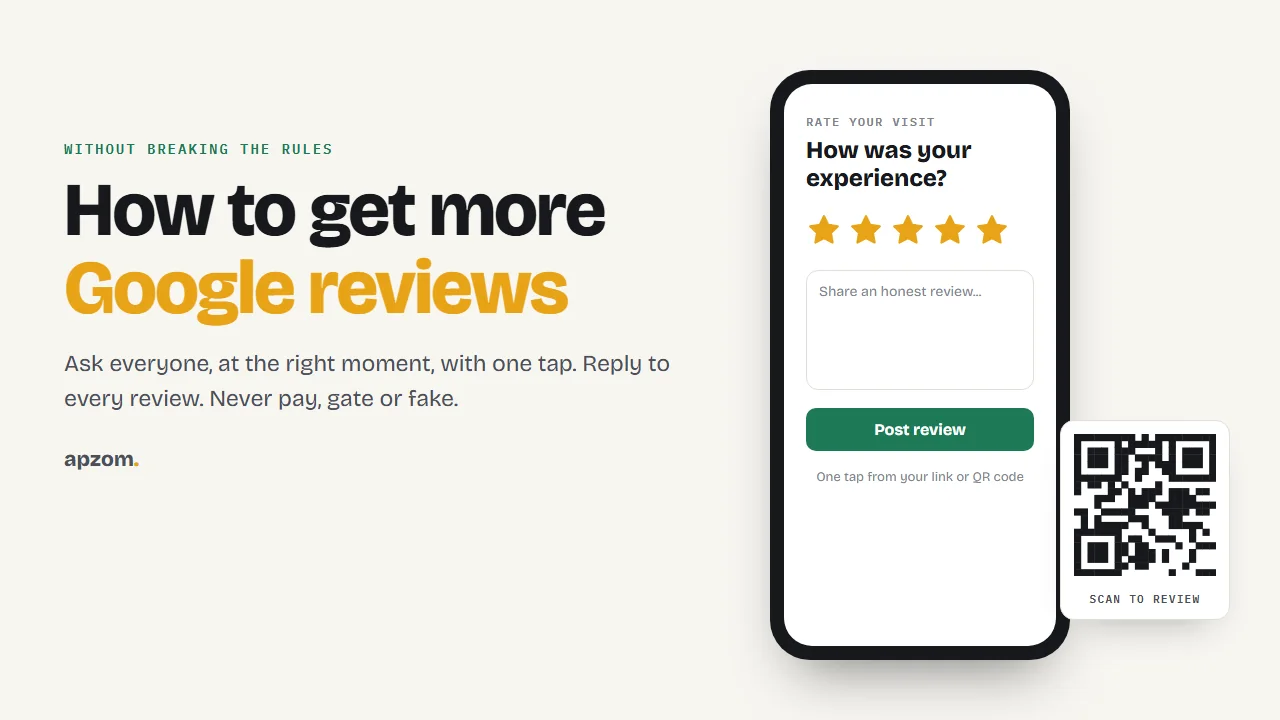
Why Google reviews matter
Most people check reviews before choosing a local business. In BrightLocal’s 2026 Local Consumer Review Survey of 1,002 US adults (a survey by a marketing software company), 97% said they read reviews for local businesses, 74% said they only care about reviews from the last three months, and 37% said they look for an owner’s response. Google itself notes that a mix of positive and negative feedback often feels more trustworthy.
Reviews do three jobs at once. They help people choose you, they give you honest feedback, and they are one of the signals Google uses for local search.
Step 1: get your review link
Google gives every Business Profile a review link and a QR code. Go to your Business Profile, select Read reviews, then Get more reviews. From there you can copy the link, share it by email or WhatsApp, or save the QR code as an image. Google says review QR codes can currently only be generated on a computer browser, not on mobile devices. Google suggests placing them on receipts, in thank-you emails, at the end of a chat, or on a printed display in store.
Save the link somewhere your whole team can find it, and turn it into a QR code for printed materials if that suits your business.
Step 2: ask every customer, the same way
The first framework is the ask-everyone routine. Four rules make it work.
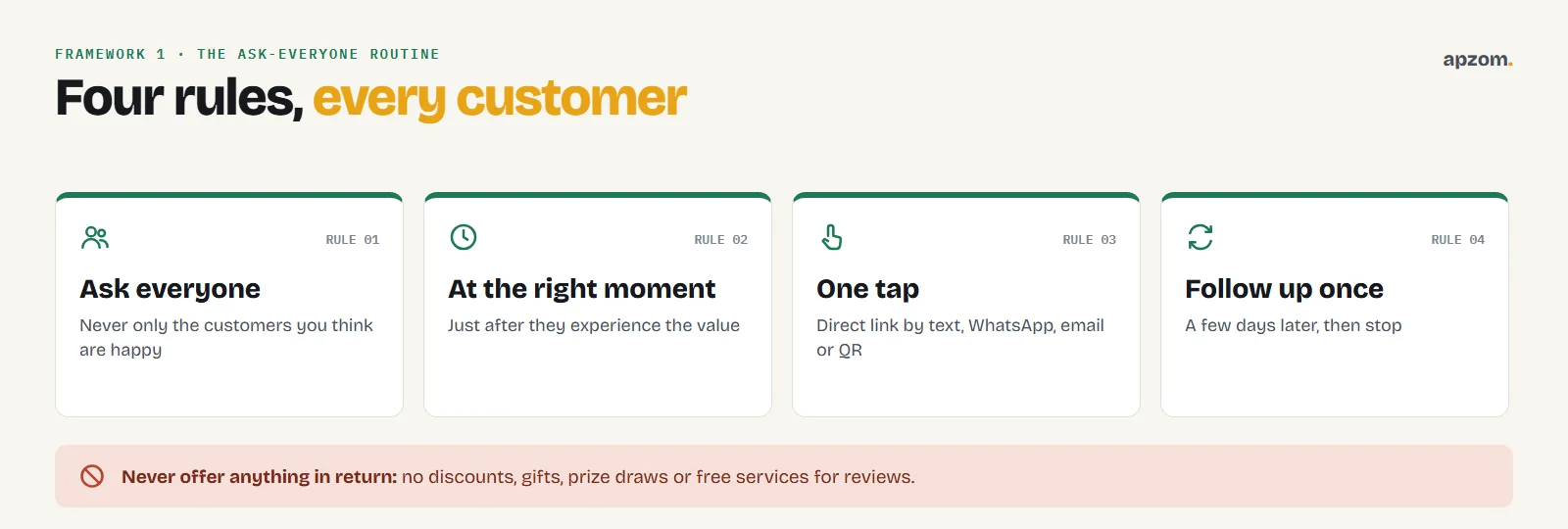
- Ask everyone. Google bans selectively asking only customers you think are happy. Ask every customer, in the same way.
- Ask at the right moment, when the customer has just experienced the value: a finished job, a great meal, a successful appointment.
- Make it one tap. Send the direct link by text, WhatsApp or email, or show a QR code. Every extra step loses people.
- Follow up once, a few days later, if they have not left a review. Then stop.
Never offer anything in return for a review: no discounts, gifts, prize draws or free services. Do not pressure people to review while they are still with you, do not tell them what to write, and do not set your staff a quota of reviews to collect. Google’s policies ban all of these.
The best moment to ask, by business type
The second framework: match the ask to the moment of value.
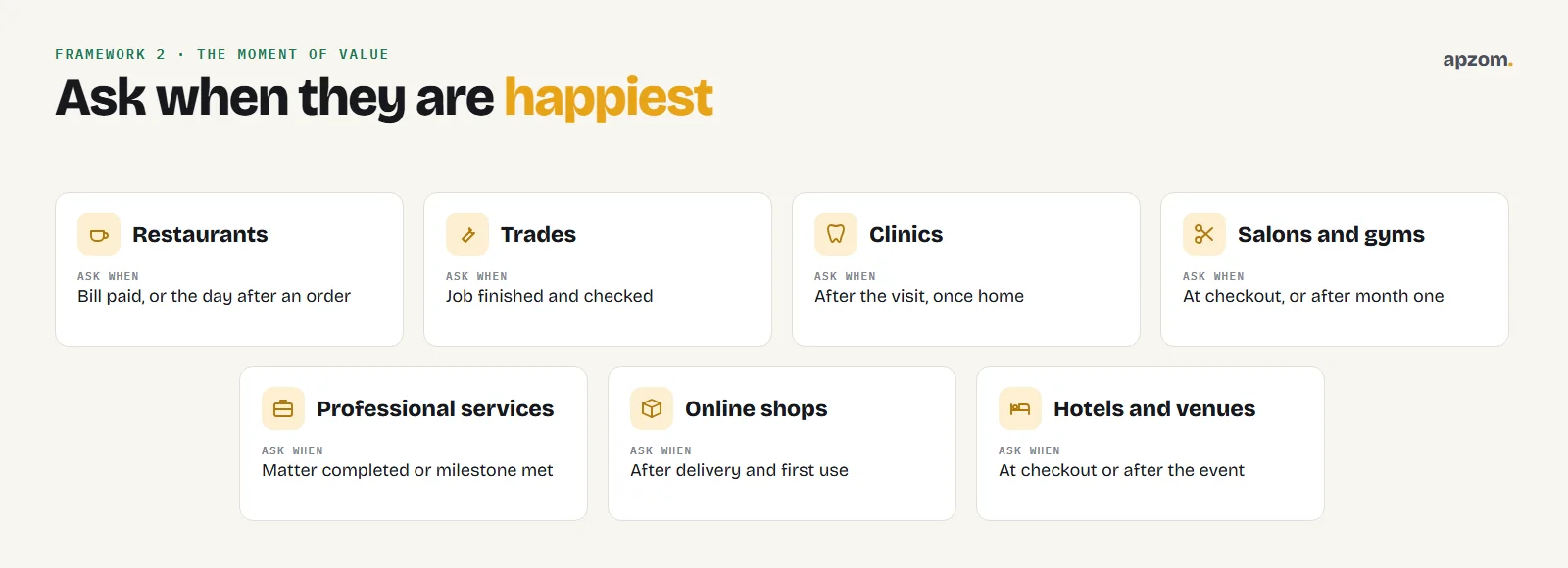
| Business type | The moment to ask | How to ask |
|---|---|---|
| Restaurants and cafes | As the bill is paid, or the day after an order | QR code on the bill or receipt, or a follow-up message |
| Trades and home services | When the job is finished and checked | The technician asks in person and sends the link by text |
| Clinics and dental practices | After the appointment, once the patient is home | A short message with the link, following privacy rules |
| Salons, spas and gyms | At checkout, or after the first month | Mention it at the desk without pressure, then send the link |
| Professional services | When a matter is completed or a milestone is reached | A personal email from the person who did the work |
| Shops and ecommerce | After delivery, once the product has been used | Post-purchase email with the link |
| Hotels and venues | At checkout or after the event | A thank-you email with the link |
Scripts you can adapt
Keep it short, personal and honest. For example:
In person: “Thanks for choosing us today. If you have a minute, we’d really appreciate an honest Google review. It helps other people find us. I’ll text you the link.”
By message: “Hi [name], thanks for visiting [business] today. Would you share an honest review on Google? It takes a minute: [link]. Thank you.”
Follow-up (once): “Hi [name], just a gentle reminder in case you’d like to leave a review: [link]. Either way, thanks again for choosing us.”
Notice what these do not say. They do not ask for five stars, they do not offer anything in return, and they ask for an honest review.
Want a review routine your whole team can follow? A Review Health Check looks at your Google reviews, replies, review requests and the rules in your country, and sets out a simple routine.
Step 3: reply to every review
Replies show future customers how you treat people. The third framework is a four-part reply for any review.
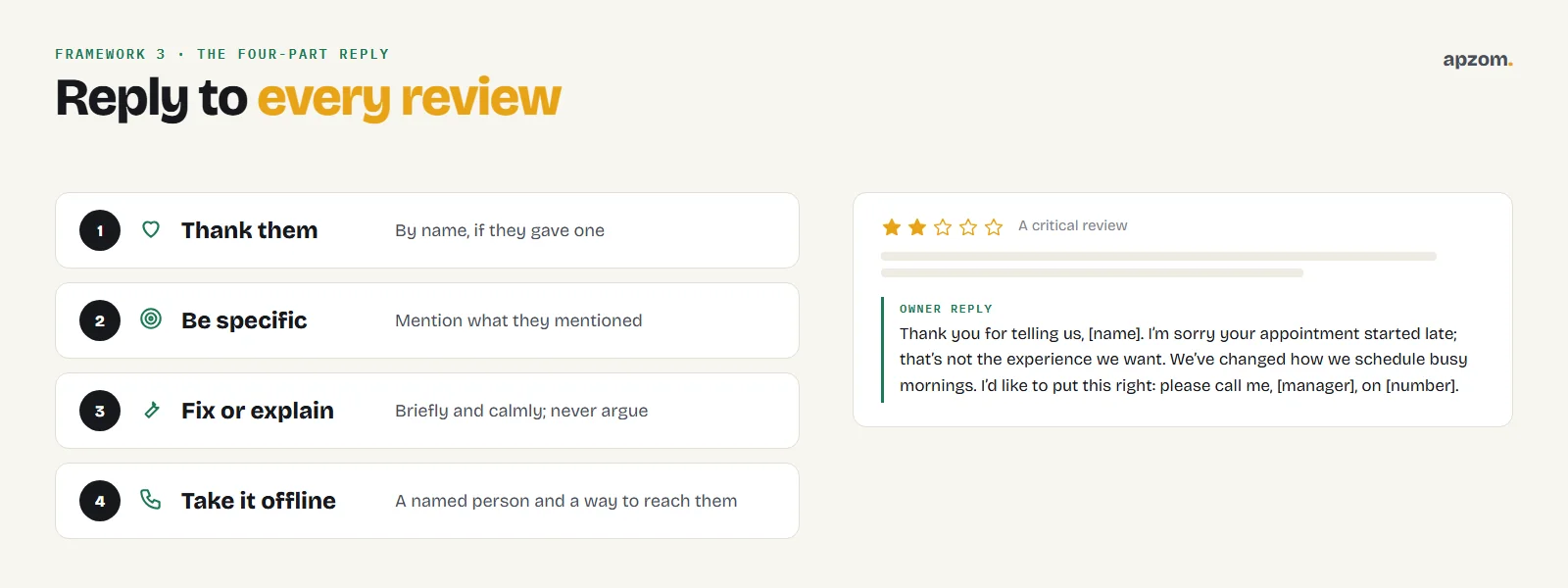
- Thank them, by name if they gave one.
- Be specific: mention what they mentioned, so it does not look like a template.
- Fix or explain, briefly and calmly, if something went wrong. Do not argue in public.
- Take it offline if needed, with a way to contact a named person.
Google’s own reply tips are to be conversational, not promotional, to respond in a timely manner, to protect privacy and avoid personal attacks, and to apologise when appropriate. Google says replies are usually checked within about 10 minutes, though some can take up to 30 days to appear. Never include a customer’s private details, such as their treatment, account or address, in a reply.
For a negative review, wait until you are calm, keep it short, apologise for the experience without admitting fault you do not have, and offer to put it right. Many readers judge a business more by how it handles a bad review than by the review itself.
Fake, unfair or spam reviews
You cannot remove a review because it is negative. You can report a review that breaks Google’s policies, such as spam, fake reviews, conflicts of interest or offensive content. Google says reports typically take several days to process, and if a report is rejected you get a one-time appeal covering up to 10 reviews. Google also warns: do not report a review just because you disagree with it.
Google takes fake reviews seriously. Its help pages say that if a profile is found to have fake reviews, it may not be able to receive new reviews or ratings for a set period, existing reviews can be unpublished, and a warning can appear on the profile.
Do not respond to fake reviews by posting fake positive ones. That can break platform rules and, in several countries, the law.
The rules: what you must not do
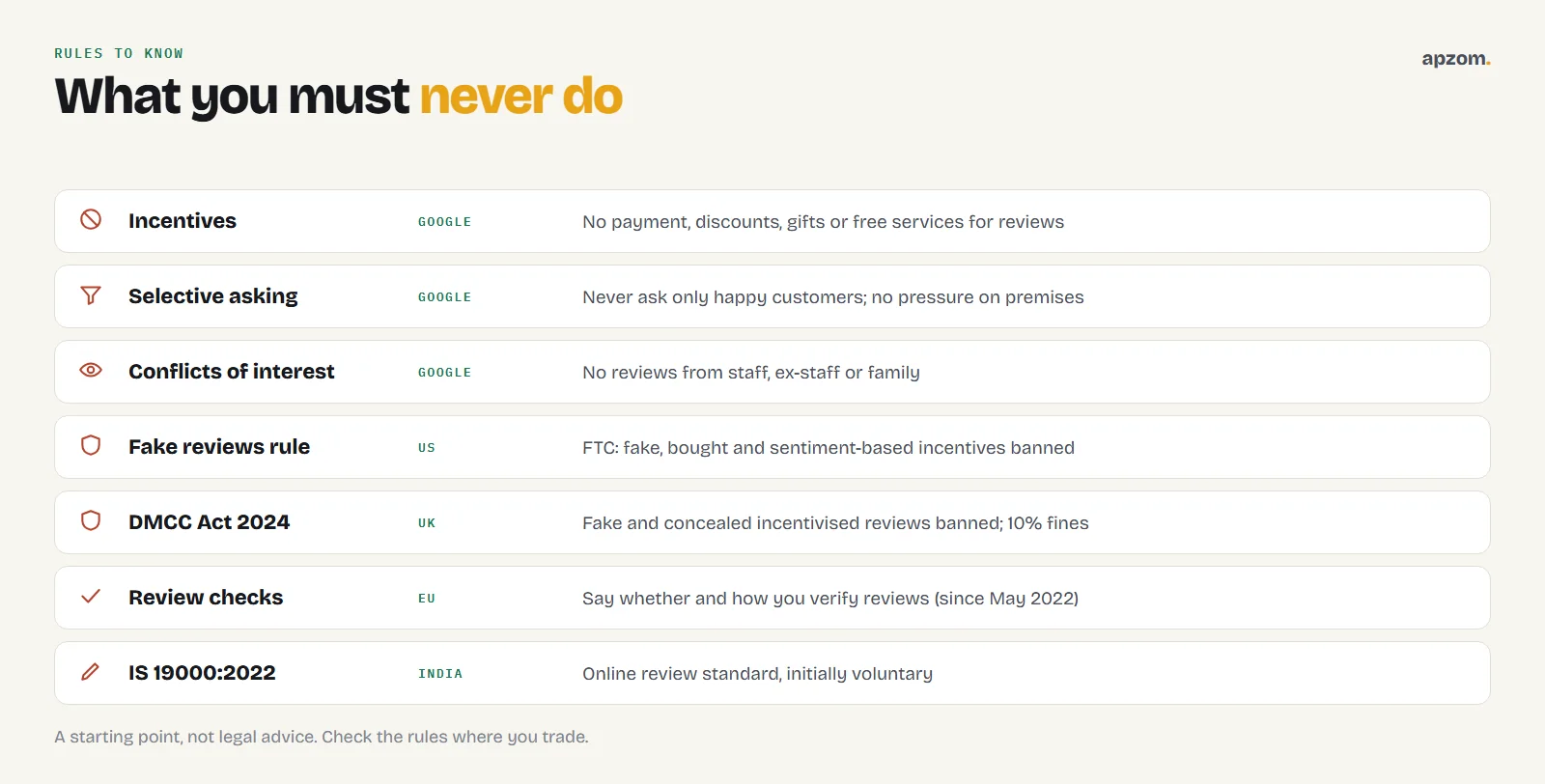
Review rules have tightened in many countries. This is a starting point, not legal advice.
| Area | What to know |
|---|---|
| Google (all countries) | Google bans offering incentives such as payment, discounts, free goods or services for any review, or for changing or removing a negative one. It bans discouraging negative reviews or selectively asking for positive ones, requiring or pressuring people to review while on the premises, asking for specific content, staff review quotas, and reviews from anyone with a conflict of interest such as employees, former employees or family. |
| United States | The Federal Trade Commission’s rule on consumer reviews and testimonials, in force since 21 October 2024, bans fake reviews (including AI-generated ones), buying reviews and incentives that depend on a review saying something positive or negative. The FTC says asking only happy customers is not specifically banned by the rule but could violate the FTC Act. |
| United Kingdom | Since 6 April 2025, the Digital Markets, Competition and Consumers Act 2024 bans fake reviews and concealed incentivised reviews, with fines of up to 10% of global turnover. CMA guidance names cherry-picking reviews by encouraging only satisfied customers as a problem. In January 2025 Google gave the CMA undertakings to show warning alerts on businesses caught boosting their ratings and to stop them receiving new reviews. |
| European Union | Since 28 May 2022, businesses that publish reviews must say whether and how they check that reviews come from real customers, under the EU’s updated Unfair Commercial Practices Directive. |
| Australia | The Australian Competition and Consumer Commission says reviews should reflect the genuine opinion of the person who used the product or service. Undisclosed reviews by family, employees or paid people can mislead, as can suppressing or removing genuine negative reviews. Any incentive must apply whether the review is positive or negative and be clearly disclosed. |
| India | The Bureau of Indian Standards published IS 19000:2022 for online consumer reviews in November 2022; the government said it would initially be voluntary. |
Other review sites
Google is not the only place reviews matter, and each platform has its own rules.
| Platform | Can you ask for reviews? |
|---|---|
| Yelp | No. Yelp tells businesses: don’t ask anyone to review your business. Let Yelp reviews come naturally. |
| Tripadvisor | Yes. Tripadvisor allows businesses to ask for reviews, but treats selectively asking only happy guests as review fraud. |
| Trustpilot | Yes, if you invite everyone in the same way. Trustpilot does not allow incentivised reviews. |
| Industry sites | Check each site’s own rules before asking, especially in healthcare, legal and financial services. |
Stars in search results and on your own site
Many businesses hope review stars will appear next to their own website in Google search. Google’s rules say that if a business controls the reviews about itself, its pages using LocalBusiness or Organization markup are not eligible for star review results, even when the reviews come from a Google reviews widget. Google introduced this rule in September 2019. Do not add self-serving review markup hoping for stars.
Showing real Google reviews on your own website can still help visitors trust you, as long as they are genuine and up to date. Our own reviews page shows our Google reviews as they appear on Google.
What to measure
The fourth framework is a simple review scorecard. Check it monthly:
- Review velocity: how many new reviews you get each month. A steady flow beats an old pile.
- Average rating trend over the last three to six months.
- Response rate: the share of reviews you have replied to. Aim for all of them.
- Response time: how quickly you reply.
- Themes: what customers praise and complain about most. Fix the complaints and use the praise in your marketing.
How Apzom can help
Apzom Digital helps local businesses build an honest reputation that brings in customers. Our online reputation management service sets up a review routine that follows Google’s rules, writes reply templates your team can personalise, and tracks review velocity and themes. It works alongside local SEO and Google Business Profile optimization. We work with clients worldwide, remotely, from our base in Ahmedabad, India. We will never buy, write or gate reviews for you.
Request a Review Health Check. We look at your review volume and rating trend, how and when you ask, your reply rate and tone, any risky practices such as incentives or selective asking, and the platforms that matter in your industry. You get a simple routine, scripts and reply templates your team can use.
No fake reviews, no gating, no guarantees. Prefer to talk first? Contact us or see all our services.
Frequently asked questions
How do I get more Google reviews for my business?
Ask every customer at the moment they are happiest, with a direct one-tap link, and follow up once. Make it a routine for your whole team. Reply to every review so customers see you care.
Can I offer a discount or gift for a Google review?
No. Google bans offering payment, discounts, free goods or services in exchange for reviews. In several countries, rewarding reviews can also break consumer protection law.
Can I only ask happy customers for reviews?
No. Google bans selectively asking for positive reviews. Ask all your customers in the same way, and handle any problems through good service and replies.
How do I get my Google review link?
In your Google Business Profile, select Read reviews, then Get more reviews. Copy the link to share by text, WhatsApp or email, or save the QR code, which Google says can currently only be generated on a computer browser.
Can I remove a bad Google review?
You cannot remove a review just because it is negative. You can report reviews that break Google’s policies, such as spam, fake reviews or offensive content, and reply calmly to the rest.
Should I reply to every Google review?
Yes. Thank people for positive reviews, and reply calmly and helpfully to negative ones. Your replies show future customers how you treat people.
Can my employees or family leave Google reviews?
No. Google’s policies ban reviews based on a conflict of interest, including current or former employees and family. Such reviews can be removed, and fake or manipulated reviews can lead to restrictions on your profile.
How many Google reviews does a business need?
There is no magic number. A steady flow of recent, genuine reviews and thoughtful replies matters more than a large total from years ago.