The short answer: Optimization score is Google Ads’ estimate, from 0 to 100%, of how well your account is set up to perform. It goes up when you apply or dismiss Google’s recommendations, and Google says you can reach 100% by applying or dismissing all of them. It is not used in Quality Score, and Google’s own pages say the recommendations rely on historical estimates rather than predicting results. So treat it as a to-do list, not a grade. Review each recommendation against your goals, apply the ones that fit and dismiss the rest. Be careful with auto-applied recommendations.
This guide is for business owners and marketers who see a low optimization score in Google Ads, or who are getting calls and emails urging them to raise it. It follows Google Ads Help as checked in November 2026. Apzom Digital manages Google Ads, so read this knowing we have an interest.

What to take from this guide
- It is an estimate of set-up, not of results. A 100% score does not mean the account is profitable.
- Dismissing counts. You can raise the score without applying anything you disagree with.
- Judge each recommendation on your goals. Google says to dismiss those that do not fit.
- Check auto-apply settings. Know what Google is allowed to change for you.
What optimization score is
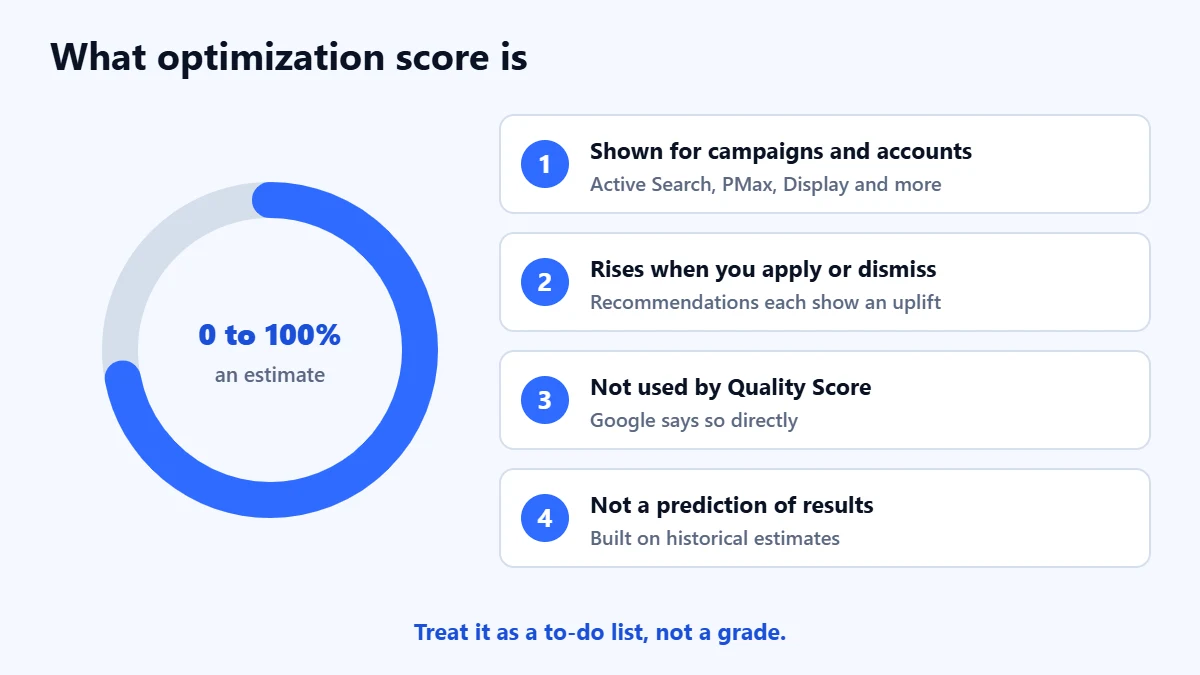
Google says the score is calculated in real time from your account and campaign statistics, settings and status, the likely impact of available recommendations, and your recent recommendation history. It is shown at campaign, account and manager account level, for active Search, Display, Video action, App, Performance Max, Demand Gen and Shopping campaigns.
Each recommendation shows a score uplift: how much applying it would raise your score. Google says uplifts can add up to more than 100%, because applying some recommendations makes others unnecessary. It also says the score is not used by Quality Score. Our guide to Quality Score explains that separate metric.
What recommendations look like
Google says recommendations are built from your performance history, campaign settings and trends across Google. Common types include:
- Ads and assets, such as improving responsive search ads.
- Bidding, such as switching to Target CPA or Maximise conversions, or adjusting targets.
- Keywords and targeting, such as adding broad match keywords, adding new keywords, expanding to search partners, or removing redundant keywords.
- Measurement, such as upgrading conversion tracking.
- Budget, where a campaign is limited by its budget.
Google says the recommendations are focused on your campaign’s objective, which it takes from your bid strategy. If your bid strategy is counting the wrong conversions, the recommendations will chase the wrong thing. Our guide to tracking phone calls from Google Ads covers one common gap.
Want a second opinion on Google’s recommendations? Ask for a Free Growth Audit. We review your account, bidding and tracking, and tell you which changes we would make first.
How to review a recommendation
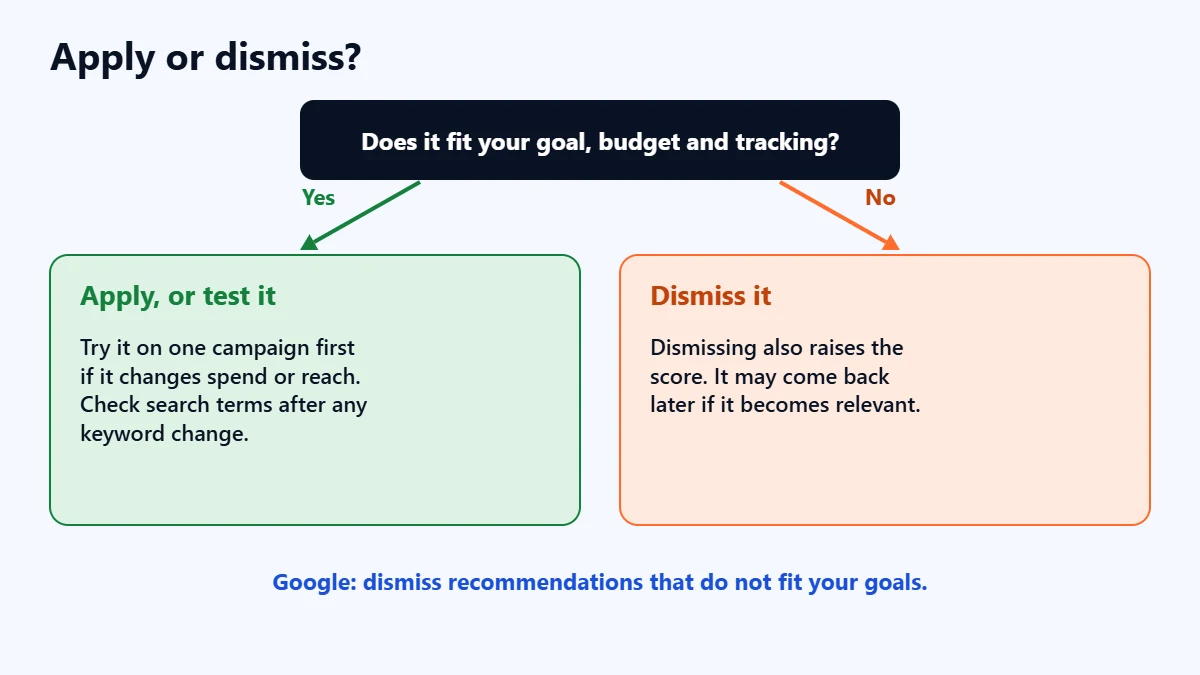
For each recommendation, ask three questions:
- Does it support what you want from the account, such as more qualified leads at a cost you can afford?
- Is your conversion tracking accurate? Bidding recommendations depend on it.
- Can you afford the change? Some recommendations increase spend, either directly or by widening reach.
If the answers are yes, apply it, or test it on one campaign first. If not, dismiss it. Google says a dismissed recommendation can come back later if it becomes relevant again.
In our judgement, three types deserve extra care for small business accounts. Adding broad match keywords can bring in loosely related searches, so check the search terms afterwards. Expanding to search partners shows ads beyond Google Search, which can change lead quality. Raising budgets is sometimes right, but only once cost per lead is where you want it. Our guide to improving Google Ads lead quality covers what to watch.
Auto-applied recommendations
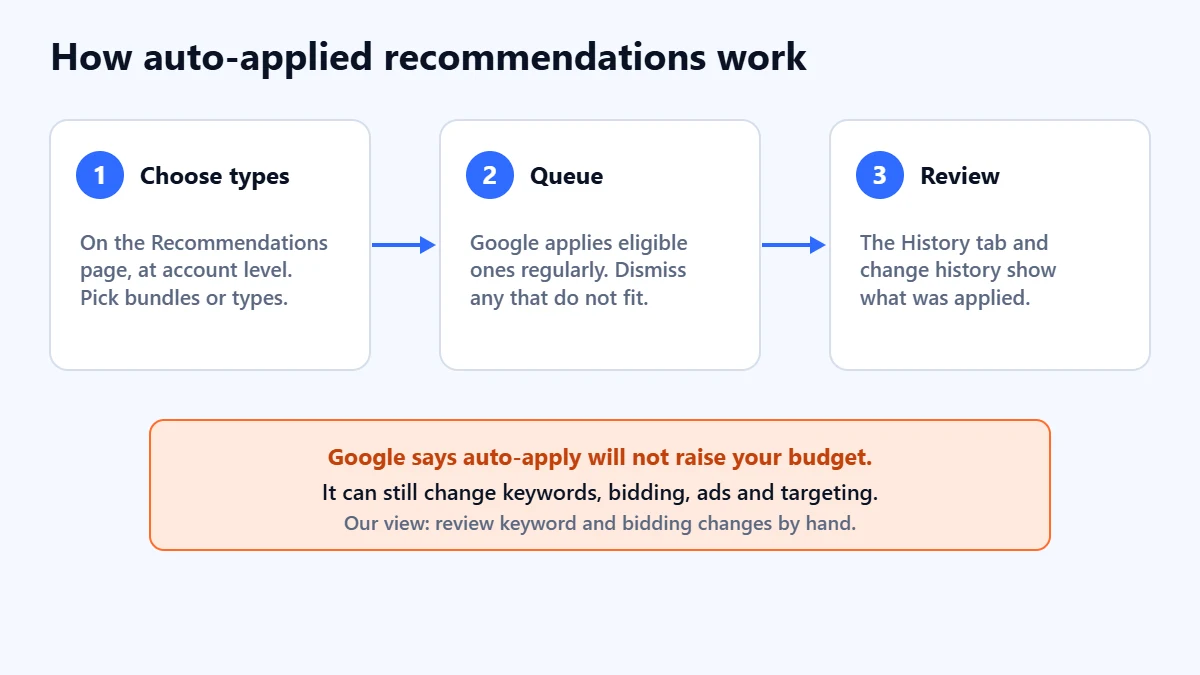
Google lets you choose recommendation types to apply automatically. You turn this on from the Recommendations page, and it works at account level. Google applies eligible recommendations regularly and shows them in a queue, where you can dismiss any that do not match your goals. The History tab and change history show what was applied.
Google says auto-apply does not increase your budget. It can still change keywords, bidding, ads and targeting. In our judgement, most small business accounts should leave auto-apply off for keywords and bidding, and review those recommendations by hand.
A checklist
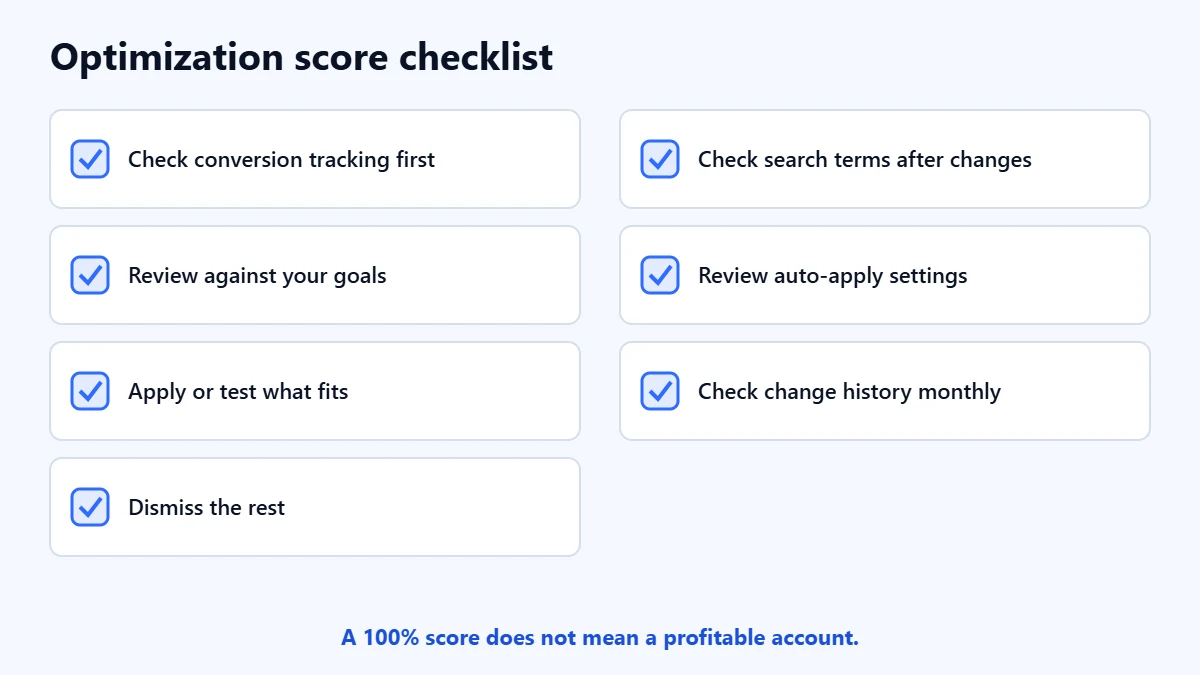
- Check that conversion tracking counts the right actions.
- Review each recommendation against your goals.
- Apply or test the ones that fit.
- Dismiss the ones that do not.
- Check the search terms after any keyword change.
- Review which types are set to auto-apply.
- Check change history each month.
For a wider review, see our Google Ads audit checklist.
Frequently asked questions
Does a higher optimization score improve my results?
Not by itself. Google describes it as an estimate, and says the recommendations use historical data rather than predicting whether your ads will do well. Results depend on which changes you make.
Can I reach 100% without applying everything?
Yes. Google says you can reach 100% by applying or dismissing all recommendations.
Does optimization score affect Quality Score or the auction?
Google says it is not used by Quality Score. Its pages do not describe it as part of the auction.
Should I turn off auto-applied recommendations?
That depends on how closely you manage the account. In our judgement, review keyword and bidding changes by hand, and only auto-apply types you are comfortable with.
Get your Free Growth Audit and Quote. We review your Google Ads account, recommendations and tracking, then send a plain-English list of what we would fix first.
No obligation and no guaranteed results. Prefer to talk first? Contact us or see our Google Ads management service.