The short answer: Google Ads offers five ways to track phone calls as conversions: calls made directly from your ads, calls to a Google forwarding number shown on your website, taps on a phone number on your mobile site, clicks on call ads and assets, and calls imported from your own system. Most service businesses need the first two, both of which use Google forwarding numbers and a minimum call length you choose. If you can, import calls from your CRM or call system too, so you can count only the calls that became real enquiries. Check first that forwarding numbers are available in your country, because they are not offered everywhere.
This guide is for businesses whose customers often call rather than fill in a form, such as trades, clinics, legal services and local businesses. It follows Google Ads Help as checked in November 2026. Apzom Digital manages Google Ads, so read this knowing we have an interest. You can set all of this up yourself.
What to take from this guide
- Untracked calls make good campaigns look bad. If half your enquiries are calls and you count only forms, bidding and reports are working with half the picture.
- Not every method tracks a real call. Taps on a mobile number record the tap, not the conversation.
- Call length is your quality filter. Set it to how long a genuine enquiry usually takes.
- Forwarding numbers belong to Google. Do not print them or use them outside your ads.
The five ways Google Ads tracks calls
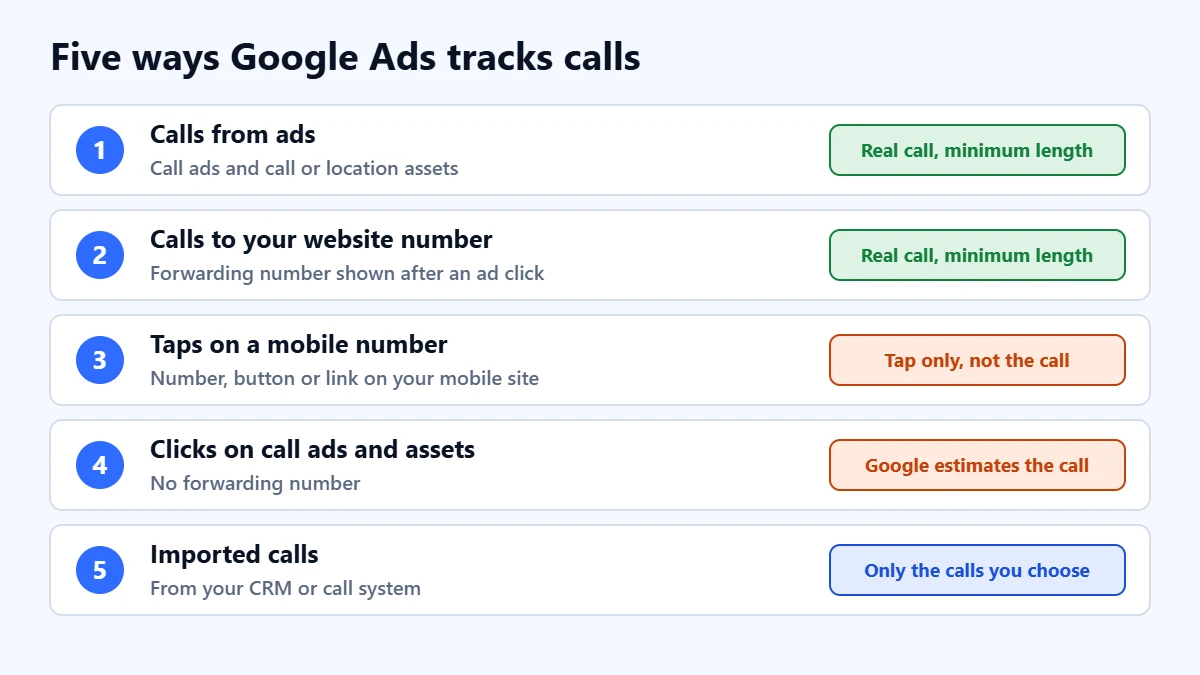
| Method | What Google counts | Good for |
|---|---|---|
| Calls from ads | Calls from call-only ads, or call and location assets, lasting at least your minimum call length | Businesses where people call straight from the search results |
| Calls to a number on your website | Calls to the forwarding number shown to people who clicked an ad, lasting at least your minimum length | Businesses where people visit the site, then call |
| Taps on a number on your mobile site | Taps on a phone number, button or link. Google says it can track only the taps, not the calls | A simple fallback where forwarding numbers are not available |
| Clicks on call ads and assets | Clicks, counted using Google’s estimate of whether a meaningful call followed, without a forwarding number | Accounts that cannot use forwarding numbers |
| Imported calls | Calls tracked in your own system, which you choose to import, optionally with sales values | Counting only calls that became leads or sales |
How Google forwarding numbers work
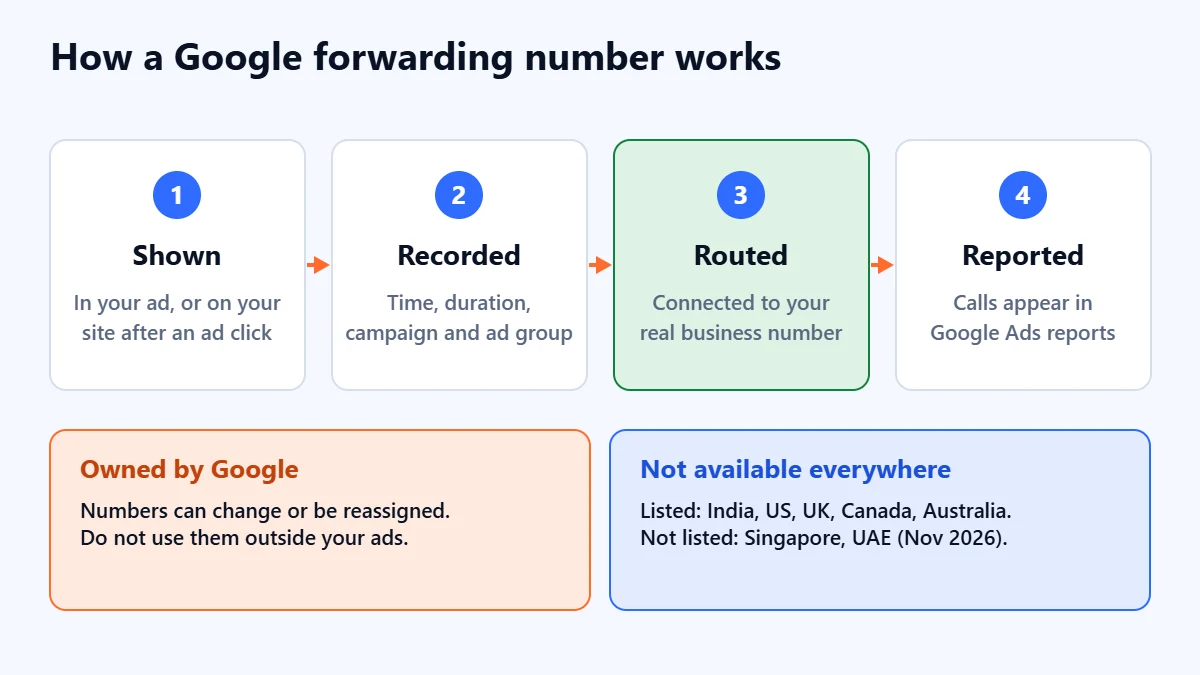
When you turn on call reporting, Google Ads shows a forwarding number in your call assets, or on your website for people who clicked an ad, instead of your own number. Google records details such as the time, duration and campaign, then routes the call to your real business number. Google says it tries to use a number with the same area code or prefix as yours, and may show a toll-free number when a local one is not available.
- They belong to Google. Google says forwarding numbers can change or be reassigned, so do not copy them into other marketing.
- Saved numbers keep working for a while. Google says calls still connect for 60 days after someone’s first call, and the 60 days restart with each new call.
- Not on the Display Network. Google says call assets targeting the Display Network do not support forwarding numbers or call conversion tracking.
- Not every country. When we checked in November 2026, Google’s list of countries included India, the United States, the United Kingdom, Canada, Australia and much of Europe and Latin America. Singapore and the United Arab Emirates were not on it. Check the current list in Google Ads Help before you plan around them.
Not sure your calls are being counted? Ask for a Free Growth Audit. We check your conversion tracking for calls and forms, and tell you what is missing and what is being double counted.
Setting it up
Calls from ads
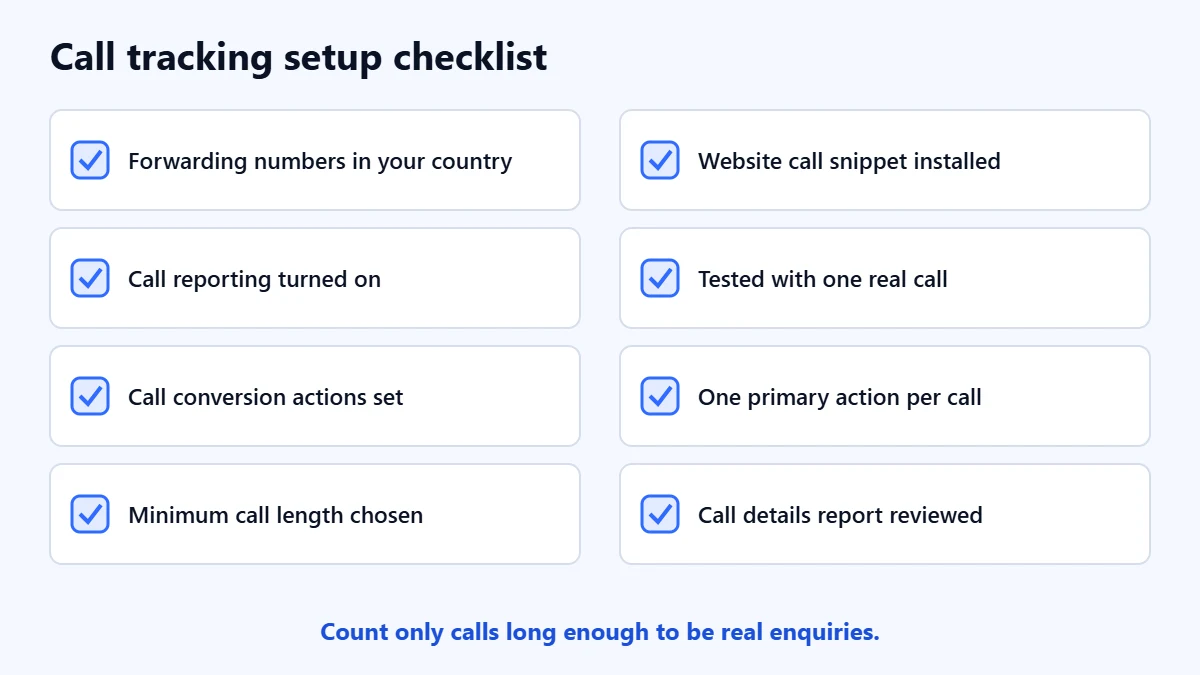
Add call assets, or use call-only ads, with your business number. Turn on call reporting in your account settings so a forwarding number is used. Create or check the “Calls from ads” conversion action, make sure it is active and set as a primary goal if you want bidding to use it, and choose a minimum call length.
Calls to a number on your website
Create a website call conversion action. Google says you need the Google tag plus a specific event snippet on the pages where your number appears, which swaps your number for a forwarding number for people who arrived from an ad. The number you enter must match the digits shown on your site. Use Google’s Tag Assistant to confirm the tag works. An “Inactive tag” status usually means the snippet is not installed correctly.
Imported calls
If you track calls in a CRM or a call tracking system, you can import them into Google Ads. Google says this gives more control, for example counting only calls that included a sale, along with its value. It is the most accurate option for lead quality, and our guide to improving Google Ads lead quality explains how outcome data improves bidding.
Choosing a minimum call length
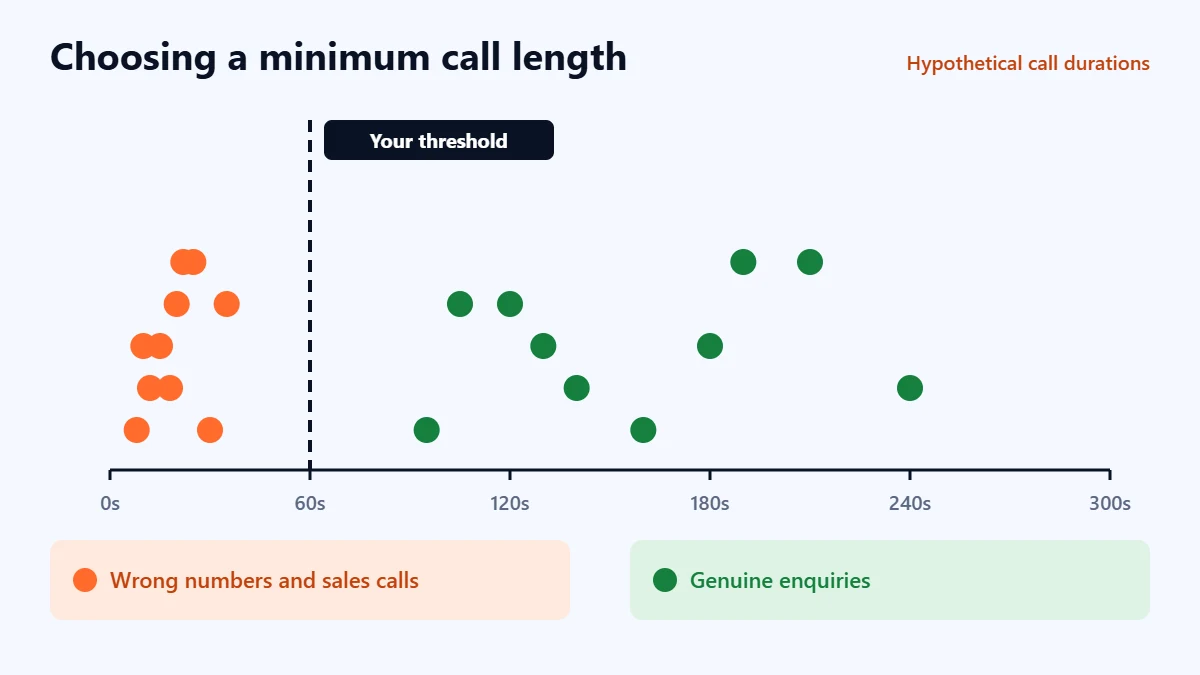
Google lets you set the minimum length a call must last to count as a conversion, and calls shorter than that are not counted. In our judgement, base it on your own calls. Look at the Call details report, see how long a genuine enquiry usually takes compared with wrong numbers and sales calls, and set the threshold between them. Too short and you count wrong numbers. Too long and you miss quick bookings.
Avoid counting the same call twice
If you track phone number taps on your site in Google Analytics and also track website calls in Google Ads, the same customer can be counted twice in different places. Decide which actions count as primary conversions for bidding, and set the others to secondary so they are reported but not double counted. Our guide to marketing attribution models explains why tools disagree.
Test it properly
- Click your own ad from a phone. Your ad budget will pay for the click, so do this once, not repeatedly.
- Check that the website shows a different number from your normal one.
- Call it, and stay on the line longer than your minimum call length.
- Confirm the call reaches the right phone.
- Check the Call details report and the conversion action over the following hours.
Common mistakes
- Counting every tap as a call. A tap is not a conversation.
- Leaving the minimum call length at a value that does not suit your business.
- Printing a forwarding number on flyers or vans. It can change or stop working.
- Counting calls in several places as primary conversions. Bidding then sees one customer as two.
- Never checking which calls were real leads. Import or label them if you can.
Frequently asked questions
Can Google Ads record what was said on a call?
The call reporting described here records details such as time, duration and campaign, not the content of the call. If you want to judge call quality, track outcomes in your own system and import them.
Do I need a separate call tracking service?
Not to start with. Google forwarding numbers cover calls from ads and from your website where they are available. A separate service is worth considering if forwarding numbers are not offered in your country, or if you need call recording or detailed outcome tracking across channels.
Will a forwarding number confuse my customers?
It is only shown in ads and to visitors who arrived from an ad, and it connects to your real number. Google tries to use a local-looking number where possible.
Why are calls not showing as conversions?
Check that call reporting is on, that the conversion action is active and primary if you expect bidding to use it, that calls lasted longer than your minimum, and that the website snippet is installed on the pages with your number.
Get your Free Growth Audit and Quote. We review your call and form tracking, conversion goals and campaign results, then send a plain-English list of what to fix first. We will ask for read-only or standard access; you stay the owner.
No obligation and no guaranteed results. Prefer to talk first? Contact us or see our Google Ads management service.